
1. ആമുഖം
This manual provides essential information for the safe and efficient operation of your Panasonic D-dock SD Stereo System, model SC-PM730SD. Please read these instructions thoroughly before using the unit and retain them for future reference.
2. ഉൽപ്പന്നം കഴിഞ്ഞുview
The Panasonic SC-PM730SD is a versatile stereo system featuring a 5-CD changer, MD player, SD card slot for recording and playback, AM/FM radio, and a cassette deck. It is designed for high-quality audio playback and convenient digital recording.
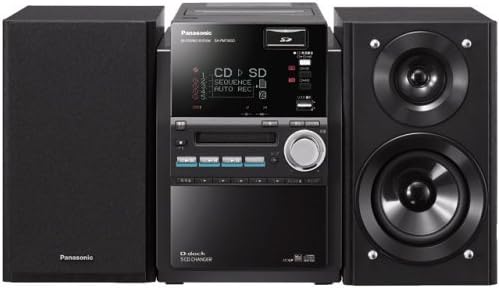
Figure 2.1: Complete Panasonic SC-PM730SD Stereo System with main unit and two speakers.

Figure 2.2: Front panel of the main unit, displaying the screen, CD tray, and various control buttons.

Figure 2.3: All components included with the SC-PM730SD system, including the main unit, remote control, and antenna.
3. സജ്ജീകരണം
3.1 അൺപാക്കിംഗും പ്ലേസ്മെന്റും
- പാക്കേജിംഗിൽ നിന്ന് എല്ലാ ഘടകങ്ങളും ശ്രദ്ധാപൂർവ്വം നീക്കം ചെയ്യുക.
- Place the main unit and speakers on a stable, flat surface. Ensure adequate ventilation around the unit.
- നേരിട്ടുള്ള സൂര്യപ്രകാശം, താപ സ്രോതസ്സുകൾ, ഈർപ്പം എന്നിവയിൽ നിന്ന് യൂണിറ്റിനെ അകറ്റി നിർത്തുക.
3.2 സ്പീക്കർ കണക്ഷൻ
Connect the supplied speakers to the speaker terminals on the rear of the main unit. Ensure correct polarity (red to red, black to black) for optimal sound quality.
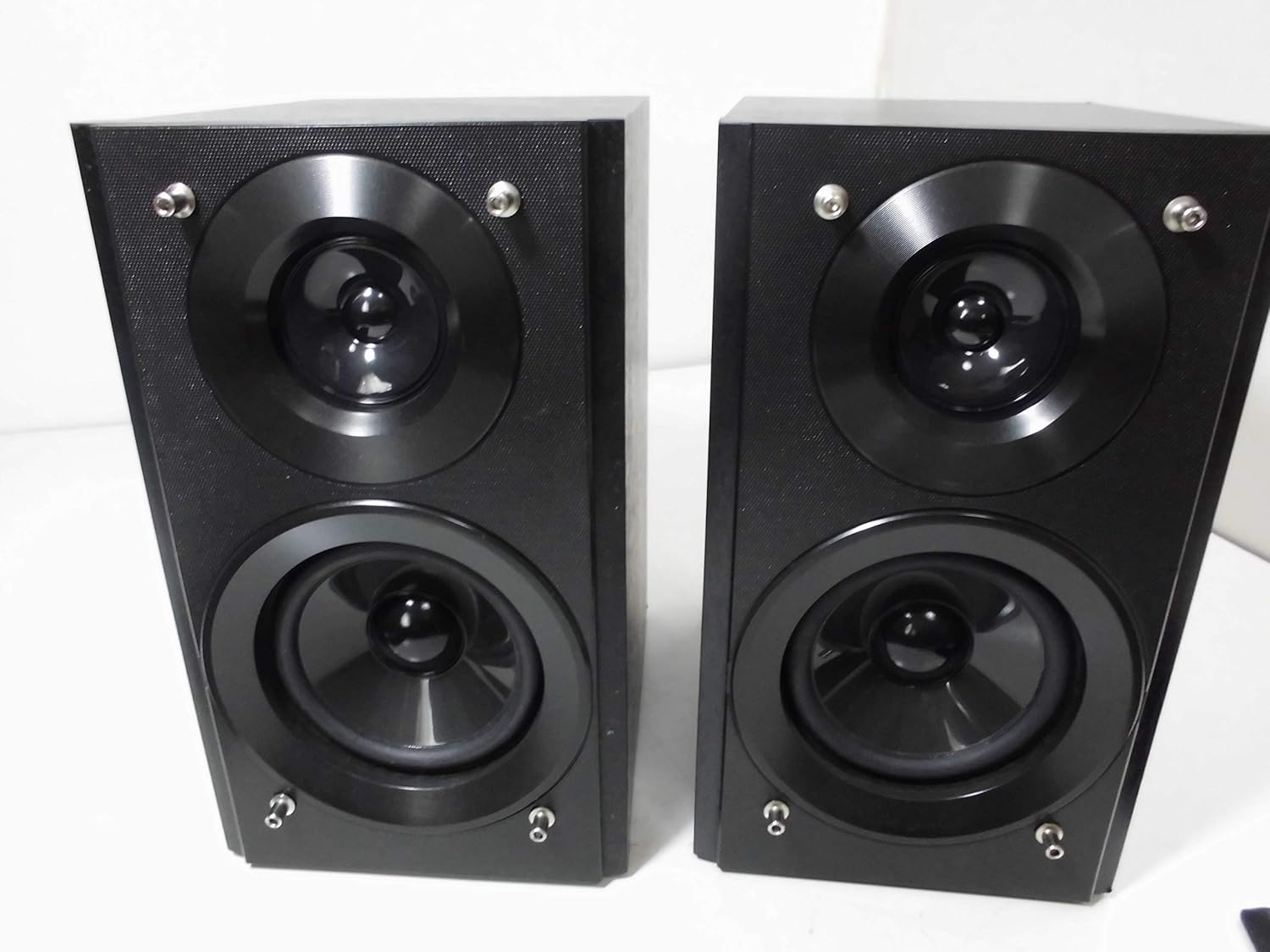
Figure 3.1: The two-way speakers included with the system.
3.3 ആന്റിന കണക്ഷൻ
Connect the FM antenna to the FM antenna terminal and the AM loop antenna to the AM antenna terminals on the rear of the unit for radio reception.
3.4 പവർ കണക്ഷൻ
Plug the power cord into an AC outlet. The unit is now ready for operation.

Figure 3.2: Rear panel connections, including speaker terminals, antenna inputs, and power input.
4. പ്രവർത്തന നിർദ്ദേശങ്ങൾ
4.1 പവർ ഓൺ/ഓഫ്
- അമർത്തുക പവർ സിസ്റ്റം ഓണാക്കാനോ ഓഫാക്കാനോ യൂണിറ്റിലെയോ റിമോട്ട് കൺട്രോളിലെയോ ബട്ടൺ അമർത്തുക.
4.2 സിഡി പ്ലേബാക്ക്
- അമർത്തുക CD സിഡി ഫംഗ്ഷൻ തിരഞ്ഞെടുക്കാൻ ബട്ടൺ അമർത്തുക.
- Open the CD tray and place up to 5 CDs.
- അമർത്തുക കളിക്കുക പ്ലേബാക്ക് ആരംഭിക്കാൻ.
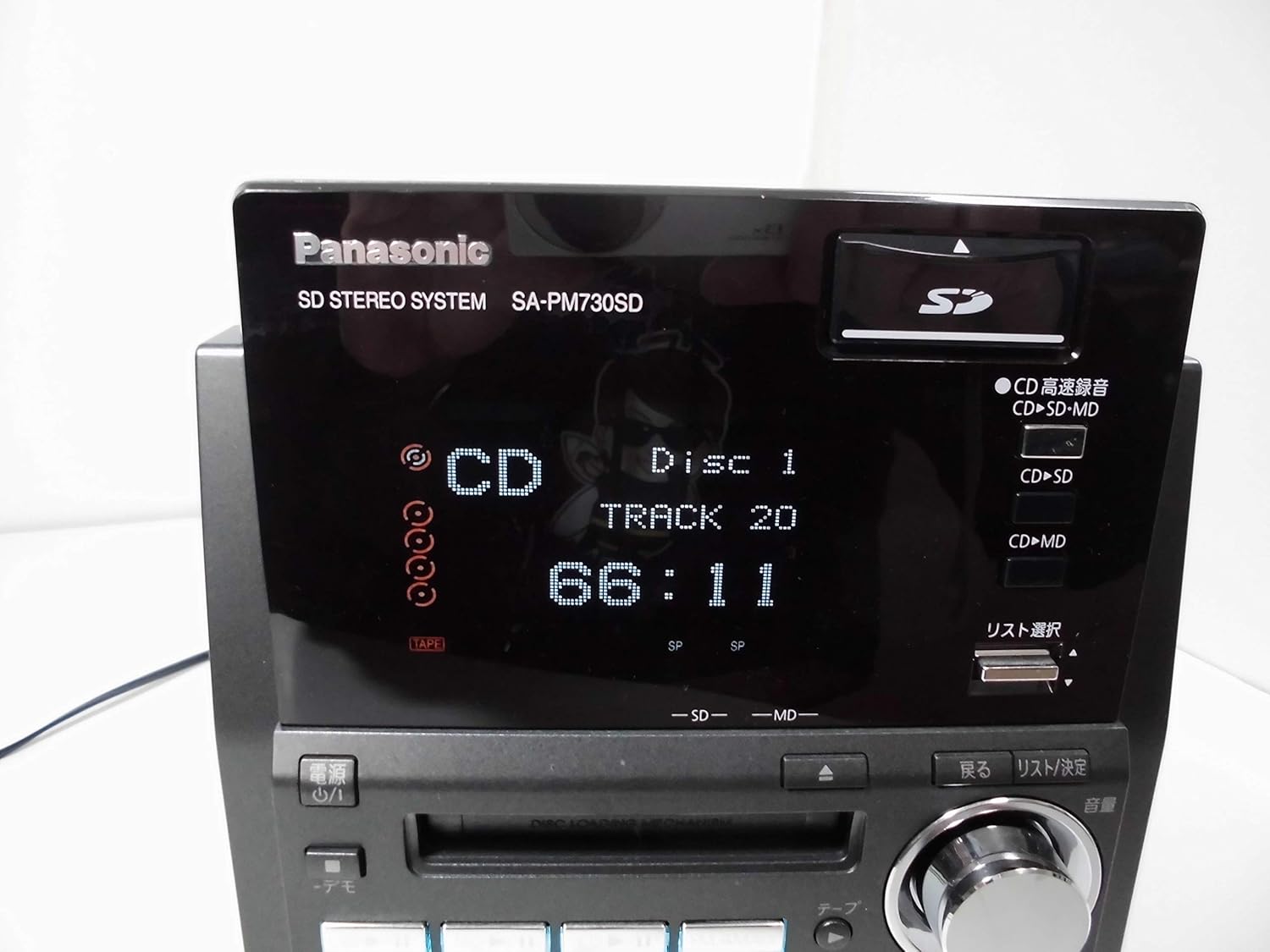
Figure 4.1: The display showing CD playback details, including disc and track number, and elapsed time.
4.3 MD Playback
- അമർത്തുക MD button to select the MD function.
- Insert an MD into the MD slot.
- അമർത്തുക കളിക്കുക പ്ലേബാക്ക് ആരംഭിക്കാൻ.
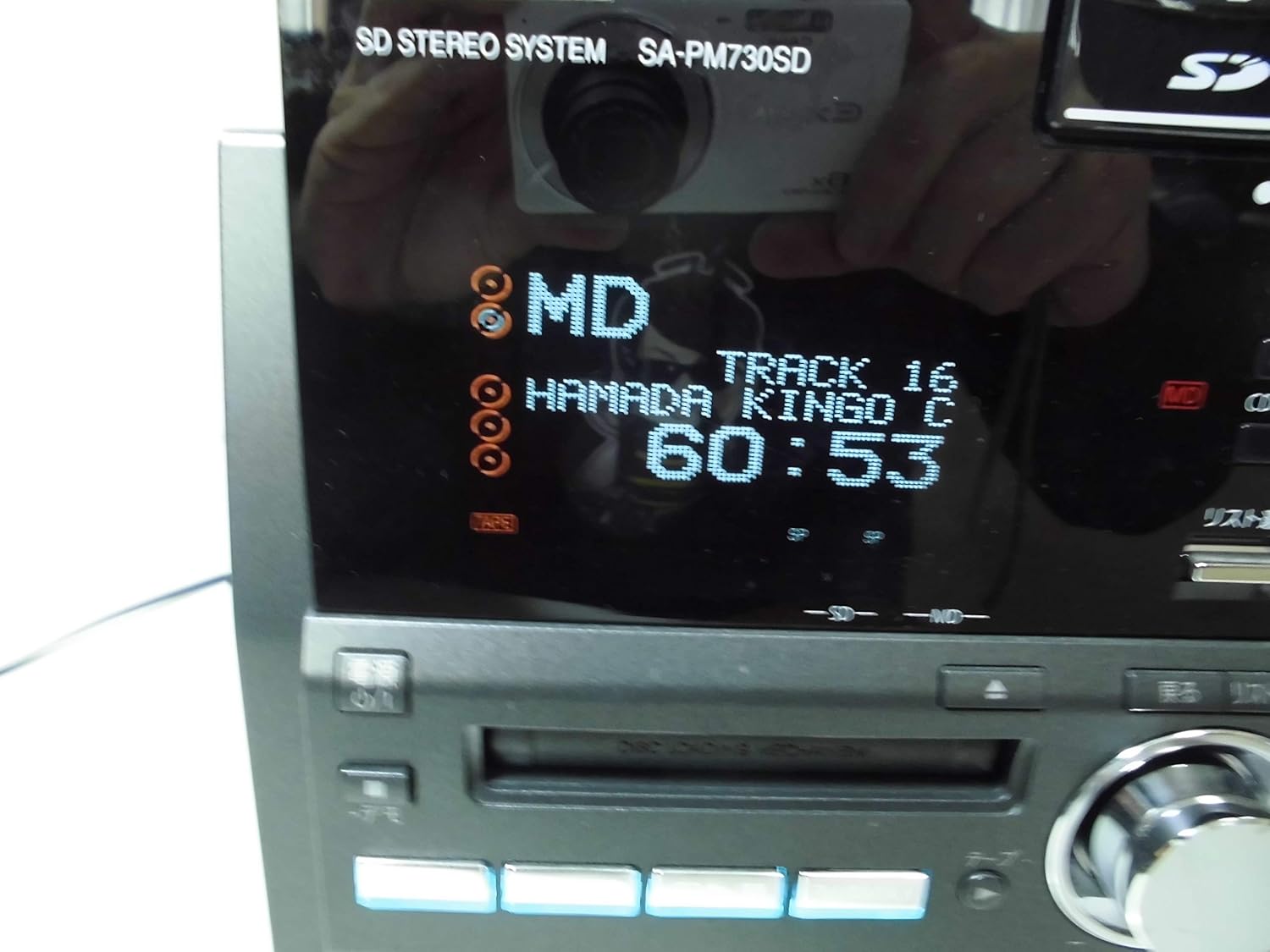
Figure 4.2: The display showing MD playback details, including track number and elapsed time.
4.4 SD കാർഡ് പ്ലേബാക്ക്
- SD കാർഡ് സ്ലോട്ടിൽ ഒരു SD കാർഡ് ഇടുക.
- അമർത്തുക SD button to select the SD function.
- Use the navigation buttons to select desired tracks or albums.
- അമർത്തുക കളിക്കുക പ്ലേബാക്ക് ആരംഭിക്കാൻ.
- Note: A miniSD adapter is required for miniSD cards.
4.5 റേഡിയോ പ്രവർത്തനം
- അമർത്തുക ട്യൂണർ/ബാൻഡ് button to select FM or AM radio.
- Use the tuning buttons to find desired stations.
- അമർത്തുക പ്രീസെറ്റ് buttons to store or recall favorite stations.
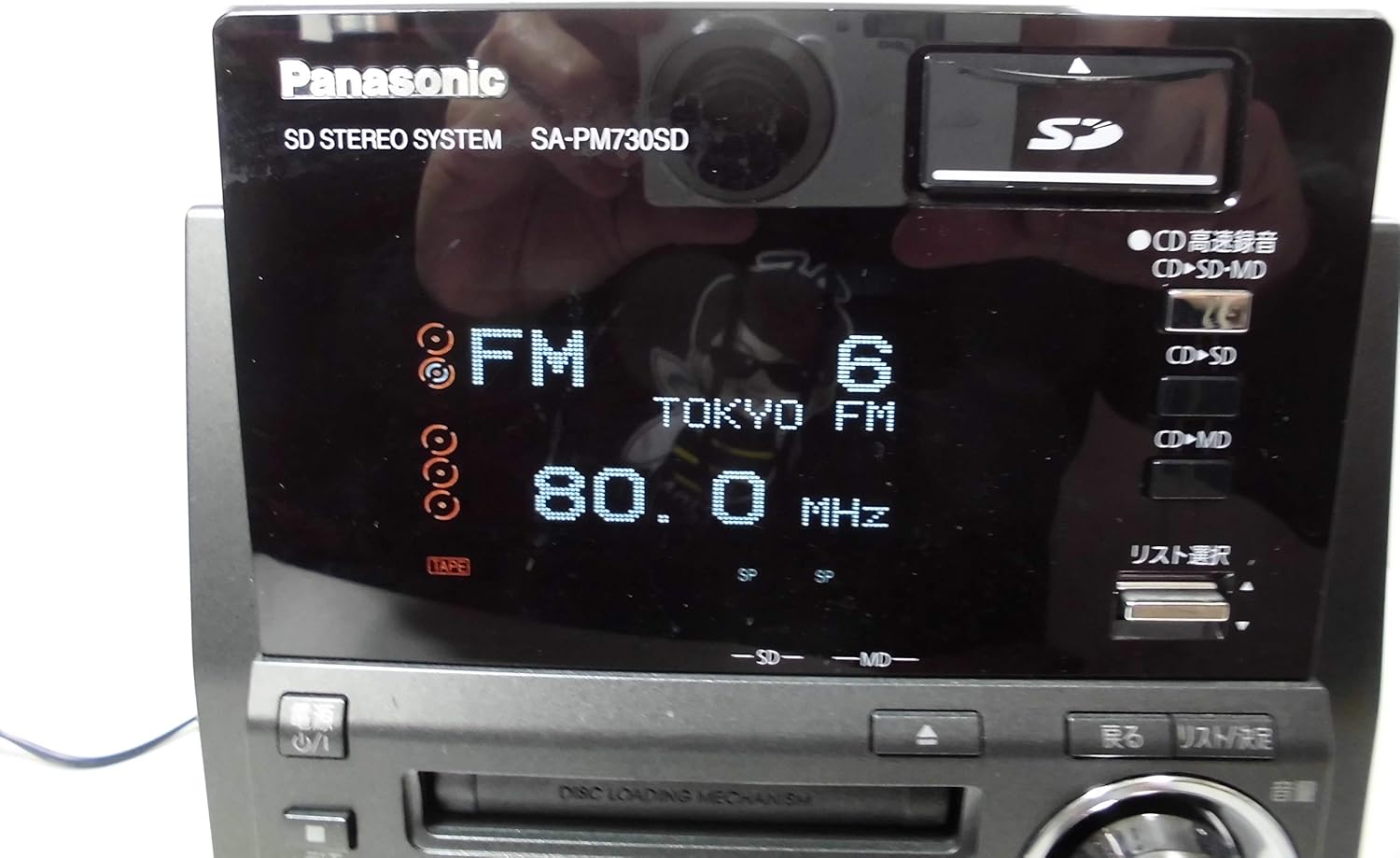
Figure 4.3: The display showing FM radio frequency and station name.
4.6 കാസറ്റ് പ്ലേബാക്ക്
- അമർത്തുക ടേപ്പ് കാസറ്റ് ഫംഗ്ഷൻ തിരഞ്ഞെടുക്കാൻ ബട്ടൺ അമർത്തുക.
- Open the cassette deck and insert a cassette tape.
- അമർത്തുക കളിക്കുക പ്ലേബാക്ക് ആരംഭിക്കാൻ.

Figure 4.4: The cassette deck opened, ready for tape insertion.
5. റെക്കോർഡിംഗ് പ്രവർത്തനങ്ങൾ
The SC-PM730SD offers various recording options, including direct recording to SD cards without a PC.
5.1 CD to SD/MD Recording
- One-Button 5-CD Recording: Load up to 5 CDs. Press the dedicated recording button (often labeled 'One-Button' or 'CD-SD/MD Rec') to initiate continuous high-speed recording from all loaded CDs to an SD card or MD.
- CD to SD/MD Continuous Recording: This feature allows simultaneous recording to both SD and MD from a CD source.
- High-Speed CD to MD Recording: CD to MD recording can be performed at speeds up to 6x.
5.2 Recording from MD, Radio, or Tape to SD
- Select the desired source (MD, Radio, or Tape).
- ഒരു SD കാർഡ് ചേർക്കുക.
- അമർത്തുക രേഖപ്പെടുത്തുക button to begin recording the audio from the selected source to the SD card.
5.3 Notes on High-Speed Recording
- Recordings from sources other than CD to MD or CD to SD will be analog recordings.
- After a high-speed recording session, approximately 74 minutes must pass before the same CD can be high-speed recorded again. This applies even if recording is stopped midway. Normal speed recording is still possible during this period.
- Up to 24 different CDs can be high-speed recorded within approximately 74 minutes. The 25th CD cannot be high-speed recorded within this timeframe.
- High-speed recording from CD to MD/SD memory card may not always reach maximum speed or may not be possible depending on the disc condition and other factors. CD-RW discs will record at 2x speed.
- High-speed recording is not possible when recording WMA/MP3 files or when the unit is switched to analog recording mode.
- High-speed recording does not always achieve maximum speeds (7x/6x/5x) due to inherent speed variations between the inner and outer circumference of the CD.
- Audio is not audible during high-speed recording.
- For an 80-minute MD, recording times are: up to 320 minutes in LP4 mode, up to 160 minutes in LP2 mode, and up to 80 minutes in SP mode.
6. Audio Quality Features
The SC-PM730SD is engineered to deliver high-quality sound through its advanced speaker design and audio processing.
- AAC Re-Master: This technology enhances the quality of SD audio, bringing it closer to CD-level fidelity.
- 2-Way Speakers: The system includes 2-way speakers designed for a balanced audio output.
- PP Mica Cone Tweeter: Utilizes a PP mica cone tweeter to produce clear and transparent high frequencies.
- PP Aramid Fiber Woofer: Features a PP aramid fiber woofer, which incorporates aramid fibers into the diaphragm to reproduce vocal ranges with enhanced clarity.
7. Display and Remote Control
The system is designed for user-friendliness with its intuitive display and remote control.
- Large 5-Line Display: The main unit features a large display capable of showing 5 lines of text, making information easy to read and navigate.
- Large Remote Control: The included remote control is designed for ease of use, with clear buttons and Japanese language display for intuitive operation.
8. പരിപാലനം
8.1 യൂണിറ്റ് വൃത്തിയാക്കൽ
- മൃദുവായതും ഉണങ്ങിയതുമായ തുണി ഉപയോഗിച്ച് യൂണിറ്റ് തുടയ്ക്കുക.
- Do not use abrasive cloths, waxes, or solvents.
8.2 CD/MD/Cassette Care
- Handle CDs and MDs by their edges to avoid fingerprints and scratches.
- Keep cassette tapes away from magnetic fields.
9. പ്രശ്നപരിഹാരം
If you experience issues with your SC-PM730SD, refer to the following common solutions:
- ശക്തിയില്ല: Ensure the power cord is securely plugged into both the unit and the AC outlet.
- ശബ്ദമില്ല: Check speaker connections, volume level, and ensure the correct input source is selected.
- Disc Playback Issues: Ensure the disc is clean and free of scratches. Try a different disc.
- Radio Reception Poor: Adjust the position of the FM and AM antennas.
- റെക്കോർഡിംഗ് പ്രശ്നങ്ങൾ: Verify that the SD card or MD has sufficient free space and is not write-protected. Refer to the 'Notes on High-Speed Recording' section for specific limitations.
പ്രശ്നങ്ങൾ നിലനിൽക്കുകയാണെങ്കിൽ, യോഗ്യതയുള്ള ഒരു സർവീസ് ടെക്നീഷ്യനെ സമീപിക്കുക.
10 സ്പെസിഫിക്കേഷനുകൾ
| ബ്രാൻഡ് | പാനസോണിക് |
| മോഡൽ നമ്പർ | SC-PM730SD |
| നിറം | കറുപ്പ് |
| ഉൽപ്പന്ന ഭാരം | 11698 ഗ്രാം |
| മാധ്യമ പിന്തുണ | CD, MD, SD Card, Cassette Tape |
| റെക്കോർഡിംഗ് സവിശേഷതകൾ | CD to SD/MD (High-Speed), MD/Radio/Tape to SD |
| Audio Enhancements | AAC Re-Master, 2-Way Speakers (PP Mica Cone Tweeter, PP Aramid Fiber Woofer) |
11. വാറൻ്റിയും പിന്തുണയും
വാറന്റി വിവരങ്ങൾക്കും ഉപഭോക്തൃ പിന്തുണയ്ക്കും, ദയവായി നിങ്ങളുടെ ഉൽപ്പന്നത്തിനൊപ്പം ഉൾപ്പെടുത്തിയിരിക്കുന്ന വാറന്റി കാർഡ് പരിശോധിക്കുക അല്ലെങ്കിൽ ഔദ്യോഗിക പാനസോണിക് വെബ്സൈറ്റ് സന്ദർശിക്കുക. webസൈറ്റ്. ഏതെങ്കിലും വാറന്റി ക്ലെയിമുകൾക്ക് വാങ്ങിയതിന്റെ തെളിവായി നിങ്ങളുടെ വാങ്ങൽ രസീത് സൂക്ഷിക്കുക.