
1. ആമുഖം
The Fiskars SureCut Portable Paper Trimmer (Model 154450-1009) is designed for precise and straight cutting of paper, cardstock, and labels. It features a SureCut wire cut-line for accurate blade placement and a patented TripleTrack System that interlocks the blade and rail for consistent results. This compact and lightweight trimmer is suitable for various home office and craft projects.
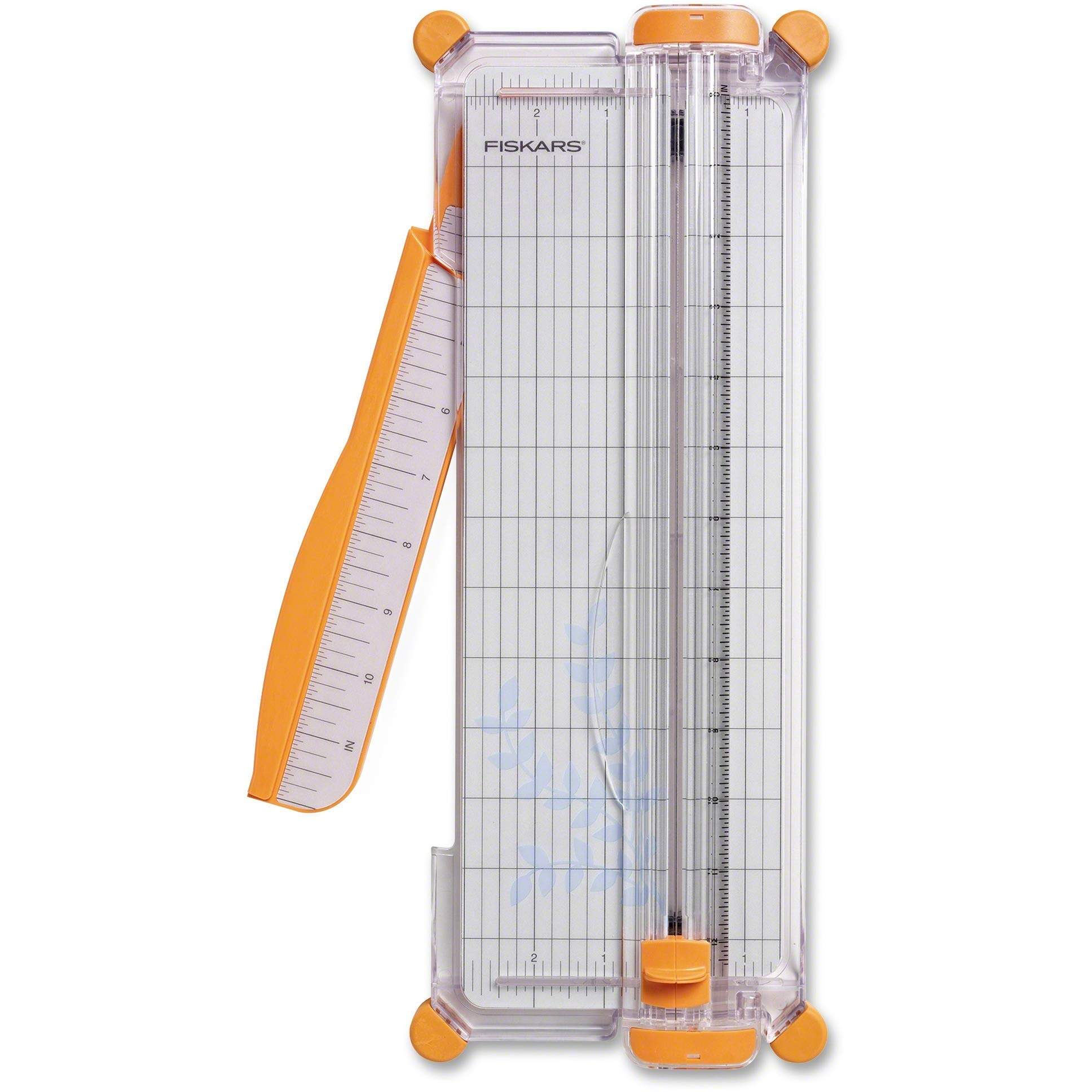
Figure 1: Fiskars SureCut Portable Paper Trimmer, 12 Inch Cut, Orange.
2. സജ്ജീകരണം
Before using your Fiskars SureCut Portable Paper Trimmer, follow these steps to prepare it:
- ട്രിമ്മർ അൺപാക്ക് ചെയ്യുക: Carefully remove the trimmer from its packaging. Ensure all components are present.
- Extend the Swing-Out Arm: Locate the self-leveling swing-out arm on the side of the trimmer. Gently pull it outwards until it locks into place, extending the measuring deck to a full 12 inches. This provides additional support and measurement for larger materials.
- സ്ഥിരതയുള്ള ഉപരിതലത്തിൽ സ്ഥാപിക്കുക: Position the trimmer on a flat, stable surface to ensure accurate and safe operation.
3. പ്രവർത്തന നിർദ്ദേശങ്ങൾ
Follow these instructions for precise paper cutting:
- നിങ്ങളുടെ മെറ്റീരിയൽ തയ്യാറാക്കുക: Ensure the paper, cardstock, or label material is flat and free of creases.
- മെറ്റീരിയൽ സ്ഥാപിക്കുക: Lift the clear cutting guide rail. Place your material under the rail, aligning the edge you wish to cut with the desired measurement on the permanent scale and grid cutting mat. The SureCut wire cut-line indicates the exact path of the blade.
- മെറ്റീരിയൽ സുരക്ഷിതമാക്കുക: Gently lower the clear cutting guide rail to hold the material firmly in place. Ensure the material does not shift during cutting.
- കട്ട് ഉണ്ടാക്കുക: Hold the material securely with one hand. Grasp the ergonomically designed, high-profile blade carriage. Press down firmly on the blade carriage and slide it along the rail from top to bottom (or bottom to top) to make a clean cut.
- Remove Cut Material: Lift the cutting guide rail and remove the cut material.
കുറിപ്പ്: For best results, cut one sheet at a time, especially with thicker materials like cardstock. The TripleTrack System ensures straight and precise cuts.
4. പരിപാലനം
Regular maintenance ensures optimal performance and longevity of your trimmer.
4.1. ബ്ലേഡ് മാറ്റിസ്ഥാപിക്കൽ
The trimmer uses replaceable blades. When cuts become ragged or difficult, it's time to replace the blade.
- പഴയ ബ്ലേഡ് നീക്കം ചെയ്യുക: Carefully slide the blade carriage to the middle of the rail. Gently pry open the blade carriage to expose the blade. Remove the old blade.
- പുതിയ ബ്ലേഡ് ചേർക്കുക: Place a new Fiskars replacement blade into the carriage, ensuring it is seated correctly.
- Close Carriage: Snap the blade carriage closed. Test the new blade on a scrap piece of paper.
ജാഗ്രത: Blades are sharp. Handle with care. Keep replacement blades out of reach of children.
4.2. വൃത്തിയാക്കൽ
To maintain cutting accuracy, keep the cutting mat and rail clean.
- Wipe the cutting mat and guide rail with a soft, dry cloth to remove paper dust and debris.
- Avoid using abrasive cleaners or solvents, as these can damage the plastic components and measurement markings.
5. പ്രശ്നപരിഹാരം
| പ്രശ്നം | സാധ്യമായ കാരണം | പരിഹാരം |
|---|---|---|
| അസമമായതോ കീറിപ്പറിഞ്ഞതോ ആയ മുറിവുകൾ | Dull blade; material not held firmly; debris on rail. | Replace the blade (see Section 4.1); ensure material is secure; clean the cutting rail. |
| Blade carriage sticks or is difficult to slide | Debris in the rail; misaligned blade carriage. | Clean the rail thoroughly; ensure the blade carriage is properly seated on the TripleTrack System. |
| Swing-out arm does not extend or retract smoothly | Minor obstruction or dirt in the hinge mechanism. | Inspect the hinge for any obstructions and gently clean. Do not force the arm. |
6 സ്പെസിഫിക്കേഷനുകൾ
| ഫീച്ചർ | വിശദാംശങ്ങൾ |
|---|---|
| ബ്രാൻഡ് | Fiskars |
| മോഡൽ നമ്പർ | 154450-1009 |
| ഇനത്തിൻ്റെ തരം പേര് | SureCut Portable Paper Trimmer |
| മെറ്റീരിയൽ | പ്ലാസ്റ്റിക് |
| നിറം | ഓറഞ്ച് |
| സജീവ ഉപരിതല വിസ്തീർണ്ണം | 144 ചതുരശ്ര ഇഞ്ച് |
| ഓപ്പറേഷൻ മോഡ് | മാനുവൽ |
| ഉൾപ്പെടുത്തിയ ഘടകങ്ങൾ | പേപ്പർ ട്രിമ്മർ |
| Print Media Compatibility | Card stock, Labels |
| ഇനത്തിൻ്റെ ഭാരം | 0.82 പൗണ്ട് |
7. വാറൻ്റി വിവരങ്ങൾ
This Fiskars SureCut Portable Paper Trimmer comes with a പരിമിതമായ ആജീവനാന്ത വാറൻ്റി. For specific details regarding coverage, terms, and conditions, please refer to the official Fiskars warranty documentation included with your product or visit the manufacturer's webസൈറ്റ്.
8. ഉപഭോക്തൃ പിന്തുണ
For further assistance, product inquiries, or to purchase replacement parts, please contact Fiskars customer support. Refer to the contact information provided on the product packaging or the official Fiskars webസൈറ്റ്.
ഓൺലൈൻ ഉറവിടങ്ങൾ: Visit the official Fiskars webപതിവുചോദ്യങ്ങൾ, ഉൽപ്പന്ന രജിസ്ട്രേഷൻ, അധിക പിന്തുണാ സാമഗ്രികൾ എന്നിവയ്ക്കുള്ള സൈറ്റ്.