
1. ആമുഖം
This manual provides essential information for the safe and efficient operation of your Sharp Aquos LC42D64U 42-Inch 1080p LCD HDTV. Please read these instructions thoroughly before using your television and retain them for future reference. The Sharp Aquos D64 series offers a slim design, Full HD 1080p resolution, and advanced features for an enhanced viewഅനുഭവം.
2 പ്രധാനപ്പെട്ട സുരക്ഷാ വിവരങ്ങൾ
തീ, വൈദ്യുതാഘാതം, പരിക്കുകൾ എന്നിവ കുറയ്ക്കുന്നതിന് ഈ ടെലിവിഷൻ ഉപയോഗിക്കുമ്പോൾ എല്ലായ്പ്പോഴും അടിസ്ഥാന സുരക്ഷാ മുൻകരുതലുകൾ പാലിക്കുക.
- ഊർജ്ജ സ്രോതസ്സ്: ലേബലിൽ സൂചിപ്പിച്ചിരിക്കുന്ന വൈദ്യുതി വിതരണവുമായി മാത്രം ടിവി ബന്ധിപ്പിക്കുക.
- വെൻ്റിലേഷൻ: ശരിയായ വായുസഞ്ചാരം ഉറപ്പാക്കുക. വായുസഞ്ചാര ദ്വാരങ്ങൾ തടയരുത്.
- ജലവും ഈർപ്പവും: മഴയോ ഈർപ്പമോ ടിവിയിൽ ഏൽക്കരുത്. ദ്രാവകങ്ങൾ നിറച്ച വസ്തുക്കൾ ടിവിയിൽ വയ്ക്കരുത്.
- വൃത്തിയാക്കൽ: Unplug the TV from the wall outlet before cleaning. Use a soft, dry cloth.
- സേവനം: ഈ ഉൽപ്പന്നം സ്വയം സേവിക്കാൻ ശ്രമിക്കരുത്. യോഗ്യതയുള്ള സേവന ഉദ്യോഗസ്ഥർക്ക് എല്ലാ സേവനങ്ങളും റഫർ ചെയ്യുക.
- മൗണ്ടിംഗ്: If wall-mounting, ensure the mount is compatible and installed by qualified personnel.
- കുട്ടികൾ: കുട്ടികൾ ടിവിയിൽ കയറുകയോ കളിക്കുകയോ ചെയ്യുന്നത് തടയാൻ മേൽനോട്ടം വഹിക്കുക.
3. ബോക്സിൽ എന്താണുള്ളത്?
സജ്ജീകരണവുമായി മുന്നോട്ടുപോകുന്നതിനുമുമ്പ് എല്ലാ ഘടകങ്ങളും നിലവിലുണ്ടെന്ന് ഉറപ്പാക്കുക.
- Sharp Aquos LC42D64U 42-Inch LCD HDTV
- റിമോട്ട് കൺട്രോൾ
- ടേബിൾ സ്റ്റാൻഡ്
- പവർ കോർഡ്
- ഉപയോക്തൃ മാനുവൽ (ഈ പ്രമാണം)
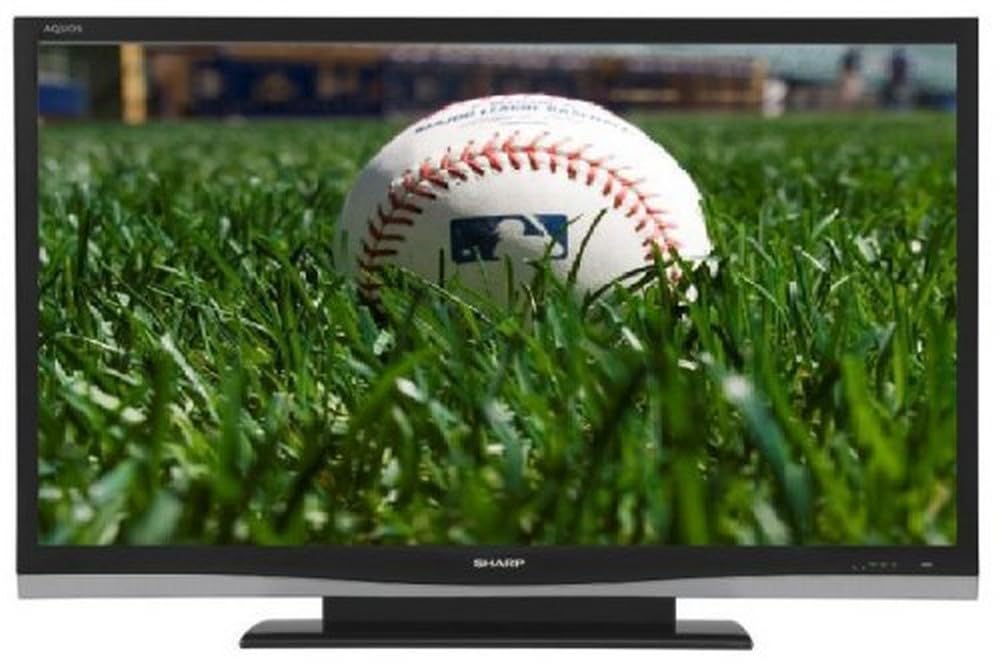
ചിത്രം: മുൻഭാഗം view of the Sharp Aquos LC42D64U 42-Inch LCD HDTV with its included table stand.
4. സജ്ജീകരണം
4.1 ടേബിൾ സ്റ്റാൻഡ് ഘടിപ്പിക്കൽ
If you are not wall-mounting the television, attach the included table stand. Refer to the separate assembly guide for detailed instructions on securing the stand to the TV. Ensure all screws are tightened securely.
4.2 ബാഹ്യ ഉപകരണങ്ങൾ ബന്ധിപ്പിക്കുന്നു
Connect your external devices (e.g., cable box, Blu-ray player, game console) to the appropriate input terminals on the rear or side of the TV.
- എച്ച്ഡിഎംഐ: For high-definition digital video and audio. The TV features three HDMI 1.3 inputs (two rear, one side).
- Component Video (Y, Pb, Pr): For high-definition analog video. Two inputs are available.
- Composite Video (A/V): For standard-definition analog video and audio. One side and one rear input.
- എസ്-വീഡിയോ: For standard-definition video. One side and one rear input.
- PC Input (D-Sub 15-pin): Connect a computer for use as a monitor.
- RF Antenna Inputs: Two inputs for connecting an antenna or cable TV.
- ഇഥർനെറ്റ് പോർട്ട്: For network connectivity (DLNA).
4.3 പവർ കണക്ഷൻ
After connecting all desired devices, plug the power cord into the TV's power inlet and then into a wall outlet. The TV will enter standby mode.
5. പ്രവർത്തന നിർദ്ദേശങ്ങൾ
5.1 Initial Power On and Channel Setup
- അമർത്തുക പവർ button on the remote control or the TV to turn it on.
- The first time you power on, the TV will guide you through the initial setup process, including language selection and channel scanning.
- Select your preferred language (English, Spanish, or French).
- Perform an "Easy Setup" or "Channel Setup" scan to detect available digital (ATSC, QAM) and analog (NTSC) channels.
5.2 അടിസ്ഥാന റിമോട്ട് കൺട്രോൾ പ്രവർത്തനങ്ങൾ
- പവർ: Turns the TV on or off (standby).
- ഇൻപുട്ട്: Cycles through available input sources (HDMI, Component, PC, etc.).
- CH +/-: ചാനലുകൾ മാറ്റുന്നു.
- VOL +/-: വോളിയം ക്രമീകരിക്കുന്നു.
- മെനു: Accesses the on-screen menu for settings adjustments.
- അമ്പടയാള ബട്ടണുകൾ: മെനു ഓപ്ഷനുകളിലൂടെ നാവിഗേറ്റ് ചെയ്യുക.
- നൽകുക: തിരഞ്ഞെടുക്കലുകൾ സ്ഥിരീകരിക്കുന്നു.
- EXIT/RETURN: Exits menus or returns to the previous screen.
5.3 മെനു നാവിഗേഷനും ക്രമീകരണങ്ങളും
അമർത്തുക മെനു button to access various settings categories:
- ചിത്രം: Adjust brightness, contrast, color, tint, sharpness, and backlight. The OPC function automatically adjusts brightness based on room conditions.
- ഓഡിയോ: Control volume, bass, treble, balance, and select audio modes.
- ചാനൽ: Rescan channels, add/delete channels, and set up favorite channels.
- സജ്ജമാക്കുക: General settings like language, time, sleep timer, and parental controls (V-Chip).
- വിപുലമായ സവിശേഷതകൾ: Access settings for DLNA, Picture-in-Picture, and AQUOS LINK.
6. വിപുലമായ സവിശേഷതകൾ
6.1 AQUOS LINK (HDMI-CEC)
AQUOS LINK allows convenient control of compatible Sharp devices connected via HDMI using just your AQUOS TV remote. Ensure connected devices also support HDMI-CEC (Consumer Electronics Control) and are enabled in their respective settings.
6.2 DLNA Compatibility
The TV is DLNA-compatible, enabling interoperability with other DLNA-certified electronics, computers, and mobile devices. Connect the TV to your home network via the Ethernet port to access and share digital content (photos, videos, music) from compatible devices on your network.
6.3 പിക്ചർ-ഇൻ-പിക്ചർ (PIP)
The Picture-in-Picture function allows simultaneous viewing of a TV program and a video or PC source. Consult the on-screen menu for PIP activation and source selection.
6.4 V-Chip System
The V-Chip system allows you to block TV and movie programs based on their rating, providing parental control over objectionable content. Access V-Chip settings through the TV's setup menu.
7. പരിപാലനം
7.1 സ്ക്രീൻ വൃത്തിയാക്കൽ
മൃദുവായ, ലിന്റ് രഹിത തുണി ഉപയോഗിച്ച് സ്ക്രീൻ സൌമ്യമായി തുടയ്ക്കുക. കഠിനമായ പാടുകൾക്ക്, നേരിയ തോതിൽ dampen വെള്ളമുള്ള തുണി അല്ലെങ്കിൽ ഒരു പ്രത്യേക സ്ക്രീൻ ക്ലീനർ. ചെയ്യരുത് use harsh chemicals, abrasive cleaners, or spray liquids directly onto the screen.
7.2 കാബിനറ്റ് വൃത്തിയാക്കൽ
Wipe the TV cabinet with a soft, dry cloth. Avoid using solvents or abrasive materials.
7.3 പൊതു പരിചരണം
- ഇടിമിന്നൽ ഉണ്ടാകുമ്പോഴോ ദീർഘനേരം ഉപയോഗിക്കാതിരിക്കുമ്പോഴോ ടിവി പ്ലഗ് ഊരിവയ്ക്കുക.
- ടിവി നേരിട്ട് സൂര്യപ്രകാശം, താപ സ്രോതസ്സുകൾ, അമിതമായ പൊടി എന്നിവയിൽ നിന്ന് അകറ്റി നിർത്തുക.
- Ensure adequate space around the TV for proper ventilation.
8. പ്രശ്നപരിഹാരം
ഉപഭോക്തൃ പിന്തുണയുമായി ബന്ധപ്പെടുന്നതിന് മുമ്പ്, പൊതുവായ പ്രശ്നങ്ങൾക്ക് ഇനിപ്പറയുന്ന പരിഹാരങ്ങൾ പരീക്ഷിക്കുക:
| പ്രശ്നം | സാധ്യമായ പരിഹാരം |
|---|---|
| ശക്തിയില്ല | പവർ കോർഡ് ടിവിയിലേക്കും വാൾ ഔട്ട്ലെറ്റിലേക്കും സുരക്ഷിതമായി പ്ലഗ് ചെയ്തിട്ടുണ്ടോയെന്ന് പരിശോധിക്കുക. ഔട്ട്ലെറ്റിന് പവർ ഉണ്ടെന്ന് ഉറപ്പാക്കുക. |
| ചിത്രമില്ല, പക്ഷേ ശബ്ദം ഉണ്ട് | ശരിയായ ഇൻപുട്ട് ഉറവിടം തിരഞ്ഞെടുത്തിട്ടുണ്ടെന്ന് ഉറപ്പാക്കുക. ബാഹ്യ ഉപകരണങ്ങളിലേക്കുള്ള കേബിൾ കണക്ഷനുകൾ പരിശോധിക്കുക. |
| ശബ്ദമില്ല, പക്ഷേ ചിത്രം ഉണ്ട് | Check the volume level and mute setting. Ensure audio cables are correctly connected. |
| റിമോട്ട് കൺട്രോൾ പ്രവർത്തിക്കുന്നില്ല | ബാറ്ററികൾ മാറ്റിസ്ഥാപിക്കുക. റിമോട്ടിനും ടിവിയുടെ ഐആർ സെൻസറിനും ഇടയിൽ തടസ്സങ്ങളൊന്നുമില്ലെന്ന് ഉറപ്പാക്കുക. |
| "Hotel Mode" issue (as per customer review) | If the TV is stuck in a limited functionality mode, contact Sharp customer support for assistance in disabling "Hotel Mode." This typically requires a specific service menu sequence. |
9 സ്പെസിഫിക്കേഷനുകൾ
| ഫീച്ചർ | വിശദാംശങ്ങൾ |
|---|---|
| മോഡൽ നമ്പർ | LC42D64U |
| സ്ക്രീൻ വലിപ്പം | 42 ഇഞ്ച് |
| ഡിസ്പ്ലേ ടെക്നോളജി | എൽസിഡി |
| റെസലൂഷൻ | 1080p (പൂർണ്ണ HD) |
| കോൺട്രാസ്റ്റ് റേഷ്യോ | 10,000:1 Dynamic |
| പ്രതികരണ സമയം | 4 മില്ലിസെക്കൻഡ് |
| HDMI പോർട്ടുകൾ | 3 (2 പിൻ, 1 വശം) |
| Component Video Inputs | 2 |
| സംയോജിത വീഡിയോ ഇൻപുട്ടുകൾ | 3 (1 വശങ്ങൾ, 2 പിൻഭാഗം) |
| S-Video Inputs | 2 (1 വശങ്ങൾ, 1 പിൻഭാഗം) |
| പിസി ഇൻപുട്ട് | 1 (D-Sub 15-pin) |
| ഇഥർനെറ്റ് പോർട്ട് | അതെ |
| ട്യൂണർ തരം | ATSC, QAM, NTSC |
| രക്ഷാകർതൃ നിയന്ത്രണം | വി-ചിപ്പ് |
| ഭാരം | 70.2 പൗണ്ട് (ഏകദേശം) |
| മോഡൽ വർഷം | 2008 |
10. വാറൻ്റിയും പിന്തുണയും
10.1 ലിമിറ്റഡ് വാറൻ്റി
This Sharp Aquos LC42D64U television comes with a 1 Year Parts and 1 Year Labor Warranty from the date of original purchase. This warranty covers manufacturing defects in materials and workmanship under normal use. It does not cover damage caused by misuse, accident, modification, or unauthorized repair.
വാറൻ്റി ക്ലെയിമുകൾക്കായി നിങ്ങളുടെ വാങ്ങിയതിൻ്റെ തെളിവ് സൂക്ഷിക്കുക.
10.2 ഉപഭോക്തൃ പിന്തുണ
For technical assistance, troubleshooting beyond this manual, or warranty service, please contact Sharp Customer Support. Refer to the contact information provided with your product documentation or visit the official Sharp webഏറ്റവും പുതിയ പിന്തുണ വിശദാംശങ്ങൾക്കായുള്ള സൈറ്റ്.
When contacting support, please have your model number (LC42D64U) and serial number ready.