
ആമുഖം
This manual provides detailed instructions for the installation, operation, and maintenance of your Meliconi Space System BOX 480021 shelf. Please read these instructions carefully before installation and retain them for future reference.
ഉൽപ്പന്നം കഴിഞ്ഞുview
The Meliconi Space System BOX 480021 is a wall-mounted shelf designed to support various audio-visual components such as VCRs, DVD players, satellite decoders, and digital terrestrial decoders. Constructed from painted steel, it features a design that helps conceal connecting cables for a tidy appearance. The shelf is equipped with anti-slip rubber feet to ensure device stability.
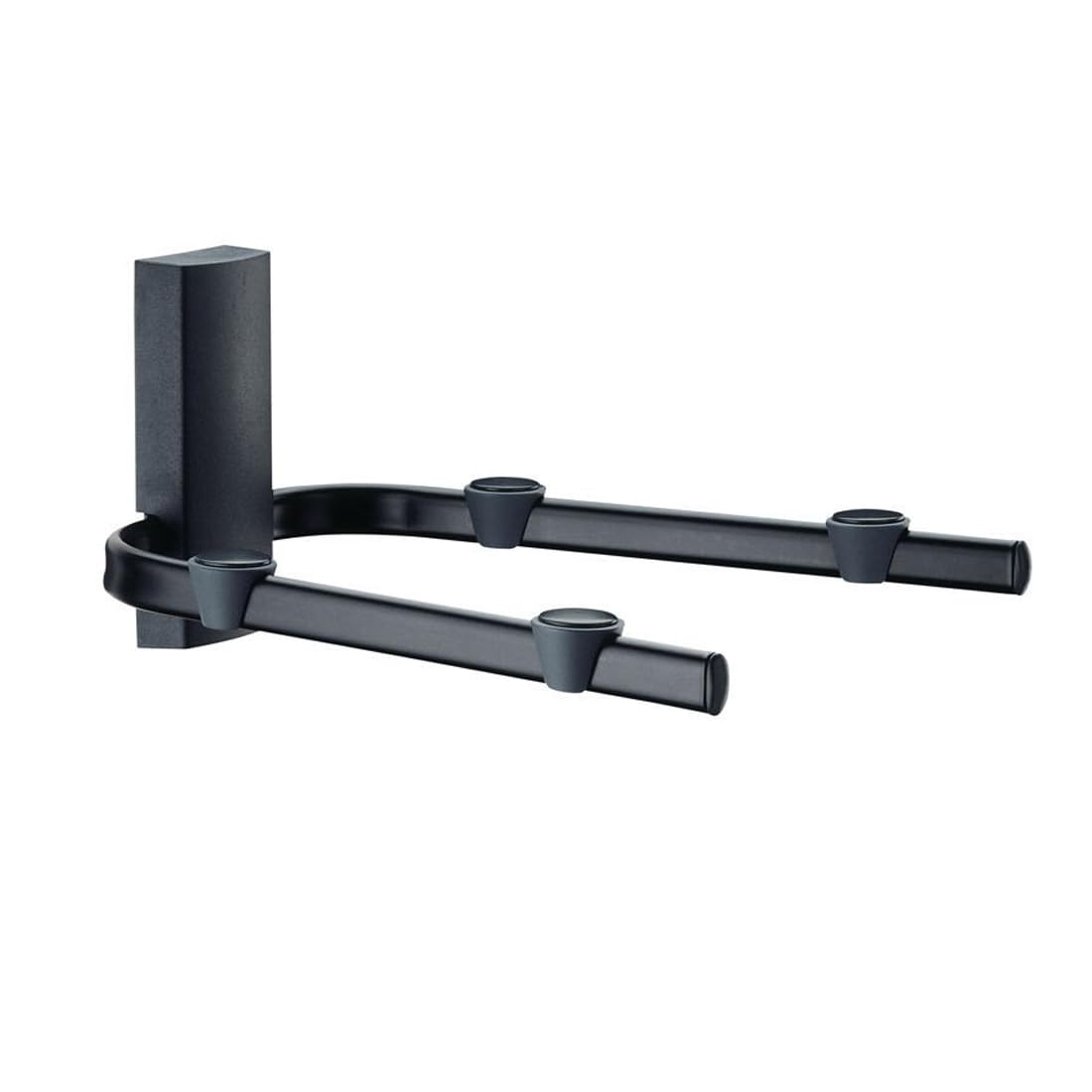
Image: The Meliconi Space System BOX 480021 shelf, shown in black, designed to hold a media device. Note the cable management features.
പാക്കേജ് ഉള്ളടക്കം
ഇൻസ്റ്റാളേഷൻ ആരംഭിക്കുന്നതിന് മുമ്പ് എല്ലാ ഘടകങ്ങളും നിലവിലുണ്ടെന്ന് ദയവായി പരിശോധിക്കുക:
- Meliconi Space System BOX 480021 Shelf
- ആന്റി-സ്ലിപ്പ് റബ്ബർ പാദങ്ങൾ
- മൗണ്ടിംഗ് ഹാർഡ്വെയർ (സ്ക്രൂകൾ, വാൾ പ്ലഗുകൾ)
- ഇൻസ്ട്രക്ഷൻ മാനുവൽ
സജ്ജീകരണവും ഇൻസ്റ്റാളേഷനും
പ്രധാനപ്പെട്ടത്: Ensure the wall material is suitable for supporting the shelf and its maximum load capacity. If unsure, consult a qualified professional.
- ലൊക്കേഷൻ തിരഞ്ഞെടുക്കുക: Select a suitable wall location, ensuring it is free from electrical wires or plumbing. Mark the desired height for the shelf.
- ഡ്രില്ലിംഗ് പോയിന്റുകൾ അടയാളപ്പെടുത്തുക: Hold the shelf against the wall at the desired height and use a pencil to mark the drilling points for the mounting screws.
- തുളകൾ: Using an appropriate drill bit for your wall type and the provided wall plugs, drill holes at the marked points.
- വാൾ പ്ലഗുകൾ തിരുകുക: Insert the wall plugs into the drilled holes until they are flush with the wall surface.
- മൗണ്ട് ഷെൽഫ്: Align the shelf's mounting holes with the wall plugs and secure it firmly to the wall using the provided screws. Do not overtighten.
- Attach Anti-slip Feet: Apply the anti-slip rubber feet to the designated areas on the shelf surface to prevent devices from sliding.
- കേബിൾ മാനേജുമെന്റ്: Utilize the integrated cable management features to route and conceal connecting cables for a neat installation.
സുരക്ഷാ കുറിപ്പ്: Always use appropriate safety gear, such as eye protection, during installation. Ensure the shelf is securely fastened before placing any devices on it.
പ്രവർത്തന നിർദ്ദേശങ്ങൾ
Once installed, the Meliconi Space System BOX 480021 shelf is ready for use. Simply place your VCR, DVD player, decoder, or other compatible audio-visual device onto the shelf. Ensure the device's weight does not exceed the maximum load capacity of 20 kg (44 lbs). Arrange cables through the designated channels for an organized setup.
മെയിൻ്റനൻസ്
To maintain the appearance and functionality of your shelf:
- വൃത്തിയാക്കൽ: Wipe the shelf with a soft, damp cloth. Avoid abrasive cleaners or solvents, which may damage the finish.
- പരിശോധന: മൗണ്ടിംഗ് സ്ക്രൂകൾ ഇടയ്ക്കിടെ പരിശോധിക്കുക, അവ ഇറുകിയതും സുരക്ഷിതവുമാണെന്ന് ഉറപ്പാക്കുക.
- ഭാര പരിധി: Do not exceed the maximum weight capacity of 20 kg (44 lbs) to prevent damage to the shelf or injury.
ട്രബിൾഷൂട്ടിംഗ്
- ഷെൽഫ് അസ്ഥിരമായി തോന്നുന്നു:
- എല്ലാ മൗണ്ടിംഗ് സ്ക്രൂകളും സുരക്ഷിതമായി മുറുക്കിയിട്ടുണ്ടെന്ന് ഉറപ്പാക്കുക.
- Verify that the wall material is appropriate and the wall plugs are correctly installed.
- Check that the total weight on the shelf does not exceed 20 kg.
- Devices sliding on shelf:
- Ensure the anti-slip rubber feet are properly attached to the shelf surface.
- Verify that the shelf is level after installation.
സ്പെസിഫിക്കേഷനുകൾ
| ബ്രാൻഡ് | മെലിക്കോണി |
| മോഡൽ നമ്പർ | 480021 |
| പരമ്പര | SpaceSystem Box |
| നിറം | കറുപ്പ് |
| ഉൽപ്പന്ന അളവുകൾ (L x W x H) | 28.3 x 33 x 17.5 സെ.മീ (11.14 x 12.99 x 6.89 ഇഞ്ച്) |
| ഇനത്തിൻ്റെ ഭാരം | 1.6 കി.ഗ്രാം (3.53 പൗണ്ട്) |
| പരമാവധി ലോഡ് കപ്പാസിറ്റി | 20 കി.ഗ്രാം (44 പൗണ്ട്) |
| മെറ്റീരിയൽ | ചായം പൂശിയ ഉരുക്ക് |
വാറൻ്റിയും പിന്തുണയും
For warranty information or technical support, please refer to the documentation provided with your purchase or visit the official Meliconi webസൈറ്റ്. ഏതെങ്കിലും വാറന്റി ക്ലെയിമുകൾക്ക് നിങ്ങളുടെ വാങ്ങലിന്റെ തെളിവ് സൂക്ഷിക്കുക.
Meliconi Official Webസൈറ്റ്: www.meliconi.com