
ആമുഖം
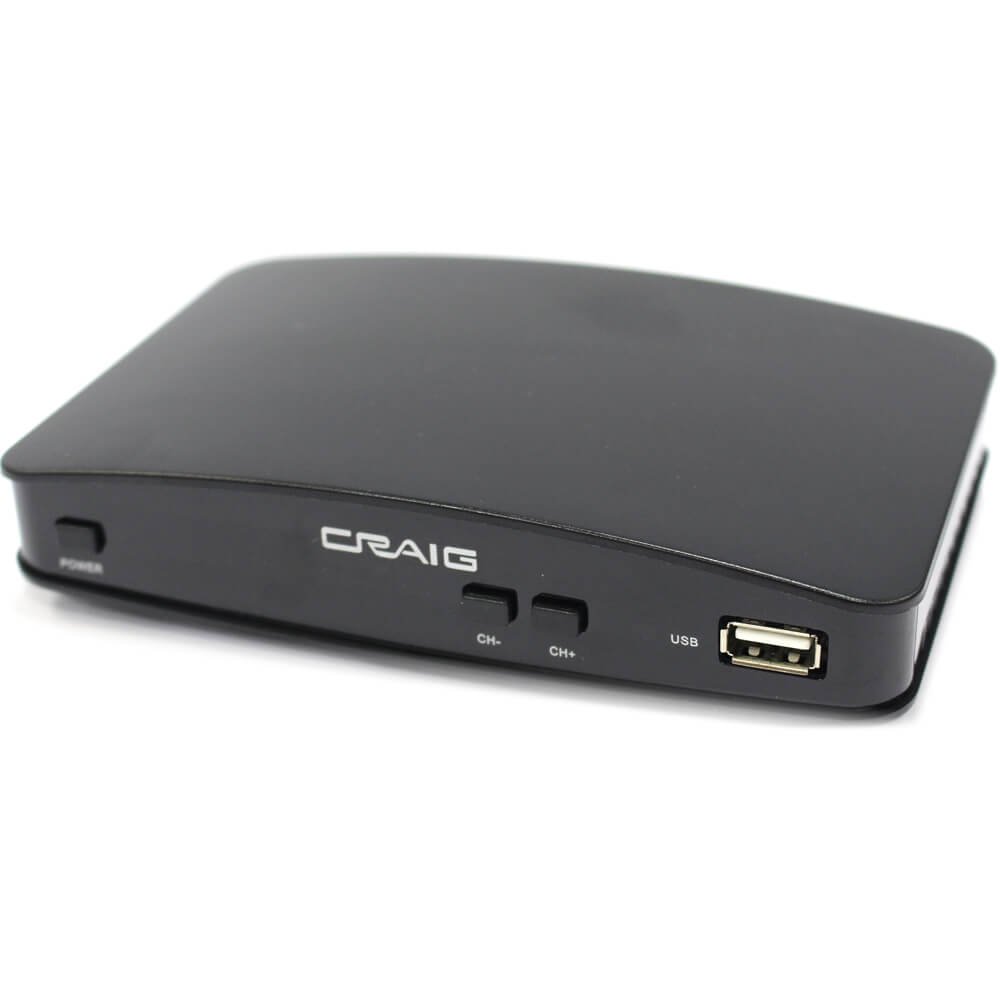
This manual provides essential instructions for the setup, operation, and maintenance of your Craig Electronics CVD508 Digital to Analog Broadcast Converter. This device is designed to convert digital television (ATSC) signals for display on analog (NTSC) televisions, allowing older TVs to receive modern broadcast signals.
സുരക്ഷാ വിവരങ്ങൾ
- തീയോ വൈദ്യുതാഘാതമോ തടയാൻ യൂണിറ്റ് മഴയിലോ ഈർപ്പത്തിലോ തുറന്നുകാട്ടരുത്.
- സി തുറക്കരുത്.asing. എല്ലാ സേവനങ്ങളും യോഗ്യതയുള്ള ഉദ്യോഗസ്ഥർക്ക് റഫർ ചെയ്യുക.
- അമിതമായി ചൂടാക്കുന്നത് തടയാൻ യൂണിറ്റിന് ചുറ്റും ശരിയായ വായുസഞ്ചാരം ഉറപ്പാക്കുക.
- Use only the provided AC/DC adapter.
- നേരിട്ടുള്ള സൂര്യപ്രകാശം, താപ സ്രോതസ്സുകൾ, ശക്തമായ കാന്തികക്ഷേത്രങ്ങൾ എന്നിവയിൽ നിന്ന് യൂണിറ്റിനെ അകറ്റി നിർത്തുക.
പാക്കേജ് ഉള്ളടക്കം
താഴെ പട്ടികപ്പെടുത്തിയിരിക്കുന്ന എല്ലാ ഇനങ്ങളും നിങ്ങളുടെ പാക്കേജിൽ ഉൾപ്പെടുത്തിയിട്ടുണ്ടോയെന്ന് ദയവായി പരിശോധിക്കുക:
- Craig Electronics CVD508 Digital to Analog Broadcast Converter
- Remote Control (requires 2 x 'AAA' batteries, included)
- എസി/ഡിസി അഡാപ്റ്റർ
- RF കോക്സിയൽ കേബിൾ
- ആർസിഎ കേബിൾ
ഉൽപ്പന്നം കഴിഞ്ഞുview
The Craig Electronics CVD508 converter features various ports for connectivity to your television and antenna. Familiarize yourself with the device's layout before setup.
ചിത്രം: പിൻഭാഗം view of the Craig Electronics CVD508 Digital to Analog Broadcast Converter. From left to right, the ports include two coaxial inputs/outputs, an HDMI output, an audio output jack, and three RCA (composite video and stereo audio) outputs, followed by the DC power input.
സജ്ജീകരണ നിർദ്ദേശങ്ങൾ
- ആന്റിന ബന്ധിപ്പിക്കുക: Connect your outdoor or indoor antenna to the 'ANT IN' coaxial port on the converter using an RF coaxial cable.
- ടിവിയിലേക്ക് കണക്റ്റ് ചെയ്യുക:
- Using RCA Cables (Recommended for Analog TVs): Connect the yellow (video), white (left audio), and red (right audio) RCA cables from the converter's 'VIDEO OUT' and 'AUDIO L/R' ports to the corresponding input ports on your analog television.
- Using RF Coaxial Cable (Alternative for Analog TVs): Connect an RF coaxial cable from the converter's 'RF OUT' port to the 'ANT IN' or 'CABLE IN' port on your television. Tune your TV to channel 3 or 4.
- പവർ കണക്ഷൻ: Connect the AC/DC adapter to the 'DC IN' port on the converter, then plug the adapter into a standard electrical outlet.
- പവർ ഓൺ: Turn on your television and the converter. Select the correct input source (e.g., AV, Video 1, TV/Antenna) on your television that corresponds to the connection you made.
- Initial Channel Scan: Navigate to the converter's menu (usually by pressing the 'MENU' button on the remote) and select the 'Channel Search' or 'Auto Scan' option. The converter will scan for available digital broadcast channels. This process may take several minutes.
പ്രവർത്തന നിർദ്ദേശങ്ങൾ
വിദൂര നിയന്ത്രണ പ്രവർത്തനങ്ങൾ
The included remote control allows you to navigate menus, change channels, adjust volume, and access various features. Ensure the 'AAA' batteries are correctly inserted.
അടിസ്ഥാന പ്രവർത്തനം
- ചാനൽ തിരഞ്ഞെടുക്കൽ: Use the 'CH+' / 'CH-' buttons or the numeric keypad on the remote to change channels.
- വോളിയം നിയന്ത്രണം: Use the 'VOL+' / 'VOL-' buttons to adjust the audio volume.
- ഓൺ-സ്ക്രീൻ ഡിസ്പ്ലേ (OSD): Press the 'MENU' button to access the main menu. Here you can configure settings such as:
- ഭാഷ: Select your preferred language for the OSD.
- Closed Captioning (CCD): Enable or disable closed captions for programs that support them.
- ഇലക്ട്രോണിക് പ്രോഗ്രാം ഗൈഡ് (ഇപിജി): View program schedules and information for available channels.
- രക്ഷാകർതൃ ലോക്ക്: Set up a password to restrict access to certain channels or programs.
- വീക്ഷണ അനുപാതം: Adjust the display aspect ratio (Full, Letterbox, Center) to best fit your television screen. This option is typically found in the 'Display' or 'Picture' settings within the OSD.
- Audio Output Tracks: If available from the TV broadcast, you can select different audio output tracks (e.g., primary audio, secondary audio, descriptive audio) through the OSD settings.
മെയിൻ്റനൻസ്
- വൃത്തിയാക്കൽ: Use a soft, dry cloth to clean the exterior of the converter. Do not use liquid cleaners or abrasive materials.
- സംഭരണം: യൂണിറ്റ് ദീർഘനേരം സൂക്ഷിക്കുകയാണെങ്കിൽ, അത് വൈദ്യുതിയിൽ നിന്ന് വിച്ഛേദിച്ച് തണുത്തതും വരണ്ടതുമായ സ്ഥലത്ത് സൂക്ഷിക്കുക.
- റിമോട്ട് കൺട്രോൾ ബാറ്ററികൾ: Replace the 'AAA' batteries in the remote control when its performance diminishes.
ട്രബിൾഷൂട്ടിംഗ്
| പ്രശ്നം | സാധ്യമായ കാരണം | പരിഹാരം |
|---|---|---|
| ചിത്രമോ ശബ്ദമോ ഇല്ല | Incorrect input source selected on TV; loose cable connections; converter not powered on. | Ensure TV is on correct input (AV, Video 1, TV/Antenna). Check all cable connections. Verify converter is plugged in and powered on. |
| "സിഗ്നൽ ഇല്ല" എന്ന സന്ദേശം | Antenna not connected or positioned correctly; channel scan not performed or incomplete. | Check antenna connection and position. Perform a channel scan through the converter's menu. |
| Picture freezing or pixelated | Weak antenna signal; interference. | Adjust antenna position. Consider using an amplified antenna or repositioning the converter away from other electronics. |
| റിമോട്ട് കൺട്രോൾ പ്രവർത്തിക്കുന്നില്ല | Dead batteries; obstruction between remote and converter; remote not pointed at IR sensor. | Replace batteries. Remove any obstructions. Point remote directly at the converter's front panel. |
| Cannot access all channels | Incomplete channel scan; weak signal for certain channels. | Perform another channel scan. Adjust antenna direction and try scanning again. |
സ്പെസിഫിക്കേഷനുകൾ
- മോഡൽ: CVD508
- ബ്രാൻഡ്: ക്രെയ്ഗ്
- പ്രവർത്തനം: Digital (ATSC) to Analog (NTSC) Broadcast Converter
- ഇൻ്റർഫേസ് തരം: കോക്സിയൽ, ആർസിഎ
- മെറ്റീരിയൽ: പ്ലാസ്റ്റിക്
- ശക്തി: AC Operation (AC Adapter Included)
- ഫീച്ചറുകൾ: Multi-language OSD, Closed Captioning (CCD), Loop Through, Electronic Program Guide (EPG), Parental Lock, Aspect Ratio Support (Full, Letter, Center), Stereo Audio Output, Selectable Multi Audio Output Tracks.
- ആക്സസറികൾ: Remote Control, AC/DC Adapter, RF Coaxial Cable, RCA Cable
വാറൻ്റിയും പിന്തുണയും
For warranty information or technical support, please refer to the documentation provided with your purchase or contact Craig Electronics customer service. Keep your purchase receipt as proof of purchase.