
ആമുഖം
This manual provides essential information for the safe and efficient use of your Doro PhoneEasy 105wr cordless phone. Please read these instructions carefully before using the phone and retain them for future reference.
പാക്കേജ് ഉള്ളടക്കം
ആരംഭിക്കുന്നതിന് മുമ്പ്, പാക്കേജിൽ എല്ലാ ഇനങ്ങളും ഉണ്ടെന്ന് ഉറപ്പാക്കുക:
- Doro PhoneEasy 105wr Handset
- അടിസ്ഥാന യൂണിറ്റ്
- ബേസ് യൂണിറ്റിനുള്ള പവർ അഡാപ്റ്റർ
- ടെലിഫോൺ ലൈൻ കോർഡ്
- Rechargeable Batteries (NiMH)
- ഉപയോക്തൃ മാനുവൽ (ഈ പ്രമാണം)
സജ്ജമാക്കുക
1. ബേസ് യൂണിറ്റ് ബന്ധിപ്പിക്കുന്നു.
- പവർ അഡാപ്റ്റർ ബന്ധിപ്പിക്കുക: Plug the small end of the power adapter into the DC IN socket on the back of the base unit. Plug the other end into a wall power outlet.
- ടെലിഫോൺ ലൈൻ കോർഡ് ബന്ധിപ്പിക്കുക: Plug one end of the telephone line cord into the LINE socket on the back of the base unit. Plug the other end into your telephone wall socket.
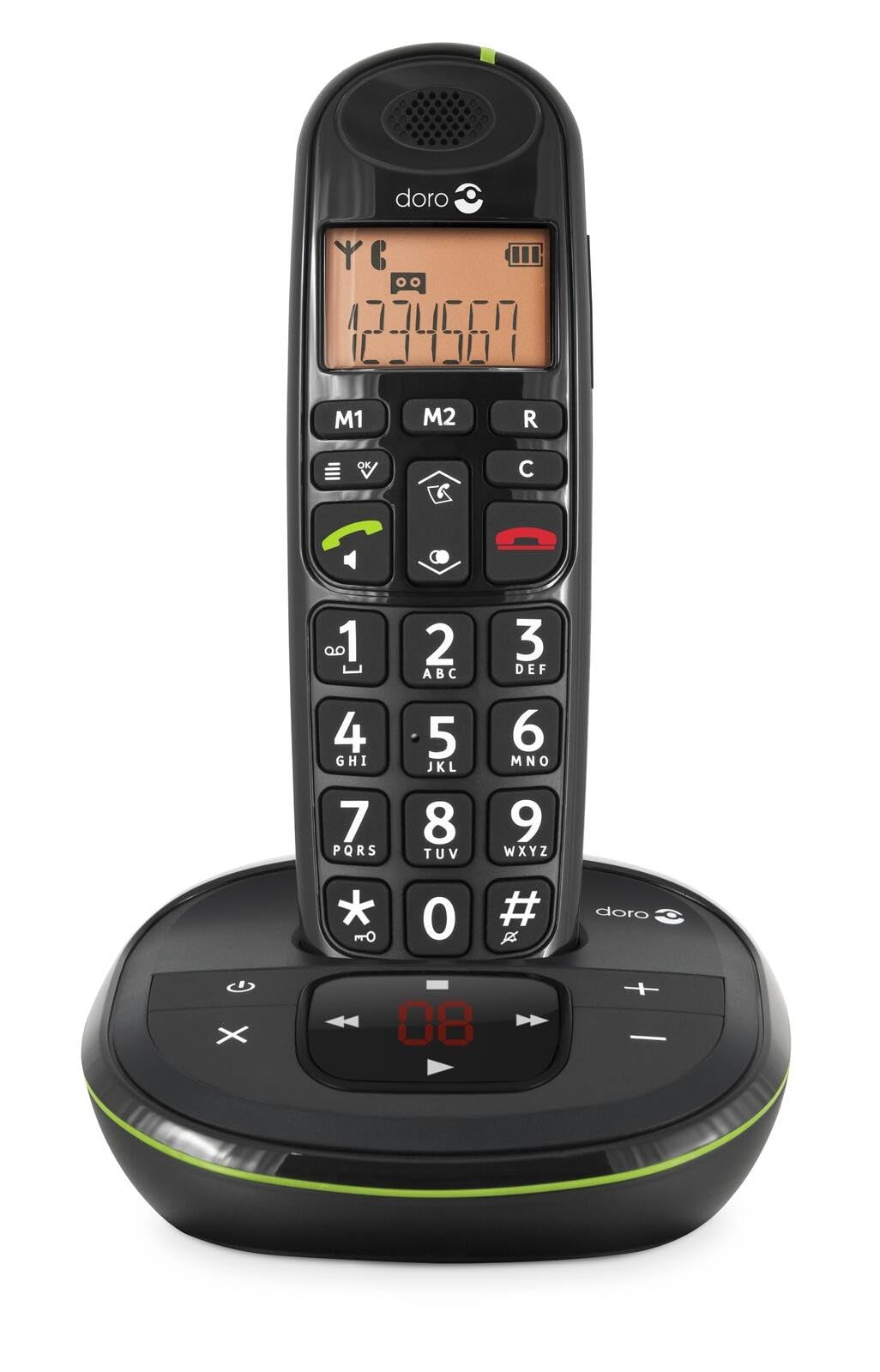 Image: The Doro PhoneEasy 105wr handset docked in its base unit, showing the keypad and display.
2. Installing Batteries in the Handset
- ബാറ്ററി കമ്പാർട്ട്മെന്റ് തുറക്കുക: Slide the battery compartment cover on the back of the handset downwards and remove it.
- ബാറ്ററികൾ ചേർക്കുക: Insert the supplied rechargeable NiMH batteries, observing the correct polarity (+ and -) as indicated inside the compartment.
- കമ്പാർട്ട്മെന്റ് അടയ്ക്കുക: ബാറ്ററി കമ്പാർട്ട്മെന്റ് കവർ സ്ഥാനത്ത് ക്ലിക്ക് ചെയ്യുന്നതുവരെ മുകളിലേക്ക് സ്ലൈഡുചെയ്ത് മാറ്റിസ്ഥാപിക്കുക.
3. ഹാൻഡ്സെറ്റ് ചാർജ് ചെയ്യുന്നു
Place the handset on the base unit. The battery icon on the handset display will animate to indicate charging. For optimal battery performance, charge the handset for at least 10-12 hours before its first use, even if the display indicates a full charge sooner.
 Image: A slightly angled view of the Doro PhoneEasy 105wr handset in its charging cradle, highlighting its ergonomic design.
പ്രവർത്തന നിർദ്ദേശങ്ങൾ
ഒരു കോൾ ചെയ്യുന്നു
- ഡയൽ ചെയ്യുന്നു: ഹാൻഡ്സെറ്റ് എടുക്കുക അല്ലെങ്കിൽ അമർത്തുക Green Call button. Enter the phone number using the keypad.
- ഒരു കോൾ അവസാനിപ്പിക്കുന്നു: അമർത്തുക Red End Call button അല്ലെങ്കിൽ ഹാൻഡ്സെറ്റ് ബേസ് യൂണിറ്റിൽ തിരികെ വയ്ക്കുക.
ഒരു കോൾ സ്വീകരിക്കുന്നു
ഫോൺ റിംഗ് ചെയ്യുമ്പോൾ, അമർത്തുക Green Call button to answer. To end the call, press the Red End Call button or return the handset to the base unit.
വോളിയം ക്രമീകരിക്കുന്നു
ഒരു കോൾ സമയത്ത്, ഉപയോഗിക്കുക Up ഒപ്പം താഴേക്ക് navigation buttons on the handset to adjust the earpiece volume.
ഫോൺബുക്ക്
Your Doro PhoneEasy 105wr can store up to 20 entries in its phonebook.
- ഒരു എൻട്രി ചേർക്കുന്നു:
- അമർത്തുക മെനു ബട്ടൺ.
- Navigate to "Phonebook" and select "Add New".
- Enter the name and number, then save.
- ഫോൺബുക്കിൽ നിന്ന് വിളിക്കുന്നു:
- അമർത്തുക ഫോൺബുക്ക് button (often a book icon).
- Scroll through the entries using the navigation buttons.
- അമർത്തുക Green Call button to dial the selected entry.
Answering Machine (if applicable)
The Doro PhoneEasy 105wr features a digital answering machine with a recording capacity of 20 minutes.
- സന്ദേശങ്ങൾ പ്ലേ ചെയ്യുന്നു: അമർത്തുക പ്ലേ/സ്റ്റോപ്പ് അടിസ്ഥാന യൂണിറ്റിലെ ബട്ടൺ.
- സന്ദേശങ്ങൾ ഇല്ലാതാക്കുന്നു: സന്ദേശം പ്ലേബാക്ക് ചെയ്യുമ്പോൾ, ഇല്ലാതാക്കുക അടിസ്ഥാന യൂണിറ്റിലെ ബട്ടൺ.
- Recording Outgoing Message: Refer to the handset menu for options to record or select a pre-recorded outgoing message.
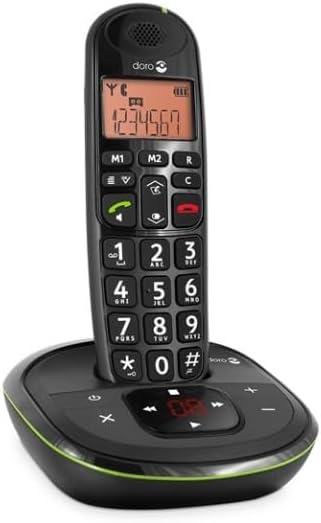 ചിത്രം: ഒരു നേർരേഖ view of the Doro PhoneEasy 105wr cordless phone, showing the large buttons and clear display on the handset, and the answering machine controls on the base.
മെയിൻ്റനൻസ്
- വൃത്തിയാക്കൽ: ഫോണും ബേസ് യൂണിറ്റും ഒരു സോഫ്റ്റ്, ഡി ക്ലീനർ ഉപയോഗിച്ച് തുടയ്ക്കുക.amp തുണി. ഉരച്ചിലുകളുള്ള ക്ലീനറുകളോ ലായകങ്ങളോ ഉപയോഗിക്കരുത്.
- ബാറ്ററി കെയർ: Use only the specified rechargeable batteries. If the phone will not be used for an extended period, remove the batteries to prevent leakage.
- പരിസ്ഥിതി വ്യവസ്ഥകൾ: ഉയർന്ന താപനില, നേരിട്ടുള്ള സൂര്യപ്രകാശം, ഈർപ്പം എന്നിവയ്ക്ക് ഫോൺ വിധേയമാക്കുന്നത് ഒഴിവാക്കുക.
ട്രബിൾഷൂട്ടിംഗ്
| പ്രശ്നം | സാധ്യമായ കാരണം | പരിഹാരം |
|---|---|---|
| ഡയൽ ടോൺ ഇല്ല | ടെലിഫോൺ ലൈൻ കോർഡ് ബന്ധിപ്പിച്ചിട്ടില്ല അല്ലെങ്കിൽ തകരാറിലായി. | Check the telephone line cord connection to the base unit and wall socket. Test with another phone if possible. |
| ഹാൻഡ്സെറ്റ് ചാർജ് ചെയ്യുന്നില്ല | Handset not correctly placed on the base unit; dirty charging contacts; faulty batteries. | Ensure the handset is seated correctly. Clean charging contacts on both handset and base with a dry cloth. Replace batteries if old. |
| മോശം ശബ്ദ നിലവാരം | Handset too far from base unit; interference; low battery. | Move closer to the base unit. Avoid placing the base near other electronic devices. Charge the handset battery. |
| കോളുകൾ വിളിക്കാനോ സ്വീകരിക്കാനോ കഴിയില്ല | No power to base unit; handset not registered. | Check power adapter connection. Refer to the full manual for handset registration instructions if needed. |
സ്പെസിഫിക്കേഷനുകൾ
| ഫീച്ചർ | വിശദാംശങ്ങൾ |
|---|---|
| ബ്രാൻഡ് | ഡോറോ |
| മോഡൽ നമ്പർ | 380102 |
| നിറം | കറുപ്പ് |
| ഫോൺ തരം | കോർഡ്ലെസ്സ് |
| മെറ്റീരിയൽ | Metal (internal components) |
| പവർ ഉറവിടം | ബാറ്ററി പവർ (1 A ബാറ്ററി ഉൾപ്പെടുത്തിയിരിക്കുന്നു) |
| ഡയലർ തരം | ഒറ്റ കീപാഡ് |
| ഇനത്തിന്റെ അളവുകൾ (L x W x H) | 19.4 x 15.4 x 10.3 സെൻ്റീമീറ്റർ |
| ഇനത്തിൻ്റെ ഭാരം | 706 ഗ്രാം |
| ഉത്തരം നൽകുന്ന സിസ്റ്റം തരം | ഡിജിറ്റൽ |
| സംസാര സമയം | 600 Minutes (10 hours) |
| സ്റ്റാൻഡ്ബൈ സമയം | 100 മണിക്കൂർ |
| റെക്കോർഡിംഗ് ശേഷി | 20 മിനിറ്റ് |
| കോളർ ഐഡി | അതെ |
| Independent Test Certification | എനർജി സ്റ്റാർ |
വാറൻ്റിയും പിന്തുണയും
Information regarding specific warranty terms and customer support contact details is not available in this document. Please refer to the warranty card included with your product or visit the official Doro webഏറ്റവും കാലികമായ വിവരങ്ങൾക്കായുള്ള സൈറ്റ്.
For further assistance, you may contact Doro customer service through their official channels.