
KNIPEX 16 65 125 SB
KNIPEX Data Cable Stripping Tool - Instruction Manual
Model: 16 65 125 SB
ആമുഖം
This manual provides detailed instructions for the safe and effective use of the KNIPEX 16 65 125 SB Data Cable Stripping Tool. Designed for precision and efficiency, this tool is ideal for stripping various data and communication cables. Please read this manual thoroughly before operation to ensure proper handling and to maximize the tool's lifespan.
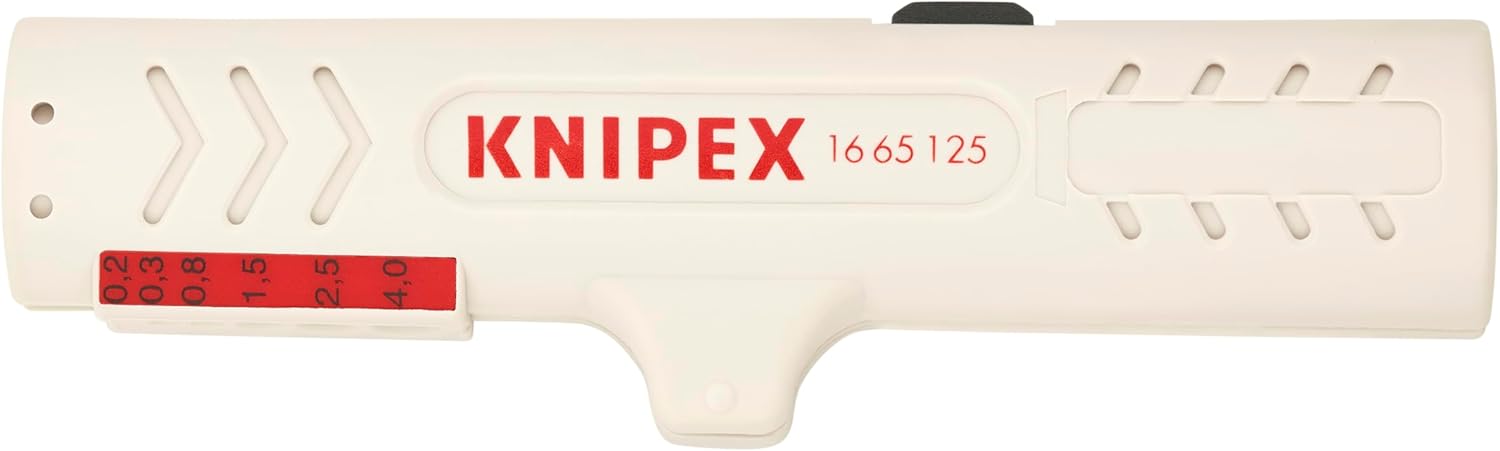
ചിത്രം 1: മുകളിൽ view of the KNIPEX 16 65 125 SB Data Cable Stripping Tool, showing the brand name and model number.
ഉൽപ്പന്നം കഴിഞ്ഞുview
The KNIPEX 16 65 125 SB is a specialized tool engineered for stripping the outer sheath of data cables without damaging the inner conductors. Its compact design and ergonomic features make it suitable for professional use in various applications.
പ്രധാന സവിശേഷതകൾ:
- Precision-ground stripping blades for clean cuts.
- Integrated length stop for consistent stripping lengths.
- സുഖപ്രദമായ കൈകാര്യം ചെയ്യുന്നതിനുള്ള എർഗണോമിക് ഡിസൈൻ.
- ദീർഘകാല വിശ്വാസ്യതയ്ക്കായി മോടിയുള്ള നിർമ്മാണം.

ചിത്രം 2: മുൻഭാഗം view of the stripping tool, highlighting its compact form factor.
സജ്ജമാക്കുക
The KNIPEX 16 65 125 SB tool requires minimal setup. It is ready for use directly out of the packaging. Before first use, familiarize yourself with the tool's components and functions.
ഘടകങ്ങൾ:
- ടൂൾ ബോഡി: The main housing of the stripping tool.
- Stripping Blades: Internal blades designed to cut the cable sheath.
- Length Stop: An adjustable or fixed mechanism to control the stripping length.
- Cable Guides: Grooves or openings to properly position the cable.

ചിത്രം 3: വശം view of the stripping tool, showing its profile and internal mechanism when open.
പ്രവർത്തന നിർദ്ദേശങ്ങൾ
Follow these steps for effective and safe cable stripping:
- കേബിൾ തയ്യാറാക്കുക: Ensure the cable end is clean and free from damage.
- Open the Tool: Gently open the two halves of the stripping tool.
- Insert the Cable: Place the cable into the appropriate stripping slot. Ensure the cable is fully seated against the length stop for consistent results.
- Close the Tool: Firmly close the tool around the cable. You should feel the blades engage with the cable sheath.
- Rotate and Pull: Rotate the tool around the cable a few times to score the sheath. Then, pull the tool away from the cable end to remove the stripped sheath.
- പരിശോധിക്കുക: Verify that the sheath has been cleanly removed and the inner conductors are undamaged.

Figure 4: Demonstrates inserting a data cable into the stripping tool's designated slot.

Figure 5: Shows the tool closed around the cable, ready for the stripping action.

Figure 6: The cable sheath has been removed, revealing the twisted pairs inside.
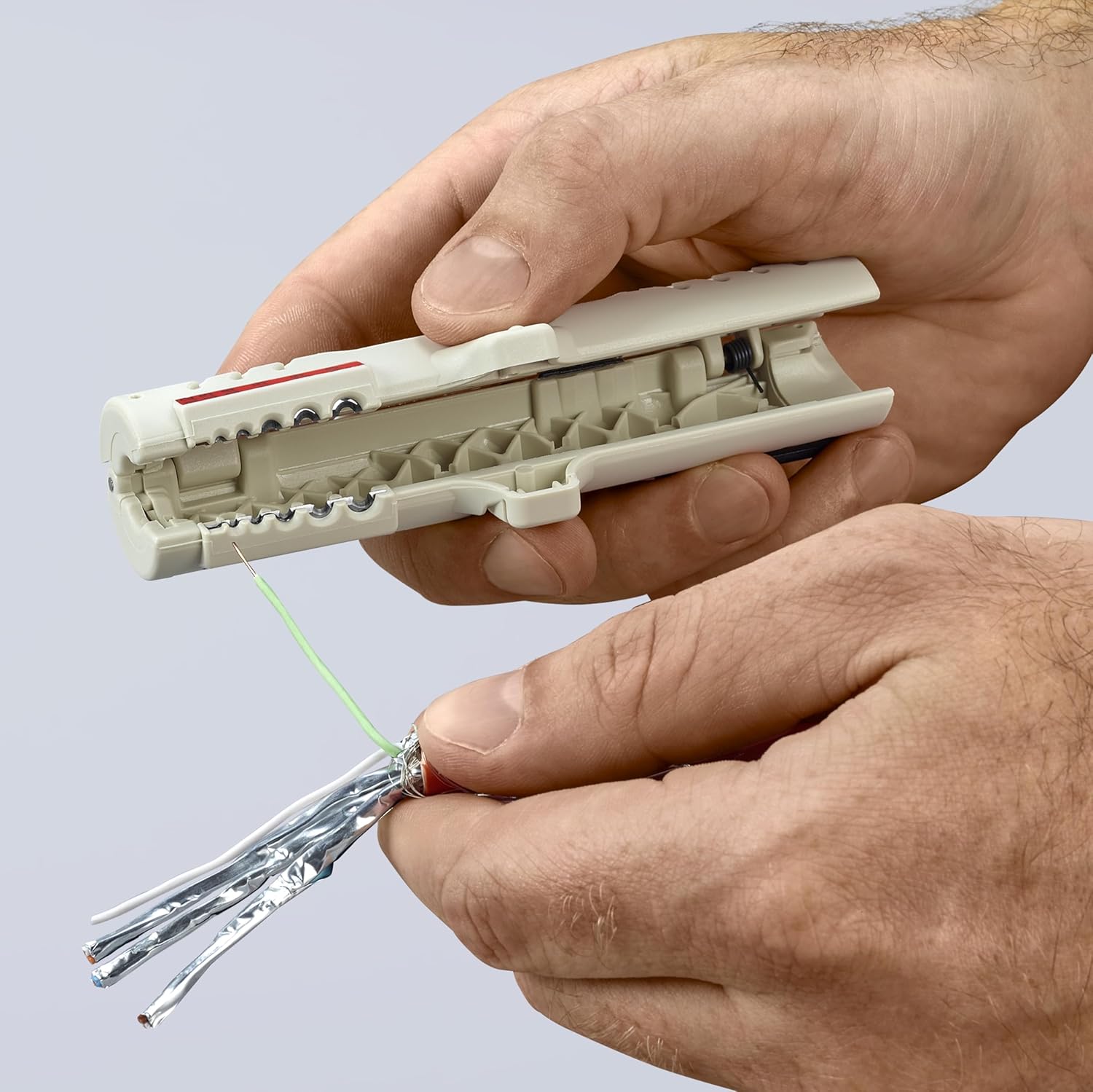
Figure 7: The tool is open, displaying the stripped cable end and the internal components of the tool.
മെയിൻ്റനൻസ്
Proper maintenance ensures the longevity and optimal performance of your KNIPEX stripping tool.
- വൃത്തിയാക്കൽ: After each use, remove any cable debris or insulation fragments from the tool, especially around the blades. A soft brush or compressed air can be used.
- സംഭരണം: Store the tool in a clean, dry environment to prevent corrosion and damage.
- പരിശോധന: Periodically inspect the blades for wear or damage. While the blades are designed for durability, excessive force or improper use can dull them.
- ലൂബ്രിക്കേഷൻ: The tool generally does not require lubrication. If the mechanism feels stiff, a very small amount of light machine oil can be applied to the pivot points, ensuring not to get oil on the stripping blades.
ട്രബിൾഷൂട്ടിംഗ്
| പ്രശ്നം | സാധ്യമായ കാരണം | പരിഹാരം |
|---|---|---|
| Cable not stripping cleanly. | Incorrect cable size; dull blades; insufficient rotation/pulling force. | Ensure cable matches tool's capacity; inspect blades for wear; apply more rotation and firm pull. |
| Inner conductors are nicked or cut. | Cable not seated correctly; excessive force; incorrect tool for cable type. | Ensure cable is fully seated; use appropriate force; verify tool compatibility with cable type. |
| Tool feels stiff or difficult to open/close. | Accumulated debris; lack of lubrication. | Clean the tool thoroughly; apply a small amount of light machine oil to pivot points if necessary. |
സ്പെസിഫിക്കേഷനുകൾ
| ആട്രിബ്യൂട്ട് | വിശദാംശങ്ങൾ |
|---|---|
| ബ്രാൻഡ് | നൈപെക്സ് |
| മോഡൽ നമ്പർ | 16 65 125 എസ്.ബി |
| മെറ്റീരിയൽ | Blend (Tool Body), Aluminium (Handle Material) |
| നിറം | വെള്ളി/ചാരനിറം |
| ഇനത്തിൻ്റെ ഭാരം | 50 ഗ്രാം (1.76 ഔൺസ്) |
| ഉൽപ്പന്ന അളവുകൾ | 7.5 x 3.4 x 1.2 ഇഞ്ച് |
| മാതൃരാജ്യം | ചൈന |
| യു.പി.സി | 843221004088 |
| സ്പെസിഫിക്കേഷൻ മെറ്റ് | RoHS |
വാറൻ്റി
The KNIPEX 16 65 125 SB Data Cable Stripping Tool is covered by a warranty against defects in workmanship and materials. For specific details regarding warranty claims and coverage, please refer to the official KNIPEX warranty policy or contact KNIPEX customer support.
Warranty Description: Workmanship and Materials
പിന്തുണ
For further assistance, technical support, or inquiries regarding your KNIPEX Data Cable Stripping Tool, please visit the official KNIPEX webസൈറ്റ് അല്ലെങ്കിൽ അവരുടെ ഉപഭോക്തൃ സേവന വിഭാഗവുമായി ബന്ധപ്പെടുക.
KNIPEX Official Webസൈറ്റ്: www.knipex.com
KNIPEX Store on Amazon: Visit the KNIPEX Store
Ask a question about this manual
Ask about setup, troubleshooting, compatibility, parts, safety, or missing instructions. Manuals+ will review the question and use this page’s manual context to help answer it.