
ആമുഖം
This manual provides comprehensive instructions for the safe and efficient use of your BlackBerry HS-300 Wireless Bluetooth Headset. Please read this manual thoroughly before operating the device and retain it for future reference. The BlackBerry HS-300 is designed for hands-free communication with compatible Bluetooth-enabled devices.
പാക്കേജ് ഉള്ളടക്കം
നിങ്ങളുടെ പാക്കേജിൽ ഇനിപ്പറയുന്ന ഇനങ്ങൾ അടങ്ങിയിട്ടുണ്ടെന്ന് പരിശോധിക്കുക:
- BlackBerry HS-300 Wireless Bluetooth Headset
- Ear hook (optional, for secure fit)
- Ear gels/tips (various sizes for comfort)
- ചാർജിംഗ് കേബിൾ
- ഉപയോക്തൃ മാനുവൽ (ഈ പ്രമാണം)
ഉപകരണം കഴിഞ്ഞുview
Familiarize yourself with the components of your BlackBerry HS-300 headset.
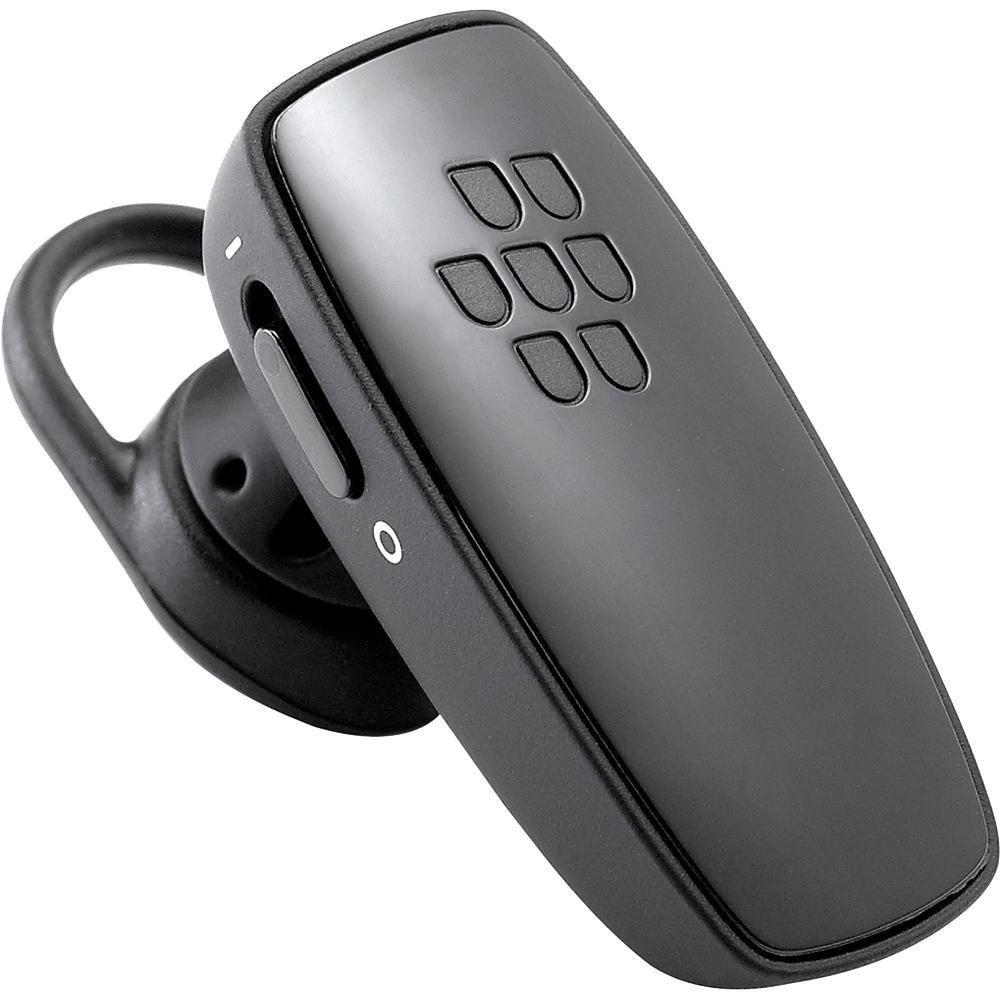
ചിത്രം 1: ഫ്രണ്ട് view of the BlackBerry HS-300 Wireless Bluetooth Headset. The image displays the main body of the headset, featuring the BlackBerry logo (seven-dot pattern) on the front surface. A slender button, likely for volume control or multi-function, is visible on the side. An ear hook is attached, designed to secure the headset over the ear. A small indicator light is also present near the button.
- മൾട്ടി-ഫംഗ്ഷൻ ബട്ടൺ: Used for answering/ending calls, voice commands, and pairing.
- വോളിയം നിയന്ത്രണ ബട്ടണുകൾ: Adjusts call and media volume.
- LED ഇൻഡിക്കേറ്റർ ലൈറ്റ്: Displays status (power, pairing, charging).
- മൈക്രോഫോൺ: Captures your voice during calls.
- വൈദ്യുതി സ്വിച്ച്: ഹെഡ്സെറ്റ് ഓണാക്കുകയോ ഓഫാക്കുകയോ ചെയ്യുന്നു.
- ചാർജിംഗ് പോർട്ട്: Connects to the charging cable.
സജ്ജമാക്കുക
1. ഹെഡ്സെറ്റ് ചാർജ് ചെയ്യുന്നു
Before initial use, fully charge your headset. The HS-300 features rapid charge capabilities.
- Connect the charging cable to the headset's charging port and to a compatible USB power source.
- The LED indicator will show the charging status (e.g., solid red for charging, solid blue for fully charged).
- A full charge provides up to 4 hours of talk time.
2. ബ്ലൂടൂത്ത് ഉപകരണവുമായി ജോടിയാക്കുന്നു
To use your headset, it must be paired with a Bluetooth-enabled phone or device.
- ഹെഡ്സെറ്റ് ഓഫാണെന്ന് ഉറപ്പാക്കുക.
- Press and hold the Multi-function Button until the LED indicator flashes blue and red alternately. This indicates pairing mode.
- On your phone, enable Bluetooth and search for new devices.
- Select "BlackBerry HS-300" from the list of available devices.
- ഒരു പാസ്കോഡ് ആവശ്യപ്പെടുകയാണെങ്കിൽ, "0000" (നാല് പൂജ്യങ്ങൾ) നൽകുക.
- Once paired, the LED indicator will flash blue periodically.
പ്രവർത്തന നിർദ്ദേശങ്ങൾ
പവർ ഓൺ/ഓഫ്
- പവർ ഓണാക്കാൻ: Slide the Power Switch to the 'On' position. The LED indicator will flash blue.
- പവർ ഓഫ് ചെയ്യാൻ: Slide the Power Switch to the 'Off' position. The LED indicator will turn off.
കോളുകൾ ചെയ്യലും സ്വീകരിക്കലും
- ഒരു കോളിന് മറുപടി നൽകുന്നു: മൾട്ടി-ഫംഗ്ഷൻ ബട്ടൺ ഒരിക്കൽ അമർത്തുക.
- ഒരു കോൾ അവസാനിപ്പിക്കുന്നു: ഒരു കോൾ സമയത്ത് മൾട്ടി-ഫംഗ്ഷൻ ബട്ടൺ ഒരിക്കൽ അമർത്തുക.
- ഒരു കോൾ നിരസിക്കുന്നു: മൾട്ടി-ഫംഗ്ഷൻ ബട്ടൺ ഏകദേശം 2 സെക്കൻഡ് അമർത്തിപ്പിടിക്കുക.
- ഒരു കോൾ ചെയ്യുന്നു: നിങ്ങളുടെ ഫോണിലെ നമ്പർ ഡയൽ ചെയ്യുക. കണക്റ്റ് ചെയ്താൽ കോൾ സ്വയമേവ ഹെഡ്സെറ്റിലേക്ക് ട്രാൻസ്ഫർ ചെയ്യപ്പെടും.
- Voice Dialing (if supported by phone): Press the Multi-function Button once when not on a call.
വോളിയം നിയന്ത്രണം
- Use the Volume Control Buttons on the headset to adjust the call or media volume.
മെയിൻ്റനൻസ്
- മൃദുവായതും ഉണങ്ങിയതുമായ തുണി ഉപയോഗിച്ച് ഹെഡ്സെറ്റ് പതിവായി വൃത്തിയാക്കുക.
- Avoid exposing the headset to extreme temperatures, moisture, or corrosive substances.
- ഉപയോഗത്തിലില്ലാത്തപ്പോൾ ഹെഡ്സെറ്റ് തണുത്തതും വരണ്ടതുമായ സ്ഥലത്ത് സൂക്ഷിക്കുക.
- ഹെഡ്സെറ്റ് ഡിസ്അസംബ്ലിംഗ് ചെയ്യാനോ പരിഷ്ക്കരിക്കാനോ ശ്രമിക്കരുത്, കാരണം ഇത് വാറന്റി അസാധുവാക്കുകയും കേടുപാടുകൾ വരുത്തുകയും ചെയ്യും.
ട്രബിൾഷൂട്ടിംഗ്
| പ്രശ്നം | പരിഹാരം |
|---|---|
| ഹെഡ്സെറ്റ് ഓണാകുന്നില്ല. | Ensure the headset is charged. Connect it to a power source using the charging cable. |
| എന്റെ ഫോണുമായി ഹെഡ്സെറ്റ് ജോടിയാക്കാൻ കഴിയുന്നില്ല. |
|
| ഓഡിയോ ഇല്ല അല്ലെങ്കിൽ മോശം ഓഡിയോ നിലവാരം. |
|
| ഹെഡ്സെറ്റ് ഇടയ്ക്കിടെ വിച്ഛേദിക്കപ്പെടുന്നു. |
|
സ്പെസിഫിക്കേഷനുകൾ
| ഫീച്ചർ | വിശദാംശങ്ങൾ |
|---|---|
| മോഡൽ നമ്പർ | എച്ച്എസ്-300 |
| കണക്റ്റിവിറ്റി | Bluetooth Wireless (Version 2.1) |
| സംസാര സമയം | 4 മണിക്കൂർ വരെ |
| ചാർജിംഗ് | Rapid charge capable |
| നിയന്ത്രണങ്ങൾ | Volume control, Multi-function button |
| മൈക്രോഫോൺ | സംയോജിപ്പിച്ചത് |
| ഫോം ഫാക്ടർ | On-ear (single ear) |
| ഭാരം | ഏകദേശം 3.2 ഔൺസ് |
| അളവുകൾ | 2.5 x 2 x 6.5 ഇഞ്ച് (ഏകദേശം) |
വാറൻ്റിയും പിന്തുണയും
For warranty information and technical support, please refer to the documentation provided at the time of purchase or visit the official BlackBerry support webസൈറ്റ്. വാറന്റി ക്ലെയിമുകൾക്കായി നിങ്ങളുടെ വാങ്ങലിന്റെ തെളിവ് സൂക്ഷിക്കുക.
ഓൺലൈൻ പിന്തുണ: www.blackberry.com/support