
1. ആമുഖം
The Brightsign HD810 is a solid-state digital sign controller designed for reliable and high-quality playback of digital signage content. This device is engineered for continuous operation in various commercial environments, providing a robust solution for displaying dynamic media. This manual provides essential information for the proper installation, operation, and maintenance of your Brightsign HD810 unit.
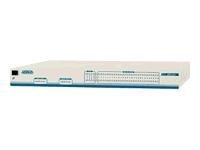
ചിത്രം 1: മുൻഭാഗം view of the Brightsign HD810 Digital Sign Controller. The image shows the compact, black enclosure of the device, highlighting its professional design suitable for digital signage applications.
2 സുരക്ഷാ വിവരങ്ങൾ
Please read all safety instructions carefully before operating the device. Failure to follow these instructions may result in electric shock, fire, or damage to the unit.
- ഊർജ്ജ സ്രോതസ്സ്: Use only the power adapter supplied with the unit. Ensure the power outlet meets the specified voltagഇ ആവശ്യകതകൾ.
- വെൻ്റിലേഷൻ: വെന്റിലേഷൻ ദ്വാരങ്ങളൊന്നും തടയരുത്. അമിതമായി ചൂടാകുന്നത് തടയാൻ ഉപകരണത്തിന് ചുറ്റും മതിയായ വായുസഞ്ചാരം ഉറപ്പാക്കുക.
- ഈർപ്പം: Do not expose the device to rain, moisture, or excessive humidity. Keep it away from liquids.
- പ്ലേസ്മെൻ്റ്: Place the device on a stable, flat surface. Avoid placing it near heat sources or in direct sunlight.
- സേവനം: ഈ ഉൽപ്പന്നം സ്വയം സേവിക്കാൻ ശ്രമിക്കരുത്. യോഗ്യതയുള്ള സേവന ഉദ്യോഗസ്ഥർക്ക് എല്ലാ സേവനങ്ങളും റഫർ ചെയ്യുക.
- വൃത്തിയാക്കൽ: വൃത്തിയാക്കുന്നതിന് മുമ്പ് വൈദ്യുതി വിച്ഛേദിക്കുക. മൃദുവായതും ഉണങ്ങിയതുമായ തുണി ഉപയോഗിക്കുക. ലിക്വിഡ് അല്ലെങ്കിൽ എയറോസോൾ ക്ലീനറുകൾ ഉപയോഗിക്കരുത്.
3. പാക്കേജ് ഉള്ളടക്കം
പാക്കേജിൽ എല്ലാ ഇനങ്ങളും ഉണ്ടെന്ന് ഉറപ്പാക്കുക. ഏതെങ്കിലും ഇനങ്ങൾ നഷ്ടപ്പെട്ടാലോ കേടുപാടുകൾ സംഭവിച്ചാലോ, ഉടൻ തന്നെ നിങ്ങളുടെ വിൽപ്പനക്കാരനെ ബന്ധപ്പെടുക.
- Brightsign HD810 Digital Sign Controller
- പവർ അഡാപ്റ്റർ
- ക്വിക്ക് സ്റ്റാർട്ട് ഗൈഡ് (ബാധകമെങ്കിൽ)
4. ഡിവൈസ് ഓവർview
The Brightsign HD810 features a robust design with essential ports for connectivity and content delivery.
4.1 ഫ്രണ്ട് പാനൽ
- സ്റ്റാറ്റസ് LED: Indicates the operational status of the device (e.g., power on, content playback, error).
- SD കാർഡ് സ്ലോട്ട്: For inserting an SD card containing digital signage content and firmware.
4.2 പിൻ പാനൽ
- HDMI ഔട്ട്പുട്ട്: Connects to a display device (monitor, TV, projector) for video and audio output.
- ഇതർനെറ്റ് പോർട്ട് (LAN): Connects to a network for content updates, remote management, and network features.
- USB പോർട്ട്: For connecting USB peripherals such as keyboards, mice, or external storage devices.
- പവർ ഇൻപുട്ട്: Connects the supplied power adapter to the device.
- റീസെറ്റ് ബട്ടൺ: Used for factory reset or rebooting the device (typically recessed).
5. സജ്ജീകരണം
Follow these steps to set up your Brightsign HD810 Digital Sign Controller.
- ഉള്ളടക്കം തയ്യാറാക്കുക: Ensure your digital signage content is properly formatted and loaded onto a compatible SD card. Refer to Brightsign documentation for content preparation guidelines.
- SD കാർഡ് ചേർക്കുക: With the device powered off, carefully insert the prepared SD card into the SD card slot on the front panel until it clicks into place.
- ഡിസ്പ്ലേയിലേക്ക് കണക്റ്റുചെയ്യുക: Connect one end of an HDMI cable to the HDMI Output port on the rear of the HD810 and the other end to an HDMI input on your display device.
- നെറ്റ്വർക്കിലേക്ക് കണക്റ്റുചെയ്യുക (ഓപ്ഷണൽ): If network connectivity is required for content updates or remote management, connect an Ethernet cable from your network router or switch to the Ethernet Port on the rear of the HD810.
- പവർ ബന്ധിപ്പിക്കുക: Connect the supplied power adapter to the Power Input port on the rear of the HD810, then plug the adapter into a suitable power outlet. The device will power on automatically.
- പവർ ഓൺ ഡിസ്പ്ലേ: Turn on your display device and select the correct HDMI input source.
6. പ്രവർത്തന നിർദ്ദേശങ്ങൾ
Once powered on and configured, the Brightsign HD810 operates largely autonomously.
6.1 പ്രാരംഭ പ്ലേബാക്ക്
Upon successful boot-up, the HD810 will automatically detect and begin playing the content from the inserted SD card, provided the content is correctly configured. The Status LED will indicate active playback.
6.2 Content Updates
Content updates can be performed via the network (if configured) using Brightsign's content management software, or by physically replacing the SD card with a new one containing updated content.
6.3 Power Cycling
To power cycle the device, disconnect the power adapter from the unit, wait for 10 seconds, and then reconnect it. This will initiate a reboot.
7. പരിപാലനം
Regular maintenance ensures optimal performance and longevity of your Brightsign HD810.
- വൃത്തിയാക്കൽ: Periodically clean the exterior of the device with a soft, dry, lint-free cloth. Do not use harsh chemicals or abrasive materials. Ensure ventilation openings are free from dust.
- ഫേംവെയർ അപ്ഡേറ്റുകൾ: Check the Brightsign website regularly for firmware updates. Keeping the firmware up-to-date can improve performance, add features, and resolve issues. Follow the instructions provided by Brightsign for firmware update procedures.
- ഉള്ളടക്ക മാനേജ്മെന്റ്: പതിവായി റീview and update your digital signage content to keep it fresh and relevant. Ensure SD cards are in good condition and free from corruption.
8. പ്രശ്നപരിഹാരം
This section addresses common issues you might encounter with your Brightsign HD810.
| പ്രശ്നം | സാധ്യമായ കാരണം | പരിഹാരം |
|---|---|---|
| ഡിസ്പ്ലേ ഔട്ട്പുട്ട് ഇല്ല |
|
|
| Content not playing |
|
|
| നെറ്റ്വർക്ക് കണക്റ്റിവിറ്റി ഇല്ല |
|
|
9 സ്പെസിഫിക്കേഷനുകൾ
Key technical specifications for the Brightsign HD810 Digital Sign Controller.
- മോഡൽ: HD810
- നിർമ്മാതാവ്: BRIGHTSIGN
- ഇനത്തിൻ്റെ ഭാരം: 2.45 പൗണ്ട്
- ASIN: B0068MVAYO
- ആദ്യം ലഭ്യമായ തീയതി: ഒക്ടോബർ 11, 2010
- കണക്റ്റിവിറ്റി: HDMI, ഇതർനെറ്റ്, USB
- സംഭരണം: SD കാർഡ് സ്ലോട്ട്
- ശക്തി: External Power Adapter (specifics depend on region)
10. വാറൻ്റിയും പിന്തുണയും
The Brightsign HD810 is sold with a warranty. For specific details regarding the warranty period and coverage, please refer to the warranty card included with your product or visit the official Brightsign webസൈറ്റ്.
For technical support, product documentation, or to download the latest firmware and software, please visit the official Brightsign support portal:
Brightsign Official Webസൈറ്റ്: www.brightsign.biz
When contacting support, please have your product model (HD810) and serial number ready.