
Sprint PCD TX340G
സ്പ്രിന്റ് ഫോൺ കണക്റ്റ് ഉപയോക്തൃ മാനുവൽ
മോഡൽ: PCD TX340G
ബ്രാൻഡ്: സ്പ്രിൻ്റ്
1. ആമുഖം
The Sprint Phone Connect device provides low-cost, unlimited Sprint phone service for your home or office. It allows you to connect your existing analog or cordless phones to the Sprint wireless network, offering a convenient alternative to traditional landline services. This manual provides essential information for setting up, operating, and maintaining your Sprint Phone Connect device.
2 പ്രധാനപ്പെട്ട സുരക്ഷാ വിവരങ്ങൾ
Please read and understand all safety information before using the Sprint Phone Connect device. Failure to do so may result in injury or damage to the device.
- ഊർജ്ജ സ്രോതസ്സ്: ഉപകരണത്തിനൊപ്പം നൽകിയിട്ടുള്ള പവർ അഡാപ്റ്റർ മാത്രം ഉപയോഗിക്കുക.
- വെൻ്റിലേഷൻ: Ensure the device is placed in a well-ventilated area. Do not block ventilation openings.
- ജലവും ഈർപ്പവും: Do not expose the device to water, rain, or excessive moisture.
- താപനില: ശുപാർശ ചെയ്യുന്ന താപനില പരിധിക്കുള്ളിൽ ഉപകരണം പ്രവർത്തിപ്പിക്കുക. കടുത്ത ചൂടോ തണുപ്പോ ഒഴിവാക്കുക.
- 911 Calling: The Sprint Phone Connect device has built-in GPS for 911 calling. However, wireless 911 and E911 have inherent limitations compared to traditional landline 911, including automatic provision of precise location information, in-building coverage, and power outages. Always be prepared to provide your exact location and callback number to emergency responders.
- അനുയോജ്യത: The device is not compatible with certain Home Security systems, IP-based or PBX office phone systems, fax machines, credit card machines, dial-up or DSL internet service, DVR or satellite TV services, medical alert services, or collect calls. Verify compatibility with your service providers.
- ബാറ്ററി ബാക്കപ്പ്: The device includes battery backup to maintain service during power outages. Ensure the battery is properly installed and charged.
3. പാക്കേജ് ഉള്ളടക്കം
Verify that all items are present in your Sprint Phone Connect package:
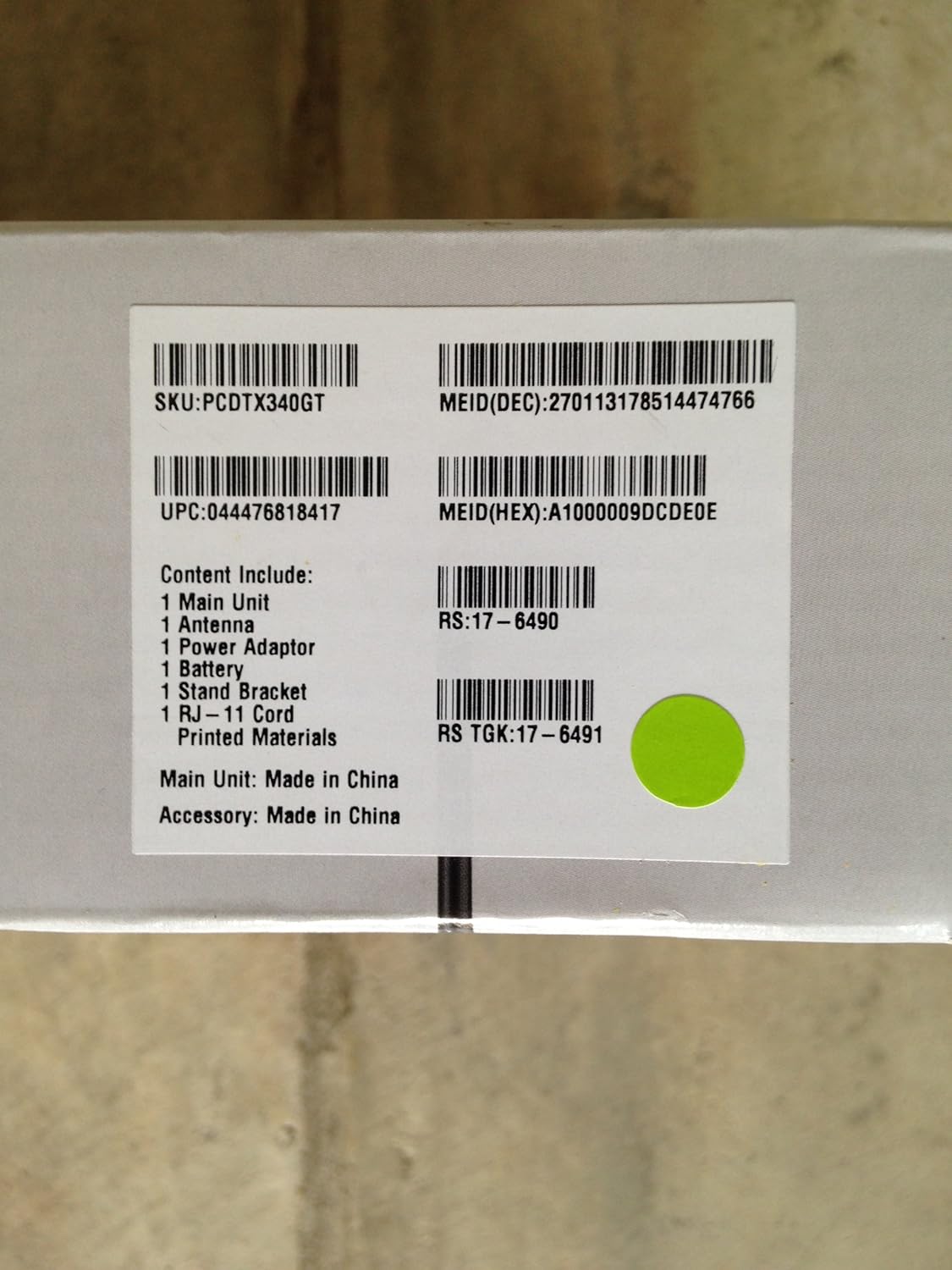
Image: Box label detailing package contents and product identifiers.
This image displays the product label from the Sprint Phone Connect box. It lists the included items and various product identification numbers such as SKU, UPC, and MEID. The label confirms the main unit and accessory are made in China.
- 1 x Main Unit (Sprint Phone Connect device)
- 1 x ആന്റിന
- 1 x പവർ അഡാപ്റ്റർ
- 1 x Battery (Lithium Ion, included)
- 1 x സ്റ്റാൻഡ് ബ്രാക്കറ്റ്
- 1 x RJ-11 Cord
- Printed Materials (User Manual, Quick Start Guide)
4. സജ്ജീകരണ ഗൈഡ്
Follow these steps to set up your Sprint Phone Connect device:
- ഉപകരണം അൺപാക്ക് ചെയ്യുക: പാക്കേജിംഗിൽ നിന്ന് എല്ലാ ഘടകങ്ങളും ശ്രദ്ധാപൂർവ്വം നീക്കം ചെയ്യുക.
- ആൻ്റിന ഇൻസ്റ്റാൾ ചെയ്യുക: Screw the antenna firmly into the antenna port on the back of the Sprint Phone Connect unit.
- ബാറ്ററി ഇൻസ്റ്റാൾ ചെയ്യുക: Open the battery compartment on the back of the device and insert the included Lithium Ion battery. Close the compartment securely. This battery provides backup power during outages.
- പവർ ബന്ധിപ്പിക്കുക: Plug the power adapter into the DC IN port on the device, then plug the other end into a standard electrical outlet. The device will begin to power on.
- നിങ്ങളുടെ ഫോൺ ബന്ധിപ്പിക്കുക: Plug your existing analog phone or cordless phone base station into one of the RJ-11 phone jacks on the Sprint Phone Connect device using the provided RJ-11 cord. You can connect up to two phones.
- പ്ലേസ്മെൻ്റ്: Place the Sprint Phone Connect device in an area with good Sprint wireless signal reception. Avoid placing it near large metal objects, thick walls, or other electronic devices that may cause interference. The included stand bracket can be used for upright placement.
- സജീവമാക്കൽ: If your service is not pre-activated, follow the instructions provided by Sprint or contact Sprint customer service to activate your device and phone number.

ചിത്രം: മുൻഭാഗം view of the Sprint Phone Connect device and its retail packaging.
This image shows the Sprint Phone Connect device, model PCD TX340G, in its retail box. The device is black with an antenna and stands upright on a base. The packaging highlights the product name and brand.

ചിത്രം: പിന്നിലേക്ക് view of the Sprint Phone Connect device retail packaging.
This image displays the back of the Sprint Phone Connect retail box. It provides a brief description of the device's capabilities, such as connecting with traditional home and office phones, supporting standard phone features, and having battery backup for power outages.
5. പ്രവർത്തന നിർദ്ദേശങ്ങൾ
Once set up and activated, operating the Sprint Phone Connect is similar to using a traditional landline phone.
- കോളുകൾ ചെയ്യുന്നു: Pick up your connected phone handset and dial the desired number.
- കോളുകൾ സ്വീകരിക്കുന്നു: When your phone rings, pick up the handset to answer.
- വോയ്സ്മെയിൽ: Access your voicemail by dialing the designated voicemail number provided by Sprint.
- കോൾ കാത്തിരിക്കുന്നു: If you are on a call and another call comes in, you will hear a tone. You can switch between calls as you would with a standard phone.
- കോളർ ഐഡി: The device supports caller ID (number only) for incoming calls.
- ത്രീ-വേ കോളിംഗ്: This feature is supported. Refer to your phone's manual or Sprint's instructions for specific steps.
- പവർ ഓtage: The built-in battery provides backup power, allowing you to continue making and receiving calls during a power outage. The duration of battery backup depends on usage.
6. പരിപാലനം
To ensure optimal performance and longevity of your Sprint Phone Connect device, follow these maintenance guidelines:
- വൃത്തിയാക്കൽ: ഉപകരണത്തിന്റെ പുറംഭാഗം വൃത്തിയാക്കാൻ മൃദുവായതും ഉണങ്ങിയതുമായ തുണി ഉപയോഗിക്കുക. ലിക്വിഡ് ക്ലീനറുകളോ എയറോസോളുകളോ ഉപയോഗിക്കരുത്.
- പരിസ്ഥിതി: Keep the device in a clean, dry environment, away from dust, direct sunlight, and extreme temperatures.
- ബാറ്ററി കെയർ: The internal battery is designed for backup. If the device is unplugged for extended periods, the battery may discharge. Keep the device plugged in when not in use to ensure the battery remains charged for emergencies.
- ഫേംവെയർ അപ്ഡേറ്റുകൾ: Sprint may periodically release firmware updates for the device. These updates are typically performed automatically over the air. Ensure your device is powered on and connected to the network to receive updates.
7. പ്രശ്നപരിഹാരം
If you encounter issues with your Sprint Phone Connect device, refer to the following troubleshooting tips:
| പ്രശ്നം | സാധ്യമായ കാരണം | പരിഹാരം |
|---|---|---|
| ഡയൽ ടോൺ ഇല്ല | Device not powered on; Phone not connected; No Sprint signal; Device not activated. | Check power connection and indicator lights. Ensure phone is securely plugged into the device. Relocate device to an area with better signal. Contact Sprint for activation status. |
| കോളുകൾ വിളിക്കാനോ സ്വീകരിക്കാനോ കഴിയില്ല | No network signal; Account issues; Device malfunction. | Check signal strength indicator on device. Verify your Sprint account is active and in good standing. Power cycle the device (unplug, wait 30 seconds, plug back in). |
| മോശം കോൾ നിലവാരം | Weak signal; Interference; Device placement. | Move the device to a location with stronger Sprint signal. Ensure antenna is securely attached. Keep device away from other electronics that may cause interference. |
| ബാറ്ററി ബാക്കപ്പ് പ്രവർത്തിക്കുന്നില്ല | Battery not installed; Battery discharged; Battery faulty. | Ensure battery is correctly installed. Keep device plugged in to allow battery to charge. If issues persist, contact Sprint support for battery replacement. |
| Incompatible with certain services (e.g., fax, security system) | ഉപകരണ പരിധി. | The Sprint Phone Connect is not designed to work with all services. Refer to the compatibility section in the introduction or contact Sprint for clarification. |
8 സ്പെസിഫിക്കേഷനുകൾ
| ഫീച്ചർ | വിശദാംശങ്ങൾ |
|---|---|
| മോഡൽ | PCD TX340G |
| ബ്രാൻഡ് | സ്പ്രിൻ്റ് |
| അളവുകൾ (പാക്കേജ്) | 10.5 x 7.4 x 2.6 ഇഞ്ച് |
| ഇനത്തിൻ്റെ ഭാരം | 1.49 പൗണ്ട് |
| ബാറ്ററി തരം | 1 ലിഥിയം അയോൺ ബാറ്ററി (ഉൾപ്പെടുത്തിയിരിക്കുന്നു) |
| പവർ ഉറവിടം | Battery Powered (with AC adapter) |
| ടെലിഫോൺ തരം | Cordless (compatible with) |
| നിറം | കറുപ്പ് |
| അനുയോജ്യമായ ഉപകരണങ്ങൾ | Analog phones, cordless phones |
| Phone Talk Time (Battery) | 4.5 Hours (approximate) |
| കോൺഫറൻസ് കോൾ ശേഷി | അടിസ്ഥാനം |
| മൾട്ടിലൈൻ പ്രവർത്തനം | പിന്തുണച്ചു |
| കണക്റ്റിവിറ്റി | Wireless (Sprint network) |
| അടിയന്തര കോളിംഗ് | 911 with built-in GPS |
9. വാറൻ്റിയും പിന്തുണയും
For warranty information, technical support, or service inquiries, please contact Sprint customer service directly. Details regarding your specific warranty coverage can be found in the documentation provided at the time of purchase or on the official Sprint webസൈറ്റ്.
Sprint Customer Service: Please refer to your service agreement or Sprint's official webഏറ്റവും പുതിയ ബന്ധപ്പെടാനുള്ള വിവരങ്ങൾക്കായി സൈറ്റ്.
ഓൺലൈൻ ഉറവിടങ്ങൾ: Visit the Sprint support website for FAQs, troubleshooting guides, and additional product information.
Ask a question about this manual
Ask about setup, troubleshooting, compatibility, parts, safety, or missing instructions. Manuals+ will review the question and use this page’s manual context to help answer it.