
1. ആമുഖം
The Portronics POR 600 Portable LED Projector is designed for versatile use, offering a compact solution for entertainment and presentations. This manual provides essential information for setting up, operating, and maintaining your projector, ensuring optimal performance and longevity.

ചിത്രം 1: മുൻഭാഗം view of the Portronics POR 600 Portable LED Projector.
2. ഉൽപ്പന്നം കഴിഞ്ഞുview
The POR 600 utilizes DLP (Digital Light Processing) technology for reliable color and picture accuracy. It features 100 ANSI Lumens brightness and can project an image size from 15 to 80 inches diagonally, with an optimal projection distance of 0.5 to 3 meters. The native resolution is 854x480.

Figure 2: Illustration of DLP Technology, which provides sophisticated light processing for clear images.
2.1 പ്രധാന സവിശേഷതകൾ
- അൾട്രാ പോർട്ടബിൾ ഡിസൈൻ: With compact dimensions and a weight of approximately 948g, the projector is easy to carry.
- DLP സാങ്കേതികവിദ്യ: Ensures reliable color and picture accuracy.
- 100 ANSI ല്യൂമെൻസ്: Provides sufficient brightness for presentations and viewing in reasonably dark environments.
- വലിയ സ്ക്രീൻ പ്രൊജക്ഷൻ: Capable of projecting images up to 80 inches diagonally.
- ഒന്നിലധികം കണക്റ്റിവിറ്റി ഓപ്ഷനുകൾ: Supports USB, HDMI, AV, and MicroSD card inputs.
- ബിൽറ്റ്-ഇൻ ബാറ്ററി: Features a 3400mAh, 3.7V built-in battery for portable use.
- In-built Speakers: Provides audio output directly from the device.
- റിമോട്ട് കൺട്രോൾ: സൗകര്യപ്രദമായ പ്രവർത്തനത്തിന്.

Figure 3: The compact size of the projector, highlighting its portability.
3. ബോക്സിൽ എന്താണുള്ളത്?
പാക്കേജ് തുറക്കുമ്പോൾ, താഴെ പറയുന്ന എല്ലാ ഇനങ്ങളും ഉണ്ടെന്ന് ഉറപ്പാക്കുക:
- 1N Portronics POR 600 Projector
- പവർ അഡാപ്റ്റർ
- വിദൂര നിയന്ത്രണം
- നിൽക്കുക
- HDMI കേബിൾ
- ഉപയോക്തൃ മാനുവൽ
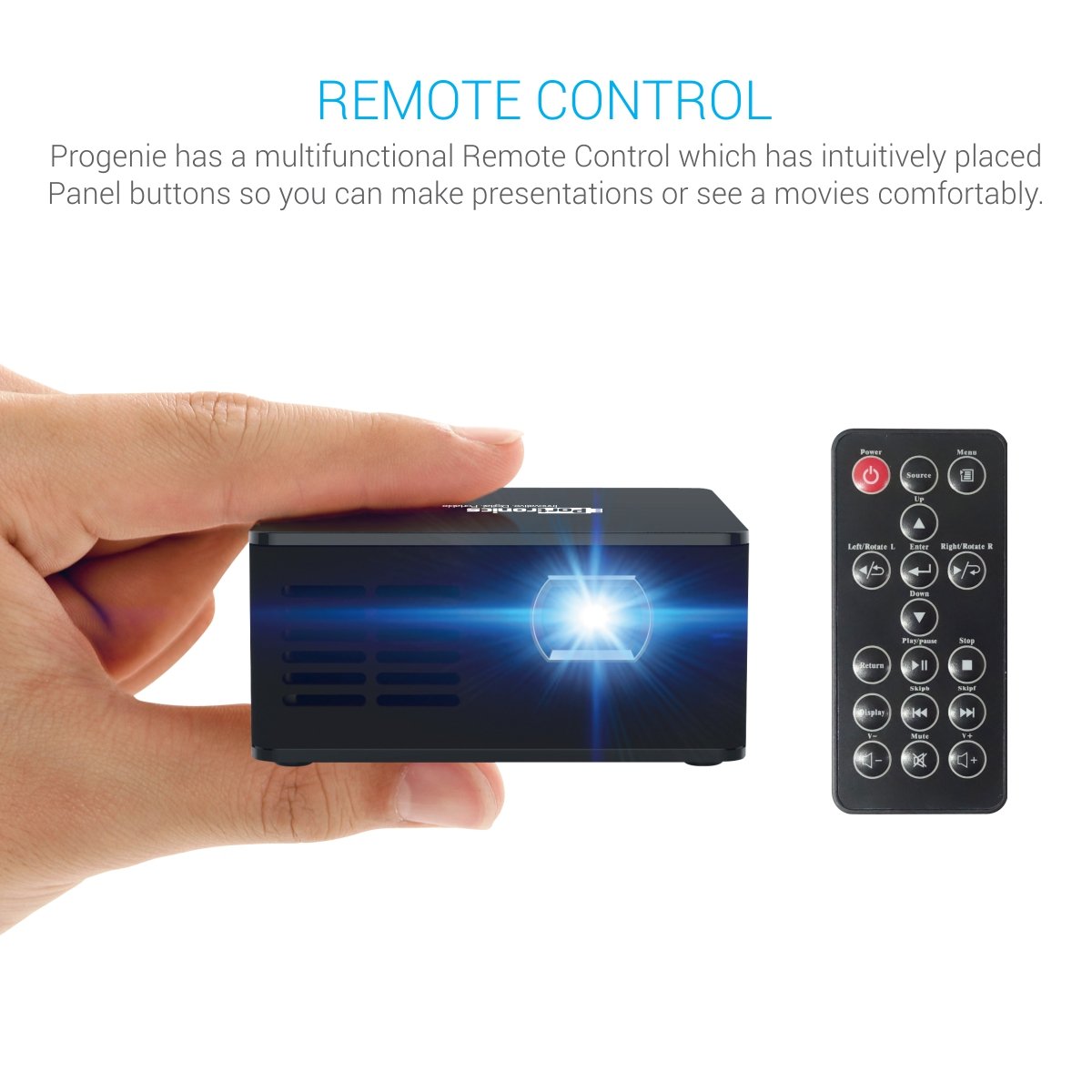
Figure 4: The projector mounted on its included stand.
4. സജ്ജീകരണം
4.1 പവർ കണക്ഷൻ
- Connect the provided power adapter to the DC input port on the projector.
- അനുയോജ്യമായ പവർ ഔട്ട്ലെറ്റിലേക്ക് പവർ അഡാപ്റ്റർ പ്ലഗ് ചെയ്യുക.
- The projector can also operate on its built-in 3400mAh battery for portable use. Ensure the battery is charged before use.
4.2 ഇൻപുട്ട് ഉറവിടങ്ങൾ
The POR 600 supports various input methods:
- എച്ച്ഡിഎംഐ പോർട്ട്: For connecting laptops, gaming consoles, or other HDMI-enabled devices.
- എവി പോർട്ട്: AV കേബിൾ ഉപയോഗിച്ച് പഴയ ഉപകരണങ്ങൾ ബന്ധിപ്പിക്കുന്നതിന്.
- USB പോർട്ട്: For playing media directly from a USB drive.
- മൈക്രോ എസ്ഡി കാർഡ് സ്ലോട്ട്: ഒരു മൈക്രോ എസ്ഡി കാർഡിൽ നിന്ന് നേരിട്ട് മീഡിയ പ്ലേ ചെയ്യുന്നതിന്.

ചിത്രം 5: ഓവർview of the projector's connectivity ports.
4.3 Positioning and Focus
- പ്രൊജക്ടർ ഒരു സ്ഥിരതയുള്ളതും പരന്നതുമായ പ്രതലത്തിൽ സ്ഥാപിക്കുക. ഒപ്റ്റിമൽ ആയി viewing, use the included stand.
- Adjust the distance between the projector and the projection surface (wall or screen) to achieve the desired screen size. An 80-inch diagonal screen can be achieved by placing the projector approximately 8 feet away.
- Rotate the focus ring on the projector lens until the image appears clear and sharp.
5. ഓപ്പറേഷൻ
5.1 പവർ ഓൺ/ഓഫ്
ഉപകരണം ഓൺ അല്ലെങ്കിൽ ഓഫ് ചെയ്യാൻ പ്രൊജക്ടറിലെ പവർ ബട്ടൺ അല്ലെങ്കിൽ റിമോട്ട് കൺട്രോൾ അമർത്തുക.
5.2 ഉറവിട തിരഞ്ഞെടുപ്പ്
Use the "Source" button on the remote control to cycle through available input modes (HDMI, AV, USB, MicroSD) until your desired input is selected.
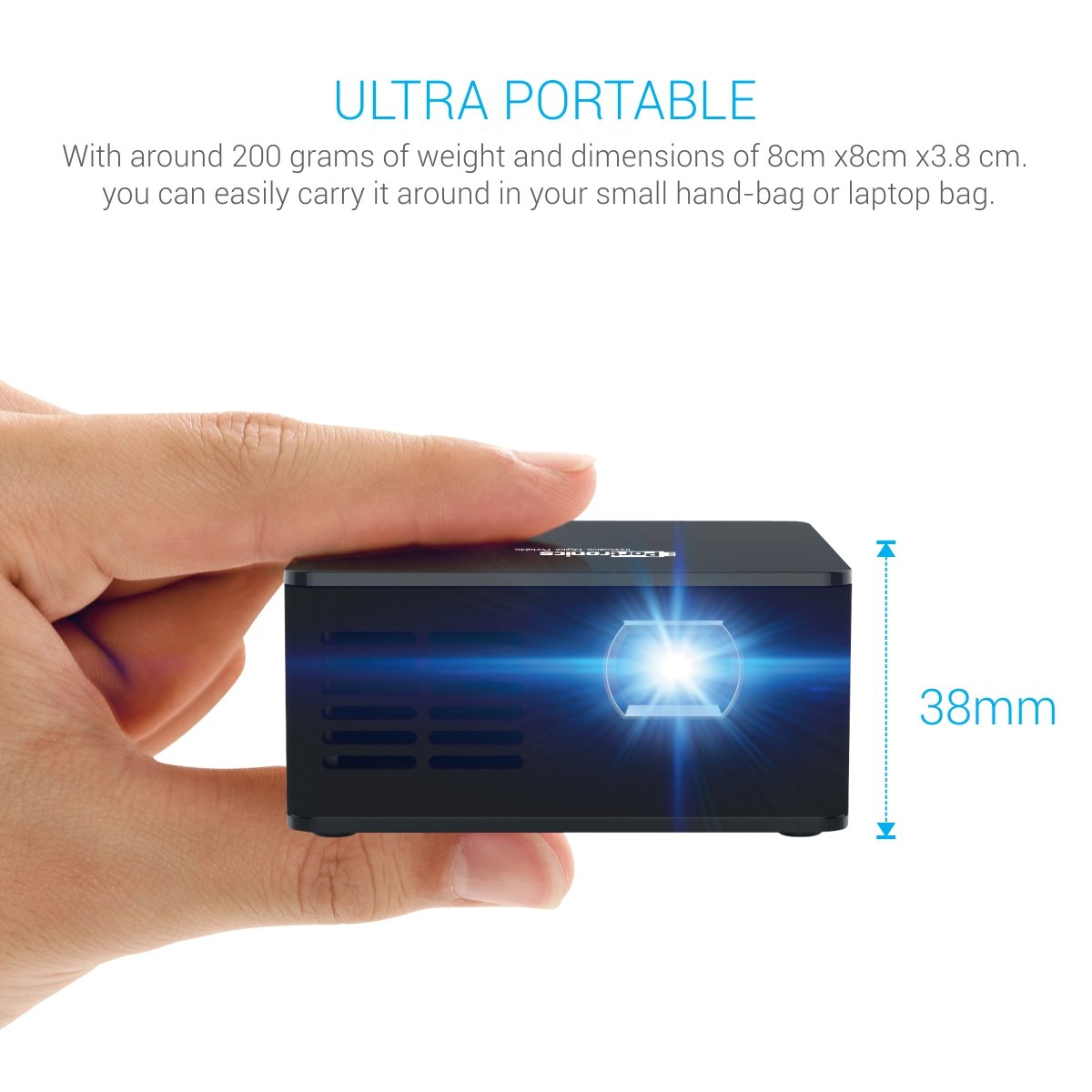
Figure 6: The projector and its multifunctional remote control.
5.3 ഓഡിയോ putട്ട്പുട്ട്
The projector has built-in speakers. For enhanced audio, connect external speakers via the AUX output port.

Figure 7: The projector's in-built speaker.
5.4 മീഡിയ പ്ലേബാക്ക്
The projector supports various media formats for direct playback from USB drives or Micro SD cards, including text (.txt), photo (.jpeg/.bmp/), and audio (.mp3_audio).
Video 1: This video demonstrates the Portronics POR 600 Portable LED Projector's features, connectivity options, and contents of the box. It highlights its portability, DLP technology, and various input methods for media playback.
6 സ്പെസിഫിക്കേഷനുകൾ
| ഫീച്ചർ | സ്പെസിഫിക്കേഷൻ |
|---|---|
| ബ്രാൻഡ് | പോര്ട്രോണിക്സ് |
| മോഡൽ | POR 600 |
| ഉൽപ്പന്ന അളവുകൾ | 18.8 x 7.6 x 14.9 സെ.മീ; 948 ഗ്രാം |
| ഡിസ്പ്ലേ ടെക്നോളജി | LED, DLP (Texas Instruments) |
| നേറ്റീവ് റെസല്യൂഷൻ | 854 x 480 |
| ല്യൂമെൻസ് | 100 ആൻസി ലുമെൻസ് |
| കോൺട്രാസ്റ്റ് റേഷ്യോ | 1000:1 |
| Image Size (diagonal) | 15”~ 80” |
| പ്രൊജക്ഷൻ ദൂരം | 0.5 to 3 meters (1~10 feet) |
| Lamp ജീവിതം | Over 20,000 hours (RGB LED) |
| വീക്ഷണാനുപാതം | 16:9 |
| ബാറ്ററി | Built-in, 3400mAh, 3.7V Lithium Ion |
| വൈദ്യുതി ഉപഭോഗം | 15W (പരമാവധി) |
| വൈദ്യുതി വിതരണം | 9V/2A |
| ഹാർഡ്വെയർ ഇന്റർഫേസ് | USB, HDMI, AV, microSD card |
| അനുയോജ്യമായ ഉപകരണങ്ങൾ | Smartphones (Android/iOS), Laptops/Computers, USB Devices, SD Cards |
| പിന്തുണയ്ക്കുന്ന ഓഡിയോ ഫോർമാറ്റുകൾ | mp3_audio |
| മൗണ്ടിംഗ് തരം | ടേബിൾടോപ്പ് മൗണ്ട് |
7. പ്രശ്നപരിഹാരം
If you encounter issues with your Portronics POR 600 Projector, refer to the following common problems and solutions:
- ചിത്രമൊന്നും പ്രദർശിപ്പിച്ചിട്ടില്ല:
- പ്രൊജക്ടർ ഓണാക്കിയിട്ടുണ്ടെന്നും ലെൻസ് ക്യാപ്പ് നീക്കം ചെയ്തിട്ടുണ്ടെന്നും ഉറപ്പാക്കുക.
- Verify that the correct input source (HDMI, AV, USB, MicroSD) is selected using the remote control.
- എല്ലാ കേബിൾ കണക്ഷനുകളും സുരക്ഷിതമാണെന്നും ശരിയായി ചേർത്തിട്ടുണ്ടെന്നും ഉറപ്പാക്കാൻ പരിശോധിക്കുക.
- ചിത്രം മങ്ങിയതാണ്:
- ചിത്രം വ്യക്തമാകുന്നതുവരെ പ്രൊജക്ടർ ലെൻസിലെ ഫോക്കസ് റിംഗ് ക്രമീകരിക്കുക.
- പ്രൊജക്ഷൻ ഉപരിതലം പരന്നതും മിനുസമാർന്നതുമാണെന്ന് ഉറപ്പാക്കുക.
- ശബ്ദമില്ല:
- പ്രൊജക്ടറിലും ബന്ധിപ്പിച്ചിരിക്കുന്ന ഉറവിട ഉപകരണത്തിലും വോളിയം ക്രമീകരണങ്ങൾ പരിശോധിക്കുക.
- If using external speakers, ensure they are properly connected to the AUX output port and powered on.
- റിമോട്ട് കൺട്രോൾ പ്രതികരിക്കുന്നില്ല:
- റിമോട്ട് കൺട്രോളിൽ ബാറ്ററികൾ മാറ്റിസ്ഥാപിക്കുക.
- റിമോട്ട് കൺട്രോളിനും പ്രൊജക്ടറിന്റെ ഐആർ റിസീവറിനും ഇടയിൽ തടസ്സങ്ങളൊന്നുമില്ലെന്ന് ഉറപ്പാക്കുക.
- പ്രൊജക്ടർ അമിതമായി ചൂടാക്കൽ:
- പ്രൊജക്ടറിന്റെ വെന്റിലേഷൻ വെന്റുകൾ അടഞ്ഞിട്ടില്ലെന്ന് ഉറപ്പാക്കുക.
- നന്നായി വായുസഞ്ചാരമുള്ള സ്ഥലത്ത് പ്രൊജക്ടർ പ്രവർത്തിപ്പിക്കുക.
8. വാറൻ്റിയും പിന്തുണയും
The Portronics POR 600 Portable LED Projector comes with a 1-year manufacturer warranty. For warranty claims, technical support, or further assistance, please contact Portronics customer service or visit their official webഏറ്റവും കാലികമായ പിന്തുണാ വിവരങ്ങൾക്കായി സൈറ്റ്.
കൂടുതൽ വിവരങ്ങൾക്ക്, സന്ദർശിക്കുക Portronics Store.