
ആമുഖം
Thank you for choosing the Sauder Beginnings TV Stand. This manual provides detailed instructions for assembly, usage, maintenance, and troubleshooting to ensure safe and proper operation of your new TV stand. This stand features a stunning Cinnamon Cherry finish and is designed to accommodate TVs up to 37 inches.

Image: The Sauder Beginnings TV Stand, showcasing its Cinnamon Cherry finish and compact design.
പ്രധാനപ്പെട്ട സുരക്ഷാ വിവരങ്ങൾ
- Ensure the TV stand is assembled correctly according to the instructions provided.
- Do not exceed the maximum weight limit of 35 pounds for the TV placed on the stand.
- ടിപ്പിംഗ് തടയാൻ ടിവി സ്റ്റാൻഡ് എല്ലായ്പ്പോഴും പരന്നതും സ്ഥിരതയുള്ളതും നിരപ്പായതുമായ ഒരു പ്രതലത്തിൽ സ്ഥാപിക്കുക.
- അസംബ്ലി സമയത്ത് ചെറിയ ഭാഗങ്ങളും ഹാർഡ്വെയറുകളും കുട്ടികളിൽ നിന്ന് അകറ്റി നിർത്തുക.
- എല്ലാ കണക്ഷനുകളും ഫാസ്റ്റനറുകളും ഇറുകിയതായി ഉറപ്പാക്കാൻ ഇടയ്ക്കിടെ പരിശോധിക്കുക.
Parts List and Pre-Assembly Check
Before beginning assembly, ensure all components and hardware are present. Refer to the included assembly instructions for a complete list of parts. The stand is constructed from engineered wood and includes all necessary materials and hardware for assembly.
- Engineered Wood Panels (Top, Bottom Shelf, Legs)
- Assembly Hardware (screws, cam dowels, hidden cams, etc.)
- Assembly Instructions (provided in packaging)
അസംബ്ലി നിർദ്ദേശങ്ങൾ
Assembly of the Sauder Beginnings TV Stand requires basic tools and can be completed by following the step-by-step instructions provided in the packaging. It is recommended to have a Phillips head screwdriver and a flat, clean work area.
പ്രധാന അസംബ്ലി ഘട്ടങ്ങൾ:
- എല്ലാ ഘടകങ്ങളും ഹാർഡ്വെയറും തിരിച്ചറിയുക.
- Attach cam screws and cam dowels to the designated panels.
- Connect panels using hidden cams, ensuring arrows align with the edge of the board before turning to lock.
- Secure all connections firmly but do not overtighten.
Video: This video demonstrates the proper assembly of cam and dowel fasteners, commonly used in Sauder furniture. It shows how to insert cam dowels and cam screws, and how to lock them with a hidden cam.

Image: A technical diagram illustrating the precise dimensions of the TV stand, including height, width, and depth, as well as shelf clearances.
ഉപയോഗവും പ്രവർത്തനവും
The Sauder Beginnings TV Stand is designed to accommodate televisions up to 37 inches in size, with a maximum weight of 35 pounds. The lower shelf provides convenient storage for media devices, books, or decorative items.
- Place your television centrally on the top surface to ensure even weight distribution.
- Utilize the lower shelf for organizing media components such as DVD players, gaming consoles, or soundbars.
- Avoid placing excessively heavy items on the lower shelf to maintain stability.
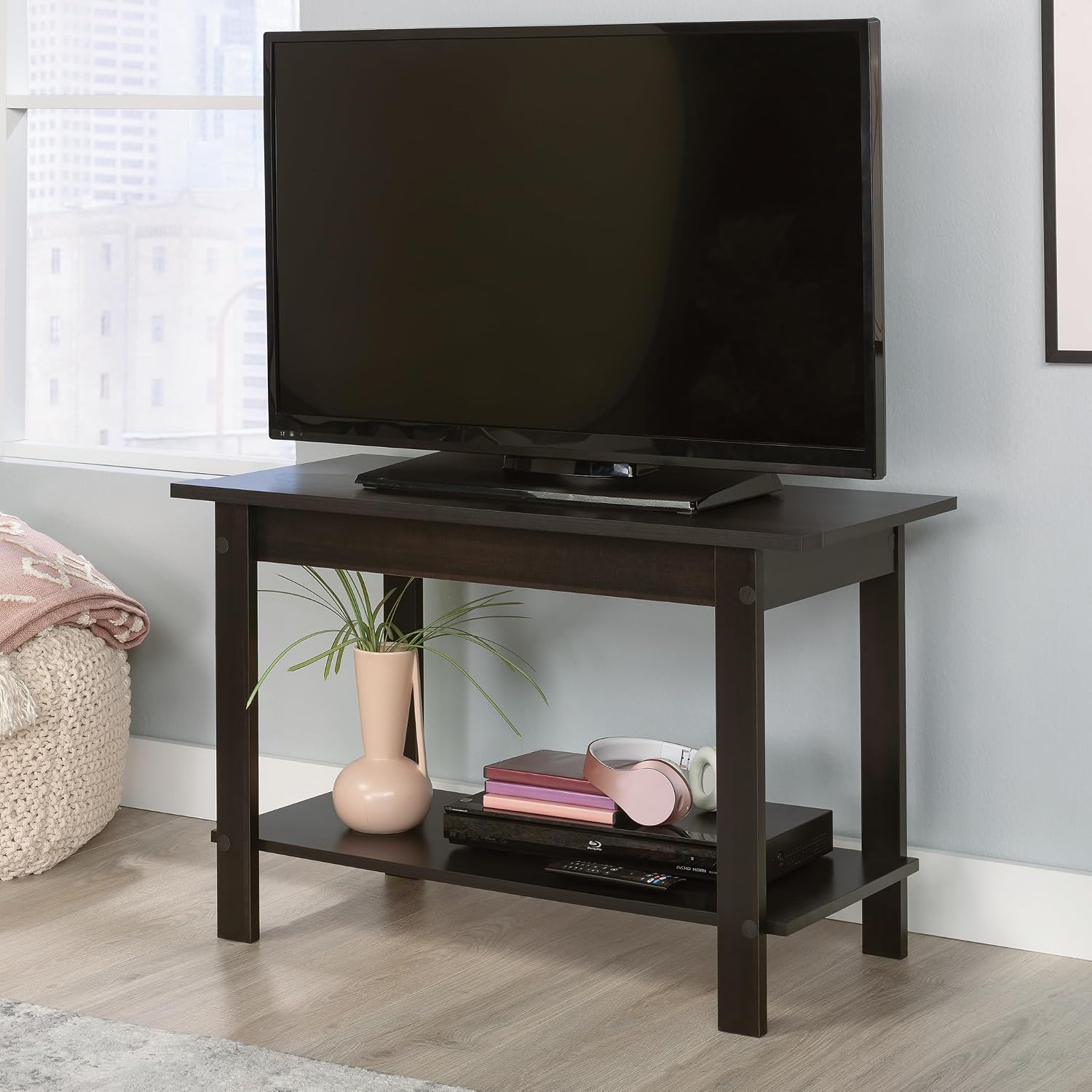
Image: The TV stand in a room setting, displaying a television on the top surface and various items like a plant, headphones, and books on the lower shelf.

Image: The TV stand featuring a television on top and a gaming console with accessories neatly arranged on the bottom shelf, demonstrating its storage utility.
വീഡിയോ: ഒരു സംക്ഷിപ്ത വിവരണംview വീഡിയോ ഷോasing the Sauder Beginnings TV Stand in Cinnamon Cherry, highlighting its design and features.
മെയിൻ്റനൻസ്
To maintain the appearance and longevity of your Sauder Beginnings TV Stand, follow these simple care instructions:
- Wipe the surfaces with a dry cloth to remove dust and debris.
- കഠിനമായ രാസവസ്തുക്കളോ ഉരച്ചിലുകളുള്ള ക്ലീനറുകളോ ഉപയോഗിക്കുന്നത് ഒഴിവാക്കുക, കാരണം അവ ഫിനിഷിനെ നശിപ്പിക്കും.
- നേരിട്ടുള്ള സൂര്യപ്രകാശത്തിൽ നിന്നും തീവ്രമായ താപനില വ്യതിയാനങ്ങളിൽ നിന്നും ഉപരിതലത്തെ സംരക്ഷിക്കുക.
- എഞ്ചിനീയറിംഗ് ചെയ്ത തടിയിൽ കറയോ കേടുപാടുകളോ ഉണ്ടാകാതിരിക്കാൻ ചോർച്ച ഉടനടി തുടച്ചുമാറ്റുക.

Image: A detailed close-up of the TV stand's top surface, showing the wood grain and finish quality.

Image: A close-up of the lower shelf, featuring headphones and a remote control, highlighting the practical storage space.
ട്രബിൾഷൂട്ടിംഗ്
If you encounter any issues with your TV stand, consider the following common solutions:
- ആടിയുലയൽ അല്ലെങ്കിൽ അസ്ഥിരത: Ensure the stand is on a level surface. Check all cam locks and screws to confirm they are tightened securely.
- കേടായ ഭാഗങ്ങൾ: If any part is damaged during shipping or assembly, contact Sauder customer support for replacement parts.
- അസംബ്ലി ബുദ്ധിമുട്ടുകൾ: Review the assembly video and detailed instructions. Ensure all components are oriented correctly.
സ്പെസിഫിക്കേഷനുകൾ
| ഫീച്ചർ | വിശദാംശങ്ങൾ |
|---|---|
| ബ്രാൻഡ് | Sauder |
| മോഡൽ നമ്പർ | 413022 |
| നിറം | Cinnamon Cherry |
| ഉൽപ്പന്ന അളവുകൾ (D x W x H) | 15.75"D x 35.37"W x 22.12"H |
| Accommodates TV Size | 37" വരെ |
| ശുപാർശ ചെയ്യുന്ന പരമാവധി ലോഡ് | 35 പൗണ്ട് |
| മെറ്റീരിയൽ | എഞ്ചിനീയറിംഗ് വുഡ് |
| ഷെൽഫുകളുടെ എണ്ണം | 1 (lower shelf) |
| അസംബ്ലി ആവശ്യമാണ് | അതെ |
| പരിചരണ നിർദ്ദേശങ്ങൾ | ഉണങ്ങിയ തുണി ഉപയോഗിച്ച് തുടയ്ക്കുക |
| ഇനത്തിൻ്റെ ഭാരം | 23.3 പൗണ്ട് |
| മാതൃരാജ്യം | മലേഷ്യ |
വാറൻ്റിയും പിന്തുണയും
വാറൻ്റി വിവരങ്ങൾ:
The Sauder Beginnings TV Stand comes with a 5 വർഷത്തെ ഭാഗങ്ങളുടെ വാറന്റിവാറന്റി ക്ലെയിമുകൾക്കായി നിങ്ങളുടെ വാങ്ങിയതിന്റെ തെളിവ് സൂക്ഷിക്കുക.
ഉപഭോക്തൃ പിന്തുണ:
For any questions, assistance with assembly, or to request replacement parts, please contact Sauder's Domestic Call Center. They are ready to assist you.
- ഫോൺ: 800-523-3987
- Website for Service: sauder.com/service
- അധിക വിഭവങ്ങൾ: Live Chat On-Demand Support, Assembly Tip Videos, Quick Ship Replacement Parts.

Image: Sauder's customer service team, emphasizing their readiness to provide support.