
1. ആമുഖം
This manual provides detailed instructions for the setup, operation, maintenance, and troubleshooting of your new Beetel B15 Corded Landline Phone. Please read this manual carefully before using the phone to ensure proper functionality and to maximize your user experience. The Beetel B15 is designed for clear call quality and ease of use, featuring essential functions for reliable communication.
2. പാക്കേജ് ഉള്ളടക്കം
പാക്കേജ് തുറക്കുമ്പോൾ, ഇനിപ്പറയുന്ന എല്ലാ ഇനങ്ങളും ഉൾപ്പെടുത്തിയിട്ടുണ്ടെന്ന് ദയവായി ഉറപ്പാക്കുക:
- Landline Instrument (Beetel B15 Phone)
- Coil Cord (Handset Cord)
- Line Cord (Telephone Line Cord)
- ഉപയോക്തൃ മാനുവൽ (ഈ പ്രമാണം)
3. ഉൽപ്പന്നം കഴിഞ്ഞുview
The Beetel B15 Corded Landline Phone is a robust and user-friendly device. Below are key components and features:

ചിത്രം 3.1: ടോപ്പ് ഡൗൺ view of the Beetel B15 Corded Landline Phone, showcasing the handset, keypad, and coiled cord connection.

ചിത്രം 3.2: കോണാകൃതിയിലുള്ളത് view of the Beetel B15 with the handset lifted, revealing the base unit and the connection point for the coiled cord.
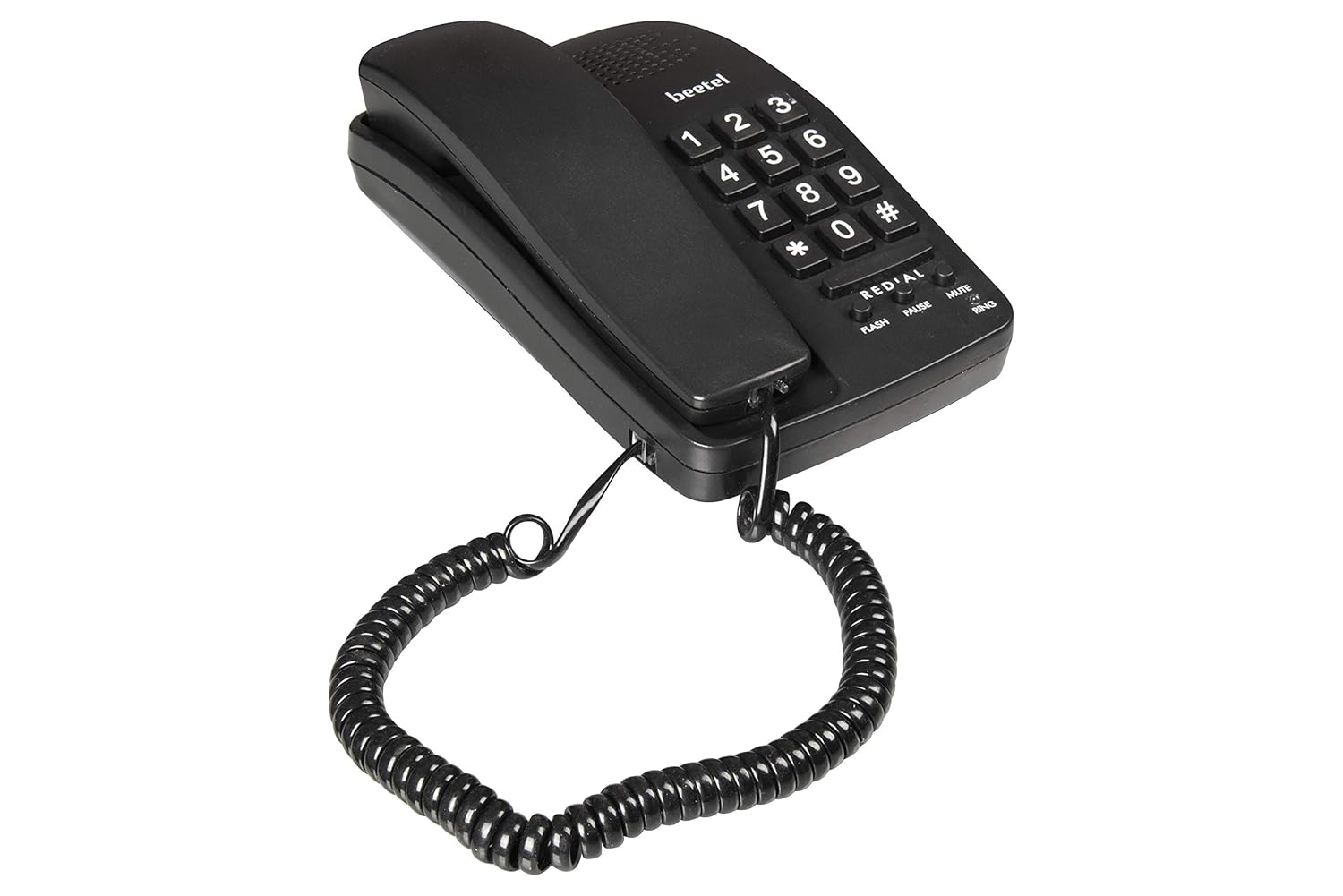
ചിത്രം 3.3: ഇടത് വശം view of the Beetel B15, showing the profile of the phone base and handset.
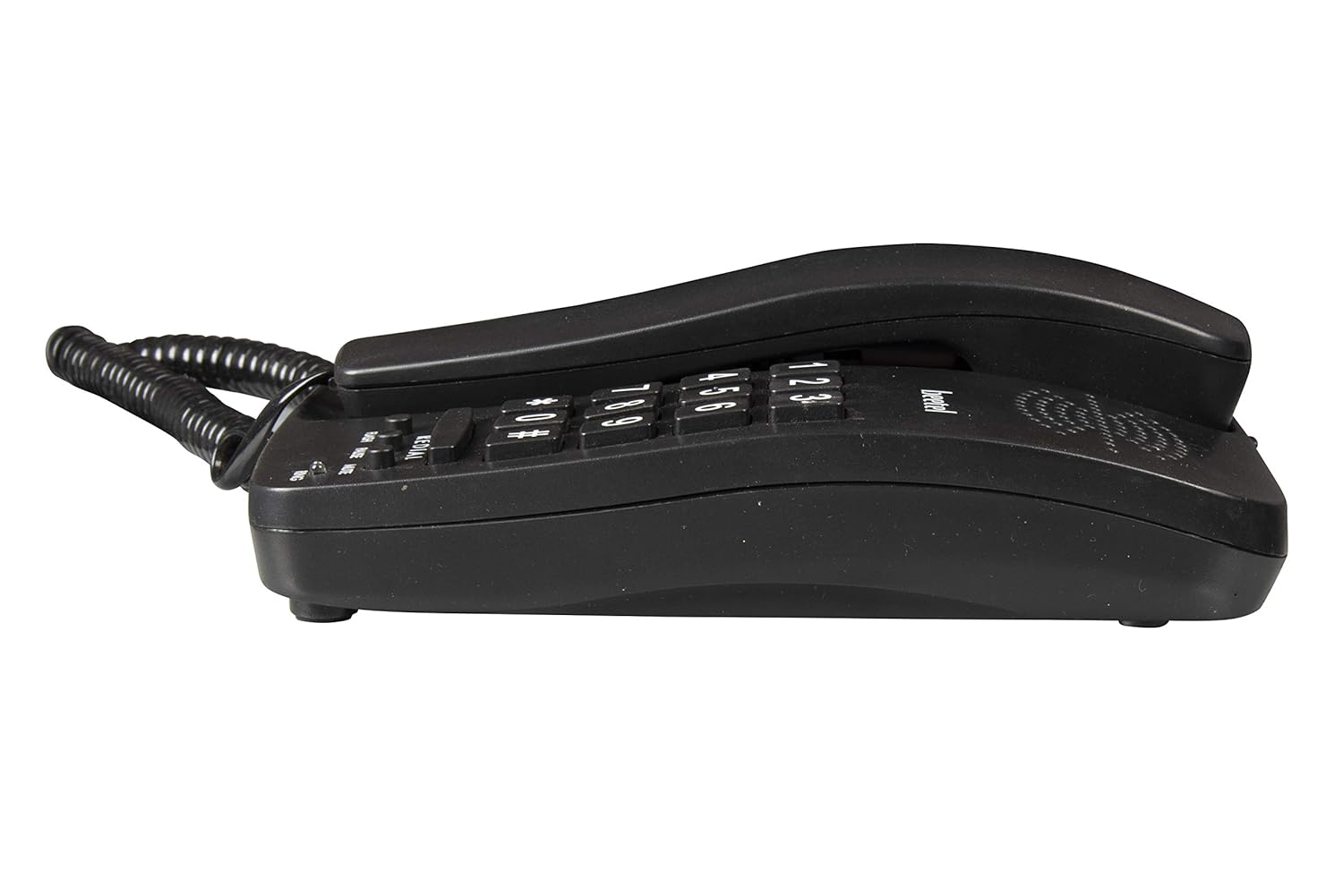
ചിത്രം 3.4: വലത് വശം view of the Beetel B15, illustrating the compact design.

ചിത്രം 3.5: ഫ്രണ്ട് ആംഗിൾഡ് view of the Beetel B15, highlighting the keypad and function buttons.
പ്രധാന സവിശേഷതകൾ:
- Ringer Volume Control: Adjust the incoming call volume to your preference.
- Tone/Pulse Switchable: Compatible with both tone and pulse dialing systems.
- റീഡയൽ ഫംഗ്ഷൻ: Quickly redial the last number called.
- നിശബ്ദ പ്രവർത്തനം: Temporarily silence your microphone during a call.
- ഫ്ലാഷ് പ്രവർത്തനം: Used for call waiting or transferring calls on compatible systems.
- പ്രവർത്തനം താൽക്കാലികമായി നിർത്തുക: Inserts a pause in the dialing sequence, useful for accessing external lines or voicemail systems.
- LED for Ring Indication: A visual indicator that flashes when there is an incoming call.
- Wall/Desk Mountable: Designed for flexible placement on a desk or mounted on a wall.
4. സജ്ജീകരണ നിർദ്ദേശങ്ങൾ
Follow these steps to set up your Beetel B15 Corded Landline Phone:
- Connect the Coil Cord: Plug one end of the coiled cord into the handset and the other end into the designated port on the phone base unit. Ensure a secure connection.
- ലൈൻ കോർഡ് ബന്ധിപ്പിക്കുക: Plug one end of the telephone line cord into the 'LINE' port on the back or side of the phone base unit.
- Connect to Wall Jack: ടെലിഫോൺ ലൈൻ കോഡിന്റെ മറ്റേ അറ്റം നിങ്ങളുടെ ടെലിഫോൺ വാൾ ജാക്കിൽ പ്ലഗ് ചെയ്യുക.
- പ്ലേസ്മെൻ്റ്: Place the phone on a flat, stable surface (desk) or mount it on a wall using the integrated mounting holes if desired. Ensure the cord is not tangled or obstructing pathways.
- Test Dial Tone: Lift the handset. You should hear a clear dial tone. If not, check all connections.
5. പ്രവർത്തന നിർദ്ദേശങ്ങൾ
ഒരു കോൾ ചെയ്യുന്നു:
- ഹാൻഡ്സെറ്റ് ഉയർത്തുക.
- ഒരു ഡയൽ ടോണിനായി കാത്തിരിക്കുക.
- കീപാഡ് ഉപയോഗിച്ച് ആവശ്യമുള്ള ടെലിഫോൺ നമ്പർ ഡയൽ ചെയ്യുക.
- Once the call is complete, place the handset back on the cradle.
ഒരു കോൾ സ്വീകരിക്കുന്നു:
- When the phone rings and the LED indicator flashes, lift the handset to answer the call.
- Once the call is complete, place the handset back on the cradle.
പ്രത്യേക പ്രവർത്തനങ്ങൾ ഉപയോഗിക്കുന്നു:
- വീണ്ടും ഡയൽ ചെയ്യുക: Lift the handset, wait for the dial tone, then press the റിഡിയൽ അവസാനം വിളിച്ച നമ്പർ സ്വയമേവ ഡയൽ ചെയ്യുന്നതിനുള്ള ബട്ടൺ.
- നിശബ്ദമാക്കുക: ഒരു കോൾ സമയത്ത്, അമർത്തുക നിശബ്ദമാക്കുക button to temporarily disable your microphone. The other party will not hear you. Press നിശബ്ദമാക്കുക സംഭാഷണം പുനരാരംഭിക്കാൻ വീണ്ടും.
- ഫ്ലാഷ്: ഒരു കോൾ സമയത്ത്, അമർത്തുക ഫ്ലാഷ് button to use services like call waiting or call transfer, if supported by your telephone service provider.
- താൽക്കാലികമായി നിർത്തുക: When dialing, press the താൽക്കാലികമായി നിർത്തുക button to insert a brief pause in the dialing sequence. This is useful for dialing into systems that require a delay before entering extensions or codes.
- Ringer Volume Control: Locate the ringer volume switch (usually on the side or bottom of the phone base). Adjust it to your desired volume level (e.g., High, Low, Off).
- Tone/Pulse Switch: Locate the Tone/Pulse switch (usually on the bottom or side of the phone). Set it to 'Tone' for modern telephone systems. Only switch to 'Pulse' if your telephone line specifically requires it (older systems).
6. പരിപാലനം
To ensure the longevity and optimal performance of your Beetel B15 phone, follow these simple maintenance guidelines:
- വൃത്തിയാക്കൽ: ഫോണിന്റെ പ്രതലം മൃദുവായ, ഡി-ടച്ച് ഉപയോഗിച്ച് തുടയ്ക്കുക.amp cloth. Do not use harsh chemicals, abrasive cleaners, or excessive moisture, as these can damage the phone.
- ദ്രാവകങ്ങൾ ഒഴിവാക്കുക: വെള്ളം, മറ്റ് ദ്രാവകങ്ങൾ എന്നിവയിൽ നിന്ന് ഫോൺ അകറ്റി നിർത്തുക. ഫോൺ നനഞ്ഞാൽ, ഉടൻ തന്നെ അത് വിച്ഛേദിച്ച് പൂർണ്ണമായും ഉണങ്ങാൻ അനുവദിക്കുക, തുടർന്ന് വീണ്ടും ബന്ധിപ്പിക്കുക.
- താപനില: ഉയർന്ന താപനിലയിൽ (ചൂടുള്ളതോ തണുപ്പുള്ളതോ) അല്ലെങ്കിൽ നേരിട്ടുള്ള സൂര്യപ്രകാശം ദീർഘനേരം ഫോണിൽ ഏൽക്കരുത്.
- കൈകാര്യം ചെയ്യൽ: ഫോൺ ശ്രദ്ധയോടെ കൈകാര്യം ചെയ്യുക. താഴെയിടുകയോ ശക്തമായ ആഘാതങ്ങൾക്ക് വിധേയമാക്കുകയോ ചെയ്യരുത്.
- ചരട് മാനേജുമെന്റ്: Ensure the coiled cord and line cord are not excessively stretched, twisted, or pinched, as this can lead to damage and poor connection.
7. പ്രശ്നപരിഹാരം
നിങ്ങളുടെ ബീറ്റൽ B15 ഫോണിൽ പ്രശ്നങ്ങൾ നേരിടുകയാണെങ്കിൽ, ഇനിപ്പറയുന്ന പൊതുവായ പ്രശ്നങ്ങളും പരിഹാരങ്ങളും പരിശോധിക്കുക:
| പ്രശ്നം | സാധ്യമായ കാരണം | പരിഹാരം |
|---|---|---|
| ഡയൽ ടോൺ ഇല്ല | Line cord or coil cord not connected properly. | Check all cable connections. Ensure they are firmly plugged in. |
| ഫോൺ റിംഗ് ചെയ്യുന്നില്ല | Ringer volume set to 'Off' or 'Low'. | Adjust the ringer volume switch to 'High'. |
| കോളുകൾ ചെയ്യാൻ കഴിയില്ല | Incorrect Tone/Pulse setting. | Ensure the Tone/Pulse switch is set to 'Tone' for most modern lines. |
| മോശം കോൾ നിലവാരം / സ്റ്റാറ്റിക് | Loose connections; interference. | Check all connections. Try plugging the phone into a different wall jack if available. Keep phone away from other electronic devices that may cause interference. |
| Redial/Flash/Mute buttons not working | Phone not in active call state; feature not supported by line. | Ensure you are on an active call for Mute/Flash. Redial works after a previous outgoing call. Confirm with your service provider if Flash is supported. |
If the problem persists after trying these solutions, please contact Beetel customer support.
8 സ്പെസിഫിക്കേഷനുകൾ
Below are the technical specifications for the Beetel B15 Corded Landline Phone:
| ഫീച്ചർ | വിവരണം |
|---|---|
| മോഡൽ നമ്പർ | B15 BLACK |
| ഉൽപ്പന്ന അളവുകൾ | 20.7 x 12.5 x 6.2 സെ.മീ |
| ഇനത്തിൻ്റെ ഭാരം | 470 ഗ്രാം |
| നിറം | കറുപ്പ് |
| ടെലിഫോൺ തരം | കോർഡഡ് |
| മെറ്റീരിയൽ | പ്ലാസ്റ്റിക് |
| പവർ ഉറവിടം | Line Powered (No external power adapter needed) |
| പ്രത്യേക സവിശേഷതകൾ | LED Flash, Ringer Volume Control, Redial, Mute, Flash, Pause, Tone/Pulse Switchable |
| ബോക്സിൽ എന്താണുള്ളത് | Landline Instrument, Coil Cord, Line Cord, User Manual |
| നിർമ്മാതാവ് | ബീറ്റൽ ടെലിടെക് ലിമിറ്റഡ് |
| മാതൃരാജ്യം | ഇന്ത്യ |
9. വാറൻ്റിയും പിന്തുണയും
Your Beetel B15 Corded Landline Phone comes with a manufacturer's warranty to ensure your peace of mind.
- വാറൻ്റി കാലയളവ്: The product is covered by a 1-year manufacturer warranty for the device from the date of purchase. In-box accessories, including batteries (if applicable), typically have a 6-month manufacturer warranty.
- വാറൻ്റി ക്ലെയിമുകൾ: For any warranty-related issues or product support, please contact Beetel Teletech Limited customer service. Keep your purchase receipt as proof of purchase.
- പിന്തുണ: For further assistance, troubleshooting not covered in this manual, or general inquiries, please refer to the official Beetel webസൈറ്റ് ചെയ്യുക അല്ലെങ്കിൽ അവരുടെ ഉപഭോക്തൃ പിന്തുണ ചാനലുകളുമായി ബന്ധപ്പെടുക.