
1. ആമുഖം
The Digitek DWM 101 Mini is a compact and lightweight 2-in-1 wireless microphone system designed for versatile audio recording. It is compatible with a wide range of devices including iOS and Android smartphones, DSLR cameras, PCs, and laptops, making it ideal for vlogging, live streaming, video tutorials, meetings, and interviews. This system features stable 2.4G wireless transmission with an extended range of up to 80 meters, ensuring reliable connectivity. Equipped with an omnidirectional condenser mic, it delivers professional audio quality with intelligent noise reduction for clear sound in various environments.
2. ബോക്സിൽ എന്താണുള്ളത്?
Upon unboxing your Digitek DWM 101 Mini Wireless Microphone System, please verify that all the following components are included:
- 2 x വയർലെസ് മൈക്രോഫോണുകൾ (ട്രാൻസ്മിറ്ററുകൾ)
- 1 x റിസീവർ
- 1 x Type-C Connector
- 1 x Lightning Connector
- 1 x ഉപയോക്തൃ മാനുവൽ
- 1 x Magnetic Clip Set
- XXx x കാരി കേസ്
- 1 x DSLR Audio Output Cable
- 1 x 3.5mm Output Cable
- ഇയർഫോണുകൾ നിരീക്ഷിക്കുക
- ടൈപ്പ്-സി മുതൽ ടൈപ്പ്-സി വരെ ചാർജിംഗ് കേബിൾ

Figure 2.1: All components included in the Digitek DWM 101 Mini Wireless Microphone System package.
3. ഉൽപ്പന്നം കഴിഞ്ഞുview
The Digitek DWM 101 Mini system consists of two compact transmitters and one receiver, designed for ease of use and portability.
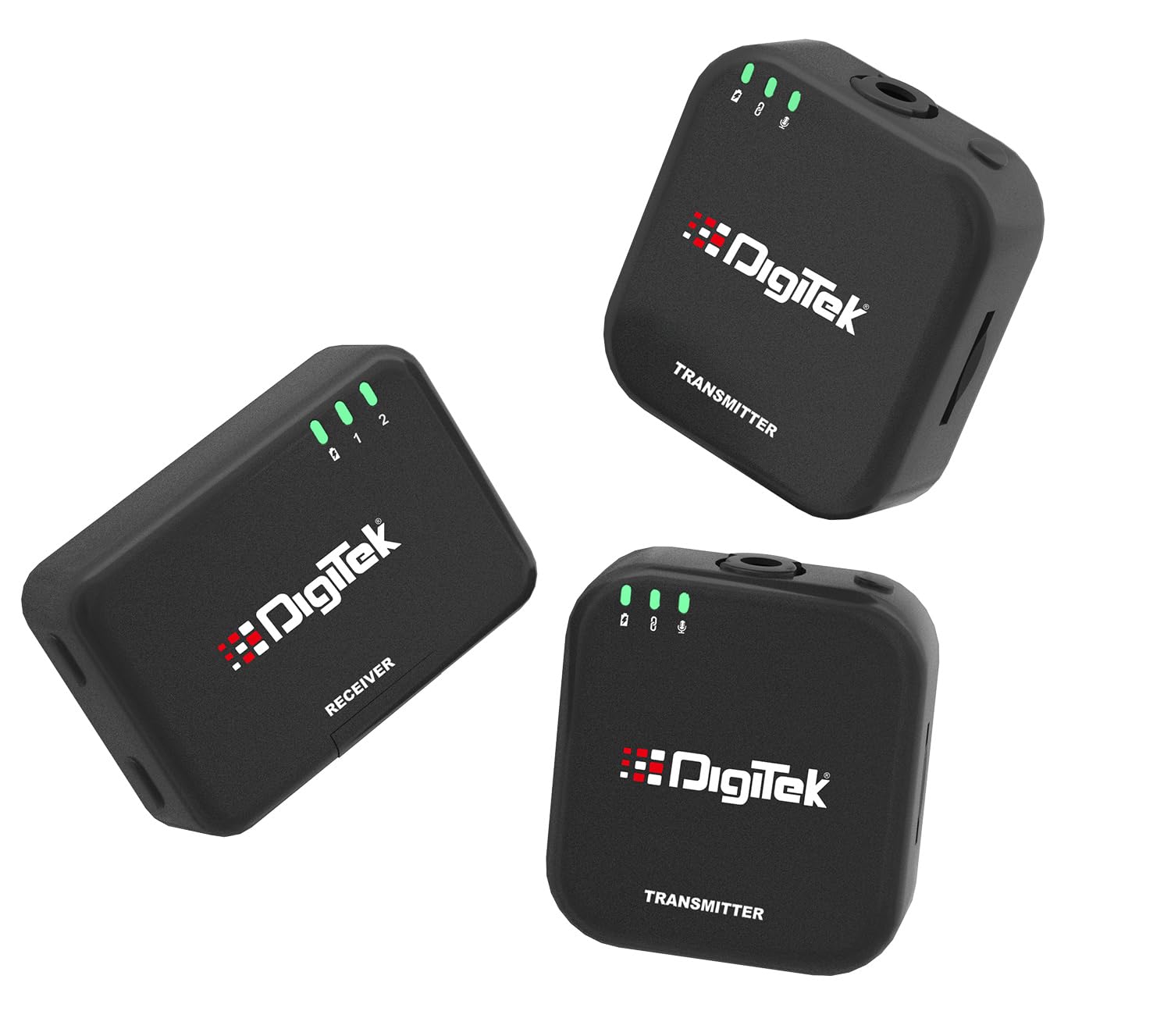
Figure 3.1: Digitek DWM 101 Mini Wireless Microphone System components.
3.1 ട്രാൻസ്മിറ്റർ (ടിഎക്സ്)
The transmitter unit features an integrated omnidirectional condenser microphone for accurate sound pickup. It includes LED indicators for battery status, pairing, and mute functions. A built-in TF card slot allows for direct recording, providing a reliable backup.

Figure 3.2: Transmitter unit with LED indicators.

Figure 3.3: Transmitter unit showing TF card slot for dual recording.
3.2 റിസീവർ (RX)
The receiver unit connects to your recording device (smartphone, DSLR, PC). It receives audio signals from the transmitters and facilitates real-time monitoring.
4. സജ്ജീകരണം
The Digitek DWM 101 Mini is designed for simple plug-and-play operation.
4.1 പ്രാരംഭ ചാർജിംഗ്
Before first use, fully charge both transmitters and the receiver using the provided Type-C charging cable and charging case. A full charge takes approximately 1.5 hours.

Figure 4.1: Battery and charging information.
4.2 നിങ്ങളുടെ ഉപകരണത്തിലേക്ക് കണക്റ്റുചെയ്യുന്നു
The receiver automatically pairs with the transmitters upon power-on.
- For Smartphones (iOS/Android): Use the appropriate Type-C or Lightning connector to plug the receiver directly into your phone's charging/audio port.
- DSLR ക്യാമറകൾക്ക്: Connect the receiver to your camera's microphone input using the provided DSLR Audio Output Cable.
- For PCs/Laptops: Connect the receiver to your computer's audio input using the appropriate cable.
5. പ്രവർത്തന നിർദ്ദേശങ്ങൾ
5.1 പവർ ഓൺ/ഓഫ്
Press and hold the power button on each transmitter and the receiver to turn them on or off. The units will automatically pair when powered on.
5.2 റെക്കോർഡിംഗ്
Once connected, the microphone system is ready for recording. Ensure your recording device's audio input is set to the external microphone. The system offers:
- Primary Recording: Audio is transmitted wirelessly to your connected device.
- TF Card Recording (Backup): Insert a TF card into the transmitter's slot to record audio directly onto the card. This provides a reliable backup, especially useful for critical recordings or when primary device recording is not feasible.
5.3 റിയൽ-ടൈം മോണിറ്ററിംഗ്
Connect the provided monitor earphones to the receiver's audio output port to listen to the audio being recorded in real-time. This allows you to ensure optimal sound quality during your session.
5.4 ശബ്ദം കുറയ്ക്കൽ
The DWM 101 Mini features intelligent noise reduction to minimize ambient sounds and deliver crystal-clear audio. This function is active by default.

Figure 5.1: Advanced Noise Reduction for clear audio.
5.5 വയർലെസ് ശ്രേണി
The system operates on a 2.4GHz wireless transmission frequency, providing a stable connection up to 80 meters in open environments. Obstacles like walls may reduce the effective range.
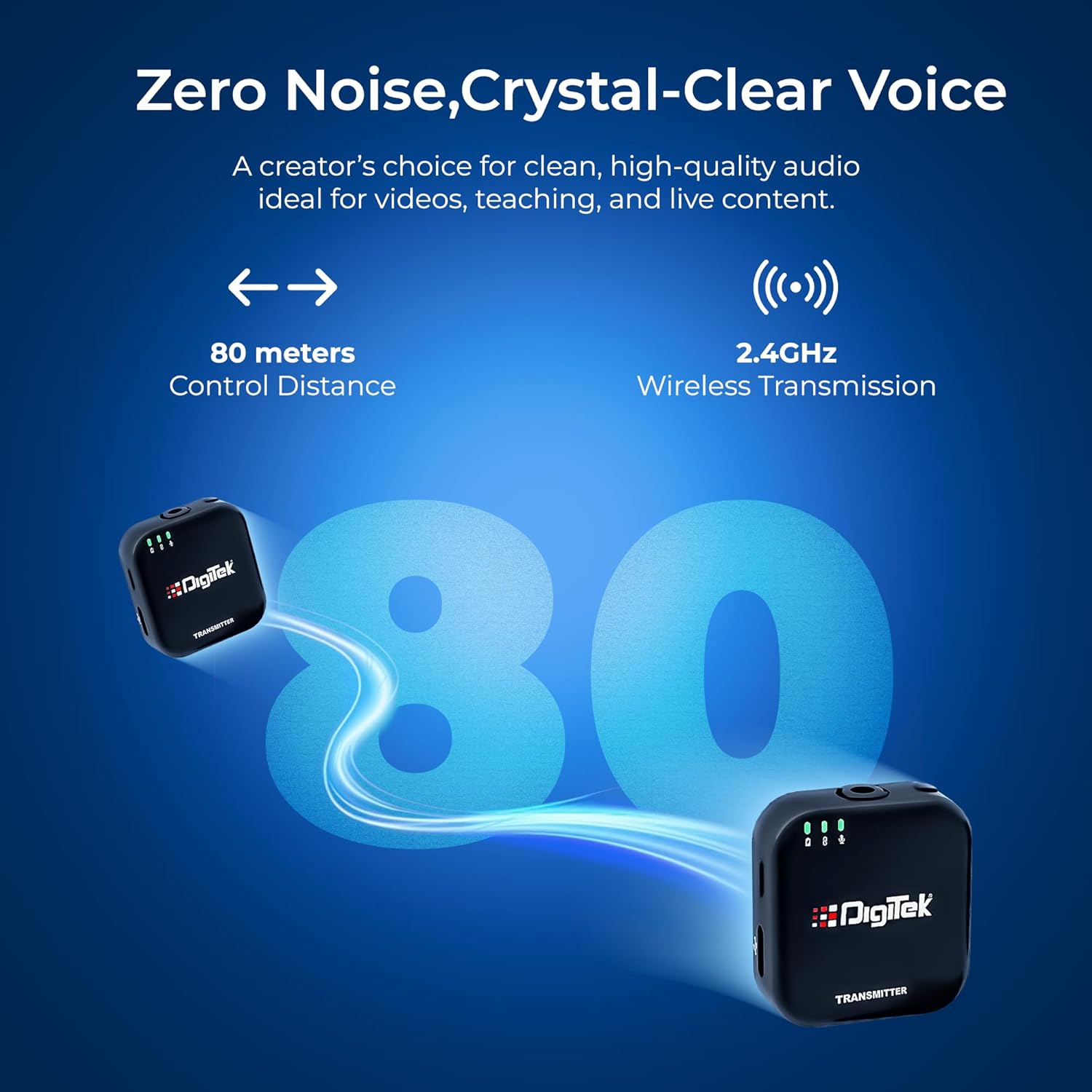
Figure 5.2: Wireless transmission range and frequency.
6. പരിപാലനം
- വൃത്തിയാക്കൽ: യൂണിറ്റുകൾ വൃത്തിയാക്കാൻ മൃദുവായതും ഉണങ്ങിയതുമായ തുണി ഉപയോഗിക്കുക. ലിക്വിഡ് ക്ലീനറുകളോ ലായകങ്ങളോ ഉപയോഗിക്കരുത്.
- സംഭരണം: Store the microphone system in its carry case in a cool, dry place away from direct sunlight and extreme temperatures.
- ബാറ്ററി കെയർ: To prolong battery life, avoid fully discharging the units frequently. Charge them regularly, even if not in use for extended periods.
- കൈകാര്യം ചെയ്യൽ: Handle the units with care. Avoid dropping or subjecting them to strong impacts.
7. പ്രശ്നപരിഹാരം
| പ്രശ്നം | സാധ്യമായ കാരണം | പരിഹാരം |
|---|---|---|
| ശബ്ദമോ കുറഞ്ഞ വോളിയമോ ഇല്ല | Incorrect connection; Receiver not powered on; Device input settings incorrect; Transmitter muted. | Ensure receiver is properly connected to device. Check receiver and transmitter power. Verify device's audio input is set to external mic. Check transmitter's mute status via LED indicators. |
| Intermittent audio or signal drops | Out of range; Obstructions between TX and RX; Interference from other 2.4GHz devices; Low battery. | Reduce distance between transmitter and receiver. Minimize obstructions. Move away from other wireless devices. Charge units fully. |
| Poor audio quality / Excessive noise | High ambient noise; Microphone too far from source; Damaged mic. | Ensure microphone is positioned optimally. The intelligent noise reduction should handle most background noise. If issue persists, contact support. |
| ജോടിയാക്കാത്ത യൂണിറ്റുകൾ | Units not powered on; Too far apart during initial power-on. | Ensure both transmitter(s) and receiver are powered on. Place them close to each other when powering on for the first time or after a reset. |
| TF കാർഡ് റെക്കോർഡിംഗ് പ്രവർത്തിക്കുന്നില്ല. | TF card not inserted correctly; TF card full or corrupted; Incompatible TF card. | Ensure TF card is inserted correctly. Check card capacity and format if necessary. Try a different TF card. |
8 സ്പെസിഫിക്കേഷനുകൾ
| ഫീച്ചർ | വിശദാംശങ്ങൾ |
|---|---|
| മോഡലിൻ്റെ പേര് | DWM 101 Mini |
| കണക്റ്റിവിറ്റി ടെക്നോളജി | വയർലെസ് (2.4GHz) |
| കണക്റ്റർ തരം | യുഎസ്ബി ടൈപ്പ്-സി |
| ശുപാർശ ചെയ്യുന്ന ഉപയോഗങ്ങൾ | Camera, Smartphones, PC, Laptop |
| ഇനത്തിൻ്റെ ഭാരം | 200 ഗ്രാം |
| ഇനത്തിന്റെ അളവുകൾ (LxWxH) | 55 x 37 x 4 സെൻ്റീമീറ്റർ |
| ബാറ്ററി തരം | 12V batteries (included) |
| തുടർച്ചയായ പ്രവർത്തനസമയം | ഏകദേശം 4.5 മണിക്കൂർ |
| ചാർജിംഗ് സമയം | ഏകദേശം 1.5 മണിക്കൂർ |
| വയർലെസ് ശ്രേണി | 80 മീറ്റർ വരെ (തുറന്ന അന്തരീക്ഷം) |
| മൈക്രോഫോൺ തരം | ഓമ്നിഡയറക്ഷണൽ കണ്ടൻസർ |
| എസ്/എൻ അനുപാതം | 32dB ± 2dB |
| മാതൃരാജ്യം | ചൈന |
| നിർമ്മാതാവ് | IMS Mercantiles Limited |
9. വാറൻ്റിയും പിന്തുണയും
For warranty information and technical support regarding your Digitek DWM 101 Mini Wireless Microphone System, please contact the manufacturer directly:
- നിർമ്മാതാവ്: IMS Mercantiles Limited
- വിലാസം: 704, 7th floor, Ring Road Mall, Sec-3, Rohini, Delhi 110085
- Customer Helpline (Toll Free): 1800-123-544-444
- ഇമെയിൽ: support@digitek.net.in
ഏതെങ്കിലും വാറന്റി ക്ലെയിമുകൾക്കായി നിങ്ങളുടെ വാങ്ങിയതിന്റെ തെളിവ് സൂക്ഷിക്കുക.