
1. ആമുഖവും അവസാനവുംview
The Gigaset Window Sensor is an integral component of your smart home security system, designed to enhance the safety of your living space. This sensor accurately detects whether a window is tilted or fully opened, providing immediate alerts to your smartphone via push notifications. It seamlessly integrates with your existing Gigaset smart home system, offering reliable monitoring and peace of mind.
This manual provides detailed instructions for the installation, operation, maintenance, and troubleshooting of your Gigaset Window Sensor.

ചിത്രം: മുൻഭാഗം view of the Gigaset Window Sensor, a compact white device with 'Gigaset elements' branding.
2. പാക്കേജ് ഉള്ളടക്കം
താഴെ പറയുന്ന എല്ലാ ഇനങ്ങളും നിങ്ങളുടെ പാക്കേജിൽ ഉൾപ്പെടുത്തിയിട്ടുണ്ടെന്ന് ദയവായി പരിശോധിക്കുക:
- Gigaset Window Sensor
- 1 x CR123A Lithium Battery (3 Volt)
- 2 x Adhesive Strips
- ദ്രുത ആരംഭ ഗൈഡ്
- ഹോൾഡർ
- സുരക്ഷാ ലഘുലേഖ
3. സജ്ജീകരണവും ഇൻസ്റ്റാളേഷനും
To set up your Gigaset Window Sensor, follow these steps:
- മുൻവ്യവസ്ഥകൾ: Ensure you have a Gigaset base station already installed and configured with the Gigaset Smart Home app on your smartphone. The window sensor requires a Gigaset base station for full functionality, including push notifications.
- ബാറ്ററി ചേർക്കൽ: Open the sensor casing and insert the provided CR123A lithium battery, ensuring correct polarity.
- Pairing with Base Station: Open the Gigaset Smart Home app on your smartphone. Follow the in-app instructions to add a new device. The app will guide you through the pairing process for the window sensor.
- മൗണ്ടിംഗ് ലൊക്കേഷൻ: Choose a suitable location on your window frame. The sensor is designed to be mounted on the window frame itself, allowing it to detect both open and tilted states.
- അറ്റാച്ച്മെൻ്റ്: Use the two provided adhesive strips to securely attach the sensor to the window frame. Ensure the sensor is positioned correctly to allow for accurate detection of window states. No drilling is required.
- പരിശോധന: After attachment, test the sensor by opening and tilting the window. Verify that you receive the appropriate notifications on your smartphone via the Gigaset Smart Home app.

Image: The Gigaset Window Sensor mounted on a white window frame next to a window handle, demonstrating its discreet placement.
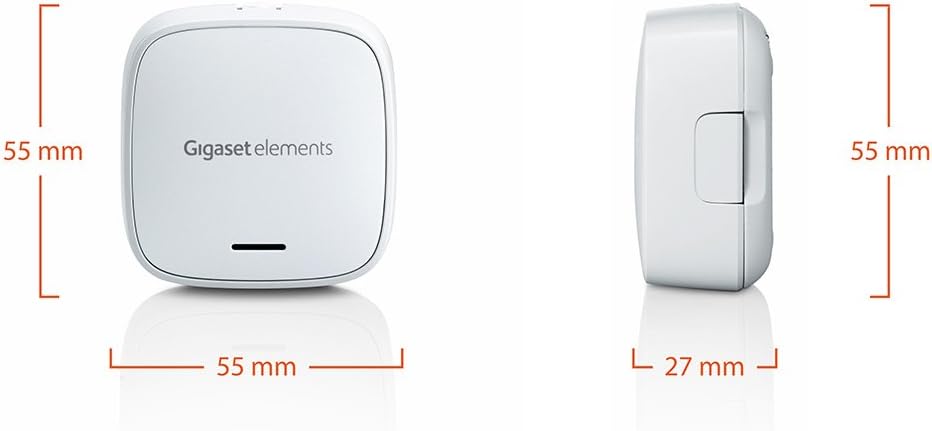
Image: The Gigaset Window Sensor shown with its back panel, highlighting the area where adhesive strips are applied for installation.
4. പ്രവർത്തന നിർദ്ദേശങ്ങൾ
Once the Gigaset Window Sensor is successfully installed and paired with your Gigaset base station, it will begin monitoring your window's status.
- കണ്ടെത്തൽ: The sensor continuously monitors the window it is attached to. It is capable of distinguishing between a window that is fully opened and one that is tilted.
- അറിയിപ്പുകൾ: Upon detecting a change in the window's status (opened or tilted), the sensor sends a signal to your Gigaset base station. The base station then transmits this information to your smartphone via the Gigaset Smart Home app, sending an immediate push notification.
- ആപ്പ് ഇന്റഗ്രേഷൻ: Through the Gigaset Smart Home app, you can view the current status of all your connected window sensors, customize notification settings, and integrate the sensor into various security scenarios or routines within your smart home system.
5. പരിപാലനം
The Gigaset Window Sensor is designed for low maintenance. Follow these guidelines to ensure optimal performance:
- ബാറ്ററി മാറ്റിസ്ഥാപിക്കൽ: The sensor is powered by a CR123A lithium battery. The Gigaset Smart Home app will notify you when the battery level is low. To replace the battery, carefully open the sensor casing, remove the old battery, and insert a new CR123A (3 Volt) battery, observing the correct polarity.
- വൃത്തിയാക്കൽ: To clean the sensor, use a soft, dry cloth. Do not use abrasive cleaners, solvents, or harsh chemicals, as these can damage the device.
- ഫേംവെയർ അപ്ഡേറ്റുകൾ: Periodically check the Gigaset Smart Home app for any available firmware updates for your sensor. Keeping the firmware updated ensures the best performance and security.
6. പ്രശ്നപരിഹാരം
If you encounter issues with your Gigaset Window Sensor, refer to the following common problems and solutions:
- Sensor Not Connecting/Offline:
- Ensure the Gigaset base station is powered on and connected to the internet.
- Check the sensor's battery level in the Gigaset Smart Home app. Replace the battery if it is low.
- Try re-pairing the sensor with the base station through the Gigaset Smart Home app.
- Ensure the sensor is within range of the Gigaset base station.
- അറിയിപ്പുകളൊന്നും ലഭിച്ചിട്ടില്ല:
- Verify that push notifications are enabled for the Gigaset Smart Home app in your smartphone's settings.
- നിങ്ങളുടെ സ്മാർട്ട്ഫോണിൽ സജീവ ഇന്റർനെറ്റ് കണക്ഷൻ ഉണ്ടെന്ന് ഉറപ്പാക്കുക.
- Check the notification settings for the specific sensor within the Gigaset Smart Home app.
- False Alarms or Inaccurate Detection:
- Ensure the sensor is securely attached to the window frame and has not shifted.
- Verify that there are no obstructions interfering with the sensor's operation.
- Check the alignment of the sensor components if applicable, ensuring they are correctly positioned for detecting both open and tilted states.
If these steps do not resolve the issue, please contact Gigaset customer support.
7 സ്പെസിഫിക്കേഷനുകൾ
| മോഡൽ നമ്പർ | S30851-H2514-R101 |
| ഉൽപ്പന്ന അളവുകൾ (L x W x H) | 5.5 x 2.7 x 5.5 സെ.മീ |
| ഭാരം | 10 ഗ്രാം |
| ബാറ്ററി തരം | 1 x CR123A Lithium Battery (3 Volt) |
| മെറ്റീരിയൽ | അക്രിലോണിട്രൈൽ ബ്യൂട്ടാഡീൻ സ്റ്റൈറൈൻ (എബിഎസ്) |
| നിറം | വെള്ള |
| അനുയോജ്യത | Gigaset Smart Home System, Smartphone |
| സർട്ടിഫിക്കേഷനുകൾ | CE 0682 |
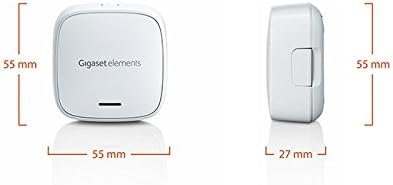
Image: Diagram illustrating the dimensions of the Gigaset Window Sensor, showing its length, width, and height measurements.
8. വാറൻ്റി വിവരങ്ങൾ
For detailed information regarding the warranty coverage for your Gigaset Window Sensor, please refer to the safety brochure included in your product package. You can also find comprehensive warranty terms and conditions on the official Gigaset webസൈറ്റ്.
9. പിന്തുണ
Should you require further assistance, technical support, or wish to access additional resources such as the full user manual or FAQs, please visit the official Gigaset support website. You may also contact Gigaset customer service directly for personalized assistance.
ഗിഗാസെറ്റ് പിന്തുണ Webസൈറ്റ്: www.gigaset.com