
1. ആമുഖം
വാങ്ങിയതിന് നന്ദി.asing the DBPOWER RD-806 HD Home Theater Projector. This manual provides essential information for setting up, operating, and maintaining your projector. Please read these instructions carefully before use to ensure optimal performance and longevity of your device. Keep this manual for future reference.
2. ഉൽപ്പന്നം കഴിഞ്ഞുview
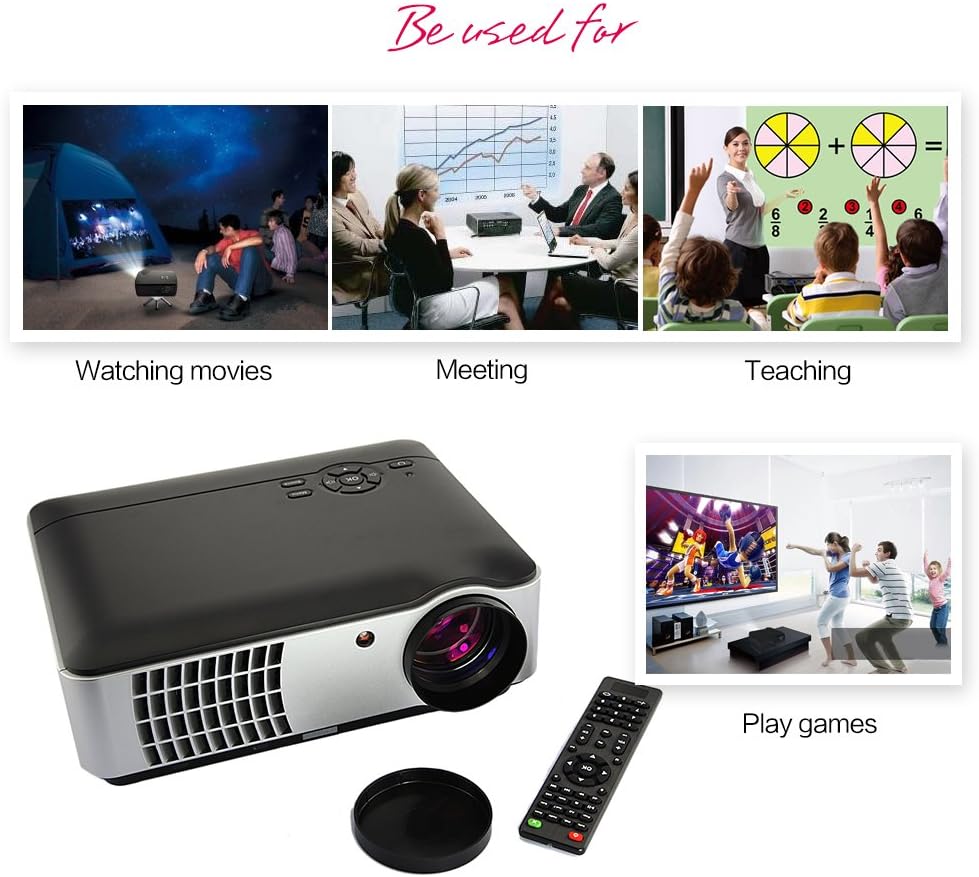
The DBPOWER RD-806 is a high-definition home theater projector designed for a versatile viewing experience. It features a native resolution of 1280x800, supporting 1080P input, and offers 2800 lumens brightness for clear images. Its LED lamp has an impressive lifespan of 50,000 hours. The projector includes multiple input options and built-in speakers, making it suitable for movies, gaming, and presentations.
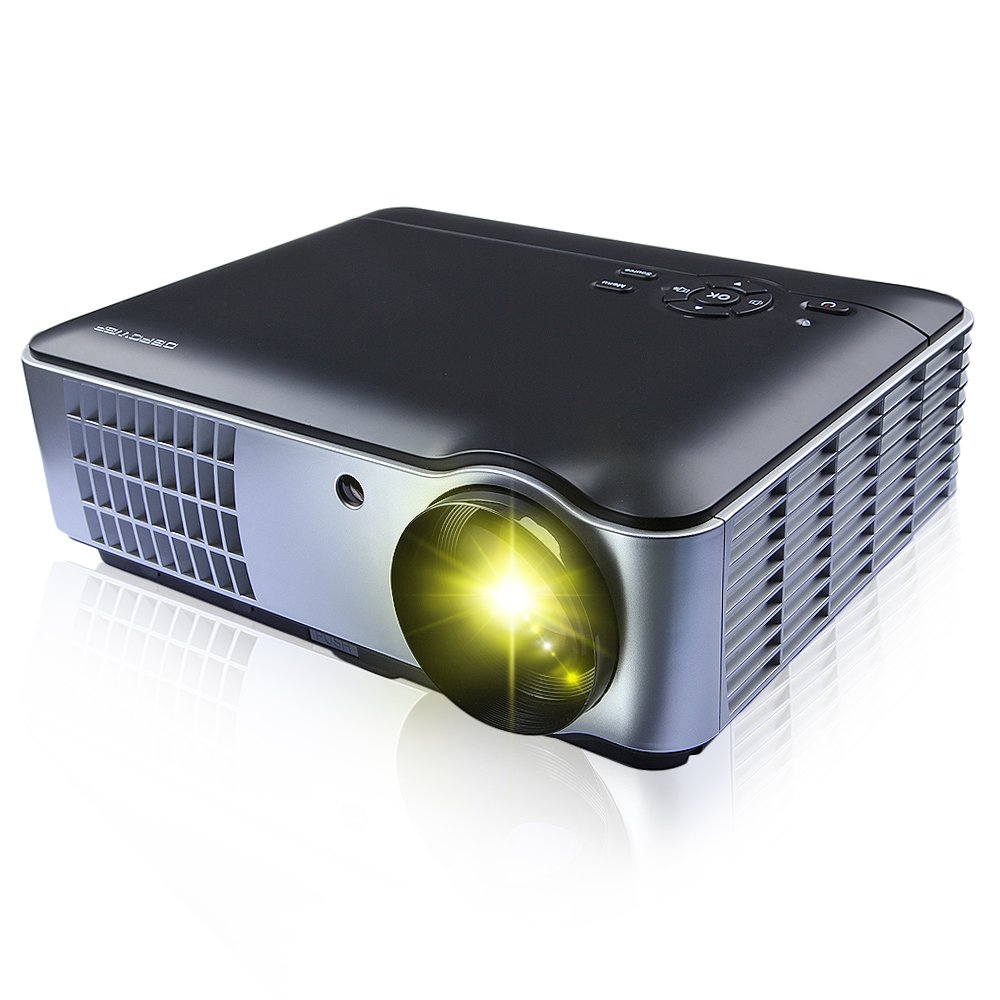
ചിത്രം 2.1: മുൻവശം, വശം, താഴെ view of the DBPOWER RD-806 projector, showing its dimensions (33.6cm length, 26.3cm width, 11.8cm height) and the included remote control.
3. പാക്കേജ് ഉള്ളടക്കം
Please check that all items are present and in good condition upon unpacking:
- 1 x DBPOWER RD-806 Projector
- 1 x റിമോട്ട് കൺട്രോൾ
- 1 x VGA കേബിൾ
- 1 x AV കേബിൾ
- 1 x പവർ കോർഡ്
- 1 x ലെൻസ് കവർ
- 1 x ഉപയോക്തൃ മാനുവൽ (ഈ പ്രമാണം)
4. സജ്ജീകരണം
4.1 പ്ലേസ്മെൻ്റ്
Position the projector on a stable, flat surface or mount it to the ceiling. Ensure there is adequate ventilation around the projector to prevent overheating. The projection distance should be between 1.85 and 5.8 meters for an optimal screen size of 50 to 200 inches.

ചിത്രം 4.1: The projector can be placed on a table or mounted to the ceiling using a compatible bracket.
4.2 പവർ കണക്ഷൻ
- പ്രൊജക്ടറിന്റെ പവർ ഇൻപുട്ട് പോർട്ടിലേക്ക് പവർ കോർഡ് ബന്ധിപ്പിക്കുക.
- Plug the other end of the power cord into a standard AC 110-240V, 50/60Hz electrical outlet.
4.3 ഉപകരണങ്ങൾ ബന്ധിപ്പിക്കുന്നു
The RD-806 projector offers multiple input options for various devices:

ചിത്രം 4.2: Rear panel connections including USB, AV, VGA, HDMI, and power input.
- എച്ച്ഡിഎംഐ: Connect Blu-ray players, gaming consoles, laptops, or streaming devices using an HDMI cable to either HDMI1 or HDMI2 port.
- USB: Insert a USB flash drive into USB1 or USB2 port to play multimedia fileനേരിട്ട്.
- വി.ജി.എ: Connect a computer or laptop using a VGA cable to the VGA port.
- ഓഫ്: Use the provided AV cable to connect older devices like DVD players or VCRs to the AV input.
- Component/TV: Additional input options are available for specific devices.
5. പ്രവർത്തന നിർദ്ദേശങ്ങൾ
5.1 പവർ ഓൺ/ഓഫ്
- Press the power button on the projector or the remote control to turn the unit on. The power indicator light will illuminate.
- To turn off, press the power button again. Allow the projector to cool down before unplugging it.
5.2 ഫോക്കസ് അഡ്ജസ്റ്റ്മെന്റ്
To achieve a clear image, adjust the focus ring located around the projector lens.

ചിത്രം 5.1: Rotate the lens ring to adjust image focus.
5.3 കീസ്റ്റോൺ തിരുത്തൽ
If the projected image appears trapezoidal (wider at the top or bottom), use the keystone correction dial to adjust the image geometry. This corrects the distortion when the projector is not perfectly perpendicular to the screen.
ചിത്രം 5.2: Adjust the keystone dial to correct image distortion.
5.4 ഇൻപുട്ട് ഉറവിട തിരഞ്ഞെടുപ്പ്
After connecting your devices, select the appropriate input source using the projector's control panel or the remote control.

ചിത്രം 5.3: Projector control panel. Use the 'Source' button to cycle through input options.
- Press the 'Source' button on the control panel or remote.
- Navigate through the input options (HDMI1, HDMI2, USB1, USB2, AV, VGA, TV) using the arrow keys.
- Press 'OK' or 'Enter' to confirm your selection.
5.5 റിമോട്ട് കൺട്രോൾ ഉപയോഗം
The included remote control allows for convenient operation of the projector from a distance. It provides access to power, menu, source selection, volume, and navigation functions.
6. പരിപാലനം
ശരിയായ അറ്റകുറ്റപ്പണി നിങ്ങളുടെ പ്രൊജക്ടറിന്റെ ദീർഘായുസ്സും പ്രകടനവും ഉറപ്പാക്കുന്നു.
- ലെൻസ് വൃത്തിയാക്കൽ: ഒപ്റ്റിക്കൽ ലെൻസുകൾക്കായി പ്രത്യേകം രൂപകൽപ്പന ചെയ്ത മൃദുവായ, ലിന്റ് രഹിത തുണി ഉപയോഗിക്കുക. ലെൻസിൽ പോറൽ വീഴ്ത്താൻ സാധ്യതയുള്ള അബ്രസീവുകൾ ഉള്ള ക്ലീനറുകളോ തുണികളോ ഉപയോഗിക്കരുത്.
- പ്രൊജക്ടർ ബോഡി വൃത്തിയാക്കൽ: Wipe the exterior with a soft, dry cloth. For stubborn dirt, a slightly damp തുണി ഉപയോഗിക്കാം, തുടർന്ന് ഉണങ്ങിയ തുണി ഉപയോഗിക്കാം. കഠിനമായ രാസവസ്തുക്കൾ ഉപയോഗിക്കുന്നത് ഒഴിവാക്കുക.
- വെൻ്റിലേഷൻ: പ്രൊജക്ടറിന്റെ വെന്റിലേഷൻ ഓപ്പണിംഗുകൾ പൊടിയിൽ നിന്നും തടസ്സങ്ങളിൽ നിന്നും മുക്തമാണെന്ന് ഉറപ്പാക്കുക, അങ്ങനെ അമിതമായി ചൂടാകുന്നത് തടയുക.
- Lamp ജീവിതം: The LED light source has an estimated lifespan of 50,000 hours, requiring no regular lamp replacement under normal use.
7. പ്രശ്നപരിഹാരം
നിങ്ങളുടെ പ്രൊജക്ടറിൽ പ്രശ്നങ്ങൾ നേരിടുകയാണെങ്കിൽ, ഇനിപ്പറയുന്ന പൊതുവായ പ്രശ്നങ്ങളും പരിഹാരങ്ങളും പരിശോധിക്കുക:
- ശക്തിയില്ല:
- Check if the power cord is securely connected to both the projector and the power outlet.
- പവർ ഔട്ട്ലെറ്റ് പ്രവർത്തനക്ഷമമാണെന്ന് ഉറപ്പാക്കുക.
- ചിത്രമില്ല:
- ശരിയായ ഇൻപുട്ട് ഉറവിടം തിരഞ്ഞെടുത്തിട്ടുണ്ടെന്ന് ഉറപ്പാക്കുക (ഉദാ. HDMI1, USB).
- പ്രൊജക്ടറും ഉറവിട ഉപകരണവും തമ്മിലുള്ള കണക്ഷൻ കേബിൾ പരിശോധിക്കുക.
- Ensure the source device is powered on and outputting a signal.
- മങ്ങിയ ചിത്രം:
- പ്രൊജക്ടർ ലെൻസിൽ ഫോക്കസ് റിംഗ് ക്രമീകരിക്കുക.
- പ്രൊജക്ഷൻ ദൂരം ശുപാർശ ചെയ്യുന്ന പരിധിക്കുള്ളിലാണെന്ന് ഉറപ്പാക്കുക (1.85-5.8 മീ).
- ട്രപ്സോയ്ഡൽ ചിത്രം:
- Adjust the keystone correction dial on the projector.
- ശബ്ദമില്ല:
- പ്രൊജക്ടറിലും സോഴ്സ് ഉപകരണത്തിലും വോളിയം ക്രമീകരണങ്ങൾ പരിശോധിക്കുക.
- ബാഹ്യ സ്പീക്കറുകൾ ഉപയോഗിക്കുമ്പോൾ ഓഡിയോ കേബിളുകൾ ശരിയായി ബന്ധിപ്പിച്ചിട്ടുണ്ടെന്ന് ഉറപ്പാക്കുക.
8 സ്പെസിഫിക്കേഷനുകൾ
| ഫീച്ചർ | സ്പെസിഫിക്കേഷൻ |
|---|---|
| മോഡൽ | RD-806 |
| പ്രൊജക്ഷൻ സിസ്റ്റം | Single 5.8-inch LCD |
| നേറ്റീവ് റെസല്യൂഷൻ | 1280 x 800 (supports 1080P) |
| തെളിച്ചം | 2800 ല്യൂമെൻസ് |
| കോൺട്രാസ്റ്റ് റേഷ്യോ | 1500:1 |
| പ്രൊജക്ഷൻ രീതി | Front / Rear / Hanging Cast |
| പ്രൊജക്ഷൻ ലെൻസ് | മാനുവൽ ഫോക്കസ് |
| വീക്ഷണാനുപാതം | 16:9 / 4:3 |
| ബിൽറ്റ്-ഇൻ സ്പീക്കർ | 5W 2 |
| പ്രൊജക്ഷൻ ദൂരം | 1.85 - 5.8 മീറ്റർ |
| പ്രകാശ സ്രോതസ്സ് | LED150W |
| ലൈറ്റ് സോഴ്സ് ലൈഫ് | 50,000 മണിക്കൂർ |
| പ്രൊജക്ഷൻ വലിപ്പം | 50 - 200 ഇഞ്ച് |
| കീസ്റ്റോൺ തിരുത്തൽ | ± 15 ഡിഗ്രി |
| ശബ്ദ നില | <25 ഡിബി |
| വൈദ്യുതി വിതരണം | AC110-240V / 50-60Hz |
| ഇൻപുട്ട് പോർട്ടുകൾ | HDMI1, HDMI2, USB1, USB2, Video, Computer (VGA), Component, TV |
| ഉൽപ്പന്ന അളവുകൾ | 33.6 x 26.3 x 11.8 സെ.മീ |
| ഉൽപ്പന്ന ഭാരം | 4.15 കി.ഗ്രാം |
9. വാറൻ്റിയും പിന്തുണയും
The DBPOWER RD-806 projector comes with a standard manufacturer's warranty. Please refer to the warranty card included in your package for specific terms and conditions. For technical support, troubleshooting assistance beyond this manual, or warranty claims, please contact DBPOWER customer service through their official webഉൽപ്പന്നം വാങ്ങിയ സൈറ്റ് അല്ലെങ്കിൽ റീട്ടെയിലർ.