
1. ആമുഖം
This manual provides detailed instructions for the proper use and maintenance of your Sungale SBK002 Camera Lens Design Stereo Bluetooth Speaker. Please read this manual thoroughly before operating the device to ensure optimal performance and longevity.
The Sungale SBK002 is a compact, portable Bluetooth speaker designed to deliver stereo sound. It features a built-in microphone for hands-free calling and multiple connectivity options, including Bluetooth and auxiliary input.
2. പാക്കേജ് ഉള്ളടക്കം
Carefully unpack your Sungale SBK002 speaker and verify that all items listed below are present and in good condition.
- Sungale SBK002 Bluetooth Speaker
- Micro USB & Audio Combined Cable
- ഉപയോക്തൃ മാനുവൽ

Image: The package contents include the Sungale SBK002 Bluetooth speaker, a combined micro USB and audio cable, and the user manual.
3. ഉൽപ്പന്നം കഴിഞ്ഞുview
The Sungale SBK002 speaker features a compact, cylindrical design resembling a camera lens. It incorporates a speaker grille on the top surface and control buttons and ports on its side.

ചിത്രം: മുകളിൽ view of the Sungale SBK002 speaker, showing the speaker grille and the 'Super Bass Portable Bluetooth Speaker' inscription around the edge.
നിയന്ത്രണങ്ങളും തുറമുഖങ്ങളും

ചിത്രം: വശം view of the Sungale SBK002 speaker, highlighting the control buttons and input ports. These include a Micro USB charging port, an audio input port, a TF card slot, and buttons for mode, volume, and playback control.
- മൈക്രോ യുഎസ്ബി പോർട്ട്: സ്പീക്കർ ചാർജ് ചെയ്തതിന്.
- Audio Input Port: For connecting external audio devices via the included auxiliary cable.
- ടിഎഫ് കാർഡ് സ്ലോട്ട്: ഓഡിയോ പ്ലേ ചെയ്യുന്നതിന് files directly from a TF (MicroSD) card.
- 'M' Button (Mode): To switch between Bluetooth, Auxiliary, and TF Card modes.
- '-' ബട്ടൺ: മുമ്പത്തെ ട്രാക്കിനായി ഹ്രസ്വമായി അമർത്തുക, ശബ്ദം കുറയ്ക്കാൻ ദീർഘനേരം അമർത്തുക.
- '+' ബട്ടൺ: അടുത്ത ട്രാക്കിനായി ഷോർട്ട് പ്രസ്സ് ചെയ്യുക, വോളിയം കൂട്ടാൻ ദീർഘനേരം അമർത്തുക.
- പ്ലേ/താൽക്കാലികമായി നിർത്തുക ബട്ടൺ: To play or pause audio. Also used for answering/ending calls.
- വൈദ്യുതി സ്വിച്ച്: Located on the side, typically a sliding switch for ON/OFF.
4. സജ്ജീകരണം
4.1 സ്പീക്കർ ചാർജ് ചെയ്യുന്നു
- Connect the micro USB end of the combined cable to the Micro USB port on the speaker.
- Connect the standard USB end of the cable to a USB power adapter (not included) or a computer's USB port.
- The LED indicator will illuminate during charging and turn off once fully charged.
Ensure the speaker is fully charged before first use for optimal battery performance. A full charge typically takes 2-3 hours.
4.2 പവർ ഓൺ/ഓഫ്
- To power on, slide the power switch to the 'ON' position. An audible tone or voice prompt will indicate the speaker is on.
- പവർ ഓഫ് ചെയ്യാൻ, പവർ സ്വിച്ച് 'ഓഫ്' സ്ഥാനത്തേക്ക് സ്ലൈഡ് ചെയ്യുക.
5. പ്രവർത്തന നിർദ്ദേശങ്ങൾ
5.1 ബ്ലൂടൂത്ത് ജോടിയാക്കൽ
- Ensure the speaker is powered on and in Bluetooth mode. If not, press the 'M' button to switch to Bluetooth mode. The LED indicator will flash, indicating it is ready for pairing.
- നിങ്ങളുടെ മൊബൈൽ ഉപകരണത്തിൽ (സ്മാർട്ട്ഫോൺ, ടാബ്ലെറ്റ്, ലാപ്ടോപ്പ്) ബ്ലൂടൂത്ത് പ്രവർത്തനക്ഷമമാക്കുക.
- ഇതിനായി തിരയുക available Bluetooth devices. You should see 'SBK002' or 'Sungale SBK002' in the list.
- Select 'SBK002' to connect. Once paired, the speaker will emit a confirmation tone, and the LED indicator will stop flashing and remain solid.
- ഇപ്പോൾ നിങ്ങളുടെ ഉപകരണത്തിൽ നിന്ന് സ്പീക്കറിലൂടെ ഓഡിയോ പ്ലേ ചെയ്യാൻ കഴിയും.
5.2 ഓക്സിലറി (AUX) കണക്ഷൻ
- Connect one end of the combined audio cable (3.5mm jack) to the Audio Input port on the speaker.
- Connect the other end of the 3.5mm jack to the audio output port of your external device (e.g., MP3 player, computer).
- Press the 'M' button on the speaker to switch to AUX mode.
- Play audio from your connected device. Volume can be controlled via both the speaker and the connected device.
5.3 TF കാർഡ് പ്ലേബാക്ക്
- ഓഡിയോ ഉള്ള ഒരു TF (മൈക്രോ എസ്ഡി) കാർഡ് ചേർക്കുക files (MP3 format recommended) into the TF Card slot on the speaker.
- The speaker will automatically switch to TF Card mode and begin playing audio. If not, press the 'M' button to select TF Card mode.
5.4 ഹാൻഡ്സ്-ഫ്രീ കോളിംഗ്
When connected via Bluetooth to a smartphone, the speaker's built-in microphone allows for hands-free calls.
- ഒരു കോളിന് മറുപടി നൽകുന്നു: When an incoming call rings, press the Play/Pause button to answer.
- ഒരു കോൾ അവസാനിപ്പിക്കുന്നു: During a call, press the Play/Pause button to end the call.
- വീണ്ടും ഡയൽ ചെയ്യുന്നു: Double-press the Play/Pause button to redial the last number.
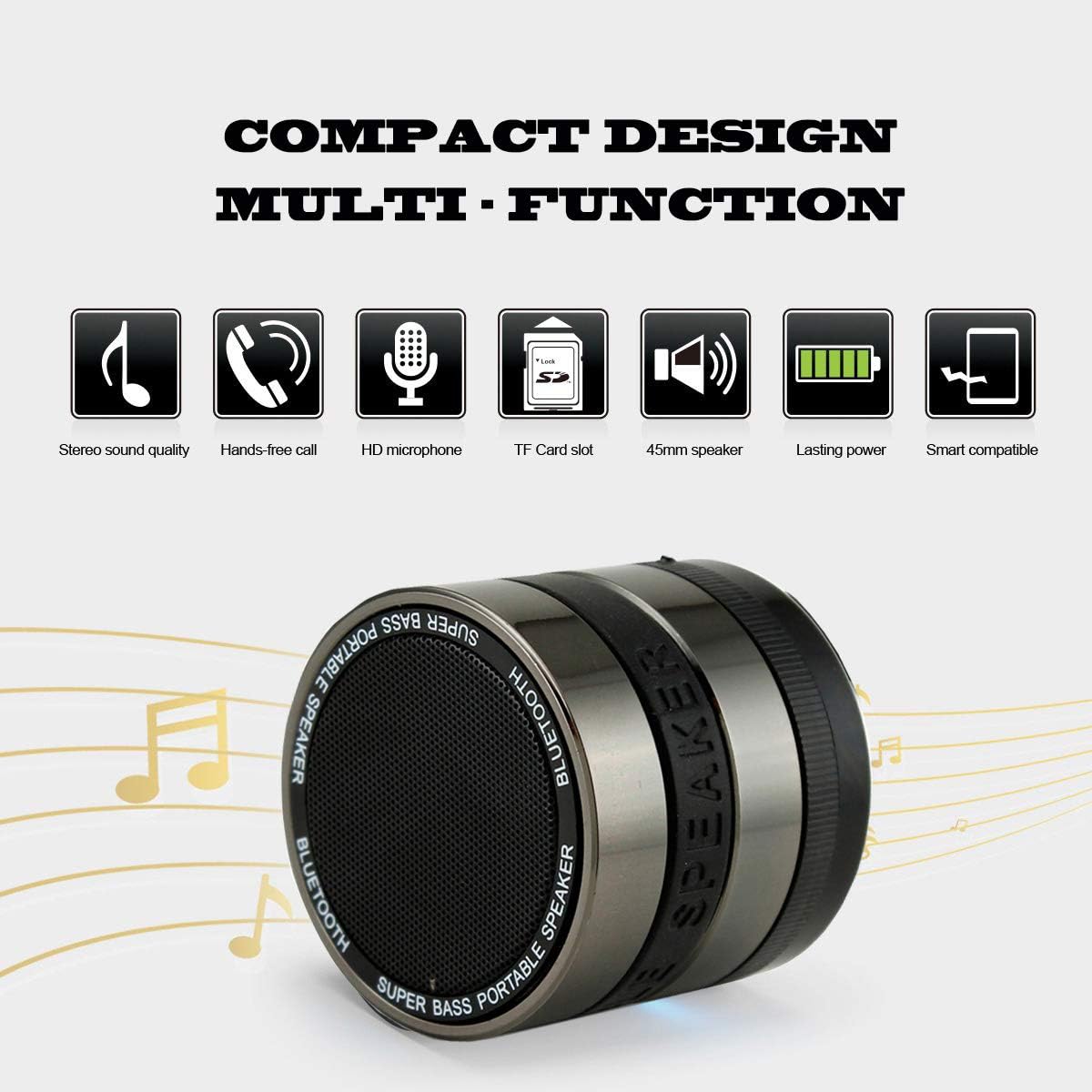
Image: A diagram illustrating the multi-function capabilities of the Sungale SBK002, including stereo sound quality, hands-free call, HD microphone, TF card slot, 45mm speaker, lasting power, and smart compatibility.
5.5 വോളിയം, ട്രാക്ക് നിയന്ത്രണം
- വോളിയം കൂട്ടുക: '+' ബട്ടൺ ദീർഘനേരം അമർത്തുക.
- വോളിയം താഴേക്ക്: '-' ബട്ടൺ ദീർഘനേരം അമർത്തുക.
- അടുത്ത ട്രാക്ക്: '+' ബട്ടൺ ചുരുക്കി അമർത്തുക.
- മുമ്പത്തെ ട്രാക്ക്: '-' ബട്ടൺ ചുരുക്കി അമർത്തുക.
6. പരിപാലനം
- മൃദുവായതും ഉണങ്ങിയതുമായ തുണി ഉപയോഗിച്ച് സ്പീക്കർ വൃത്തിയാക്കുക. അബ്രസീവ് ക്ലീനറുകളോ ലായകങ്ങളോ ഉപയോഗിക്കരുത്.
- Avoid exposing the speaker to extreme temperatures, direct sunlight, or moisture. This product is not waterproof.
- ഉപയോഗിക്കാത്തപ്പോൾ തണുത്തതും വരണ്ടതുമായ സ്ഥലത്ത് സ്പീക്കർ സൂക്ഷിക്കുക.
- To preserve battery life, fully charge the speaker at least once every three months if it is not used regularly.
7. പ്രശ്നപരിഹാരം
| പ്രശ്നം | സാധ്യമായ കാരണം | പരിഹാരം |
|---|---|---|
| സ്പീക്കർ പവർ ഓൺ ചെയ്യുന്നില്ല. | ബാറ്ററി തീർന്നു. | നൽകിയിരിക്കുന്ന USB കേബിൾ ഉപയോഗിച്ച് സ്പീക്കർ ചാർജ് ചെയ്യുക. |
| സ്പീക്കറിൽ നിന്ന് ശബ്ദമില്ല. | Volume is too low or muted. Incorrect mode selected. Device not connected properly. | Increase volume on both speaker and connected device. Press 'M' button to select correct mode (Bluetooth, AUX, TF Card). Re-establish connection. |
| ബ്ലൂടൂത്ത് വഴി ജോടിയാക്കാൻ കഴിയില്ല. | Speaker not in pairing mode. Bluetooth disabled on device. Speaker too far from device. | Ensure speaker is in Bluetooth pairing mode (flashing LED). Enable Bluetooth on your device. Move speaker closer to your device (within 10 meters). |
| മോശം ശബ്ദ നിലവാരം. | Low battery. Interference. | Charge the speaker. Move speaker away from other electronic devices that may cause interference. |
8 സ്പെസിഫിക്കേഷനുകൾ
| ഫീച്ചർ | വിശദാംശങ്ങൾ |
|---|---|
| മോഡൽ | SBK002 |
| ബ്രാൻഡ് | സുംഗലെ |
| കണക്റ്റിവിറ്റി ടെക്നോളജി | ബ്ലൂടൂത്ത്, ഓക്സിലറി |
| വയർലെസ് കമ്മ്യൂണിക്കേഷൻ | ബ്ലൂടൂത്ത് |
| ഓഡിയോ put ട്ട്പുട്ട് മോഡ് | സ്റ്റീരിയോ |
| പരമാവധി സ്പീക്കർ പവർ ഔട്ട്പുട്ട് | 3 വാട്ട്സ് |
| പവർ ഉറവിടം | ബാറ്ററി പവർ (1 ലിഥിയം അയൺ ബാറ്ററി ഉൾപ്പെടുത്തിയിരിക്കുന്നു) |
| നിയന്ത്രണ രീതി | ടച്ച് ബട്ടണുകൾ |
| പ്രത്യേക സവിശേഷതകൾ | Built-in Microphone, Portable |
| അനുയോജ്യമായ ഉപകരണങ്ങൾ | ലാപ്ടോപ്പ്, എംപി3 പ്ലെയർ, സ്മാർട്ട്ഫോൺ, ടാബ്ലെറ്റ് |
| മെറ്റീരിയൽ | പ്ലാസ്റ്റിക് |
| ഉൽപ്പന്ന അളവുകൾ | 6.1 x 6.1 x 4.83 സെ.മീ |
| ഇനത്തിൻ്റെ ഭാരം | 204.12 ഗ്രാം |
| നിറം | കറുപ്പ്/പർപ്പിൾ |
| വാട്ടർപ്രൂഫ് | ഇല്ല |
9. വാറൻ്റിയും പിന്തുണയും
For warranty information or technical support, please refer to the documentation provided at the time of purchase or contact Sungale customer service. Keep your proof of purchase for warranty claims.