
1. ഉൽപ്പന്നം കഴിഞ്ഞുview
The Herman Miller Envelop Desk is an innovative, adjustable desk designed to promote better posture and comfort by allowing the user and technology to work in harmony. Its unique design features a surface that slides and tilts, adapting to various seated and standing postures to maintain optimal ergonomic positions and visual distance from monitors.
പ്രധാന സവിശേഷതകൾ:
- Dynamic Surface: The desk surface slides toward or away from the user and offers a seventy-degree tilt, ensuring technology remains in ergonomically correct positions and monitors are at an optimal distance.
- എർഗണോമിക് പിന്തുണ: Provides continuous flexible support for forearms and wrists, accommodating a wide range of seated and standing postures, including a comfortable recline.
- Adaptive Design: The 'infield' or sliding support surface envelops the user, designed to fit a broad range of body types (from the fifth to 98th percentile).
- തടസ്സമില്ലാത്ത സംയോജനം: Its clean aesthetic allows it to blend harmoniously with various interior designs.
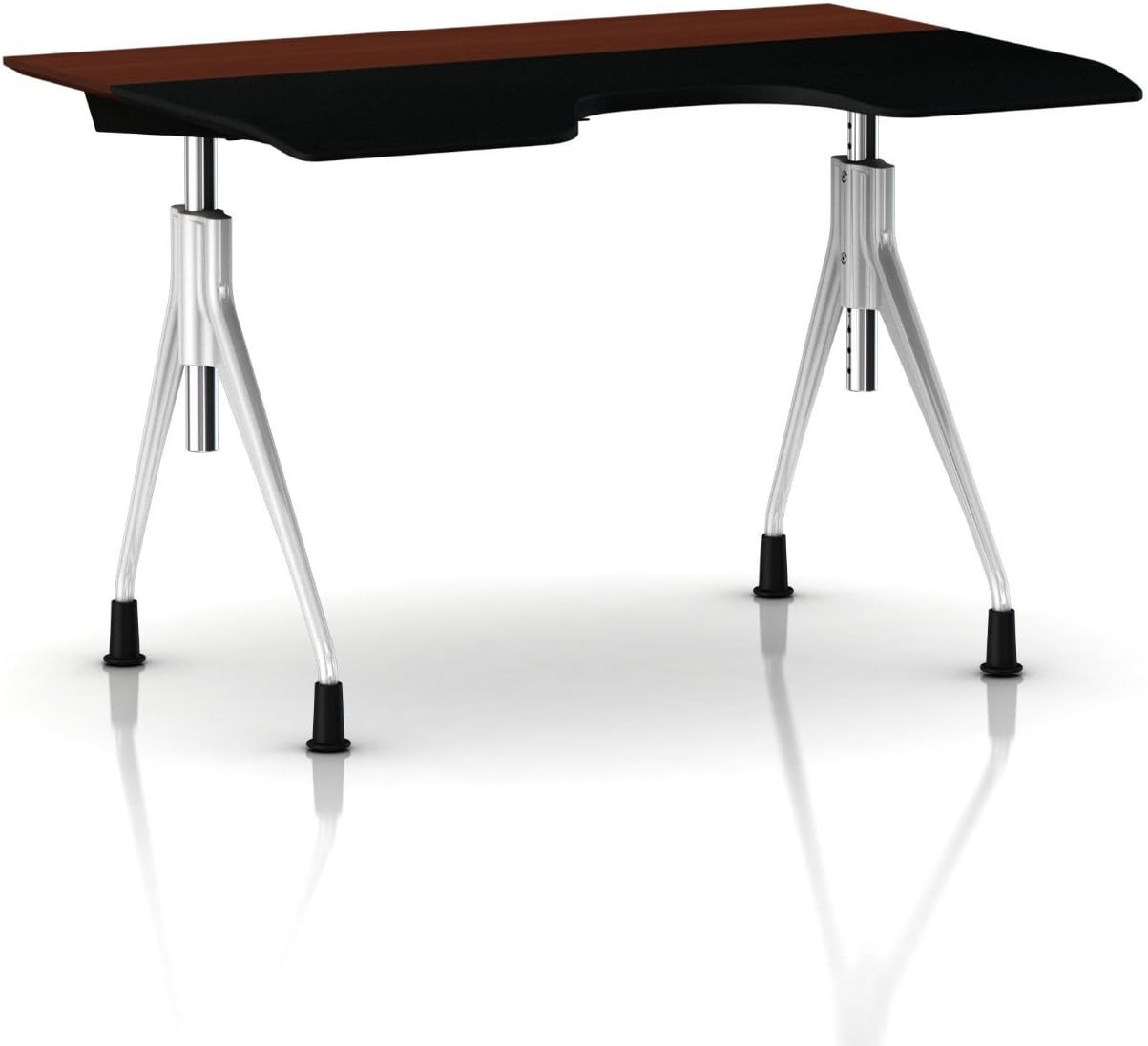
ചിത്രം 1.1: മുൻഭാഗം view of the Herman Miller Envelop Desk, showcasing its unique design with a medium brown walnut veneer top and metallic silver base.
2. സജ്ജീകരണവും അസംബ്ലിയും
The Herman Miller Envelop Desk requires assembly. While specific detailed instructions are typically provided with the product packaging, general steps involve attaching the desk surface to the base and ensuring all connections are secure. It is recommended to have two people for assembly due to the desk's size and weight.
പൊതുസമ്മേളന മാർഗ്ഗനിർദ്ദേശങ്ങൾ:
- ഘടകങ്ങൾ അൺപാക്ക് ചെയ്യുക: പാക്കേജിംഗിൽ നിന്ന് എല്ലാ ഭാഗങ്ങളും ശ്രദ്ധാപൂർവ്വം നീക്കം ചെയ്യുക. പാക്കിംഗ് ലിസ്റ്റിൽ പട്ടികപ്പെടുത്തിയിരിക്കുന്ന എല്ലാ ഘടകങ്ങളും നിലവിലുണ്ടെന്ന് പരിശോധിക്കുക.
- ഭാഗങ്ങൾ തിരിച്ചറിയുക: Familiarize yourself with the desk surface, leg assemblies, and any hardware (bolts, washers, tools).
- കാലുകൾ അടിത്തറയിൽ ഘടിപ്പിക്കുക: Secure the leg assemblies to the main desk frame according to the provided diagrams. Ensure all bolts are hand-tightened initially.
- Secure Desk Surface: Carefully place the desk surface onto the assembled frame and secure it using the designated fasteners.
- അന്തിമ മുറുക്കൽ: Once all components are in place, systematically tighten all bolts and fasteners using the appropriate tools. Do not overtighten.
- സ്ഥാനനിർണ്ണയം: Place the desk in its desired location, ensuring it is on a level surface.
Note: Some users have reported that assembly instructions or specific tools were not included with their product. If you encounter this, please contact Herman Miller customer support for assistance.

Figure 2.1: The Envelop Desk integrated into a workspace, demonstrating its functional presence.
3. Operating the Envelop Desk
The Envelop Desk is designed for intuitive adjustment to support various working postures and optimize your interaction with technology.
Adjusting the Desk Surface:
- സ്ലൈഡിംഗ് മെക്കാനിസം: The 'infield' surface of the desk is designed to slide forward and backward. To adjust, gently push or pull the front edge of the desk surface. This allows you to bring your keyboard, mouse, and monitor closer or further away, maintaining an optimal distance for your eyes and arms.
- ടിൽറ്റിംഗ് മെക്കാനിസം: The desk surface also features a seventy-degree tilt. This tilt helps to keep your technology in an ergonomically correct position, especially when reclining in your chair. The mechanism for tilting is integrated into the sliding function; as you recline and the surface slides towards you, it naturally adjusts its angle to maintain ergonomic alignment.
Optimizing Your Posture:
The Envelop Desk works best in conjunction with an ergonomic task chair that offers synchronous tilt. As you recline in your chair, the desk surface slides towards you, providing continuous support for your forearms and wrists on its soft, resilient surface. This encourages movement throughout the day and supports a wide range of seated and standing postures.

Figure 3.1: The Envelop Desk in use, highlighting its adaptability within a contemporary workspace.
4. പരിപാലനവും പരിചരണവും
Proper care and maintenance will ensure the longevity and optimal performance of your Herman Miller Envelop Desk.
ക്ലീനിംഗ് നിർദ്ദേശങ്ങൾ:
- Wood Veneer Top: For the medium brown walnut veneer top, wipe with a soft, damp cloth. Avoid abrasive cleaners, harsh chemicals, or excessive moisture. Dry immediately with a clean, soft cloth.
- Metallic Silver Base: Clean the metallic silver base with a soft cloth dampened with water and a mild soap solution. Wipe dry immediately.
- പൊതുവായ ശുചീകരണം: Regularly dust all surfaces with a soft, dry cloth.
പൊതു പരിചരണം:
- കഠിനമായ രാസവസ്തുക്കൾ ഒഴിവാക്കുക: Do not use strong solvents, ammonia-based cleaners, or abrasive pads, as these can damage the finish.
- കണക്ഷനുകൾ പരിശോധിക്കുക: Periodically inspect all bolts and fasteners to ensure they remain tight. Retighten if necessary, but do not overtighten.
- ഉപരിതലങ്ങൾ സംരക്ഷിക്കുക: Use coasters or pads under hot or wet items to prevent damage to the veneer top.
- പ്രസ്ഥാനം: When moving the desk, lift it rather than dragging it to prevent damage to the legs or floor.
5. പ്രശ്നപരിഹാരം
This section addresses common issues you might encounter with your Envelop Desk.
പൊതുവായ പ്രശ്നങ്ങളും പരിഹാരങ്ങളും:
- Desk Wobbles or is Unstable:
- ഡെസ്ക് ഒരു ലെവൽ പ്രതലത്തിൽ സ്ഥാപിച്ചിട്ടുണ്ടെന്ന് ഉറപ്പാക്കുക.
- Check all assembly bolts and fasteners. Tighten any loose connections.
- Verify that the glides on the bottom of the legs are properly installed and adjusted, if applicable.
- Sliding/Tilting Mechanism Not Smooth:
- Ensure there are no obstructions (e.g., cables, debris) in the path of the sliding mechanism.
- The mechanism is designed to be maintenance-free. If it feels stiff or is not operating correctly, contact Herman Miller support. Do not attempt to lubricate or disassemble the mechanism yourself.
- Missing Assembly Instructions or Tools:
- If your product arrived without assembly instructions or the necessary tools, please contact Herman Miller customer support immediately to obtain them.
If you experience any issues not covered here, or if the suggested solutions do not resolve the problem, please contact Herman Miller customer support for further assistance.
6 സ്പെസിഫിക്കേഷനുകൾ
Detailed specifications for the Herman Miller Envelop Desk (Model: Glides - Medium Brown Walnut Veneer Top/Metallic Silver Base).
| ആട്രിബ്യൂട്ട് | വിശദാംശങ്ങൾ |
|---|---|
| ബ്രാൻഡ് | ഹെർമൻ മില്ലർ |
| മോഡൽ | Glides - Medium Brown Walnut Veneer Top/Metallic Silver Base |
| നിർമ്മാതാവിൻ്റെ റഫറൻസ് | Y7755.WAEGMSG7 |
| ഉൽപ്പന്ന അളവുകൾ | 91.44 x 124.46 x 17.78 സെ.മീ (36 x 49 x 7 ഇഞ്ച്) |
| ഇനത്തിൻ്റെ ഭാരം | 34.47 കി.ഗ്രാം (76 പൗണ്ട്) |
| നിറം | Walnut Brown Top/Metallic Silver Base |
| മികച്ച മെറ്റീരിയൽ തരം | Wood (Walnut Veneer) |
| അടിസ്ഥാന മെറ്റീരിയൽ | ലോഹം |
| പ്രത്യേക ഫീച്ചർ | Adjustable (Sliding and Tilting Surface) |
| ആകൃതി | Rectangular with ergonomic cutouts |
| ആദ്യ തീയതി ലഭ്യമാണ് | 24 മാർച്ച് 2016 |
7. വാറൻ്റിയും പിന്തുണയും
Herman Miller stands behind the quality and durability of its products.
വാറൻ്റി വിവരങ്ങൾ:
The Herman Miller Envelop Desk comes with a 12-year Herman Miller warranty. This warranty is typically accompanied by an Official Born-On-Date sticker, which serves as proof of purchase and warranty activation.
The warranty covers defects in materials and workmanship under normal use. For specific terms, conditions, and exclusions, please refer to the official warranty documentation provided with your product or visit the Herman Miller official webസൈറ്റ്.
ഉപഭോക്തൃ പിന്തുണ:
For any questions regarding assembly, operation, maintenance, troubleshooting, or warranty claims, please contact Herman Miller customer support directly. You can find their contact information on their official webസൈറ്റ് അല്ലെങ്കിൽ നിങ്ങളുടെ ഉൽപ്പന്നത്തിൽ ഉൾപ്പെടുത്തിയിരിക്കുന്ന ഡോക്യുമെന്റേഷനിൽ.