
IK Multimedia IP-IRIG-FIELD-IN
IK Multimedia iRig Mic Field Instruction Manual
Model: IP-IRIG-FIELD-IN
1. ഉൽപ്പന്നം കഴിഞ്ഞുview
The IK Multimedia iRig Mic Field is a high-quality stereo condenser microphone designed for use with iPhone, iPod touch, and iPad devices. It connects directly via the Lightning port, offering superior audio capture compared to built-in device microphones. Ideal for both audio and video applications, it features two high-quality capsules in an XY stereo configuration and a 24-bit A/D converter for pristine sound. A built-in headphone jack allows for real-time monitoring of your recordings.
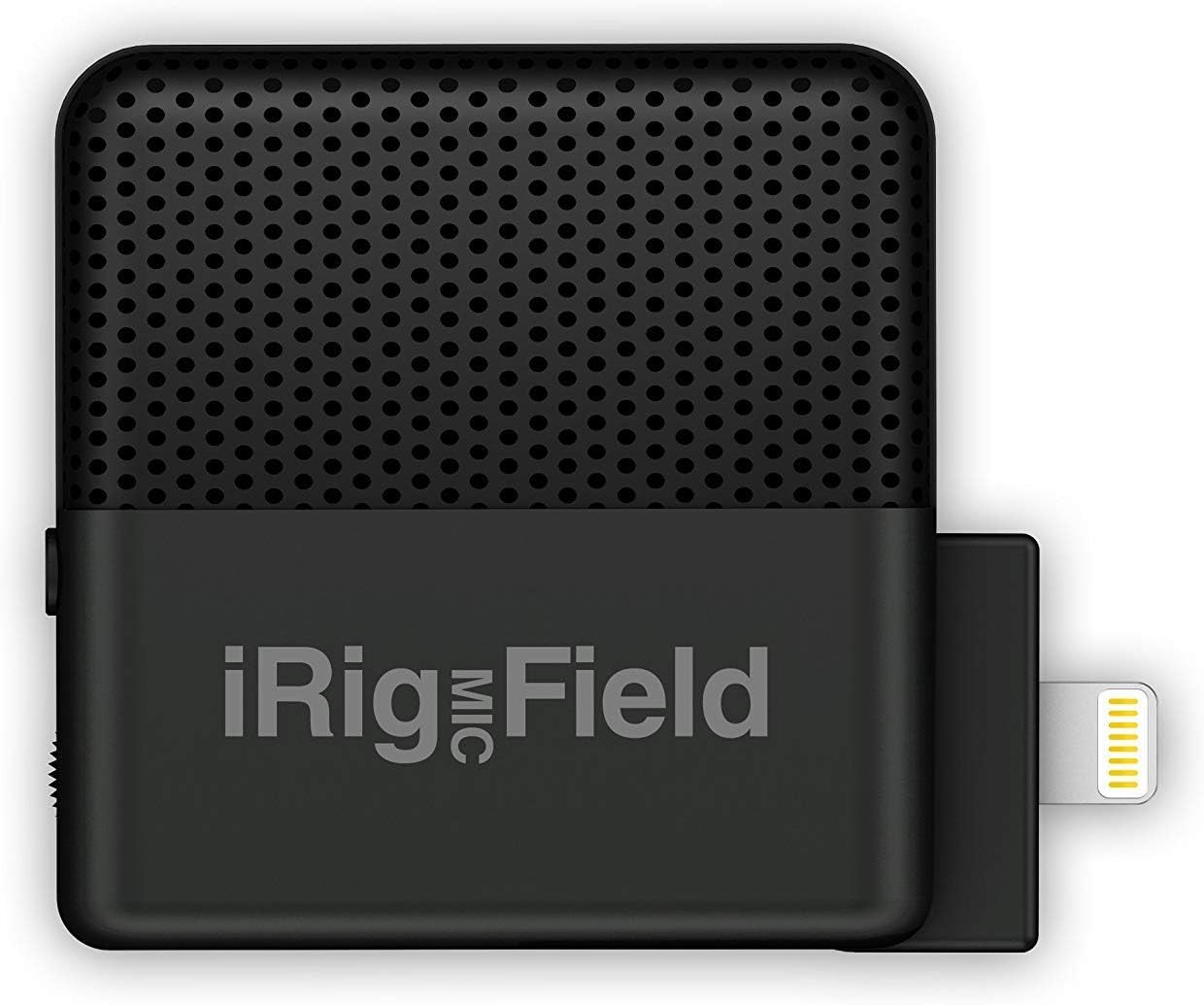
ചിത്രം 1.1: മുൻഭാഗം view of the iRig Mic Field microphone.
2 പ്രധാന സവിശേഷതകൾ
- Digital stereo field recording microphone for iPhone and iPad.
- Rotates 90 degrees for optimal positioning in both landscape and portrait mode.
- Excellent for recording music and capturing high-definition audio for video.
- Features 24-bit, 48 kHz analog/digital conversion for high fidelity.
- Includes a headphone output for real-time monitoring during recording.
3. ബോക്സിൽ എന്താണുള്ളത്?
- iRig Mic Field Stereo Microphone

Figure 3.1: The iRig Mic Field retail packaging.
4. സജ്ജീകരണം
- ഉപകരണത്തിലേക്ക് കണക്റ്റുചെയ്യുക: Carefully insert the Lightning connector of the iRig Mic Field into the Lightning port of your iPhone, iPod touch, or iPad. Ensure a secure connection.
- ഓറിയൻ്റേഷൻ ക്രമീകരണം: The iRig Mic Field features an exclusive rotating connection. You can rotate the microphone 90 degrees to adjust its left/right orientation, which is particularly useful for maintaining accurate stereo imaging when recording video in either landscape or portrait mode. Lock it in place once the desired orientation is achieved.
- ഹെഡ്ഫോൺ നിരീക്ഷണം: For real-time audio monitoring, connect your headphones to the 3.5mm headphone jack located on the iRig Mic Field. This allows you to hear the audio being recorded without latency.
- ആപ്പ് അനുയോജ്യത: The iRig Mic Field is compatible with any CoreAudio app on the iOS platform that supports digital audio recording via the Lightning port. This includes popular applications such as iRig Recorder 2 FREE (stereo compatible), GarageBand, Voice Memos, and iMovie, as well as hundreds of other audio and video recording applications.
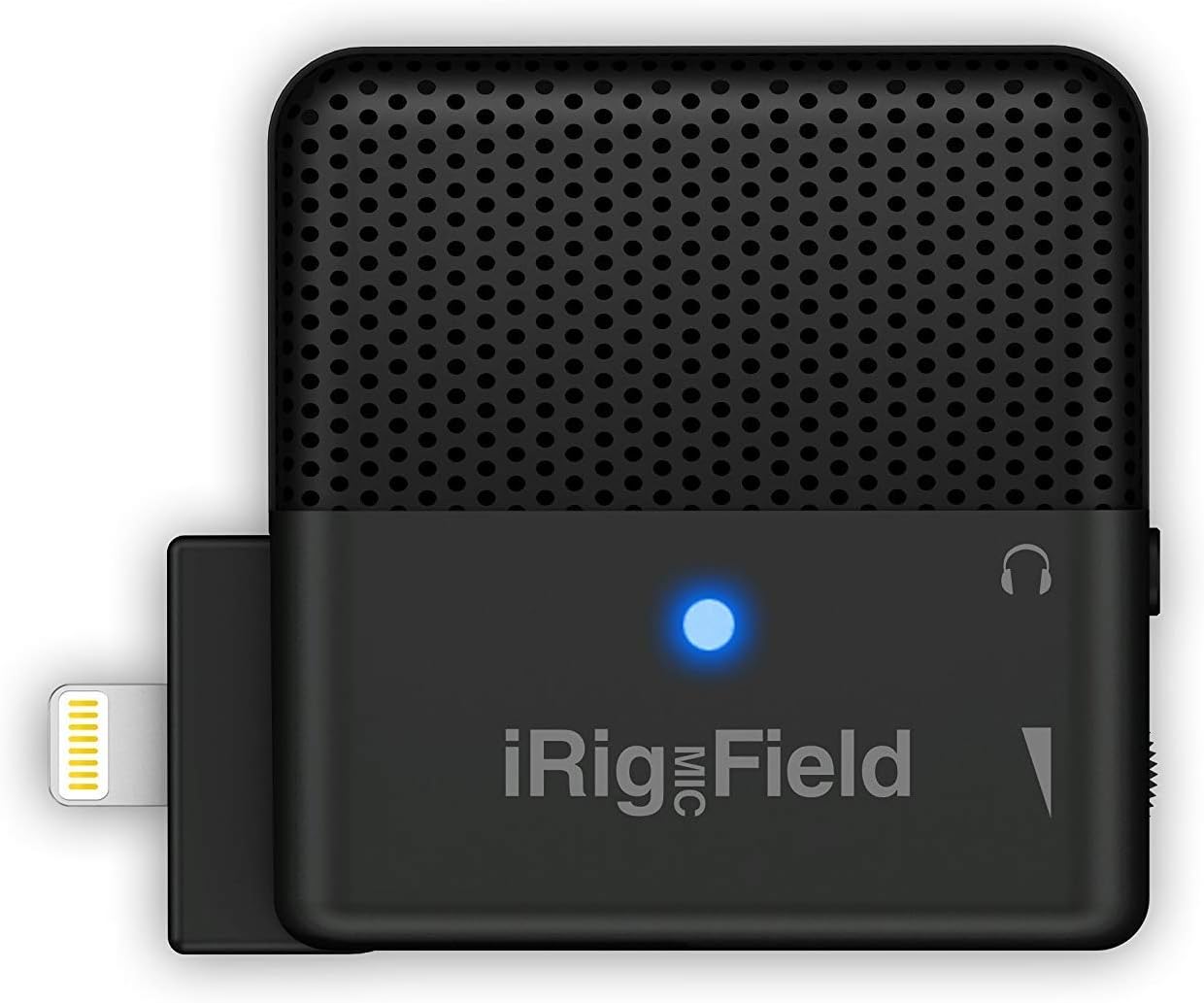
Figure 4.1: iRig Mic Field with active blue LED.

Figure 4.2: iRig Mic Field connected to an iPad, showing a recording waveform.
5. പ്രവർത്തന നിർദ്ദേശങ്ങൾ
Once connected and your preferred recording application is open, the iRig Mic Field is ready to capture high-quality stereo audio. Its compact size and robust design make it suitable for various recording scenarios.
- ഓഡിയോ റെക്കോർഡിംഗ്: Open your chosen audio recording app (e.g., iRig Recorder, GarageBand). The app should automatically recognize the iRig Mic Field as the input source. Adjust input levels within the app if necessary to prevent clipping or distortion.
- വീഡിയോ റെക്കോർഡിംഗ്: When recording video, ensure the iRig Mic Field is oriented correctly (using its rotating connection) to capture the desired stereo field. Open your video recording app (e.g., iMovie, Camera app) and begin recording. The microphone will provide enhanced audio for your video content.
- ബഹുമുഖ ഉപയോഗം: The iRig Mic Field is designed for a wide range of applications, including capturing live music performances (bands, concerts), recording acoustic and electric instruments, vocals, interviews, field recordings, and more. Its stereo capability provides a more immersive and natural sound experience.
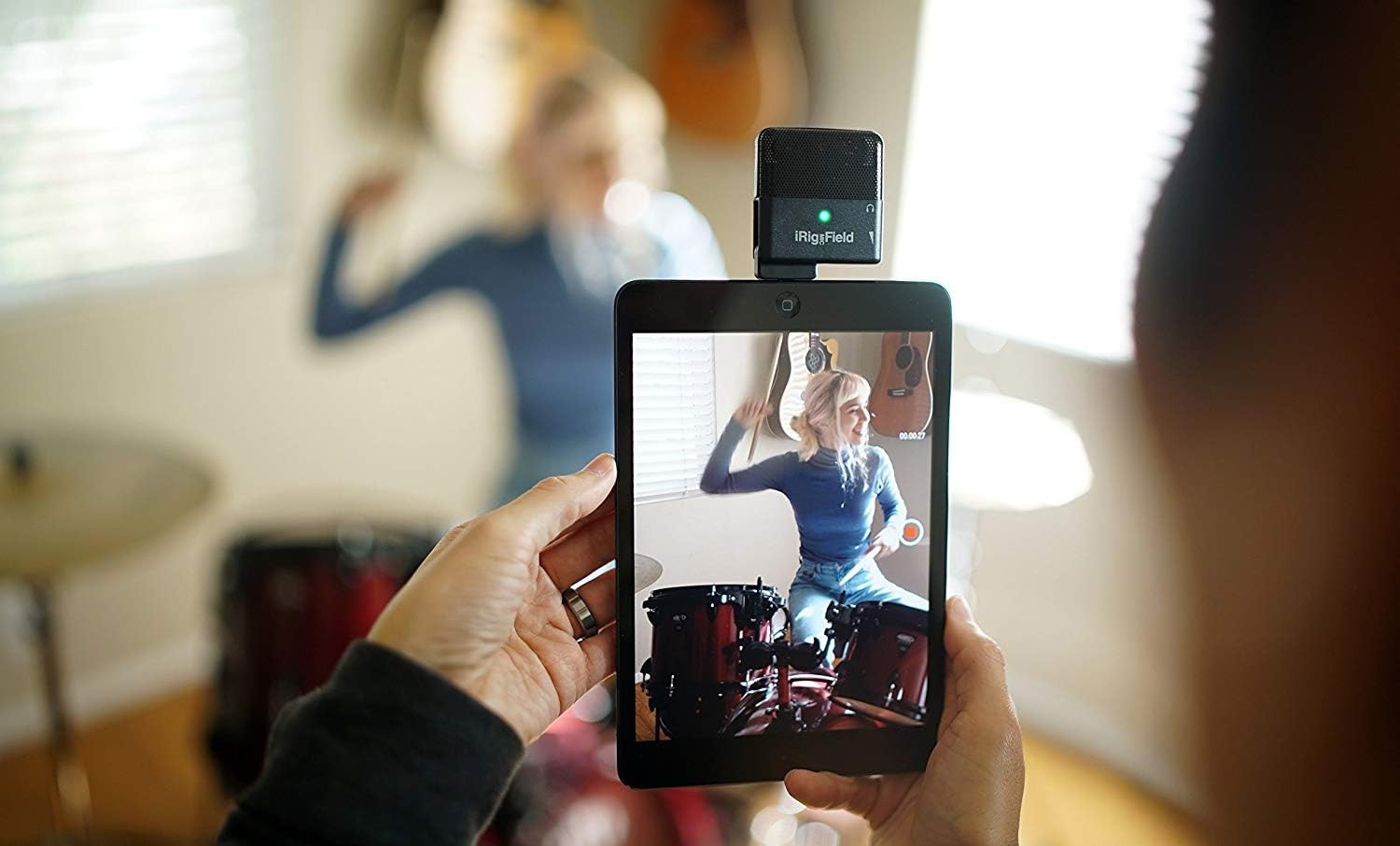
Figure 5.1: Recording drums using iRig Mic Field and an iPad.

Figure 5.2: Recording guitar using iRig Mic Field and an iPhone.
ഔദ്യോഗിക ഉൽപ്പന്ന വീഡിയോ
Video 5.1: Official product video demonstrating the features and use cases of the IK Multimedia iRig Mic Field Stereo Condenser Microphone for iPhone and iPad.
6. പരിപാലനം
To ensure the longevity and optimal performance of your iRig Mic Field, follow these maintenance guidelines:
- വൃത്തിയാക്കൽ: Use a soft, dry cloth to clean the exterior of the microphone. Do not use liquid cleaners or aerosols, as they may damage the internal components.
- സംഭരണം: നേരിട്ടുള്ള സൂര്യപ്രകാശവും കടുത്ത താപനിലയും ഏൽക്കാത്ത തണുത്തതും വരണ്ടതുമായ സ്ഥലത്ത് മൈക്രോഫോൺ സൂക്ഷിക്കുക.
- സംരക്ഷണം: Avoid dropping the microphone or subjecting it to strong impacts, which can damage the sensitive internal components and microphone capsules.
- കണക്റ്റർ കെയർ: Keep the Lightning connector clean and free of dust or debris to ensure a reliable connection to your iOS device.
7. പ്രശ്നപരിഹാരം
If you encounter issues with your iRig Mic Field, consider the following common troubleshooting steps:
- ഓഡിയോ ഇൻപുട്ട് ഇല്ല:
- Ensure the iRig Mic Field is securely plugged into the Lightning port of your iOS device.
- Check your recording app's settings to confirm the iRig Mic Field is selected as the audio input source.
- Verify that the input level in your app is not set to zero or muted.
- Restart your iOS device and the recording application.
- മോശം ഓഡിയോ നിലവാരം/സ്റ്റാറ്റിക്:
- Ensure there is no physical obstruction or damage to the microphone grilles.
- Adjust the input gain in your recording app to avoid overdriving the microphone, which can cause distortion.
- Minimize background noise in your recording environment.
- If using a protective case on your iOS device, ensure it does not interfere with the microphone's connection or performance.
- ഹെഡ്ഫോൺ നിരീക്ഷണ പ്രശ്നങ്ങൾ:
- Ensure your headphones are fully plugged into the iRig Mic Field's headphone jack.
- Check the volume settings on your iOS device and within the recording application.
- ഉപകരണ അനുയോജ്യത: Ensure your iOS device is running a compatible version of iOS and supports digital audio input via the Lightning port.
8 സ്പെസിഫിക്കേഷനുകൾ
| സ്പെസിഫിക്കേഷൻ | മൂല്യം |
|---|---|
| ബ്രാൻഡ് | ഐകെ മൾട്ടിമീഡിയ |
| മോഡൽ നമ്പർ | IP-IRIG-FIELD-IN |
| നിറം | കറുപ്പ് |
| കണക്റ്റിവിറ്റി ടെക്നോളജി | വയർഡ് |
| കണക്റ്റർ തരം | മിന്നൽ |
| മൈക്രോഫോൺ ഫോം ഫാക്ടർ | മൈക്രോഫോൺ മാത്രം |
| പോളാർ പാറ്റേൺ | ഏകദിശ |
| ഓഡിയോ സെൻസിറ്റിവിറ്റി | 115 ഡി.ബി |
| സിഗ്നൽ-ടു-നോയിസ് അനുപാതം | 80 ഡി.ബി |
| ശബ്ദ നില | 80 ഡി.ബി |
| ചാനലുകളുടെ എണ്ണം | 1 |
| ഹാർഡ്വെയർ പ്ലാറ്റ്ഫോം | സ്മാർട്ട്ഫോൺ, ടാബ്ലെറ്റ് |
| ഇനത്തിൻ്റെ ഭാരം | 1.06 ഔൺസ് (0.03 കിലോഗ്രാം) |
| ഉൽപ്പന്ന അളവുകൾ (L x W x H) | 6.3 x 2.2 x 6.8 ഇഞ്ച് |
| പവർ ഉറവിടം | ഇലക്ട്രിക് |
9. വാറൻ്റിയും പിന്തുണയും
For detailed warranty information and further support, please refer to the official documentation provided by IK Multimedia. You can also find additional resources and product information on the IK Multimedia website or their official Amazon store.
- ഉപയോക്തൃ ഗൈഡുകൾ: A User Guide (PDF) and User Manual (PDF) are available for download. Please refer to these documents for comprehensive information.
- ഓൺലൈൻ പിന്തുണ: സന്ദർശിക്കുക IK Multimedia Store on Amazon for product updates, FAQs, and customer service contact information.
Ask a question about this manual
Ask about setup, troubleshooting, compatibility, parts, safety, or missing instructions. Manuals+ will review the question and use this page’s manual context to help answer it.