
ആമുഖം
This manual provides essential instructions for the safe and efficient operation, maintenance, and troubleshooting of your Performance Tool W50068 3-Speed Portable Industrial Fan Blower. Please read this manual thoroughly before using the product and retain it for future reference.
പ്രധാനപ്പെട്ട സുരക്ഷാ നിർദ്ദേശങ്ങൾ
മുന്നറിയിപ്പ്: ഈ സുരക്ഷാ നിർദ്ദേശങ്ങൾ പാലിക്കുന്നതിൽ പരാജയപ്പെടുന്നത് വൈദ്യുതാഘാതം, തീപിടുത്തം അല്ലെങ്കിൽ ഗുരുതരമായ പരിക്കിന് കാരണമായേക്കാം.
- Always connect the fan blower to a grounded electrical outlet.
- Do not operate the fan blower with a damaged cord or plug. If damaged, contact a qualified electrician for repair or replacement.
- Keep children and pets away from the fan blower during operation.
- Do not insert fingers or foreign objects into the grilles.
- Ensure the fan blower is placed on a stable, level surface to prevent tipping.
- Do not use the fan blower in wet or damp locations, or near standing water.
- Unplug the fan blower from the power outlet before cleaning, servicing, or moving.
- Do not block air intakes or outlets. Maintain clear space around the unit for proper airflow.
- ഈ മാനുവലിൽ വിവരിച്ചിരിക്കുന്നതുപോലെ മാത്രം ഉപയോഗിക്കുക.
ഉൽപ്പന്നം കഴിഞ്ഞുview
The Performance Tool W50068 is a versatile 3-speed portable industrial fan blower designed for efficient air movement, drying, and cooling in various environments. It features multiple positioning options and integrated convenience outlets.
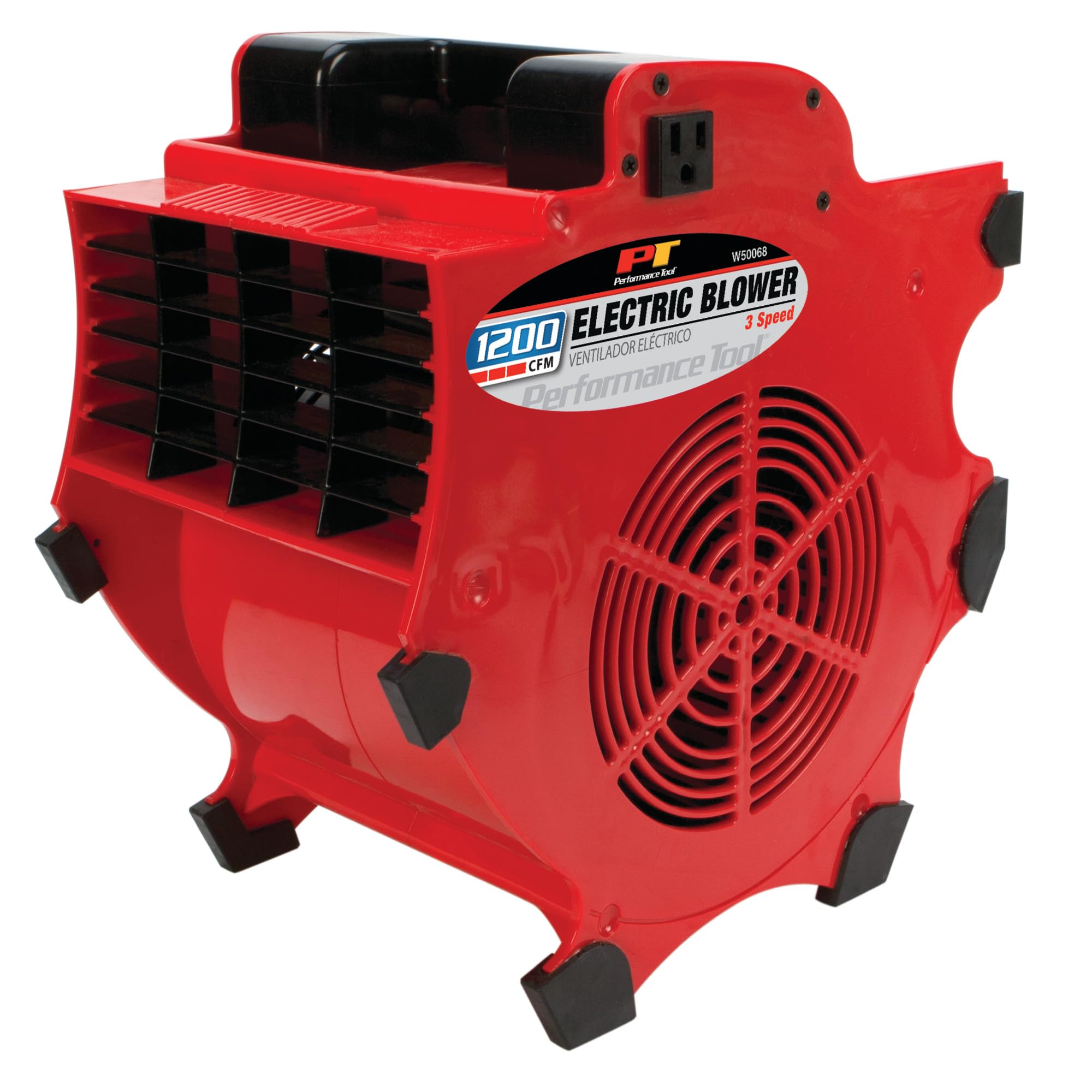
Image: Performance Tool W50068 3-Speed Portable Industrial Fan Blower. This image shows the red fan blower from an angled perspective, highlighting its compact design, air outlet, control switch, and integrated power outlets on top.
സജ്ജമാക്കുക
- അൺപാക്ക് ചെയ്യുന്നു: Carefully remove the fan blower from its packaging. Inspect the unit for any signs of damage during transit. If damage is found, do not operate the unit and contact customer support.
- പ്ലേസ്മെൻ്റ്: Position the fan blower on a firm, level surface. Ensure there is adequate clearance around the air intake and outlet grilles for unrestricted airflow. Avoid placing the unit near curtains, loose papers, or other objects that could obstruct airflow or be drawn into the fan.
- പവർ കണക്ഷൻ: Plug the fan blower's power cord into a standard 120V AC, 60Hz grounded electrical outlet. Ensure the outlet is properly grounded to prevent electrical hazards.
പ്രവർത്തന നിർദ്ദേശങ്ങൾ
- പവർ ഓൺ/ഓഫ്: Locate the 3-speed switch on the unit. Turn the switch to one of the speed settings (Low, Medium, High) to power on the fan. To turn off the fan, set the switch to the 'OFF' position.
- എയർ സ്പീഡ് ക്രമീകരിക്കുന്നു: The fan blower offers three distinct speed settings. Select the desired speed (Low, Medium, or High) using the control switch to adjust the airflow intensity according to your needs.
- Adjusting Airflow Position: The unit can be set in four different positions to direct airflow. Carefully tilt the fan blower to the desired angle until it rests securely on one of its stable positions. This allows for concentrated airflow for specific drying or cooling tasks.
- Using Convenience Outlets: The fan blower is equipped with CSA approved grounded convenience outlets. These outlets allow you to plug in other devices or tools directly into the fan blower unit. Ensure that the total current draw of all connected devices does not exceed the maximum rating specified on the fan blower's label.
മെയിൻ്റനൻസ്
Regular maintenance ensures optimal performance and extends the lifespan of your fan blower.
- വൃത്തിയാക്കൽ: Before cleaning, always unplug the fan blower from the power outlet. Use a soft, damp cloth to wipe down the exterior surfaces. For the grilles, use a vacuum cleaner with a brush attachment or compressed air to remove dust and debris. Do not use abrasive cleaners, solvents, or immerse the unit in water.
- സംഭരണം: When not in use, store the fan blower in a cool, dry place, away from direct sunlight and extreme temperatures. Ensure the power cord is neatly wrapped and secured to prevent damage.
- പരിശോധന: Periodically inspect the power cord and plug for any signs of damage. If any damage is observed, discontinue use and seek professional repair.
ട്രബിൾഷൂട്ടിംഗ്
If you encounter issues with your fan blower, refer to the following common problems and solutions:
| പ്രശ്നം | സാധ്യമായ കാരണം | പരിഹാരം |
|---|---|---|
| ഫാൻ ഓണാക്കുന്നില്ല | No power to the unit; Power switch is off; Damaged power cord/plug | Check power outlet and circuit breaker; Ensure switch is set to a speed setting (Low, Medium, High); Inspect cord for damage, if damaged, do not use. |
| കുറഞ്ഞ വായുപ്രവാഹം | Air intake/outlet blocked; Fan grilles are dirty | Ensure clear space around the unit; Clean grilles as per maintenance instructions. |
| അസാധാരണമായ ശബ്ദം അല്ലെങ്കിൽ വൈബ്രേഷൻ | Unit not on a stable surface; Foreign object in fan; Loose components | Place on a stable, level surface; Unplug and carefully inspect for obstructions (do not attempt to disassemble); If noise persists, discontinue use and contact support. |
If the problem persists after attempting these solutions, contact Performance Tool customer support for assistance.
സ്പെസിഫിക്കേഷനുകൾ
| ഫീച്ചർ | സ്പെസിഫിക്കേഷൻ |
|---|---|
| മോഡലിൻ്റെ പേര് | W50068 |
| ബ്രാൻഡ് | പ്രകടന ഉപകരണം |
| ഇലക്ട്രിക് ഫാൻ ഡിസൈൻ | ബ്ലോവർ |
| പവർ ഉറവിടം | Corded Electric (Battery Powered listed in specs is incorrect, product description states grounded for safety) |
| എയർ ഫ്ലോ കപ്പാസിറ്റി | മിനിറ്റിന് 1200 ക്യുബിക് അടി (CFM) |
| പവർ ലെവലുകളുടെ എണ്ണം | 3 |
| ശുപാർശ ചെയ്യുന്ന ഉപയോഗങ്ങൾ | തണുപ്പിക്കൽ, ഉണക്കൽ |
| പ്രത്യേക ഫീച്ചർ | പോർട്ടബിൾ |
| ഇൻഡോർ/ഔട്ട്ഡോർ ഉപയോഗം | ഇൻഡോർ |
| ഇനത്തിൻ്റെ ഭാരം | 3.9 പൗണ്ട് |
| ഉൽപ്പന്ന അളവുകൾ | 10.6 x 14.2 x 14.2 ഇഞ്ച് |
| സ്പെസിഫിക്കേഷൻ മെറ്റ് | സിഎസ്എ |
| യു.പി.സി | 039564113444 |
വാറൻ്റിയും പിന്തുണയും
For warranty information or technical support, please refer to the documentation included with your purchase or visit the official Performance Tool webസൈറ്റ്. ഏതെങ്കിലും വാറന്റി ക്ലെയിമുകൾക്ക് വാങ്ങിയതിന്റെ തെളിവായി നിങ്ങളുടെ വാങ്ങൽ രസീത് സൂക്ഷിക്കുക.