
ആമുഖം
The AC Infinity CLOUDPLATE T7-N is an intelligent fan system specifically designed for cooling audio video, DJ, server, network, and IT equipment racks. Maintaining an optimal temperature for rack-mount equipment is crucial to prevent overheating, ensure consistent performance, and extend their operational lifespan. This manual provides essential information for the proper setup, operation, and maintenance of your CLOUDPLATE T7-N unit.
സുരക്ഷാ വിവരങ്ങൾ
- വൈദ്യുതി വിതരണം വോളിയം ഉറപ്പാക്കുകtage matches the requirements specified for the unit.
- കേടായ കയറുകളോ പ്ലഗുകളോ ഉപയോഗിച്ച് യൂണിറ്റ് പ്രവർത്തിപ്പിക്കരുത്.
- യൂണിറ്റ് വെള്ളത്തിൽ നിന്നോ അമിതമായ ഈർപ്പത്തിൽ നിന്നോ അകറ്റി നിർത്തുക.
- Do not block the fan intake or exhaust vents.
- ഏതെങ്കിലും അറ്റകുറ്റപ്പണികൾ അല്ലെങ്കിൽ ഇൻസ്റ്റാളേഷൻ നടത്തുന്നതിന് മുമ്പ് എല്ലായ്പ്പോഴും വൈദ്യുതി വിച്ഛേദിക്കുക.
പാക്കേജ് ഉള്ളടക്കം
പൂർണ്ണമായ കിറ്റിൽ ഇനിപ്പറയുന്ന ഇനങ്ങൾ ഉൾപ്പെടുന്നു:
- 1 x CLOUDPLATE T7-N 2U Fan Unit
- 1 x Corded 6-ft Thermal Probe
- 1 x ഉപയോക്തൃ മാനുവൽ (ഈ പ്രമാണം)
- Rack Mount Screws
- കൂട്ടിൽ പരിപ്പ്
- 1 x Corded 6-ft Power Supply

Image: Included accessories for the CLOUDPLATE T7-N, showing the thermal probe, power adapter, and mounting screws.
ഉൽപ്പന്നം കഴിഞ്ഞുview
The CLOUDPLATE T7-N is housed in a solid anodized aluminum construction, occupying two rack units (2U) of space. It features CNC-machined detailing for a professional appearance. This model is designed for intake airflow, drawing cooler air into the rack, and should typically be positioned near the bottom.
The unit incorporates four custom-engineered dual-ball bearing fans, rated for 67,000 hours of operation and certified by CE and RoHS. These fans utilize a PWM motor and spiral-curved blade design to maximize airflow at lower speeds while minimizing noise levels.
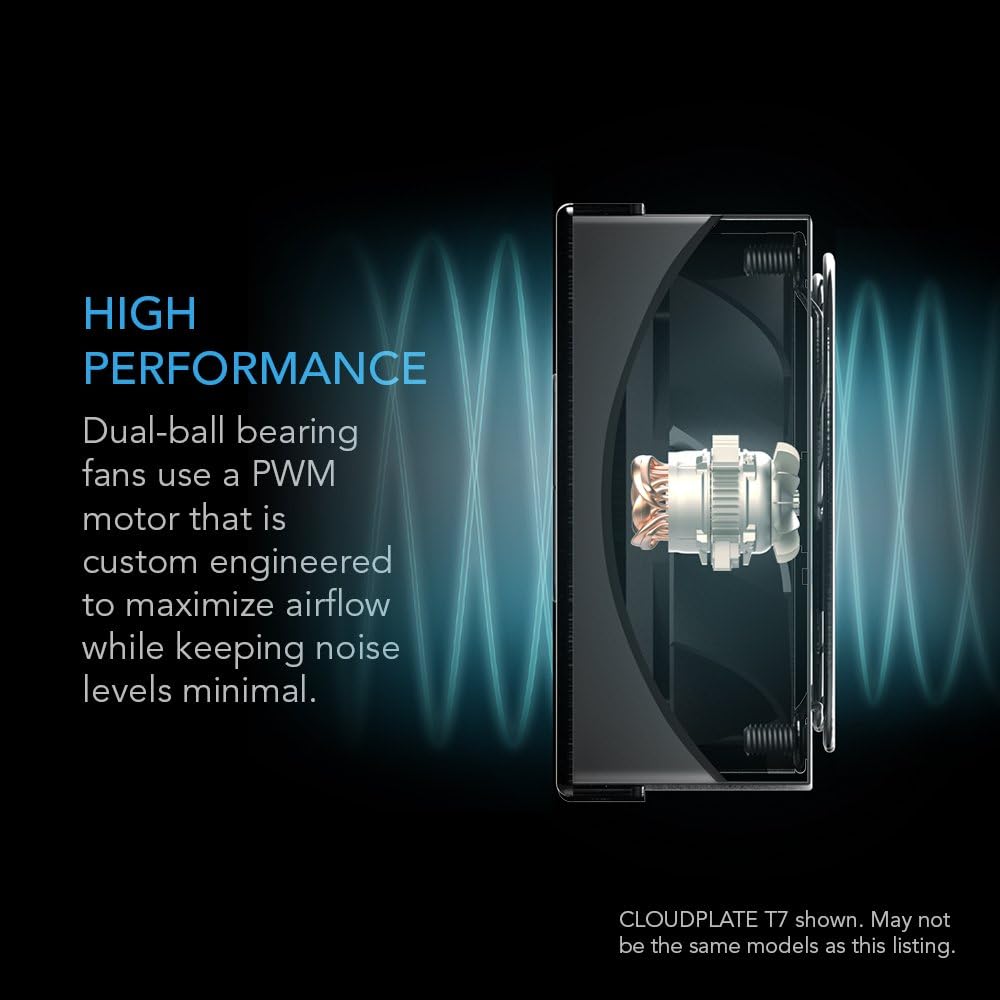
ചിത്രം: വിശദമായത് view of a dual-ball bearing fan with PWM motor, designed for high performance and minimal noise.
സജ്ജമാക്കുക
- റാക്ക് മൗണ്ടിംഗ്: Identify a 2U space in your 19-inch equipment rack. Use the provided rack mount screws and cage nuts to securely install the CLOUDPLATE T7-N unit. Ensure the unit is flush with the rack rails.
- Thermal Probe Connection: Connect the corded 6-ft thermal probe to the designated port on the unit. Position the probe within the rack where you want to monitor the temperature, typically near heat-generating equipment.
- പവർ കണക്ഷൻ: Connect the provided 6-ft power supply to the unit and then to a standard electrical outlet.
- പ്രാരംഭ പവർ-ഓൺ: Once all connections are secure, the unit will power on, and the LCD display will activate.

Image: The CLOUDPLATE T7-N unit seamlessly integrated into a standard equipment rack.

Image: Illustrates the intake airflow design, with cool air entering from the bottom and warm air exiting the top of the rack.
പ്രവർത്തന നിർദ്ദേശങ്ങൾ
The CLOUDPLATE T7-N features an LCD digital controller with a programmable thermostat and automated speed control. This allows the system to react to varying temperatures efficiently.
- സ്മാർട്ട് മോഡ്: This mode automatically adjusts the fan speed based on the temperature detected by the thermal probe. You can set a target temperature and a buffer, and the fans will increase speed as the temperature rises above the target plus buffer.
- മാനുവൽ മോഡ്: Manually select one of six available fan speeds to maintain a constant airflow, regardless of temperature.
- താപനില അലാറങ്ങൾ: The controller can be set to trigger alarm warnings if the temperature exceeds a user-defined threshold.
- Fan Failure Triggers: The system monitors fan operation and can alert you in case of a fan failure.
- ഡിസ്പ്ലേ ക്രെമീകരണങ്ങൾ: Adjust screen brightness with three available settings. The display also features a lock function to prevent accidental changes.
- Backup Memory: Settings are saved even if power is interrupted.
- വിപുലീകരണ പോർട്ട്: An expansion port at the rear allows for daisy-chaining additional CLOUDPLATE units or AC Infinity rack roof dual-fan kits to share the same control programming for enhanced cooling.
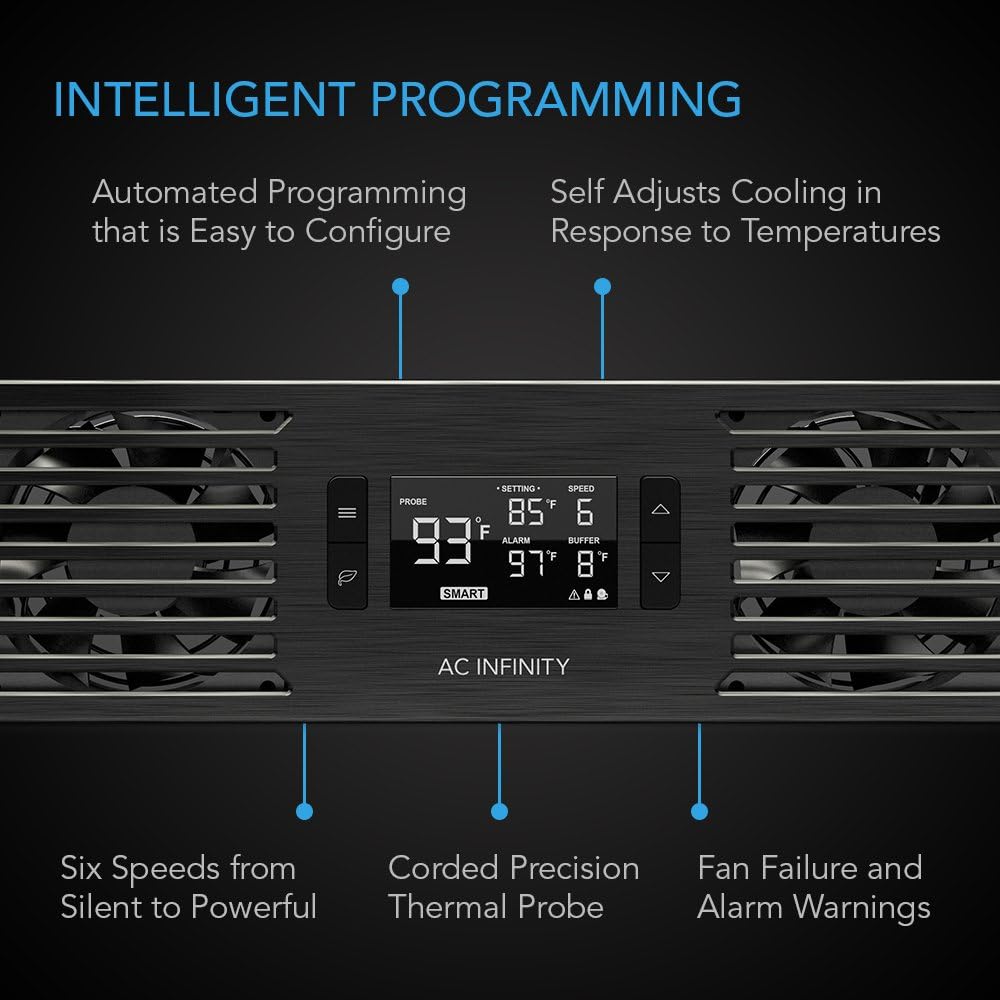
Image: The intelligent programming display showing current temperature, set temperature, fan speed, and buffer settings.
Video: An official product video demonstrating the features and functionality of the CLOUDPLATE Series rack mount cooling fan systems.
മെയിൻ്റനൻസ്
Regular maintenance ensures optimal performance and longevity of your CLOUDPLATE T7-N unit.
- വൃത്തിയാക്കൽ: Periodically inspect the fan grilles and blades for dust accumulation. Use a soft brush or compressed air to gently clean the fans and vents. Ensure the unit is powered off and unplugged before cleaning.
- Thermal Probe: Keep the thermal probe clean and free from obstructions to ensure accurate temperature readings.
- കണക്ഷനുകൾ: Periodically check all cable connections (power, thermal probe, expansion) to ensure they are secure.
ട്രബിൾഷൂട്ടിംഗ്
| പ്രശ്നം | സാധ്യമായ കാരണം | പരിഹാരം |
|---|---|---|
| Fans not spinning / Display off | വൈദ്യുതിയില്ല, കണക്ഷൻ അയഞ്ഞില്ല, പവർ അഡാപ്റ്റർ പ്രശ്നമുണ്ട്. | Check power cable connection to unit and outlet. Ensure outlet is functional. Try a different power adapter if available. |
| കൃത്യമല്ലാത്ത താപനില വായന | Thermal probe improperly placed or damaged. | Ensure thermal probe is securely connected and positioned correctly. Avoid placing it directly on hot components. Check for physical damage to the probe. |
| Fans running too fast/slow in SMART mode | Incorrect temperature settings (SET, BUFFER). | Adjust the SET temperature and BUFFER values on the controller to match your desired cooling profile. |
| യൂണിറ്റ് ശബ്ദമയമാണ് | High fan speed, dust accumulation, fan bearing issue. | Lower the fan speed setting. Clean the fan blades and grilles. If noise persists at low speeds, contact support. |
| Alarm warning displayed | Temperature exceeded alarm threshold, fan failure. | Check the current temperature. If it's too high, increase fan speed or check for obstructions. If it's a fan failure warning, inspect fans for operation. |
സ്പെസിഫിക്കേഷനുകൾ
| ഫീച്ചർ | വിശദാംശങ്ങൾ |
|---|---|
| മോഡൽ | AI-CP2H |
| റാക്ക് സ്പേസ് | 2U |
| ഡിസൈൻ | കഴിക്കുക |
| മൊത്തം വായുപ്രവാഹം | 50 മുതൽ 220 വരെ CFM |
| ആകെ ശബ്ദം | 10 മുതൽ 36 dBA വരെ |
| സ്റ്റാറ്റിക് പ്രഷർ | 2.56 mm-H2O |
| ഓപ്പറേറ്റിംഗ് വോളിയംtage | 12V DC |
| ശക്തി | 10 W |
| നിലവിലുള്ളത് | 0.83 എ |
| വാൾ അഡാപ്റ്റർ ഇൻപുട്ട് | 100 മുതൽ 240V വരെ എ.സി |
| പ്രവർത്തന ഹ്യുമിഡിറ്റി | 35 മുതൽ 85% വരെ RH |
| പ്രവർത്തന താപനില | 0 മുതൽ 158°F (0 മുതൽ 70°C വരെ) |
| ഫാൻ ബെയറിംഗുകൾ | ഡ്യുവൽ ബോൾ |
| L10 Life Expectancy | 67,000 മണിക്കൂർ |
| ആകെ അളവുകൾ | 19.0 x 3.5 x 1.5 ഇഞ്ച് (48.3 x 8.9 x 3.8 സെ.മീ) |
| മെറ്റീരിയൽ | അലുമിനിയം |

Image: Visual representation of the unit's dimensions and core performance specifications.
വാറൻ്റി വിവരങ്ങൾ
Specific warranty details for the AC Infinity CLOUDPLATE T7-N are typically provided with the product packaging or can be found on the official AC Infinity website. Please refer to these resources for the most current and comprehensive warranty terms and conditions.
പിന്തുണ
കൂടുതൽ സഹായത്തിനോ, സാങ്കേതിക പിന്തുണയ്ക്കോ, അല്ലെങ്കിൽ view additional product documentation, please visit the official AC Infinity webസൈറ്റ്. പതിവുചോദ്യങ്ങൾ, ട്രബിൾഷൂട്ടിംഗ് ഗൈഡുകൾ, ഉപഭോക്തൃ സേവനത്തിനായുള്ള ബന്ധപ്പെടാനുള്ള വിവരങ്ങൾ എന്നിവ നിങ്ങൾക്ക് അവിടെ കണ്ടെത്താനാകും.
എസി അനന്തത Webസൈറ്റ്: www.acinfinity.com