
1. ആമുഖം
The Bose SoundTouch 10 is a compact wireless audio system designed to deliver clear, room-filling sound. It connects to your home Wi-Fi network or Bluetooth-enabled devices, allowing you to stream music from various sources. This manual provides instructions for setting up, operating, and maintaining your SoundTouch 10 system.
2. പാക്കേജ് ഉള്ളടക്കം
എല്ലാ ഇനങ്ങളും നിങ്ങളുടെ പാക്കേജിൽ ഉൾപ്പെടുത്തിയിട്ടുണ്ടെന്ന് ഉറപ്പാക്കുക:
- Bose SoundTouch 10 Wireless Audio System
- പവർ കേബിൾ
- റിമോട്ട് കൺട്രോൾ
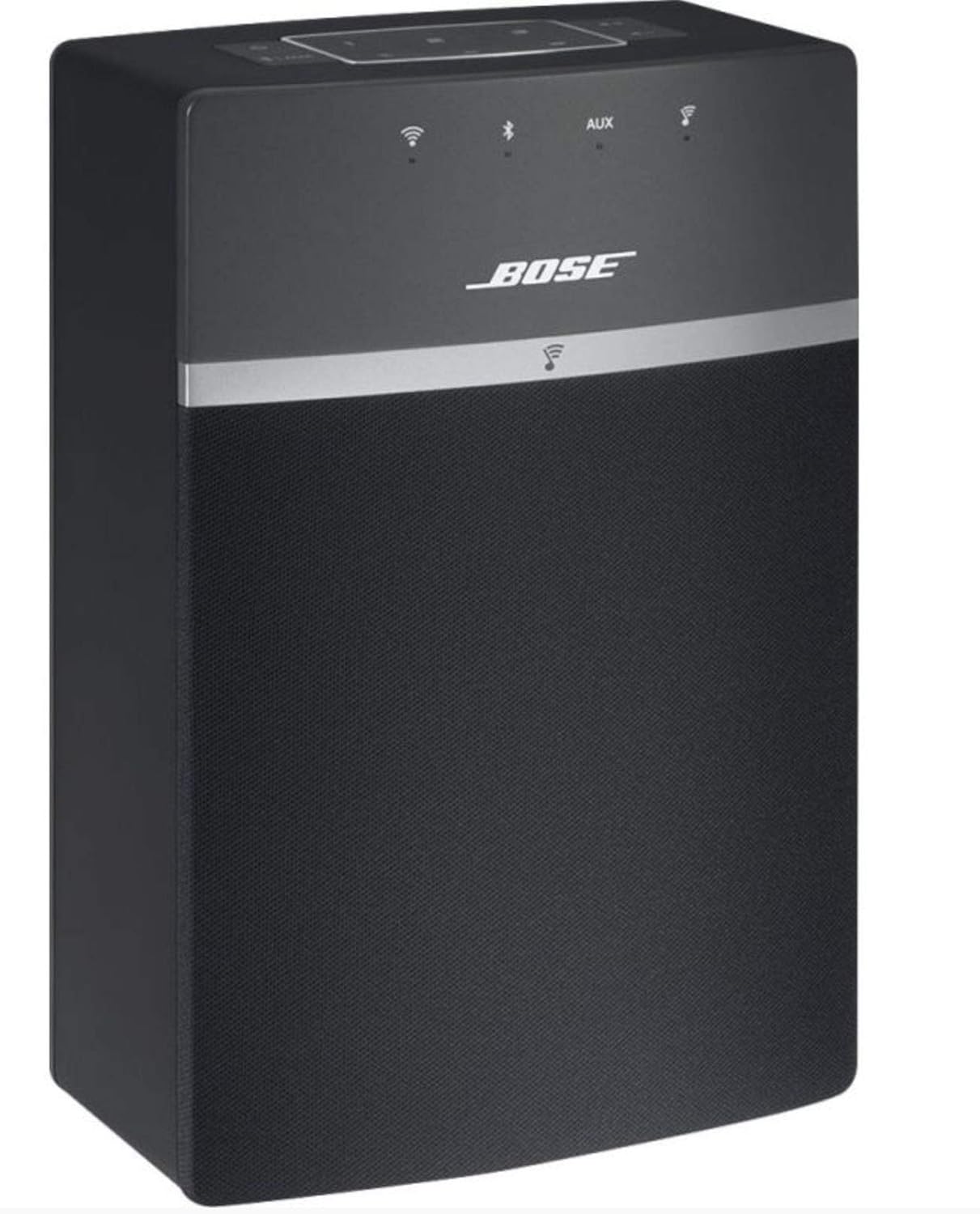
Image: The Bose SoundTouch 10 speaker in black, accompanied by its remote control, ready for use.
3. സജ്ജീകരണം
- പവർ കണക്ഷൻ: Connect the power cable to the speaker and then to a wall outlet. The system will power on automatically.
- Download the SoundTouch App: For full functionality, download the Bose SoundTouch app on your smartphone or tablet. The app is compatible with Windows 7, 8, 10; Mac 64-bit OS X 10.8 or later; iOS 8.2 or later; and Android 4.4 or later.
- ഇൻ-ആപ്പ് നിർദ്ദേശങ്ങൾ പാലിക്കുക: Open the SoundTouch app and follow the on-screen instructions to connect your speaker to your home Wi-Fi network. This process will guide you through naming your speaker and setting up music services.

Image: The Bose SoundTouch 10 speaker positioned on a modern grey surface, with its remote control nearby, illustrating a typical setup environment.
4. പ്രവർത്തന നിർദ്ദേശങ്ങൾ
4.1. നിയന്ത്രണങ്ങൾ
The SoundTouch 10 can be controlled using the top panel buttons, the included remote control, or the SoundTouch app.
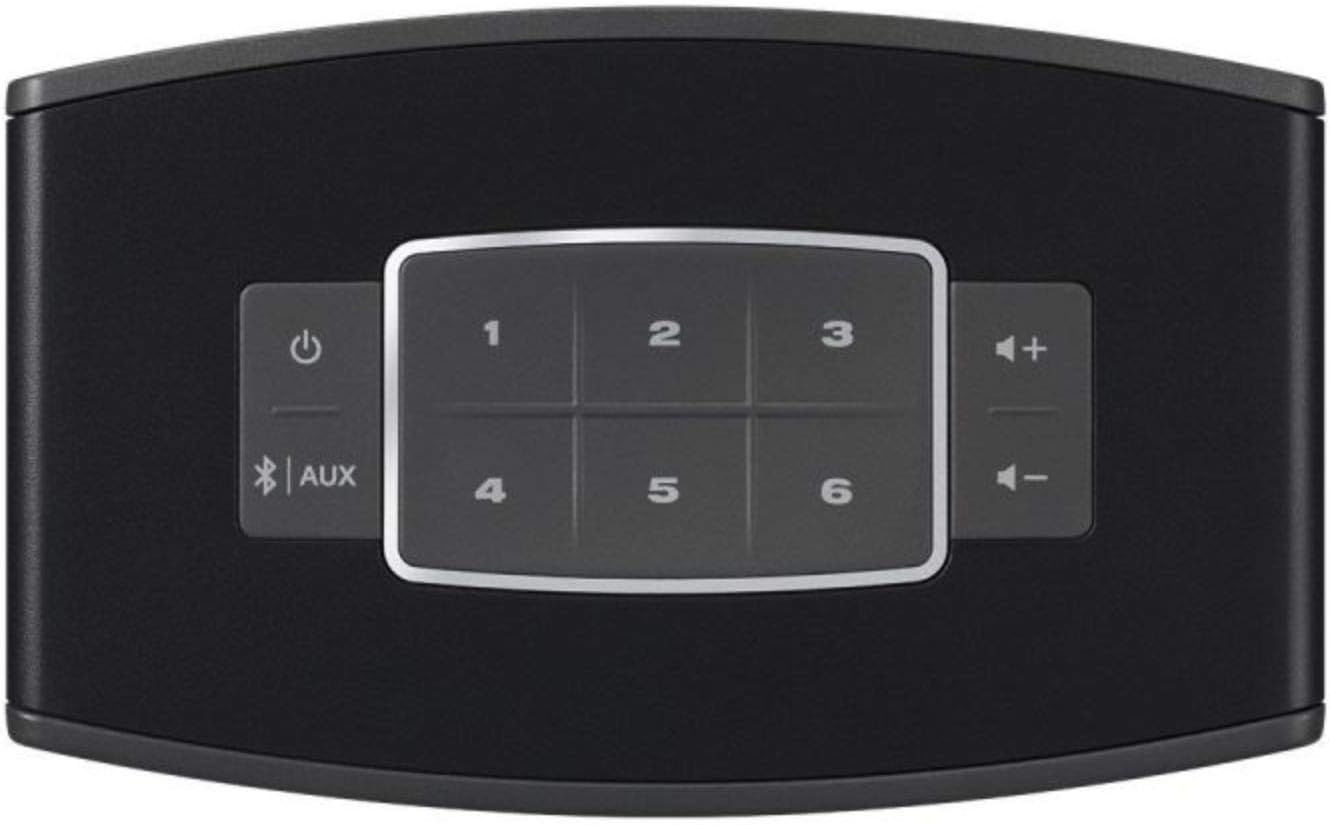
ചിത്രം: ഒരു ക്ലോസ്-അപ്പ് view of the top panel of the Bose SoundTouch 10 speaker, showing the power button, Bluetooth/AUX input selector, volume controls, and six preset buttons.
- പവർ ബട്ടൺ: സിസ്റ്റം ഓൺ അല്ലെങ്കിൽ ഓഫ് ചെയ്യുന്നു.
- വോളിയം ബട്ടണുകൾ (+/-): പ്ലേബാക്ക് വോളിയം ക്രമീകരിക്കുന്നു.
- ബ്ലൂടൂത്ത്/AUX ബട്ടൺ: Toggles between Bluetooth and Auxiliary input modes.
- പ്രീസെറ്റ് ബട്ടണുകൾ (1-6): Access your favorite music or radio stations saved as presets in the SoundTouch app.
4.2. കണക്റ്റിവിറ്റി
- വൈഫൈ: Connects to your home network for streaming music services and internet radio via the SoundTouch app.
- ബ്ലൂടൂത്ത്:
- അമർത്തുക ബ്ലൂടൂത്ത്/AUX button on the speaker or remote until the Bluetooth indicator light blinks blue.
- On your device, enable Bluetooth and select "Bose SoundTouch 10" from the list of available devices.
- കണക്ട് ചെയ്തുകഴിഞ്ഞാൽ, ഇൻഡിക്കേറ്റർ ലൈറ്റ് കടും വെള്ള നിറത്തിൽ തിളങ്ങും.
- AUX ഇൻപുട്ട്: Connect an audio device using a 3.5mm stereo cable (not included) to the AUX input port on the back of the speaker. Press the ബ്ലൂടൂത്ത്/AUX button until the AUX indicator light glows solid white.
5. പരിപാലനം
- വൃത്തിയാക്കൽ: Use a soft, dry cloth to clean the surface of the speaker. Do not use any liquids or solvents.
- പ്ലേസ്മെൻ്റ്: Place the speaker on a stable, level surface. Ensure adequate ventilation around the speaker.
- സോഫ്റ്റ്വെയർ അപ്ഡേറ്റുകൾ: Keep your SoundTouch app and speaker firmware updated for optimal performance. Updates are typically managed through the SoundTouch app.
6. പ്രശ്നപരിഹാരം
| പ്രശ്നം | സാധ്യമായ പരിഹാരം |
|---|---|
| ശക്തിയില്ല | Ensure the power cable is securely connected to both the speaker and a working electrical outlet. |
| ശബ്ദമില്ല |
|
| Wi-Fi-യിലേക്ക് കണക്റ്റുചെയ്യാൻ കഴിയില്ല |
|
| ബ്ലൂടൂത്ത് ജോടിയാക്കൽ പ്രശ്നങ്ങൾ |
|
7 സ്പെസിഫിക്കേഷനുകൾ
| ഫീച്ചർ | വിശദാംശങ്ങൾ |
|---|---|
| ബ്രാൻഡ് | ബോസ് |
| മോഡലിൻ്റെ പേര് | 731396-2100 |
| കണക്റ്റിവിറ്റി ടെക്നോളജി | ബ്ലൂടൂത്ത്, വൈഫൈ |
| ഓഡിയോ put ട്ട്പുട്ട് മോഡ് | ചുറ്റുക |
| സ്പീക്കർ തരം | സ്റ്റീരിയോ |
| പരമാവധി സ്പീക്കർ ഔട്ട്പുട്ട് പവർ | 10 വാട്ട്സ് |
| അനുയോജ്യമായ ഉപകരണങ്ങൾ | സ്മാർട്ട്ഫോൺ, ടാബ്ലെറ്റ് |
| നിയന്ത്രണ രീതി | Touch, Remote Control, Voice (via compatible devices) |
| അളവുകൾ (D x W x H) | 8.7 സെ.മീ x 14.1 സെ.മീ x 21.2 സെ.മീ |
| ഇനത്തിൻ്റെ ഭാരം | 1.31 കിലോഗ്രാം |
| പിന്തുണയ്ക്കുന്ന ഓഡിയോ ഫോർമാറ്റുകൾ | MP3, WMA, AAC, FLAC, Apple Lossless |
| യു.പി.സി | 017817692311 |
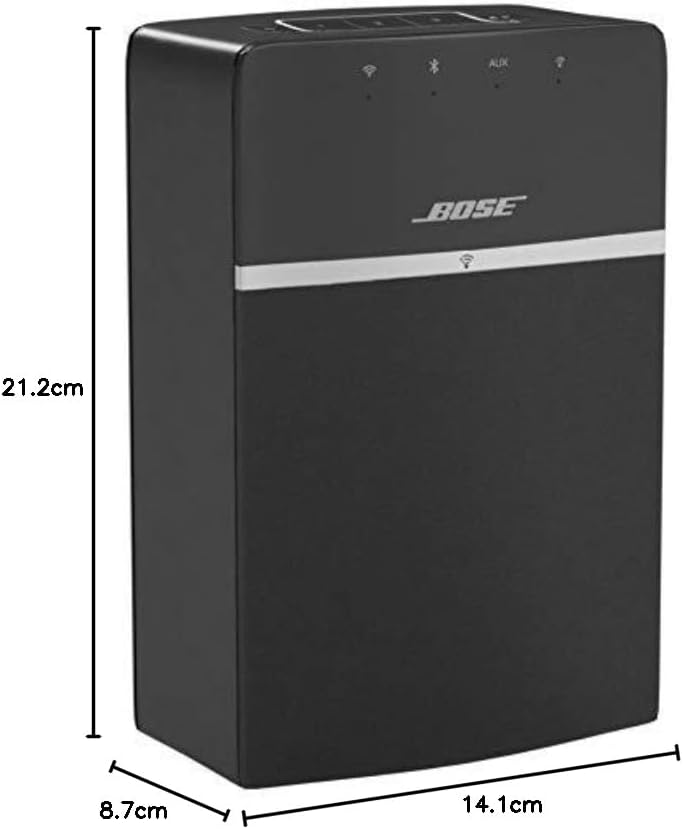
Image: A diagram illustrating the dimensions of the Bose SoundTouch 10 speaker: 21.2 cm height, 14.1 cm width, and 8.7 cm depth.
8. വാറൻ്റിയും പിന്തുണയും
The Bose SoundTouch 10 Wireless Audio System comes with a manufacturer's limited warranty of 2 years. For technical support or warranty claims, please contact Bose customer service.
നിർമ്മാതാവിനെ ബന്ധപ്പെടുക: 0033-806-230-000


