
ആമുഖം
The Vonyx STM2270 is a versatile 2-channel DJ mixer designed for both aspiring and experienced DJs. It integrates modern features such as Bluetooth connectivity and a USB/SD card MP3 player, alongside essential DJ tools like a crossfader and microphone input. This manual provides detailed instructions for the safe and efficient setup, operation, and maintenance of your Vonyx STM2270 mixer.
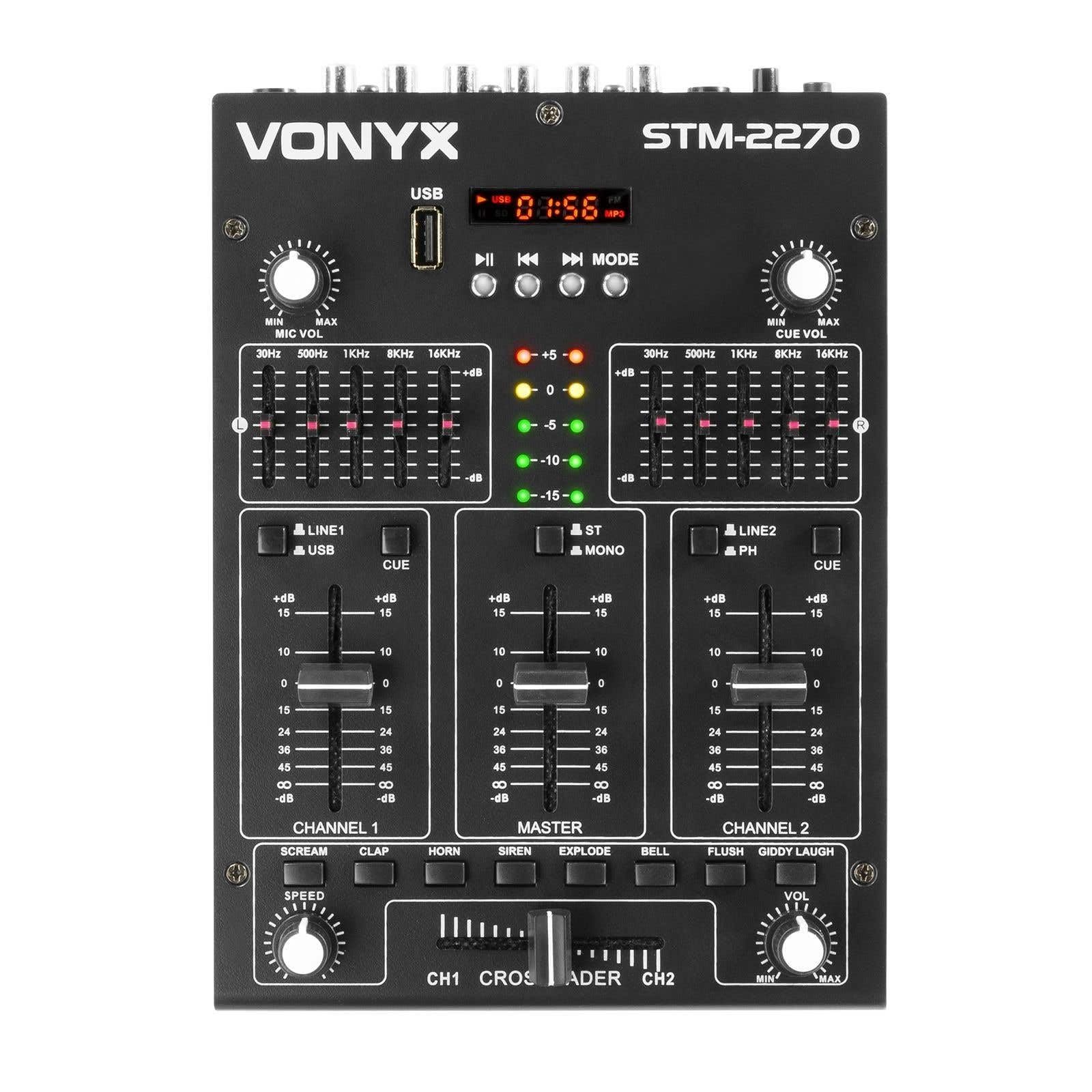
ഫ്രണ്ട് view of the Vonyx STM2270 DJ Mixer, showing all controls and inputs.
സജ്ജമാക്കുക
അൺപാക്ക് ചെയ്യുന്നു
- പാക്കേജിംഗിൽ നിന്ന് എല്ലാ ഘടകങ്ങളും ശ്രദ്ധാപൂർവ്വം നീക്കം ചെയ്യുക.
- Verify that all parts are present and undamaged.
- ഭാവിയിലെ ഗതാഗതത്തിനോ സംഭരണത്തിനോ വേണ്ടി യഥാർത്ഥ പാക്കേജിംഗ് സൂക്ഷിക്കുക.
പവർ കണക്ഷൻ
- Ensure the mixer is switched off before connecting the power supply.
- Connect the provided 14V/600mA power adapter to the DC input on the rear panel of the mixer.
- Plug the power adapter into a standard 220V AC electrical outlet.
ഓഡിയോ കണക്ഷനുകൾ
The STM2270 offers various input and output options for connecting your audio sources and sound system.
Rear panel of the Vonyx STM2270 DJ Mixer, showing power input, master output, line/phono inputs, and microphone input.
- മാസ്റ്റർ ഔട്ട്പുട്ട്: Connect your main sound system (amplifiers, powered speakers) to the MASTER OUTPUT RCA jacks.
- Line/Phono Inputs: Connect CD players, media players, or other line-level devices to the LINE inputs. For turntables, use the PHONO inputs. Ensure the correct input type is selected on the mixer.
- മൈക്രോഫോൺ ഇൻപുട്ട്: Connect a microphone to the 6.3mm jack input on the rear panel.
- ഹെഡ്ഫോൺ ഔട്ട്പുട്ട്: Connect your headphones to the 6.3mm jack on the front panel for monitoring.
പ്രവർത്തിക്കുന്നു
പവർ ചെയ്യുന്നത് ഓൺ/ഓഫ്
- To power on, ensure all volume controls are at their minimum setting, then press the POWER button.
- To power off, lower all volume controls, then press the POWER button.
ചാനൽ നിയന്ത്രണം
The mixer features two main channels, each with dedicated controls:
- ഇൻപുട്ട് സെലക്ടർ: Switch between LINE/USB (for Channel 1) or LINE/PHONO (for Channel 2) inputs.
- നിയന്ത്രണം നേടുക: Adjust the input level for each channel to prevent clipping.
- ഇക്വലൈസർ (EQ): Each channel has 2-band EQ controls (High and Low) to adjust the tone of the audio. (Highs: ±10dB, Lows: ±10dB).
- ചാനൽ ഫേഡർ: Controls the volume of the respective channel.
- CUE Button: Activates pre-fader listening (PFL) for the channel through headphones.

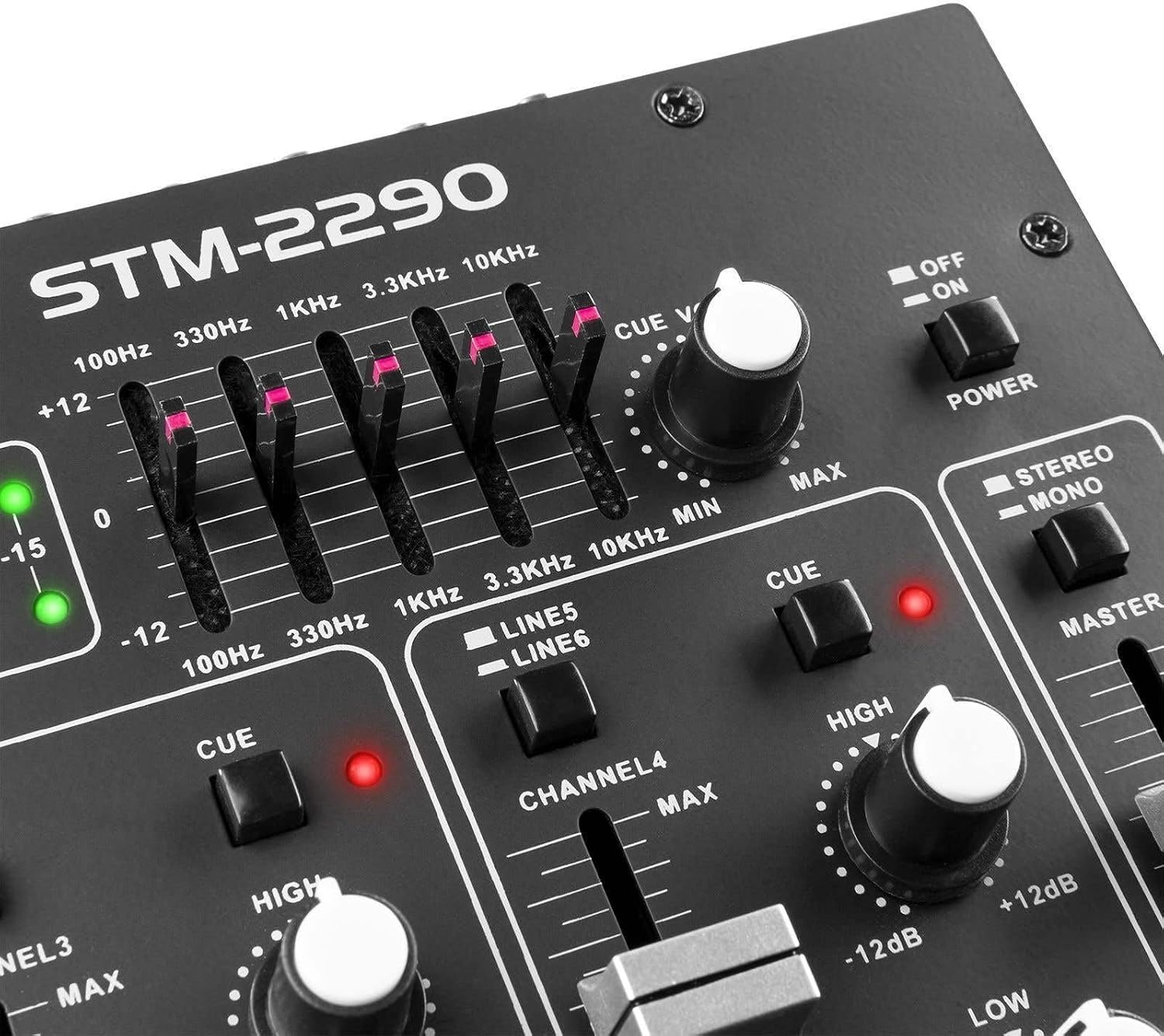
Close-up of the EQ section and LED level meters.
Master and Crossfader
- മാസ്റ്റർ ഫേഡർ: മിക്സറിന്റെ മൊത്തത്തിലുള്ള ഔട്ട്പുട്ട് വോളിയം നിയന്ത്രിക്കുന്നു.
- ക്രോസ്ഫേഡർ: Allows for smooth transitions between Channel 1 and Channel 2. Slide the crossfader to the left for Channel 1, to the right for Channel 2, and to the center for a blend of both.

Close-up of the crossfader and integrated sound effects buttons.
ബ്ലൂടൂത്ത് കണക്റ്റിവിറ്റി
- Activate the Bluetooth function on the mixer (usually via the MP3 player section).
- നിങ്ങളുടെ ബാഹ്യ ഉപകരണത്തിൽ (സ്മാർട്ട്ഫോൺ, ടാബ്ലെറ്റ് മുതലായവ) ബ്ലൂടൂത്ത് പ്രവർത്തനക്ഷമമാക്കുക.
- ഇതിനായി തിരയുക and select "Vonyx STM2270" (or similar) in your device's Bluetooth settings to pair.
- Once paired, audio from your device will be routed through the mixer.
USB/SD MP3 Player
- MP3 ഓഡിയോ അടങ്ങിയ ഒരു USB ഫ്ലാഷ് ഡ്രൈവ് അല്ലെങ്കിൽ SD കാർഡ് ഇടുക. files into the designated slot.
- Use the player controls (Play/Pause, Next, Previous, Mode) to navigate and play tracks.
- The display will show track information and playback time.

Close-up of the USB port and SD card slot for the integrated MP3 player.
മൈക്രോഫോൺ ഉപയോഗം
- Connect your microphone to the MIC input.
- Adjust the MIC VOL knob to control the microphone's volume.
- The mixer may include a 'talkover' function, which automatically lowers the music volume when the microphone is in use, allowing vocals to be heard clearly.
സൗണ്ട് ഇഫക്റ്റുകൾ
The mixer includes integrated sound effects. Use the dedicated buttons to trigger effects and the SPEED knob to adjust their characteristics.
മെയിൻ്റനൻസ്
വൃത്തിയാക്കൽ
- Disconnect the mixer from power before cleaning.
- പുറംഭാഗം തുടയ്ക്കാൻ മൃദുവായതും ഉണങ്ങിയതുമായ തുണി ഉപയോഗിക്കുക.
- കഠിനമായ അഴുക്കിന്, അല്പം ഡിamp മൃദുവായ സോപ്പുള്ള തുണി ഉപയോഗിക്കാം, തുടർന്ന് ഉണങ്ങിയ തുണി ഉപയോഗിക്കാം.
- Avoid using abrasive cleaners, solvents, or excessive moisture, as these can damage the unit.
സംഭരണം
- നേരിട്ടുള്ള സൂര്യപ്രകാശവും കടുത്ത താപനിലയും ഏൽക്കാത്ത ഒരു തണുത്ത വരണ്ട സ്ഥലത്ത് മിക്സർ സൂക്ഷിക്കുക.
- If storing for an extended period, use the original packaging to protect against dust and physical damage.
ട്രബിൾഷൂട്ടിംഗ്
If you encounter issues with your Vonyx STM2270 mixer, refer to the following common problems and solutions:
- ശക്തിയില്ല:
- Check if the power adapter is securely connected to both the mixer and the electrical outlet.
- പവർ ഔട്ട്ലെറ്റ് പ്രവർത്തനക്ഷമമാണോയെന്ന് പരിശോധിക്കുക.
- സൗണ്ട് ഔട്ട്പുട്ട് ഇല്ല:
- Ensure the Master Fader is raised.
- Check that individual Channel Faders are raised and not muted.
- Verify all audio cables are correctly connected to the mixer's inputs and outputs, and to your sound system.
- ഓരോ ചാനലിനും ശരിയായ ഇൻപുട്ട് ഉറവിടം തിരഞ്ഞെടുത്തിട്ടുണ്ടെന്ന് സ്ഥിരീകരിക്കുക.
- വികലമായ ഓഡിയോ:
- Reduce the Gain control for the input channel to prevent clipping (indicated by red LEDs on the level meter).
- Check the volume levels on your connected audio sources.
- ഓഡിയോ കേബിളുകൾക്ക് കേടുപാടുകൾ സംഭവിച്ചിട്ടുണ്ടോ അല്ലെങ്കിൽ കണക്ഷനുകൾ അയഞ്ഞിട്ടുണ്ടോ എന്ന് പരിശോധിക്കുക.
- ബ്ലൂടൂത്ത് കണക്ഷൻ പ്രശ്നങ്ങൾ:
- Ensure the mixer's Bluetooth function is active and in pairing mode.
- Make sure your external device's Bluetooth is enabled and searching for devices.
- Move your device closer to the mixer to ensure it's within range.
- ഉപകരണം ജോടി മാറ്റി വീണ്ടും ജോടിയാക്കാൻ ശ്രമിക്കുക.
- Humming/Noise in Headphones:
- എല്ലാ കണക്ഷനുകളും സുരക്ഷിതമാണെന്ന് ഉറപ്പാക്കുക.
- Test with different headphones to rule out headphone issues.
- Check for potential ground loops or interference from other electronic devices nearby.
സ്പെസിഫിക്കേഷനുകൾ
| ഫീച്ചർ | സ്പെസിഫിക്കേഷൻ |
|---|---|
| ബ്രാൻഡ് | വോണിക്സ് |
| മോഡൽ | STM2270 |
| ചാനലുകളുടെ എണ്ണം | 2 (with multiple inputs per channel) |
| ഫ്രീക്വൻസി പ്രതികരണം | 20 ഹെർട്സ് - 20 കിലോ ഹെർട്സ് |
| THD (ആകെ ഹാർമോണിക് ഡിസ്റ്റോർഷൻ) | < 0.05% |
| ഇക്വലൈസർ (EQ) | Highs: ±10dB, Lows: ±10dB |
| മൈക്രോഫോൺ ഇൻപുട്ട് | 10 mV / 10 K Ohm (6.3mm Jack) |
| ലൈൻ ഇൻപുട്ട് | 300 mV / 30 K Ohm |
| ഫോണോ ഇൻപുട്ട് | 15 mV / 22 K Ohm |
| മാസ്റ്റർ ഔട്ട്പുട്ട് | 2 V / 400 Ohm (RCA) |
| ഹെഡ്ഫോൺ ഇംപെഡൻസ് | 16 - 32 ഓം |
| സിഗ്നൽ-ടു-നോയിസ് അനുപാതം | > 70 ഡിബി |
| വൈദ്യുതി വിതരണം | 14 V / 600 mA (AC Adapter) |
| ഓപ്പറേറ്റിംഗ് വോളിയംtage | 220 വോൾട്ട് |
| കണക്റ്റിവിറ്റി ടെക്നോളജി | ബ്ലൂടൂത്ത്, യുഎസ്ബി |
| അളവുകൾ (D x W x H) | 24 സെ.മീ x 20 സെ.മീ x 6 സെ.മീ |
വാറൻ്റിയും പിന്തുണയും
This Vonyx STM2270 DJ Mixer is covered by a manufacturer's warranty, subject to the terms and conditions provided at the time of purchase. Please retain your proof of purchase for warranty claims.
For technical support, service, or warranty inquiries, please contact your retailer or the official Vonyx support channels. Refer to the product packaging or the Vonyx webബന്ധപ്പെടാനുള്ള വിവരങ്ങൾക്കുള്ള സൈറ്റ്.
Do not attempt to repair the unit yourself, as this may void your warranty and could result in electrical shock or damage to the device.