
1. ആമുഖവും അവസാനവുംview
The Maverick ET-851 Dual Sensor Oven Meat Thermometer is designed to provide precise temperature monitoring for both your oven and the food you are cooking. Its intuitive touch screen interface and large blue backlit LCD display ensure clear visibility and ease of use in various lighting conditions. This thermometer helps you achieve perfectly cooked meals by simultaneously tracking two temperatures and alerting you when your target is reached.

Image 1.1: The Maverick ET-851 thermometer unit with its dual-sensor probe.
പ്രധാന സവിശേഷതകൾ:
- ഇരട്ട താപനില നിരീക്ഷണം: Simultaneously track oven and meat temperatures for optimal cooking.
- ടച്ച് സ്ക്രീൻ ഇന്റർഫേസ്: Easy and intuitive operation for setting temperatures and timers.
- Large Blue Backlit LCD Display: Provides clear visibility in any lighting condition.
- താപനില പരിധി: Monitors temperatures from -25°F to +572°F (-10°C to +300°C).
- ടൈമർ പ്രവർത്തനം: Features a 99-minute, 59-second timer.
- Alarm Alerts: Notifies you when target meat temperature or timer duration is reached.
- ഡ്യൂറബിൾ പ്രോബ്: High-quality, heat-resistant stainless steel probe with a 42-inch wire, rated to 572°F (300°C).
- ഒന്നിലധികം മൗണ്ടിംഗ് ഓപ്ഷനുകൾ: Includes a kickstand, magnet, hang hole, and wall mount for versatile placement.
- ബാറ്ററികൾ ഉൾപ്പെടുന്നു: 2 AAA ബാറ്ററികൾക്കൊപ്പം വരുന്നു.
2. സജ്ജീകരണവും ഇൻസ്റ്റാളേഷനും
2.1 ബാറ്ററി ഇൻസ്റ്റാളേഷൻ
- തെർമോമീറ്റർ യൂണിറ്റിന്റെ പിൻഭാഗത്ത് ബാറ്ററി കമ്പാർട്ട്മെന്റ് കണ്ടെത്തുക.
- ബാറ്ററി കമ്പാർട്ട്മെൻ്റ് കവർ തുറക്കുക.
- ശരിയായ പോളാരിറ്റി (+/-) ഉറപ്പാക്കിക്കൊണ്ട് 2 AAA ബാറ്ററികൾ ഇടുക.
- ബാറ്ററി കമ്പാർട്ട്മെൻ്റ് കവർ സുരക്ഷിതമായി അടയ്ക്കുക.
2.2 പ്രോബ് കണക്ഷൻ
- Carefully uncoil the stainless steel probe wire.
- Insert the probe's jack firmly into the designated port on the side of the thermometer unit.
2.3 പ്ലേസ്മെന്റ് ഓപ്ഷനുകൾ
The ET-851 offers several ways to position the unit for optimal viewing:
- കിക്ക്സ്റ്റാൻഡ്: Pull out the integrated kickstand on the back of the unit to stand it upright on a flat surface.
- കാന്തം: Use the strong magnets on the back to attach the unit to a metal surface, such as an oven door or refrigerator.
- ഹാംഗ് ഹോൾ: Utilize the hang hole for suspending the unit from a hook.
- വാൾ മൗണ്ട്: The unit can also be mounted on a wall using appropriate hardware (not included) through the designated mounting points.
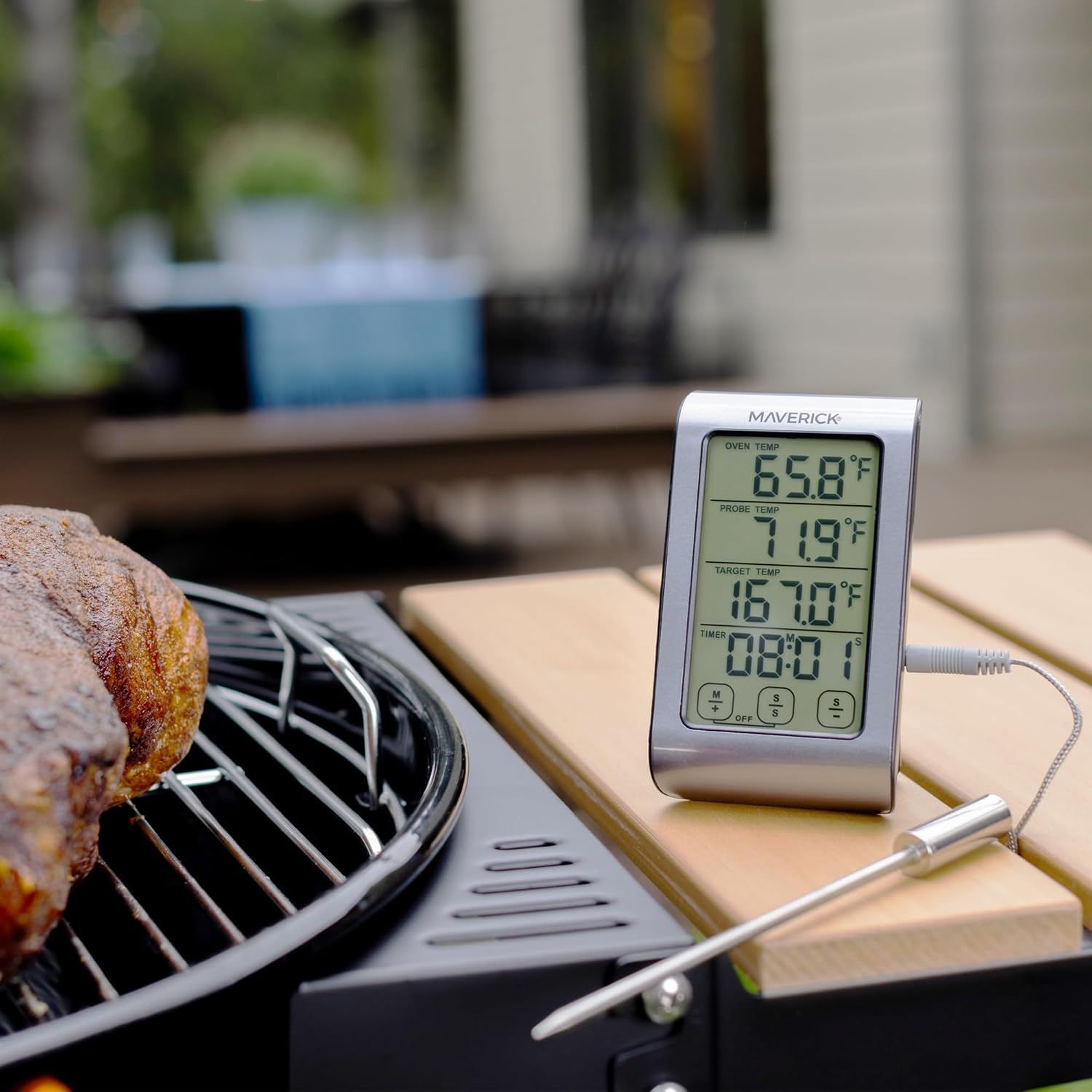
Image 2.1: The ET-851 thermometer positioned for outdoor grilling.
3. പ്രവർത്തന നിർദ്ദേശങ്ങൾ
3.1 പവർ ഓൺ/ഓഫ്
അമർത്തുക ഓൺ/ഓഫ് button located on the front of the unit to turn the thermometer on or off.
3.2 Selecting Temperature Units (°F/°C)
യൂണിറ്റ് പ്രവർത്തിപ്പിക്കുമ്പോൾ, അമർത്തുക °F/°C button to toggle between Fahrenheit and Celsius temperature displays.
3.3 Setting Target Temperature
- On the touch screen, locate the 'TARGET TEMP' section.
- ഉപയോഗിക്കുക M+ ഒപ്പം S- buttons (or similar touch controls) to adjust the desired target temperature. The display will show the selected temperature.
- Once the target temperature is set, the thermometer will continuously monitor the probe temperature and sound an alarm when it reaches the set target.

ചിത്രം 3.1: വിശദമായത് view of the ET-851's touch screen display.
3.4 ടൈമർ ഉപയോഗിക്കുന്നു
The ET-851 includes a 99-minute, 59-second countdown timer.
- Locate the 'TIMER' section on the display.
- ഉപയോഗിക്കുക M+ (minutes) and S- (seconds) buttons to set the desired countdown time.
- അമർത്തുക ആരംഭിക്കുക/നിർത്തുക button to begin or pause the timer.
- When the timer reaches zero, an alarm will sound. Press any button to silence the alarm.
3.5 താപനില നിരീക്ഷണം
Insert the stainless steel probe into the thickest part of the meat, avoiding bone or gristle. Position the probe wire so it is not pinched by the oven door. The display will show:
- OVEN TEMP: The ambient temperature inside your oven or grill.
- അന്വേഷണ താപനില: The current internal temperature of your food.
- ടാർഗെറ്റ് താപനില: Your desired final food temperature.

Image 3.2: Proper insertion of the probe into food.
4. പരിപാലനം
4.1 ക്ലീനിംഗ് നിർദ്ദേശങ്ങൾ
The thermometer unit and probe should be cleaned after each use. The manufacturer recommends കൈകൊണ്ട് മാത്രം കഴുകുക for the probe. Do not immerse the main thermometer unit in water. Wipe the unit with a damp തുണി.
- അന്വേഷണം: Wash the stainless steel probe with warm, soapy water. Rinse thoroughly and dry completely before storage. Avoid harsh abrasive cleaners.
- യൂണിറ്റ്: Wipe the thermometer unit with a soft, damp തുണി. അബ്രാസീവ് ക്ലീനറുകൾ ഉപയോഗിക്കരുത് അല്ലെങ്കിൽ യൂണിറ്റ് വെള്ളത്തിൽ മുക്കരുത്.
4.2 സംഭരണം
Store the thermometer and probe in a clean, dry place when not in use. Ensure the probe wire is not kinked or damaged during storage.
5. പ്രശ്നപരിഹാരം
- ഡിസ്പ്ലേ ഇല്ല: ബാറ്ററികൾ ശരിയായി ഇൻസ്റ്റാൾ ചെയ്തിട്ടുണ്ടോ എന്നും തീർന്നിട്ടില്ലെന്നും പരിശോധിക്കുക. ആവശ്യമെങ്കിൽ ബാറ്ററികൾ മാറ്റിസ്ഥാപിക്കുക.
- കൃത്യമല്ലാത്ത വായനകൾ: Ensure the probe is fully inserted into the food and not touching bone or gristle. Verify the probe connection to the main unit is secure.
- Probe Error Message: If an error message related to the probe appears, ensure the probe is correctly plugged in. If the issue persists, the probe may be damaged and require replacement.
- അലാറം മുഴങ്ങുന്നില്ല: Check if the volume is set appropriately or if the alarm function is enabled.
6 സ്പെസിഫിക്കേഷനുകൾ
| മോഡൽ | ET-851 |
| ബ്രാൻഡ് | മാവെറിക് |
| താപനില പരിധി | -25°F മുതൽ +572°F വരെ (-10°C മുതൽ +300°C വരെ) |
| ഡിസ്പ്ലേ തരം | നീല ബാക്ക്ലൈറ്റുള്ള എൽസിഡി |
| പ്രോബ് മെറ്റീരിയൽ | ഫുഡ് ഗ്രേഡ് സ്റ്റെയിൻലെസ്സ് സ്റ്റീൽ |
| പ്രോബ് വയർ നീളം | 42 ഇഞ്ച് |
| പവർ ഉറവിടം | 2 AAA ബാറ്ററികൾ (ഉൾപ്പെട്ടിരിക്കുന്നു) |
| പ്രതികരണ സമയം | 3 സെക്കൻഡ് |
| ഉൽപ്പന്ന പരിപാലനം | Hand Wash Only (probe) |
| ഇനത്തിൻ്റെ ഭാരം | 6.4 ഔൺസ് |
7. വാറൻ്റിയും പിന്തുണയും
7.1 വാറൻ്റി വിവരങ്ങൾ
The Maverick ET-851 Dual Sensor Oven Meat Thermometer comes with a പരിമിതമായ ഒരു വർഷത്തെ വാറൻ്റി. Maverick Industries will repair or replace the unit within 1 year from the date of purchase for defects in materials or workmanship.
7.2 നിർമ്മാതാവിന്റെ പിന്തുണ
For technical assistance, troubleshooting, or warranty claims, please contact Maverick Industries, the manufacturer of this product. Refer to the packaging or the official Maverick webഏറ്റവും പുതിയ ബന്ധപ്പെടാനുള്ള വിവരങ്ങൾക്കായി സൈറ്റ്.
8. അധിക വിവരങ്ങൾ
8.1 ഔദ്യോഗിക ഉൽപ്പന്ന വീഡിയോ
വീഡിയോ 8.1: ഒരു ജനറൽ ഓവർview വീഡിയോ ഷോasing Maverick brand products, including grilling and cooking scenarios. This video provides a broader context of Maverick's offerings.