
ആമുഖം
The StarTech.com HDMI Audio Extractor (HD2A) allows you to extract and convert the audio from an HDMI signal to 3.5mm stereo audio. This device is ideal for connecting HDMI source devices, such as Blu-ray players or computers, to external speakers or headphones that use a 3.5mm audio jack, while simultaneously passing the video signal through to an HDMI display. It supports resolutions up to 1080p and is HDCP compliant.
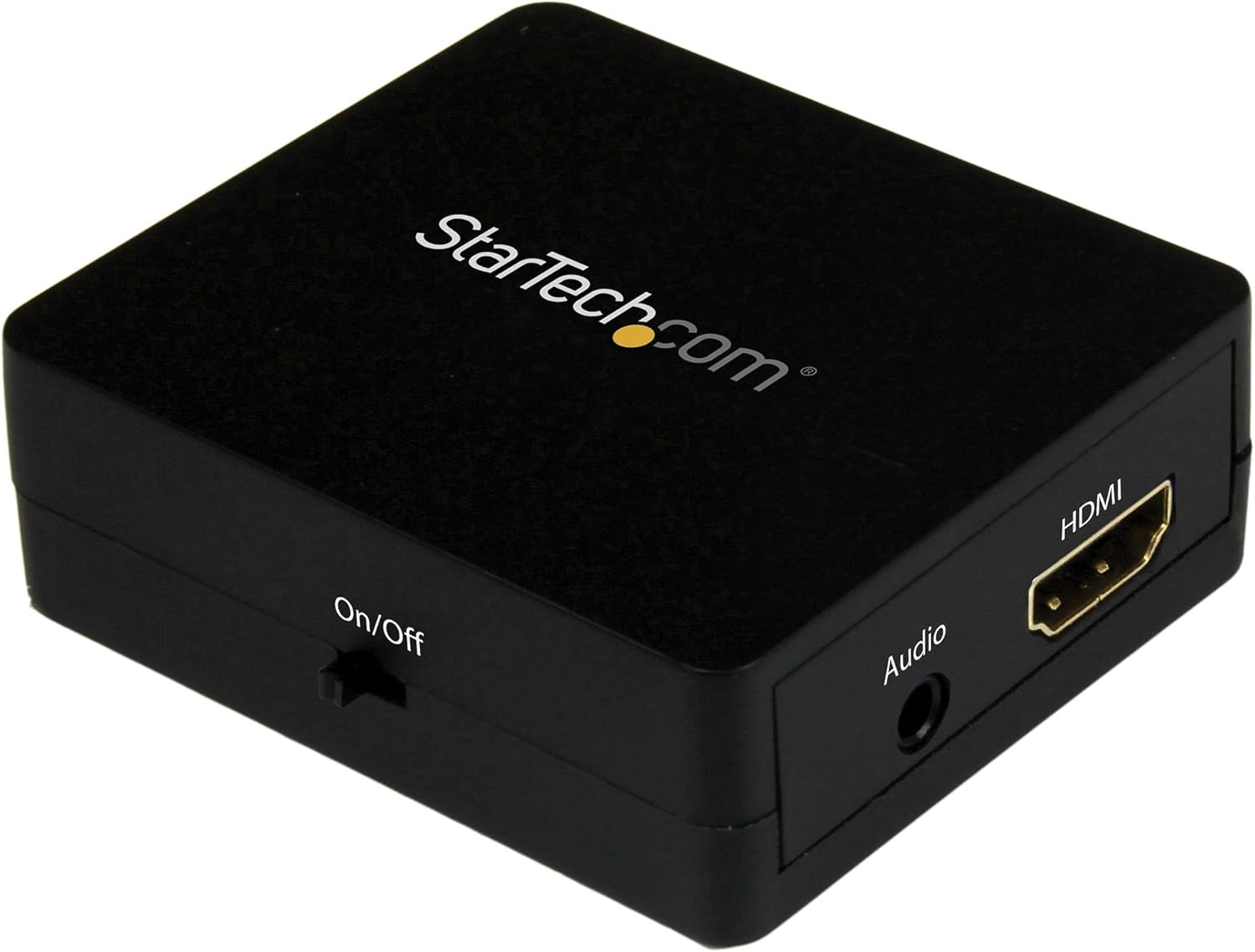
Image: The StarTech.com HDMI Audio Extractor (HD2A) unit, showcasing its compact design and various ports for connectivity.
പാക്കേജ് ഉള്ളടക്കം
- 1x HDMI Audio Extractor (HD2A)
- 1x USB പവർ കേബിൾ
- 1x Toslink Adapter
സജ്ജമാക്കുക
Follow these steps to set up your HDMI Audio Extractor:
- HDMI ഉറവിടം ബന്ധിപ്പിക്കുക: Connect an HDMI cable from your source device (e.g., Blu-ray player, computer, game console) to the HDMI-IN port on the audio extractor.
- HDMI ഡിസ്പ്ലേ ബന്ധിപ്പിക്കുക (ഓപ്ഷണൽ): If you wish to pass the video signal to a display, connect an HDMI cable from the HDMI ഔട്ട് port on the audio extractor to your TV or monitor.
- ഓഡിയോ put ട്ട്പുട്ട് കണക്റ്റുചെയ്യുക: Connect a 3.5mm audio cable from the 3.5 എംഎം ഓഡിയോ .ട്ട് port on the extractor to your stereo speakers, headphones, or audio receiver.
- പവർ ബന്ധിപ്പിക്കുക: Connect the included USB power cable to the യുഎസ്ബി പവർ port on the extractor and then to a USB power source (e.g., a USB wall adapter, computer USB port). Ensure the power source provides sufficient power for stable operation.
- പവർ ഓൺ ഉപകരണങ്ങൾ: Power on your HDMI source device, display (if connected), and audio output device.
കുറിപ്പ്: The device requires external power via the USB cable for operation.
പ്രവർത്തന നിർദ്ദേശങ്ങൾ
Once all connections are made and devices are powered on, the HDMI Audio Extractor will automatically detect the HDMI input and begin extracting the audio. The video signal will be passed through to the HDMI output (if connected).
- Ensure your source device is outputting audio via HDMI.
- Adjust the volume on your connected audio output device (speakers, headphones) as needed.
- The extractor supports 2.1 stereo audio output through the 3.5mm port.
മെയിൻ്റനൻസ്
To ensure the longevity and optimal performance of your HDMI Audio Extractor, follow these maintenance guidelines:
- മൃദുവായതും ഉണങ്ങിയതുമായ തുണി ഉപയോഗിച്ച് തുടച്ച് ഉപകരണം വൃത്തിയായി സൂക്ഷിക്കുക. കഠിനമായ രാസവസ്തുക്കളോ ഉരച്ചിലുകളുള്ള ക്ലീനറുകളോ ഉപയോഗിക്കുന്നത് ഒഴിവാക്കുക.
- നേരിട്ടുള്ള സൂര്യപ്രകാശത്തിൽ നിന്നും കടുത്ത താപനിലയിൽ നിന്നും മാറി തണുത്തതും വരണ്ടതുമായ സ്ഥലത്ത് ഉപകരണം സൂക്ഷിക്കുക.
- ഉപകരണം ഈർപ്പം അല്ലെങ്കിൽ ദ്രാവകത്തിലേക്ക് തുറന്നുകാട്ടുന്നത് ഒഴിവാക്കുക.
- Do not attempt to disassemble or modify the device, as this will void the warranty and could cause damage.
ട്രബിൾഷൂട്ടിംഗ്
If you encounter issues with your HDMI Audio Extractor, refer to the following troubleshooting steps:
- ഓഡിയോ ഔട്ട്പുട്ട് ഇല്ല:
- Ensure all cables (HDMI input, 3.5mm audio, USB power) are securely connected.
- Verify that your audio output device (speakers, headphones) is powered on and its volume is adjusted.
- Check the audio settings on your HDMI source device to ensure audio is being sent via HDMI.
- Try a different 3.5mm audio cable or audio output device to rule out faulty components.
- No Video Output (if connected to a display):
- Ensure the HDMI cable from the extractor's HDMI ഔട്ട് to your display is properly connected.
- Verify your display is set to the correct HDMI input.
- Test the HDMI cables directly between the source and display to confirm they are functional.
- Buzzing Sound from Audio Output:
- A buzzing sound can sometimes occur if the HDMI input source is turned off while the extractor remains powered. Ensure the HDMI source is active when using the extractor.
- Ensure the USB power cable is connected to a stable power source.
- Try connecting the USB power cable to a different USB port or power adapter.
- Intermittent Audio/Video:
- എല്ലാ കേബിൾ കണക്ഷനുകളിലും അയവ് ഉണ്ടോ എന്ന് പരിശോധിക്കുക.
- Ensure the USB power supply is stable and sufficient.
- Try using shorter, high-quality HDMI cables.
സ്പെസിഫിക്കേഷനുകൾ
| മോഡൽ | HD2A |
| ബ്രാൻഡ് | സ്റ്റാർടെക്.കോം |
| ഇൻ്റർഫേസ് തരം | HDMI |
| ഓഡിയോ ഔട്ട്പുട്ട് | 3.5mm Stereo (2.1 Channel) |
| പരമാവധി മിഴിവ് | 1080p |
| HDCP കംപ്ലയിൻ്റ് | അതെ |
| അളവുകൾ (L x W) | 2.01"ലിറ്റർ x 1.61"വാട്ട് |
| മെറ്റീരിയൽ | പ്ലാസ്റ്റിക് |
| ഭാരം | 0.04 കിലോഗ്രാം |
| ഉൾപ്പെടുത്തിയ ഘടകങ്ങൾ | HDMI audio extractor, USB power cable, Toslink adapter |
വാറൻ്റിയും പിന്തുണയും
StarTech.com provides a warranty for this product. For specific warranty terms and conditions, please refer to the warranty information included with your purchase or visit the official StarTech.com webസൈറ്റ്.
For technical support, product drivers, manuals, and frequently asked questions, please visit the StarTech.com പിന്തുണ webസൈറ്റ് അല്ലെങ്കിൽ അവരുടെ ഉപഭോക്തൃ സേവനവുമായി നേരിട്ട് ബന്ധപ്പെടുക.