
ആമുഖം
This manual provides detailed instructions for the setup, operation, and maintenance of your Audiovox RCR3273R 3-Device Universal Remote Control. Please read this guide thoroughly to ensure proper use and to maximize the functionality of your remote control.
ഉൽപ്പന്നം കഴിഞ്ഞുview
The Audiovox RCR3273R is a universal remote control designed to operate up to three different audio/video devices, such as TVs, VCRs, DVD players, and cable boxes. Its ergonomic design and clearly labeled buttons provide intuitive control over your home entertainment system.
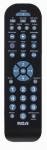
An image of the Audiovox RCR3273R universal remote control, featuring a black casing with various gray and blue buttons for device selection, channel control, volume, and number input.
സജ്ജമാക്കുക
1. ബാറ്ററി ഇൻസ്റ്റാളേഷൻ
- വിദൂര നിയന്ത്രണത്തിന്റെ പിൻഭാഗത്ത് ബാറ്ററി കമ്പാർട്ട്മെന്റ് കവർ തുറക്കുക.
- രണ്ട് (2) AAA ബാറ്ററികൾ ഇടുക, പോസിറ്റീവ് (+) ഉം നെഗറ്റീവ് (-) ടെർമിനലുകളും കമ്പാർട്ടുമെന്റിനുള്ളിലെ അടയാളപ്പെടുത്തലുകളുമായി ശരിയായി വിന്യസിക്കുന്നുണ്ടെന്ന് ഉറപ്പാക്കുക.
- ബാറ്ററി കമ്പാർട്ട്മെൻ്റ് കവർ സുരക്ഷിതമായി അടയ്ക്കുക.
2. നിങ്ങളുടെ ഉപകരണങ്ങൾ പ്രോഗ്രാമിംഗ് ചെയ്യുന്നു
To program the remote control to operate your devices, you will need to enter specific codes. Refer to the code list provided with your remote (if applicable) or search for codes online for your specific device brands. The general programming steps are as follows:
- നിങ്ങൾ പ്രോഗ്രാം ചെയ്യാൻ ആഗ്രഹിക്കുന്ന ഉപകരണം ഓണാക്കുക (ഉദാ: ടിവി, ഡിവിഡി പ്ലെയർ).
- Press and hold the desired device button on the remote (e.g., TV, ഡിവിഡി) for approximately 3 seconds until the indicator light illuminates.
- While holding the device button, enter the 4-digit code for your device brand using the number buttons.
- Release the device button. The indicator light should turn off.
- അമർത്തി റിമോട്ട് പരീക്ഷിക്കുക ശക്തി ബട്ടൺ. ഉപകരണം ഓഫായാൽ, പ്രോഗ്രാമിംഗ് വിജയകരമായിരുന്നു.
- If the device does not respond, repeat the steps using a different code from the list for your brand.
Note: If no code works, some universal remotes offer an auto-search feature. Consult your remote's specific instructions for this advanced programming method.
പ്രവർത്തന നിർദ്ദേശങ്ങൾ
Once programmed, operating your devices with the Audiovox RCR3273R is straightforward:
- ഉപകരണ തിരഞ്ഞെടുപ്പ്: Press the corresponding device button (TV, ഡിവിഡി, VCR/AUX) to select the device you wish to control. The indicator light may briefly flash to confirm selection.
- ശക്തി: അമർത്തുക ശക്തി തിരഞ്ഞെടുത്ത ഉപകരണം ഓൺ അല്ലെങ്കിൽ ഓഫ് ചെയ്യുന്നതിനുള്ള ബട്ടൺ.
- വോളിയം നിയന്ത്രണം: ഉപയോഗിക്കുക VOL+ ഒപ്പം വോൾ- വോളിയം ക്രമീകരിക്കാനുള്ള ബട്ടണുകൾ.
- ചാനൽ നിയന്ത്രണം: ഉപയോഗിക്കുക CH+ ഒപ്പം CH- ചാനലുകൾ മാറ്റാനുള്ള ബട്ടണുകൾ.
- നമ്പർ പാഡ്: Use the number buttons (0-9) to directly enter channel numbers or other numerical inputs.
- നിശബ്ദമാക്കുക: അമർത്തുക നിശബ്ദമാക്കുക button to silence the audio.
- പ്ലേബാക്ക് നിയന്ത്രണങ്ങൾ: പോലുള്ള ബട്ടണുകൾ കളിക്കുക, നിർത്തുക, താൽക്കാലികമായി നിർത്തുക, REW, ഒപ്പം FF control playback functions for devices like DVD players or VCRs.
മെയിൻ്റനൻസ്
- വൃത്തിയാക്കൽ: റിമോട്ട് കൺട്രോൾ വൃത്തിയാക്കാൻ മൃദുവായതും ഉണങ്ങിയതുമായ തുണി ഉപയോഗിക്കുക. ലിക്വിഡ് ക്ലീനറുകളോ ഉരച്ചിലുകളുള്ള വസ്തുക്കളോ ഉപയോഗിക്കരുത്.
- ബാറ്ററി മാറ്റിസ്ഥാപിക്കൽ: Replace batteries when the remote's performance diminishes or if the indicator light does not illuminate during operation. Always replace both batteries at the same time with new AAA batteries.
- സംഭരണം: നേരിട്ടുള്ള സൂര്യപ്രകാശത്തിൽ നിന്നും കടുത്ത താപനിലയിൽ നിന്നും മാറി തണുത്തതും വരണ്ടതുമായ സ്ഥലത്ത് റിമോട്ട് സൂക്ഷിക്കുക.
ട്രബിൾഷൂട്ടിംഗ്
- വിദൂരമായി പ്രവർത്തിക്കുന്നില്ല:
- ബാറ്ററികൾ ശരിയായി ചേർത്തിട്ടുണ്ടോ എന്നും തീർന്നിട്ടില്ലെന്നും പരിശോധിക്കുക. ആവശ്യമെങ്കിൽ മാറ്റിസ്ഥാപിക്കുക.
- Ensure you have selected the correct device button (e.g., TV for your television).
- Verify that the remote is pointed directly at the device's infrared sensor.
- Confirm that the device is powered on.
- Device not responding after programming:
- Re-attempt programming using a different code for your device brand.
- Ensure the device is turned on before starting the programming process.
- ചില ബട്ടണുകൾ പ്രവർത്തിക്കുന്നില്ല:
- This may indicate an incorrect or partially compatible code. Try reprogramming with an alternative code.
സ്പെസിഫിക്കേഷനുകൾ
| ബ്രാൻഡ് | ഓഡിയോവോക്സ് |
| മോഡൽ | RCR3273R |
| കണക്റ്റിവിറ്റി ടെക്നോളജി | ഇൻഫ്രാറെഡ് |
| കൺട്രോളർ തരം | ബട്ടൺ നിയന്ത്രണം |
| പ്രത്യേക ഫീച്ചർ | യൂണിവേഴ്സൽ |
| ബാറ്ററി തരം | AAA (2 ആവശ്യമാണ്) |
വാറൻ്റിയും പിന്തുണയും
For warranty information and technical support, please refer to the documentation included with your purchase or visit the official Audiovox webസൈറ്റ്. ഏതെങ്കിലും വാറന്റി ക്ലെയിമുകൾക്ക് വാങ്ങിയതിന്റെ തെളിവായി നിങ്ങളുടെ വാങ്ങൽ രസീത് സൂക്ഷിക്കുക.