
ആമുഖം
This manual provides essential information for setting up, operating, and maintaining your LaCie Porsche Design 1TB USB-C Mobile Hard Drive. Please read these instructions carefully to ensure optimal performance and longevity of your device.
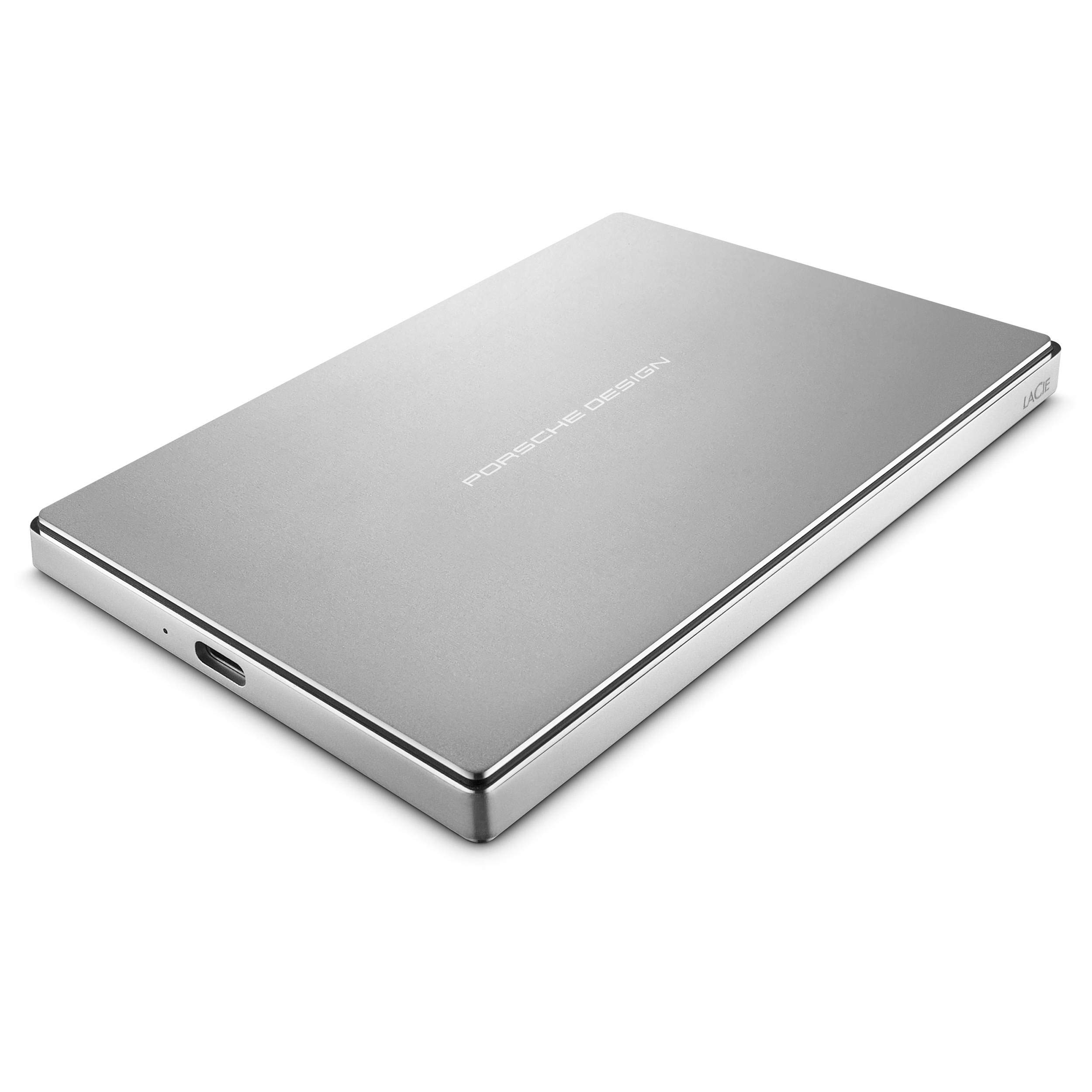
ചിത്രം: മുകളിൽ view of the LaCie Porsche Design Mobile Hard Drive, showcasing അതിന്റെ സ്ലീക്ക് സിൽവർ അലുമിനിയം സിasing with "PORSCHE DESIGN" branding.
ബോക്സിൽ എന്താണുള്ളത്
നിങ്ങളുടെ ഉൽപ്പന്ന പാക്കേജിംഗിൽ എല്ലാ ഇനങ്ങളും ഉണ്ടെന്ന് ഉറപ്പാക്കുക:
- LaCie പോർഷെ ഡിസൈൻ മൊബൈൽ ഡ്രൈവ്
- യുഎസ്ബി-സി കേബിൾ
- USB-C മുതൽ USB-A കേബിൾ വരെ
- ദ്രുത ആരംഭ ഗൈഡ്
സജ്ജമാക്കുക
നിങ്ങളുടെ കമ്പ്യൂട്ടറിലേക്ക് കണക്റ്റുചെയ്യുന്നു
The LaCie Porsche Design Mobile Drive features a versatile USB-C port for connectivity. It includes two cables to ensure compatibility with various computer types.
- For USB-C Compatible Computers (e.g., newer MacBooks):
Use the included USB-C to USB-C cable. Connect one end to the USB-C port on your LaCie drive and the other end to a USB-C port on your computer.

ചിത്രം: ക്ലോസ്-അപ്പ് view of the LaCie Porsche Design Mobile Drive's side, showing the USB-C port and an indicator light.
- For USB-A Compatible Computers (e.g., older Macs or PCs with USB 3.0):
Use the included USB-C to USB-A cable. Connect the USB-C end to your LaCie drive and the USB-A end to a USB 3.0 port on your computer.
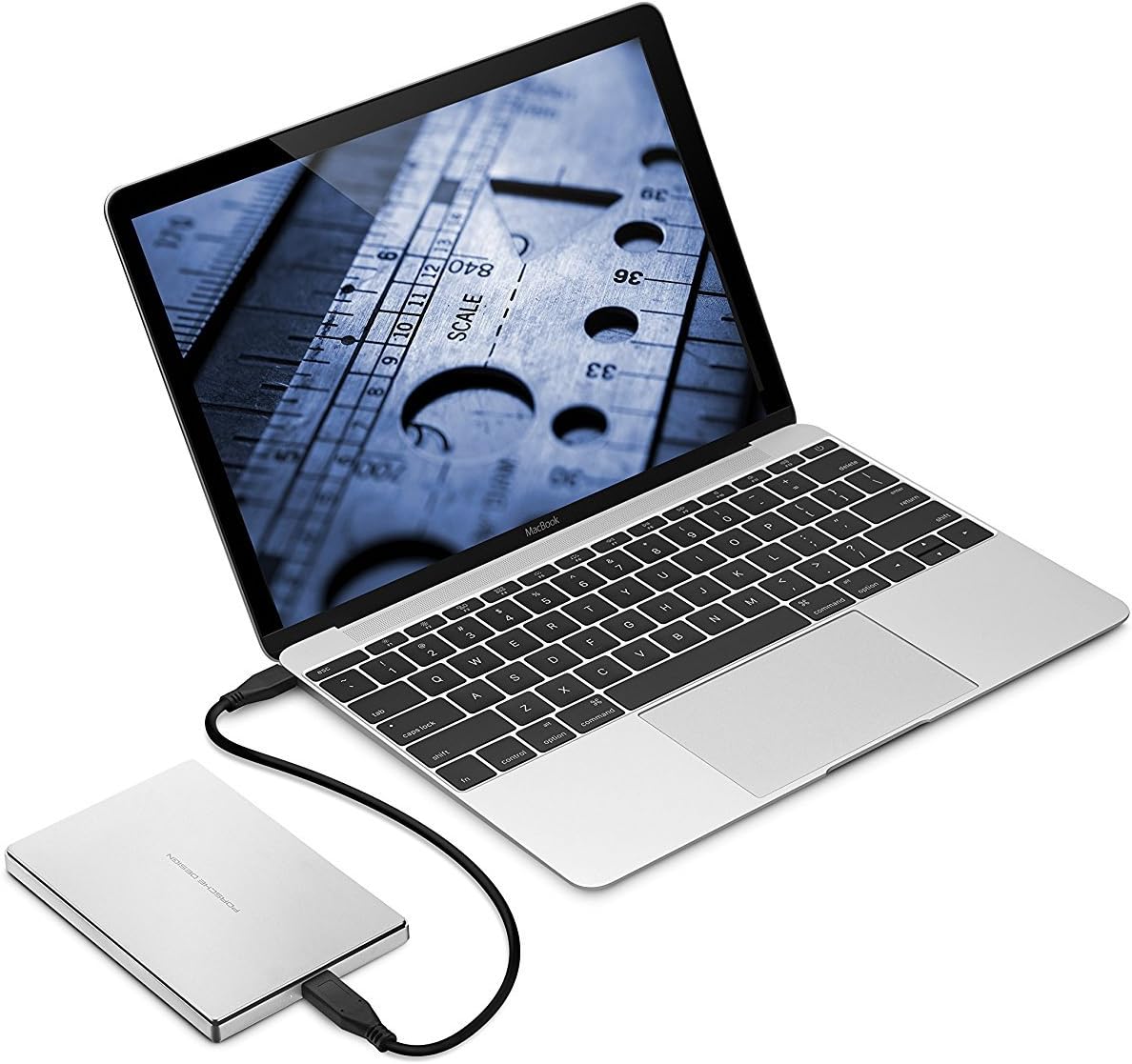
Image: The LaCie Porsche Design Mobile Drive connected to a silver laptop via a USB-A cable, demonstrating connectivity with older ports.
Once connected, the drive should be recognized by your operating system. For initial setup, you may need to format the drive according to your operating system's requirements (e.g., HFS+ for Mac, NTFS for Windows).
ഡ്രൈവ് പ്രവർത്തിപ്പിക്കുന്നു
ഡാറ്റ കൈമാറ്റം
The LaCie Porsche Design Mobile Drive supports USB 3.1 (Gen 1) speeds, offering data transfer rates of up to 5 GB/s. This allows for quick drag-and-drop file transfers and efficient backups.
- വലിച്ചിടുക: ലളിതമായി വലിച്ചിടുക files or folders from your computer to the LaCie drive icon in your file അവ പകർത്താൻ എക്സ്പ്ലോറർ (വിൻഡോസ്) അല്ലെങ്കിൽ ഫൈൻഡർ (മാക്) ഉപയോഗിക്കുക.
- ബാക്കപ്പുകൾ: Utilize your operating system's built-in backup features (e.g., Time Machine for macOS, File History for Windows) or third-party backup software to create regular backups of your important data.
പവർ മാനേജ്മെൻ്റ്
The drive is bus-powered, meaning it draws power directly from the USB connection to your computer. No external power adapter is required.
Video: Official LaCie product overview demonstrating the design and connectivity options of the Porsche Design Desktop and Mobile Drives, including USB-C for next-generation computers and USB 3.0 adapter compatibility. This video highlights the sleek form and refined function of the drives.
മെയിൻ്റനൻസ്
ജനറൽ കെയർ
- വൃത്തിയാക്കൽ: Use a soft, dry cloth to clean the aluminum enclosure. Avoid abrasive cleaners or solvents.
- കൈകാര്യം ചെയ്യൽ: While the all-aluminum enclosure is sturdy, avoid dropping the drive or subjecting it to excessive physical shock, as this can damage internal components.
- താപനില: Operate and store the drive within recommended temperature ranges to prevent damage. Avoid extreme heat or cold.
- സുരക്ഷിതമായി പുറത്താക്കുക: Always safely eject the drive from your operating system before disconnecting the cable to prevent data corruption.
ട്രബിൾഷൂട്ടിംഗ്
Drive Not Recognized or Not Mounting
- കണക്ഷനുകൾ പരിശോധിക്കുക: Ensure the USB cable is securely connected to both the drive and your computer. Try a different USB port or cable if available.
- ശക്തി: Verify that your computer's USB port is providing sufficient power. If using a USB hub, try connecting the drive directly to the computer.
- കമ്പ്യൂട്ടർ പുനരാരംഭിക്കുക: ചിലപ്പോൾ ഒരു ലളിതമായ പുനരാരംഭം കണക്റ്റിവിറ്റി പ്രശ്നങ്ങൾ പരിഹരിക്കും.
- Disk Management (Windows) / Disk Utility (Mac):
- വിൻഡോസ്: Open Disk Management (right-click Start, select Disk Management). Check if the drive appears there. If it does, it might need to be initialized or assigned a drive letter.
- മാക്: Open Disk Utility (Applications > Utilities > Disk Utility). Check if the drive appears. If it does, you may need to format it or run First Aid to repair it. Note that some users have reported needing to use Terminal commands for specific formatting on Mac for full compatibility and encryption.
- ഡ്രൈവർ അപ്ഡേറ്റുകൾ: നിങ്ങളുടെ കമ്പ്യൂട്ടറിന്റെ USB ഡ്രൈവറുകൾ കാലികമാണെന്ന് ഉറപ്പാക്കുക.
മന്ദഗതിയിലുള്ള പ്രകടനം
- USB 3.0/3.1 Port: Ensure the drive is connected to a USB 3.0 or USB-C port on your computer for optimal speeds. Connecting to a USB 2.0 port will result in significantly slower transfer rates.
- കേബിൾ നിലവാരം: Use the provided LaCie cables. Damaged or low-quality cables can affect performance.
- പശ്ചാത്തല പ്രക്രിയകൾ: Close any unnecessary applications or background processes that might be consuming system resources during data transfer.
സ്പെസിഫിക്കേഷനുകൾ
| മോഡൽ നമ്പർ | STFD1000400 |
| ശേഷി | 1 ടി.ബി |
| ഇൻ്റർഫേസ് | USB-C (USB 3.1 Gen 1 compatible) |
| പരമാവധി ട്രാൻസ്ഫർ വേഗത | 5 GB/s വരെ |
| അളവുകൾ (LxWxH) | 0.39 x 3.31 x 5.04 ഇഞ്ച് |
| ഭാരം | 6.7 ഔൺസ് |
| നിറം | വെള്ളി |
| ഹാർഡ്വെയർ പ്ലാറ്റ്ഫോം | മാക്, പിസി |
| ഓപ്പറേറ്റിംഗ് സിസ്റ്റം അനുയോജ്യത | Mac OS X 10.5 and later / Windows 7 and later |
| Minimum Free Disk Space | 600 MB recommended |
വാറൻ്റിയും പിന്തുണയും
വാറൻ്റി വിവരങ്ങൾ
For detailed warranty information, please refer to the warranty card included with your product or visit the official LaCie webസൈറ്റ്. വാറന്റി ക്ലെയിമുകൾക്കായി നിങ്ങളുടെ വാങ്ങലിന്റെ തെളിവ് സൂക്ഷിക്കുക.
സാങ്കേതിക സഹായം
If you encounter issues not covered in this manual or require further assistance, please contact LaCie customer support. You can find contact information and additional resources on the official LaCie webസൈറ്റ്: www.lacie.com.