
1. ആമുഖം
The Yamaha MusicCast WX-010 Wireless Speaker is designed to provide high-quality audio throughout your home. This compact, space-saving speaker integrates seamlessly with your existing Wi-Fi network, allowing for wireless music streaming. It can function as a standalone unit or be integrated into a larger MusicCast multi-room audio system. This manual provides essential information for setting up, operating, and maintaining your WX-010 speaker to ensure optimal performance and enjoyment.
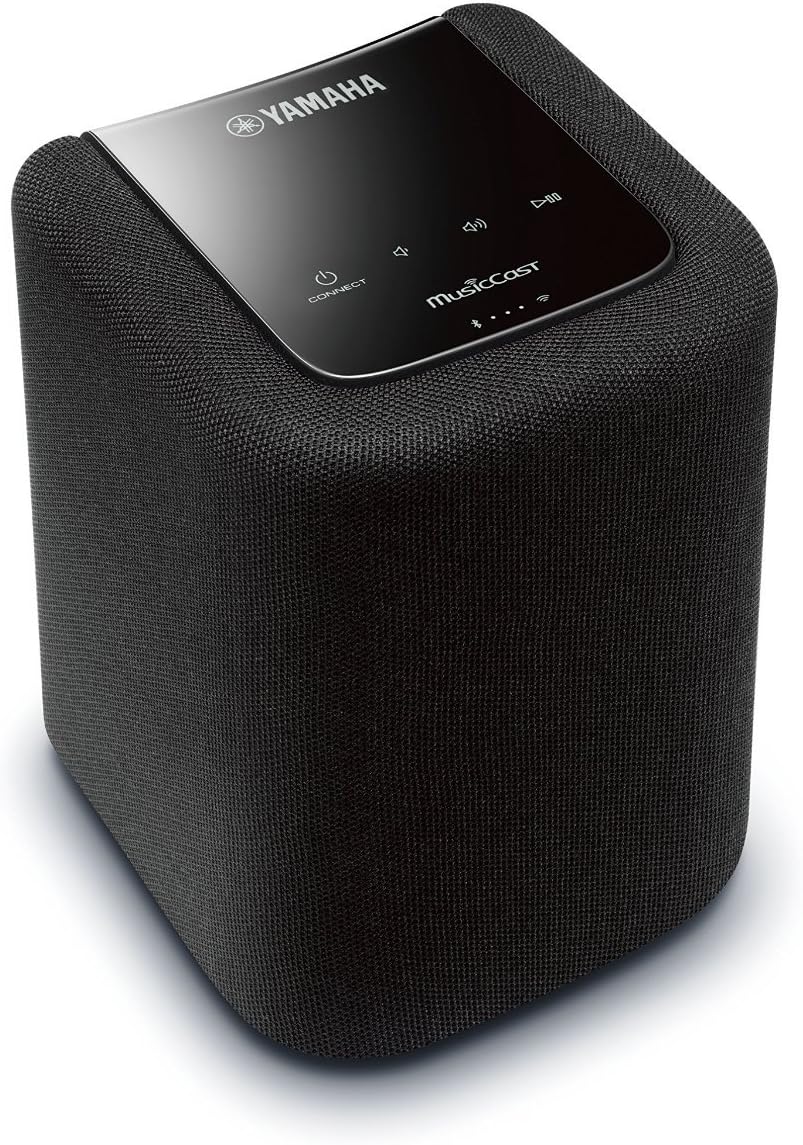
ചിത്രം 1.1: ഫ്രണ്ട് view of the Yamaha MusicCast WX-010 Wireless Speaker.
2. ബോക്സിൽ എന്താണുള്ളത്?
Upon unpacking your Yamaha MusicCast WX-010, please verify that all the following items are included:
- Wireless Speaker (WX-010)
- റിമോട്ട് കൺട്രോൾ
- ഉപയോക്തൃ മാനുവൽ (ഈ പ്രമാണം)
- രജിസ്ട്രേഷൻ കാർഡ്
- MusicCast Brochure
- Power Cable (10-ft)
3. സജ്ജീകരണം
3.1 പവർ കണക്ഷൻ
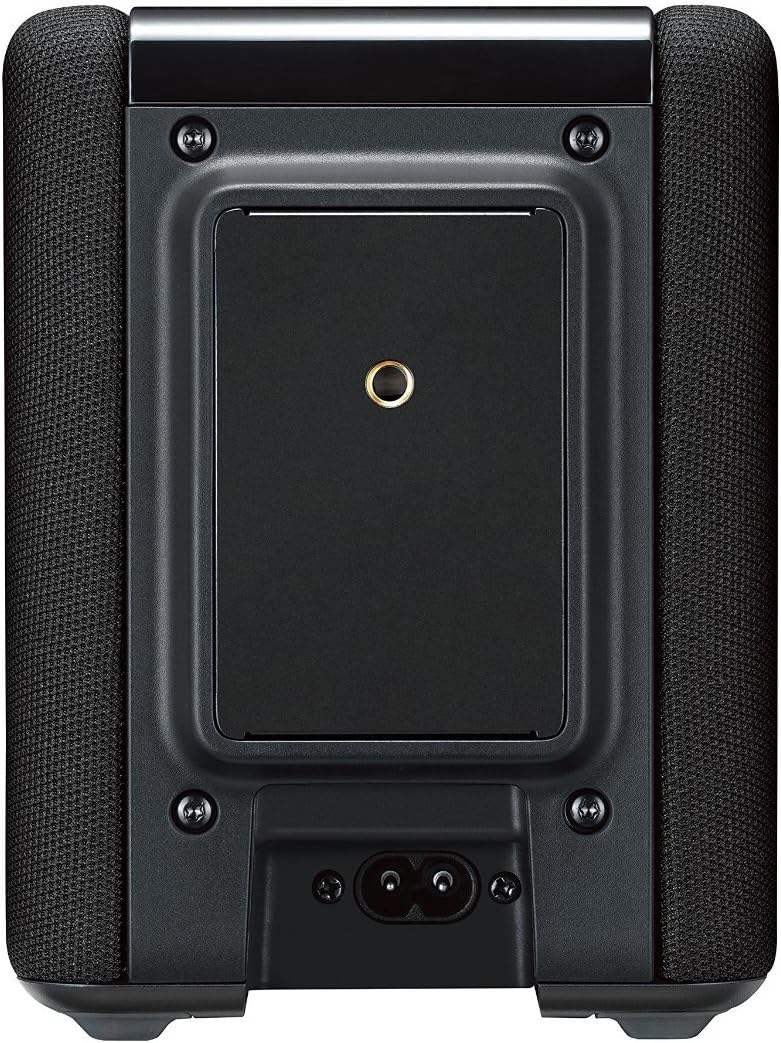
Connect the provided 10-ft AC power cable to the power inlet on the rear of the WX-010 speaker and then to a standard AC power outlet. Ensure the connection is secure.

ചിത്രം 3.1: പിൻഭാഗം view of the WX-010 with power connection point.
3.2 Network Setup with MusicCast App
The WX-010 speaker requires the Yamaha MusicCast CONTROLLER app for initial setup and control. This app is available for both Apple iOS and Android devices.
- Download the MusicCast CONTROLLER app from the App Store (iOS) or Google Play Store (Android).
- Ensure your mobile device is connected to the Wi-Fi network you intend to use for the speaker.
- Open the MusicCast CONTROLLER app and follow the on-screen instructions to add a new device.
- The app will guide you through connecting the WX-010 to your home Wi-Fi network.
For a visual guide on setting up and using your MusicCast speaker, please refer to the video below:
വീഡിയോ 3.1: കഴിഞ്ഞുview of Yamaha MusicCast WX-010 setup and multi-room functionality. This video demonstrates the ease of connecting the speaker to your home network and integrating it into a MusicCast system.
4. പ്രവർത്തന നിർദ്ദേശങ്ങൾ
4.1 അടിസ്ഥാന നിയന്ത്രണങ്ങൾ
The WX-010 features intuitive controls located on its top panel for quick access to essential functions.
ചിത്രം 4.1: Top panel controls of the WX-010 speaker.
- പവർ ബട്ടൺ: സ്പീക്കർ ഓണാക്കാനോ ഓഫാക്കാനോ അമർത്തുക.
- കണക്ട് ബട്ടൺ: Used for network setup and linking with other MusicCast devices.
- വോളിയം കൂട്ടുക/താഴ്ത്തുക: പ്ലേബാക്ക് വോളിയം ക്രമീകരിക്കുന്നു.
- പ്ലേ/താൽക്കാലികമായി നിർത്തുക: മീഡിയ പ്ലേബാക്ക് നിയന്ത്രിക്കുന്നു.
4.2 MusicCast App Control
The MusicCast CONTROLLER app provides comprehensive control over your WX-010 speaker and any other MusicCast-enabled devices in your home.
- മുറി തിരഞ്ഞെടുക്കൽ: Easily select individual rooms or groups of rooms to play music.
- ഉറവിട തിരഞ്ഞെടുപ്പ്: Choose from various sources including streaming services (Spotify, Pandora, Rhapsody, SiriusXM), network music libraries, or connected devices via Bluetooth/AirPlay.
- മൾട്ടി-റൂം ഓഡിയോ: Link multiple MusicCast devices to play the same music simultaneously across different rooms, or play different music in each room.
- സ്റ്റീരിയോ ജോടിയാക്കൽ: Use two WX-010 speakers in stereo mode for a wider soundstage and enhanced audio experience. This is configured within the MusicCast app.
4.3 Bluetooth and AirPlay
The WX-010 supports Bluetooth and AirPlay for direct streaming from compatible mobile devices or computers.
- ബ്ലൂടൂത്ത് ജോടിയാക്കൽ: Activate Bluetooth on your mobile device and select "WX-010" from the list of available devices.
- എയർപ്ലേ: For Apple devices, select the WX-010 as an AirPlay speaker from your device's audio output options.
5 പ്രധാന സവിശേഷതകൾ
The Yamaha MusicCast WX-010 Wireless Speaker offers a range of features designed to enhance your audio experience:
- ശബ്ദ നിയന്ത്രണ അനുയോജ്യത: Works with Amazon Alexa for convenient voice control (Alexa device sold separately).
- ഒതുക്കമുള്ളതും വൈവിധ്യമാർന്നതുമായ ഡിസൈൻ: Its space-saving design allows it to fit seamlessly into any room in your home.
- Extensive Music Access: Provides access to your personal music library, popular streaming services like Pandora, Spotify, Rhapsody, and more.
- ഒന്നിലധികം കണക്റ്റിവിറ്റി ഓപ്ഷനുകൾ: Features Wi-Fi, Bluetooth, AirPlay, and Spotify Connect for flexible audio streaming.
- MusicCast മൾട്ടി-റൂം ഓഡിയോ: Create a whole-home audio system with other MusicCast products, all controlled via a free app for Apple iOS and Android devices.
- ഉയർന്ന നിലവാരമുള്ള ശബ്ദം: Equipped with a two-way speaker design and passive radiator enhancement for deep, rich bass and clear audio.
- സ്റ്റീരിയോ ജോടിയാക്കൽ: Combine two WX-010 units to function as a stereo pair, delivering a more expansive and immersive soundstage.

ചിത്രം 5.1: The WX-010's compact design allows for flexible placement in various home environments.
6 സ്പെസിഫിക്കേഷനുകൾ
| ഫീച്ചർ | സ്പെസിഫിക്കേഷൻ |
|---|---|
| ബ്രാൻഡ് | യമഹ |
| മോഡലിൻ്റെ പേര് | MusicCast WX-010 |
| മോഡൽ നമ്പർ | WX-010BL |
| സ്പീക്കർ പരമാവധി ഔട്ട്പുട്ട് പവർ | 25 വാട്ട്സ് |
| കണക്റ്റിവിറ്റി ടെക്നോളജി | ബ്ലൂടൂത്ത്, വൈഫൈ |
| ഓഡിയോ put ട്ട്പുട്ട് മോഡ് | സ്റ്റീരിയോ |
| മൗണ്ടിംഗ് തരം | ടേബിൾടോപ്പ് മൗണ്ട് |
| സ്പീക്കർ തരം | ചുറ്റുക |
| കൺട്രോളർ തരം | ആമസോൺ അലക്സ, ആൻഡ്രോയിഡ്, ഐഒഎസ് |
| നിറം | കറുപ്പ് |
| നിയന്ത്രണ രീതി | ശബ്ദം |
| ഓഡിയോ ചാനലുകളുടെ എണ്ണം | 2.0 |
| ഇനത്തിൻ്റെ ഭാരം | 3 പൗണ്ട് |
| പവർ ഉറവിടം | AC |
| അനുയോജ്യമായ ഉപകരണങ്ങൾ | ഹോം തിയേറ്റർ, ലാപ്ടോപ്പ്, സ്മാർട്ട്ഫോൺ, ടാബ്ലെറ്റ്, ടെലിവിഷൻ |
| യു.പി.സി | 027108954653 |
7. പരിപാലനം
To ensure the longevity and optimal performance of your Yamaha MusicCast WX-010 speaker, follow these simple maintenance guidelines:
- വൃത്തിയാക്കൽ: Gently wipe the exterior of the speaker with a soft, dry cloth. Avoid using abrasive cleaners, waxes, or solvents as they may damage the finish.
- പ്ലേസ്മെൻ്റ്: Place the speaker on a stable, level surface away from direct sunlight, heat sources, and excessive moisture. Ensure adequate ventilation around the unit.
- ശക്തി: Disconnect the power cable from the wall outlet if the speaker will not be used for an extended period.
8. പ്രശ്നപരിഹാരം
If you encounter issues with your WX-010 speaker, refer to the following common troubleshooting steps:
- ശക്തിയില്ല:
- Ensure the power cable is securely connected to both the speaker and a working AC outlet.
- മറ്റൊരു ഉപകരണം പ്ലഗ് ഇൻ ചെയ്ത് പവർ ഔട്ട്ലെറ്റ് പ്രവർത്തനക്ഷമമാണെന്ന് ഉറപ്പാക്കുക.
- ശബ്ദമില്ല:
- Check the volume level on both the speaker and your source device (e.g., smartphone, MusicCast app).
- Confirm the correct input source is selected in the MusicCast app.
- Ensure the speaker is properly connected to your Wi-Fi network.
- Wi-Fi-ലേക്ക് കണക്റ്റുചെയ്യാൻ കഴിയില്ല:
- Restart your Wi-Fi router and the WX-010 speaker.
- Ensure your mobile device is connected to the same Wi-Fi network you are trying to connect the speaker to.
- Try repeating the network setup process via the MusicCast app.
- Move the speaker closer to your Wi-Fi router to rule out signal strength issues.
- Music Stuttering/Dropping Out:
- Check your Wi-Fi network's stability and signal strength.
- Reduce the distance between the speaker and your Wi-Fi router.
- മറ്റ് വയർലെസ് ഉപകരണങ്ങളിൽ നിന്നുള്ള ഇടപെടൽ കുറയ്ക്കുക.
- Ensure your internet connection is stable if streaming from online services.
- MusicCast App Issues:
- ഏറ്റവും പുതിയ പതിപ്പിലേക്ക് ആപ്പ് അപ്ഡേറ്റ് ചെയ്തിട്ടുണ്ടെന്ന് ഉറപ്പാക്കുക.
- ആപ്പ് അല്ലെങ്കിൽ നിങ്ങളുടെ മൊബൈൽ ഉപകരണം പുനരാരംഭിക്കുക.
- If issues persist, try reinstalling the MusicCast app.
For more detailed troubleshooting, please refer to the comprehensive user manual provided with your product or visit the official Yamaha support webസൈറ്റ്.
9. വാറൻ്റിയും പിന്തുണയും
The Yamaha MusicCast WX-010 Wireless Speaker comes with a Limited Manufacturer's Warranty. Please refer to the registration card and the detailed warranty information included in your product packaging for specific terms and conditions.
For technical support, service, or additional product information, please visit the official Yamaha website or contact Yamaha customer service. Keep your proof of purchase for warranty claims.
ഓൺലൈൻ പിന്തുണ: www.yamaha.com/support/