
Angelbird WMX2-2TB
Angelbird Wings MX2 SSD PCIe User Manual
Model: WMX2-2TB
ആമുഖം
The Angelbird Wings MX2 SSD PCIe is a high-performance internal solid-state drive designed for professional creative environments. This manual provides comprehensive instructions for the installation, operation, and maintenance of your Wings MX2 SSD, ensuring optimal performance and longevity. It is compatible with both Mac and PC systems, offering impressive transfer speeds and robust construction.

This image shows the Angelbird Wings MX2 SSD PCIe card from a front-facing angle, highlighting its blue heatsink and the PCIe connector. The card is designed for internal installation in compatible computer systems.
സജ്ജീകരണവും ഇൻസ്റ്റാളേഷനും
The Wings MX2 SSD is designed for easy installation into a compatible PCIe slot. Ensure your system is powered off and unplugged before beginning the installation process.
സിസ്റ്റം ആവശ്യകതകൾ:
- Available PCIe Gen2 x2 slot (backwards compatible with PCIe Gen1 x2)
- Full-height and half-length PCB compatibility
- Operating System: macOS, Windows, Linux
ഇൻസ്റ്റലേഷൻ ഘട്ടങ്ങൾ:
- നിങ്ങളുടെ സിസ്റ്റം തയ്യാറാക്കുക: Power down your computer completely and disconnect all power cables.
- കമ്പ്യൂട്ടർ കേസ് തുറക്കുക: Carefully open your computer's case to access the motherboard and PCIe slots.
- PCIe സ്ലോട്ട് കണ്ടെത്തുക: Identify an available PCIe Gen2 x2 slot. Refer to your computer's motherboard manual if unsure.
- SSD ഇടുക: Align the Angelbird Wings MX2 SSD PCIe card with the chosen PCIe slot. Gently but firmly push the card into the slot until it is fully seated. Ensure the retention clip or screw secures the card in place.
- കെയ്സ് അടച്ച് പവർ ഓണാക്കുക: Close your computer's case and reconnect all power cables. Power on your computer.
- ഡ്രൈവറില്ലാ പ്രവർത്തനം: The Wings MX2 SSD supports driverless operation and can boot from BIOS, EFI, or UEFI. No additional driver installation is typically required.

ഈ ചിത്രം ഒരു കോണീയത നൽകുന്നു view of the Angelbird Wings MX2 SSD PCIe card, showing the blue heatsink and the gold-plated PCIe contacts. This perspective helps in understanding the card's orientation for installation.
പ്രവർത്തന നിർദ്ദേശങ്ങൾ
Once installed, the Angelbird Wings MX2 SSD PCIe functions as a high-speed storage device. It can be used for operating system installation, application storage, or as a dedicated drive for demanding creative workflows.
Initial Setup (New Drive):
- Disk Initialization: For a new drive, you may need to initialize and format it through your operating system's Disk Management (Windows) or Disk Utility (macOS) before it can be used.
- Partitioning: Create one or more partitions as needed for your storage requirements.
- ഫോർമാറ്റിംഗ്: Format the partitions with a suitable file സിസ്റ്റം (ഉദാ: വിൻഡോസിനുള്ള NTFS, macOS-ന് APFS/HFS+, Linux-ന് Ext4).
പ്രകടനം:
The Wings MX2 SSD offers exceptional performance:
- Sustained Read Speed: Up to 890 MB/s
- Sustained Write Speed: Up to 800 MB/s
These speeds are ideal for tasks such as 4K video editing, large file transfers, and rapid application loading.
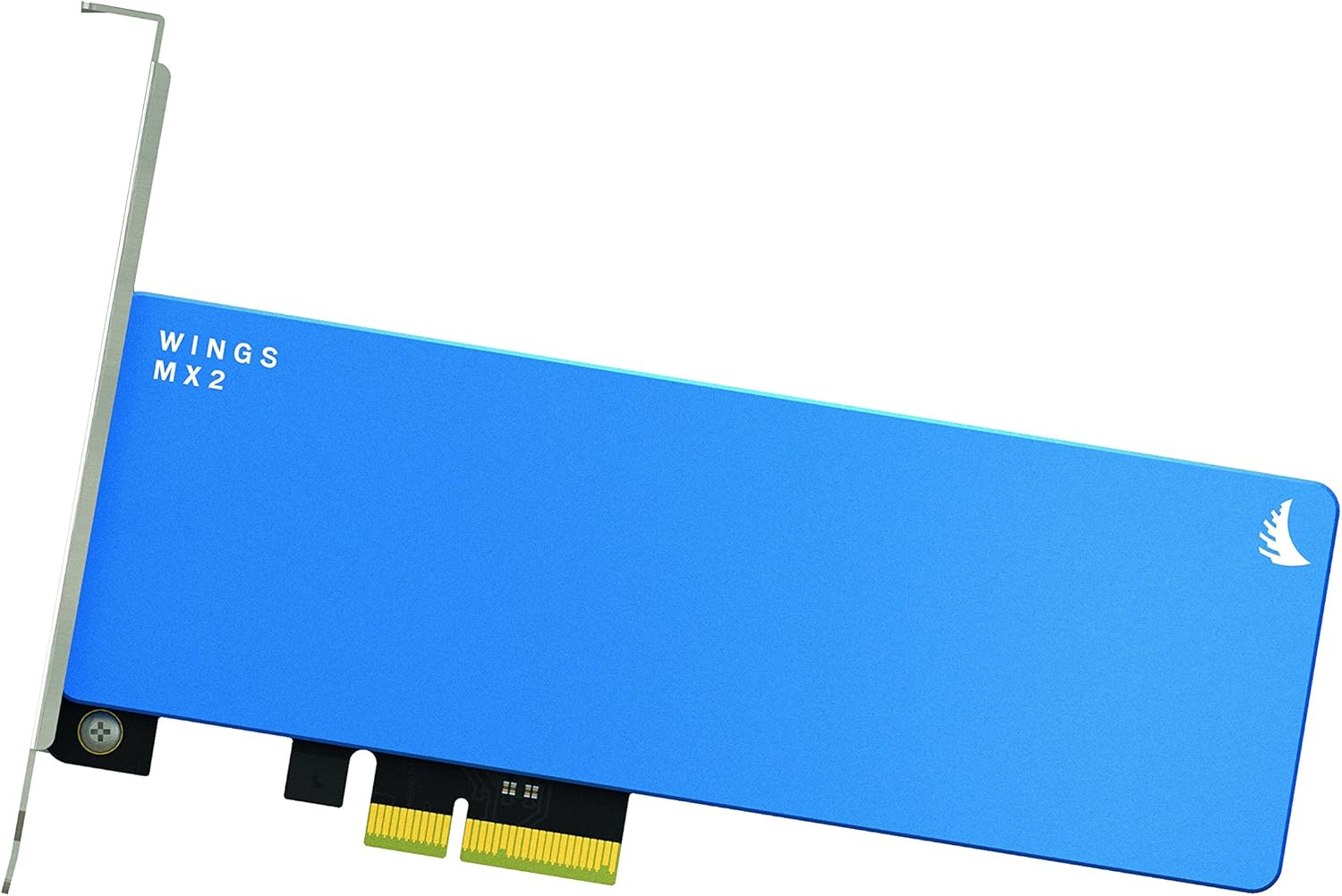
This image displays the Angelbird Wings MX2 SSD PCIe card from a top-down perspective, emphasizing its compact form factor and the "WINGS MX2" branding on the blue heatsink. This view highlights the overall design and size of the card.
മെയിൻ്റനൻസ്
പരമ്പരാഗത ഹാർഡ് ഡ്രൈവുകളെ അപേക്ഷിച്ച് സോളിഡ് സ്റ്റേറ്റ് ഡ്രൈവുകൾക്ക് സാധാരണയായി കുറഞ്ഞ അറ്റകുറ്റപ്പണികൾ മാത്രമേ ആവശ്യമുള്ളൂ. എന്നിരുന്നാലും, ഈ മാർഗ്ഗനിർദ്ദേശങ്ങൾ പാലിക്കുന്നത് ഒപ്റ്റിമൽ പ്രകടനവും ദീർഘായുസ്സും ഉറപ്പാക്കാൻ സഹായിക്കും:
- TRIM പിന്തുണ: Ensure your operating system has TRIM enabled. TRIM helps maintain the performance of the SSD over time by allowing the operating system to inform the SSD which data blocks are no longer in use and can be wiped.
- ഫേംവെയർ അപ്ഡേറ്റുകൾ: Periodically check the Angelbird website for any available firmware updates for your Wings MX2 SSD. Firmware updates can improve performance, stability, and compatibility.
- സിസ്റ്റം തണുപ്പിക്കുക: Ensure adequate airflow within your computer case to prevent excessive heat buildup, which can affect SSD performance and lifespan. The integrated CNC machined aluminum heatsink provides optimal thermal dissipation.
- ശാരീരിക ആഘാതം ഒഴിവാക്കുക: While SSDs are more resilient than HDDs, avoid unnecessary physical shock or impact to your computer.

ഈ ചിത്രം ഒരു വശം കാണിക്കുന്നു view of the Angelbird Wings MX2 SSD PCIe card, focusing on the PCIe connector and other components. This view is useful for understanding how the card interfaces with the motherboard.
ട്രബിൾഷൂട്ടിംഗ്
If you encounter issues with your Angelbird Wings MX2 SSD PCIe, refer to the following common troubleshooting steps:
| പ്രശ്നം | സാധ്യമായ കാരണം | പരിഹാരം |
|---|---|---|
| സിസ്റ്റം SSD കണ്ടെത്തിയില്ല. |
|
|
| മന്ദഗതിയിലുള്ള പ്രകടനം. |
|
|
| System fails to boot. |
|
|

ഈ ചിത്രം ഒരു ക്ലോസ്-അപ്പ് നൽകുന്നു view of the Angelbird Wings MX2 SSD PCIe card's blue heatsink, highlighting the "WINGS MX2" text and the Angelbird logo. This detail emphasizes the quality of the thermal management design.
സ്പെസിഫിക്കേഷനുകൾ
| ഫീച്ചർ | വിശദാംശങ്ങൾ |
|---|---|
| ടൈപ്പ് ചെയ്യുക | SSD PCIe Gen2 x2 |
| ശേഷി | 2TB (also available in 512GB, 1TB) |
| കണക്റ്റിവിറ്റി | PCIe Gen2 x2; backwards compatible with PCIe Gen1 x2 |
| ഫോം ഫാക്ടർ | Full-height and half-length PCB |
| അളവുകൾ (L x W) | 179 x 120 മിമി (7.05 x 4.72 ഇഞ്ച്) |
| ഭാരം | ~150g / ~5.28oz |
| Read Speed (Sustained) | 890 MB/s വരെ |
| Write Speed (Sustained) | 800 MB/s വരെ |
| പ്രവർത്തന താപനില | 0 ° C ~ +70. C. |
| -40 °C ~ +85 °C | സംഭരണ താപനില |
| MTBF (പരാജയങ്ങൾക്കിടയിലുള്ള ശരാശരി സമയം) | 2,000,000 മണിക്കൂർ |
| ഫീച്ചറുകൾ | Driverless Operation, Boot BIOS/EFI/UEFI, Full Signal Integrity, EMI&HF Shielding, MAC/WINDOWS/LINUX Support, TRIM, White LED Backlight, Power Stabilization, Optimal Thermal Dissipation (Copper, CNC Machined Aluminum Heatsink) |
| സർട്ടിഫിക്കേഷനുകൾ | RoHS compliant, CE, FCC |
വാറൻ്റിയും പിന്തുണയും
The Angelbird Wings MX2 SSD PCIe comes with a 3 വർഷത്തെ പരിമിത വാറൻ്റി. സാധാരണ ഉപയോഗത്തിലുള്ള മെറ്റീരിയലുകളിലെയും ജോലികളിലെയും വൈകല്യങ്ങൾ ഈ വാറന്റി ഉൾക്കൊള്ളുന്നു.
വാറന്റി ക്ലെയിം ചെയ്യുന്നു:
To claim warranty service, please retain your proof of purchase and contact Angelbird customer support through their official website. An activation code for full limited warranty and additional free licenses/software content is included with your product.
സാങ്കേതിക സഹായം:
For technical assistance, troubleshooting, or general inquiries, please visit the official Angelbird website for support resources, FAQs, and contact information. You can also refer to the Angelbird Store on Amazon കൂടുതൽ ഉൽപ്പന്ന വിവരങ്ങൾക്ക്.
Ask a question about this manual
Ask about setup, troubleshooting, compatibility, parts, safety, or missing instructions. Manuals+ will review the question and use this page’s manual context to help answer it.