
ProForm PFEX01215
ProForm Le Tour De France Upright Exercise Bike User Manual
Model: PFEX01215
1. ആമുഖം
This manual provides essential information for the safe and effective use of your ProForm Le Tour De France Upright Exercise Bike, Model PFEX01215. Please read all instructions carefully before assembly and operation. Retain this manual for future reference.
സുരക്ഷാ വിവരങ്ങൾ:
- ഏതെങ്കിലും വ്യായാമ പരിപാടി ആരംഭിക്കുന്നതിന് മുമ്പ് ഒരു ഡോക്ടറെ സമീപിക്കുക.
- കുട്ടികളെയും വളർത്തുമൃഗങ്ങളെയും ഉപകരണങ്ങളിൽ നിന്ന് അകറ്റി നിർത്തുക.
- Place the exercise bike on a level surface.
- ഓരോ ഉപയോഗത്തിനും മുമ്പ് എല്ലാ ഭാഗങ്ങളും സുരക്ഷിതമായി മുറുകിയതാണെന്ന് ഉറപ്പാക്കുക.
- പരമാവധി ഉപയോക്തൃ ഭാരം: 250 പൗണ്ട് (113.4 കി.ഗ്രാം).
2. സജ്ജീകരണവും അസംബ്ലിയും
Unpack all components and ensure all parts are present. Refer to the included assembly guide for detailed step-by-step instructions. Basic assembly typically involves attaching the stabilizers, pedals, seat, handlebars, and console.

ചിത്രം 2.1: Fully assembled ProForm Le Tour De France Upright Exercise Bike. This image shows the complete bike from a front-side angle, highlighting the console, handlebars, seat, pedals, and the distinctive "Le Tour De France" branding on the flywheel.
2.1 Stabilizer Installation
Attach the front and rear stabilizers to the main frame using the provided bolts and washers. Ensure they are firmly secured to prevent wobbling during use.
2.2 Pedal Attachment
The pedals are marked 'L' for left and 'R' for right. Attach the left pedal by turning it counter-clockwise and the right pedal by turning it clockwise into the crank arms. Tighten securely with a wrench.
2.3 Seat and Handlebar Adjustment
Adjust the seat height and handlebar position to ensure a comfortable and ergonomic riding posture. The seat features an adjustable post for vertical positioning, and the handlebars can be adjusted for angle.

ചിത്രം 2.2: A user adjusting the seat height of the exercise bike. This image illustrates the process of loosening and tightening the knob to set the seat to the desired vertical position.

ചിത്രം 2.3: A user adjusting the handlebar angle on the exercise bike. This image shows how to manipulate the adjustment mechanism to find a comfortable handlebar position.
3. പ്രവർത്തന നിർദ്ദേശങ്ങൾ
3.1 കൺസോൾ ഓവർview
The console displays key workout metrics such as time, distance, speed, calories, and resistance level. Familiarize yourself with the buttons and display functions.

ചിത്രം 3.1: വിശദമായി view of the exercise bike's console. This image highlights the digital display, control buttons for incline, gears, and various workout modes, and the iFit branding.
3.2 ഒരു വ്യായാമം ആരംഭിക്കൽ
- Sit on the bike and place your feet securely in the pedal straps.
- Press any button on the console to activate it.
- Select a workout program or begin in manual mode.
- Adjust resistance using the '+' and '-' buttons on the console.
3.3 Resistance System
The bike utilizes a magnetic resistance system for smooth and quiet operation. Resistance levels can be adjusted electronically via the console, simulating various terrains and inclines.

ചിത്രം 3.2: Close-up of the SMR (Silent Magnetic Resistance) system. This image focuses on the flywheel and the resistance mechanism, showing the "SMR" branding.
3.4 iFit Connectivity
This exercise bike is iFit compatible. Connect your device to access interactive workouts, global routes powered by Google Maps, and personalized training programs. Refer to the iFit manual or webവിശദമായ സജ്ജീകരണ നിർദ്ദേശങ്ങൾക്കുള്ള സൈറ്റ്.
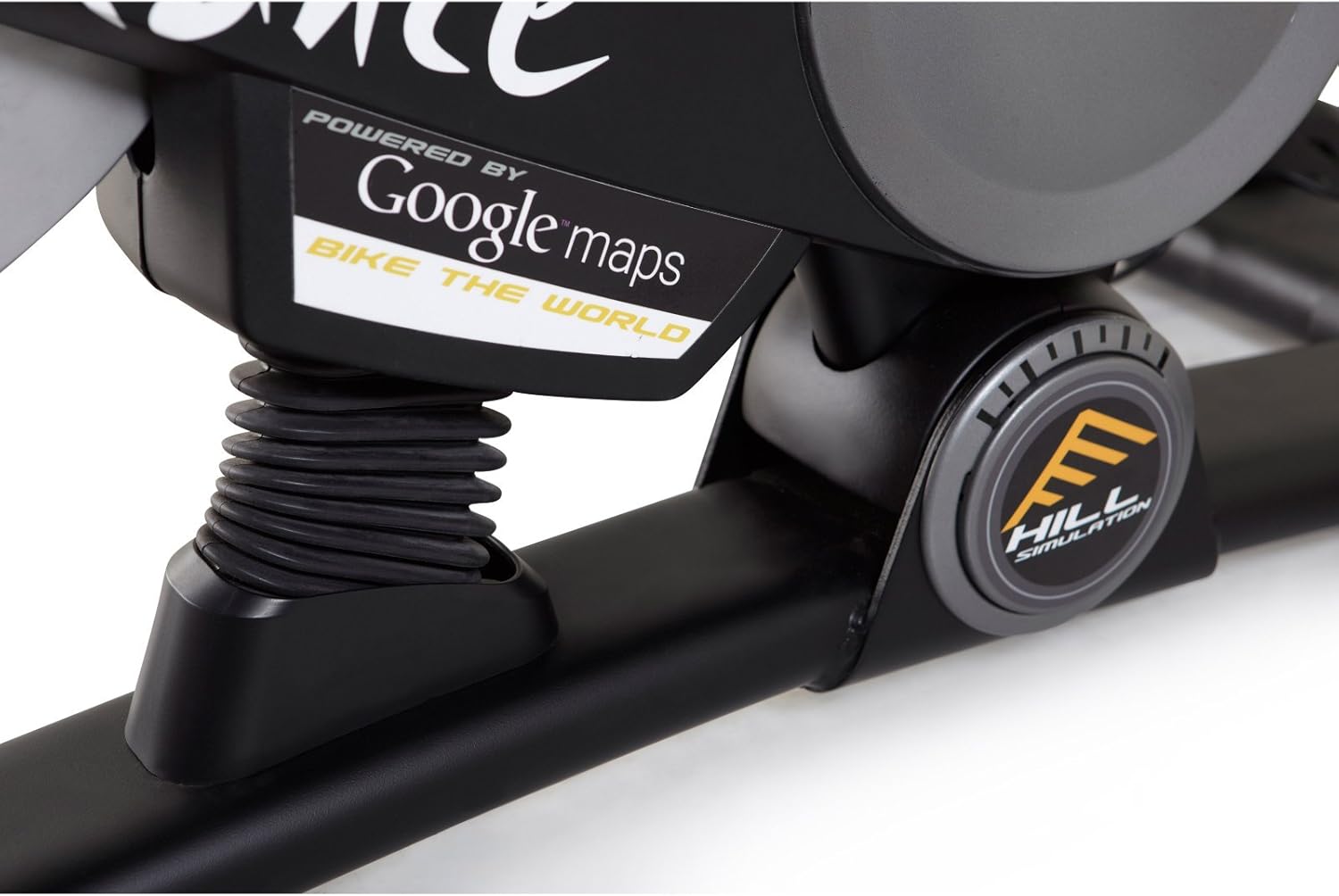
ചിത്രം 3.3: Branding indicating "Powered by Google Maps" on the exercise bike's frame. This highlights the bike's integration with iFit for virtual routes.
4. പരിപാലനം
Regular maintenance ensures the longevity and optimal performance of your exercise bike.
- വൃത്തിയാക്കൽ: പരസ്യം ഉപയോഗിച്ച് ഓരോ ഉപയോഗത്തിനു ശേഷവും ബൈക്ക് തുടയ്ക്കുക.amp വിയർപ്പും പൊടിയും നീക്കം ചെയ്യാൻ തുണി ഉപയോഗിക്കുക. ഉരച്ചിലുകൾ ഉള്ള ക്ലീനറുകൾ ഒഴിവാക്കുക.
- പരിശോധന: Periodically check all bolts and nuts for tightness. Tighten any loose fasteners.
- ലൂബ്രിക്കേഷൻ: No lubrication is required for the magnetic resistance system.
- സംഭരണം: Store the bike in a dry, cool environment away from direct sunlight and moisture.
5. പ്രശ്നപരിഹാരം
| പ്രശ്നം | സാധ്യമായ കാരണം | പരിഹാരം |
|---|---|---|
| Console not powering on | ബാറ്ററികൾ ഡെഡ് അല്ലെങ്കിൽ തെറ്റായി ഇൻസ്റ്റാൾ ചെയ്തു. | ബാറ്ററികൾ മാറ്റിസ്ഥാപിക്കുക അല്ലെങ്കിൽ ശരിയായ പോളാരിറ്റി ഉറപ്പാക്കുക. |
| ഉപയോഗ സമയത്ത് അസ്ഥിരമാണ് | Stabilizer feet not adjusted or loose bolts. | Adjust the leveling feet on the stabilizers. Tighten all assembly bolts. |
| പ്രതിരോധം മാറുന്നില്ല | Console connection issue or internal fault. | Check console cables. If problem persists, contact customer support. |
| Pedals making noise | Loose pedals or crank arms. | Ensure pedals are tightly screwed into crank arms. |
6 സ്പെസിഫിക്കേഷനുകൾ
| ഫീച്ചർ | വിശദാംശങ്ങൾ |
|---|---|
| മോഡൽ നമ്പർ | PFEX01215 |
| അളവുകൾ (L x W x H) | 136.4 cm x 62.7 cm x 135.1 cm (53.7 in x 24.7 in x 53.2 in) |
| അസംബിൾ ചെയ്ത ഉൽപ്പന്ന ഭാരം | 54.4 കി.ഗ്രാം (120 പൗണ്ട്) |
| പരമാവധി ഉപയോക്തൃ ഭാരം | 113.4 കി.ഗ്രാം (250 പൗണ്ട്) |
| പ്രതിരോധ സംവിധാനം | Magnetic (SMR™ Silent Magnetic Resistance) |
| ഡിസ്പ്ലേ തരം | എൽസിഡി |
| പവർ ഉറവിടം | ബാറ്ററി പവർ |
| പ്രത്യേക സവിശേഷതകൾ | Adjustable Seat, iFit Compatible, Google Maps Integration |
7. വാറൻ്റി വിവരങ്ങൾ
ProForm products are manufactured with high-quality materials and craftsmanship. For specific warranty details regarding your ProForm Le Tour De France Upright Exercise Bike, please refer to the warranty card included with your purchase or visit the official ProForm webസൈറ്റ്. വാറന്റി ക്ലെയിമുകൾക്കായി നിങ്ങളുടെ വാങ്ങലിന്റെ തെളിവ് സൂക്ഷിക്കുക.
8. ഉപഭോക്തൃ പിന്തുണ
If you have questions, require assistance with assembly, or need to troubleshoot an issue not covered in this manual, please contact ProForm customer support.
- ഓൺലൈൻ പിന്തുണ: ഉദ്യോഗസ്ഥനെ സന്ദർശിക്കുക പ്രോഫോം പിന്തുണ Webസൈറ്റ്.
- ഫോൺ പിന്തുണ: Refer to your product registration card or the ProForm webപ്രാദേശിക കോൺടാക്റ്റ് നമ്പറുകൾക്കായുള്ള സൈറ്റ്.
Ask a question about this manual
Ask about setup, troubleshooting, compatibility, parts, safety, or missing instructions. Manuals+ will review the question and use this page’s manual context to help answer it.