
ആമുഖം
The ARRIS SURFboard TM822G is a high-performance DOCSIS 3.0 cable modem and a 2-port telephony modem, designed for use with XFINITY from Comcast Internet & Voice service. This device provides a reliable connection for your internet and supports two Voice over IP (VoIP) telephone lines. By owning your modem, you can avoid monthly rental fees from your service provider.
പാക്കേജ് ഉള്ളടക്കം
നിങ്ങളുടെ ഉൽപ്പന്ന പാക്കേജിൽ എല്ലാ ഇനങ്ങളും ഉണ്ടെന്ന് ഉറപ്പാക്കുക:
- ARRIS SURFboard TM822G Cable Modem
- ഇഥർനെറ്റ് കേബിൾ
- Coaxial Cable Splitter
- രണ്ട് കോക്സിയൽ കേബിളുകൾ
- പവർ കോർഡ്
- ഉപയോക്തൃ മാനുവൽ (ഈ പ്രമാണം)
ഉപകരണം കഴിഞ്ഞുview
Familiarize yourself with the ARRIS SURFboard TM822G's components and indicators.
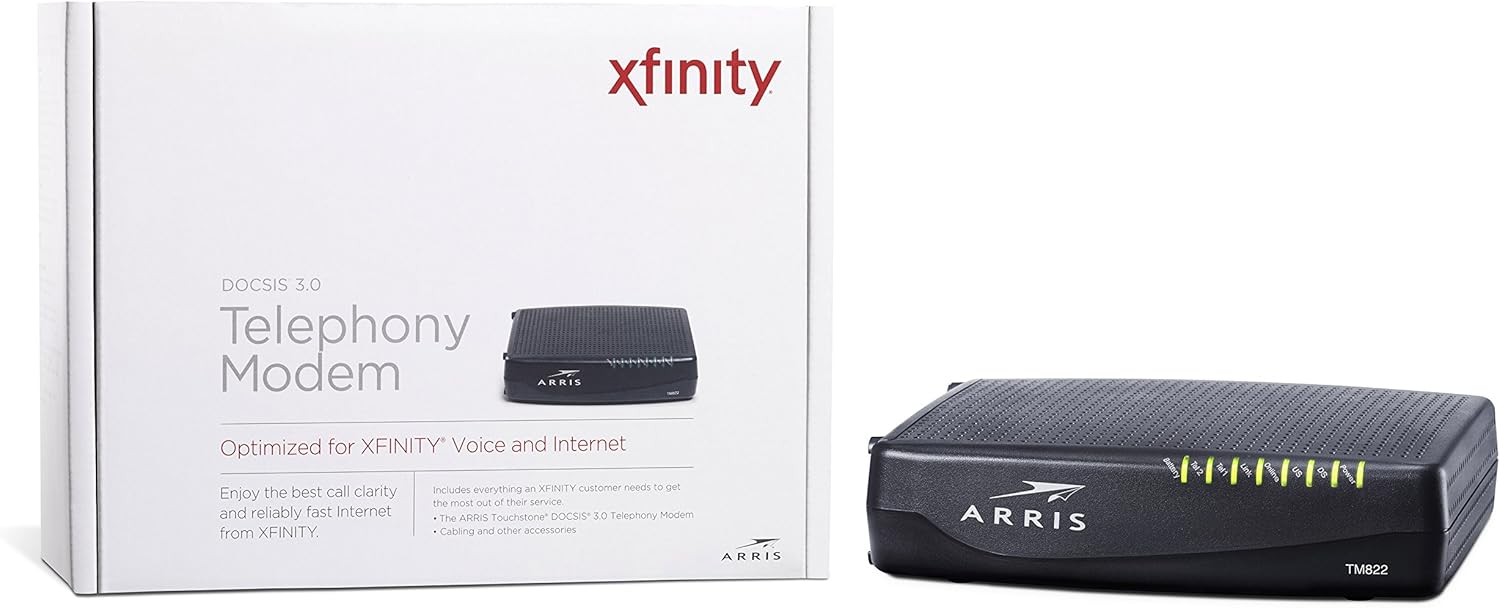
ചിത്രം 1: മുൻഭാഗം View of ARRIS SURFboard TM822G
This image shows the front panel of the ARRIS SURFboard TM822G cable modem, highlighting the status indicator lights.

ചിത്രം 2: പിൻഭാഗം View of ARRIS SURFboard TM822G
This image displays the rear panel of the ARRIS SURFboard TM822G, detailing the coaxial input, Ethernet port, and two telephone line ports.
LED സ്റ്റാറ്റസ് സൂചകങ്ങൾ
The front panel LEDs provide information about the modem's operational status:
- ശക്തി: Indicates the modem's power status.
- DS (Downstream): Indicates downstream channel connectivity.
- US (Upstream): Indicates upstream channel connectivity.
- ഓൺലൈൻ: Indicates successful internet connection.
- ലിങ്ക്: ഇതർനെറ്റ് കണക്ഷൻ നില സൂചിപ്പിക്കുന്നു.
- Tel1 / Tel2: Indicate the status of the two telephone lines.
- ബാറ്ററി: Indicates the status of an optional battery backup (sold separately).
സജ്ജമാക്കുക
Follow these steps to set up your ARRIS SURFboard TM822G cable modem:
- കോക്സിയൽ കേബിൾ ബന്ധിപ്പിക്കുക: Connect one end of a coaxial cable to the cable wall outlet and the other end to the "Cable In" port on the back of the modem. Ensure the connection is finger-tight.
- ഇതർനെറ്റ് കേബിൾ ബന്ധിപ്പിക്കുക: Connect one end of the Ethernet cable to the Ethernet port on the back of the modem and the other end to your computer or wireless router.
- ടെലിഫോൺ ലൈനുകൾ ബന്ധിപ്പിക്കുക: If you have Xfinity Voice service, connect your telephone(s) to the "Tel1" and/or "Tel2" ports on the back of the modem.
- പവർ ബന്ധിപ്പിക്കുക: Plug the power cord into the modem's power port and then into an electrical outlet.
- പവർ ഓൺ: Wait for the modem to power on and for the front panel LEDs (Power, DS, US, Online, Link, Tel1/Tel2) to become solid green or blue, indicating a stable connection. This may take several minutes.
- സേവനം സജീവമാക്കുക:
- For Xfinity Users: എ തുറക്കുക web കണക്റ്റുചെയ്ത ഉപകരണത്തിൽ ബ്രൗസർ ചെയ്ത് നാവിഗേറ്റ് ചെയ്യുക xfinity.com/activate. Follow the on-screen instructions to activate your modem. You may need your Xfinity account information.
- For Other ISPs: Refer to your Internet Service Provider's activation instructions or contact their customer support.
പ്രവർത്തന നിർദ്ദേശങ്ങൾ
Once successfully set up and activated, your ARRIS SURFboard TM822G will provide internet and telephone service. The modem operates continuously to maintain your connection. Monitor the front panel LEDs to ensure proper operation. Solid lights typically indicate a stable connection, while blinking lights or specific color changes may indicate activity or a problem.
For optimal performance, ensure the modem is placed in a well-ventilated area, away from direct sunlight or heat sources, and not obstructed by other objects.
മെയിൻ്റനൻസ്
Regular maintenance helps ensure the longevity and optimal performance of your modem:
- വൃത്തിയാക്കൽ: Periodically wipe the exterior of the modem with a soft, dry cloth. Avoid using liquid cleaners or abrasive materials.
- വെൻ്റിലേഷൻ: Ensure the modem's ventilation holes are not blocked to prevent overheating.
- ഫേംവെയർ അപ്ഡേറ്റുകൾ: Firmware updates are typically managed automatically by your Internet Service Provider. Do not attempt to manually update the firmware unless instructed by your ISP.
- റീബൂട്ട് ചെയ്യുന്നു: If you experience connectivity issues, a simple reboot of the modem (unplugging the power for 30 seconds and plugging it back in) can often resolve minor problems.
ട്രബിൾഷൂട്ടിംഗ്
If you encounter issues with your ARRIS SURFboard TM822G, refer to the following common troubleshooting tips:
| പ്രശ്നം | സാധ്യമായ കാരണം | പരിഹാരം |
|---|---|---|
| പവർ എൽഇഡി ഇല്ല | Modem is not receiving power. | Check power cord connections to the modem and electrical outlet. Ensure the outlet is functional. |
| DS/US/Online LEDs are blinking or off | No connection to the cable network or internet. | Ensure coaxial cable is securely connected. Check for service outages in your area. Contact your ISP if the issue persists. |
| Link LED is off | No Ethernet connection to your computer/router. | Verify the Ethernet cable is securely connected to both the modem and your device/router. Try a different Ethernet cable. |
| Tel1/Tel2 LEDs are off or blinking | Telephone service issue. | Ensure telephone lines are correctly connected. Contact your Xfinity Voice service provider. |
| കുറഞ്ഞ ഇന്റർനെറ്റ് വേഗത | Network congestion, outdated router, or ISP issue. | Reboot the modem and router. Ensure your router is capable of handling your internet speed plan. Contact your ISP to check line quality and service plan. |
The ARRIS SURFboard TM822G supports Loop Diagnostics for remote testing and troubleshooting of in-house wiring, which can be utilized by your service provider.
സ്പെസിഫിക്കേഷനുകൾ
Key technical specifications for the ARRIS SURFboard TM822G:
- ബ്രാൻഡ്: ARRIS
- മോഡൽ: TM822G
- മോഡം തരം: Cable Modem with Telephony Adapter
- DOCSIS Standard: ഡോക്സിസ് 3.0
- Downstream Channels: 8 bonded channels
- Upstream Channels: 4 bonded channels
- Maximum Downstream Speed: 343 Mbps വരെ
- Maximum Upstream Speed: 131 Mbps വരെ
- ഇഥർനെറ്റ് പോർട്ടുകൾ: 1 ജിഗാബൈറ്റ് ഇഥർനെറ്റ് പോർട്ട്
- ടെലിഫോൺ പോർട്ടുകൾ: 2 (for Voice over IP)
- Compatible ISP: Certified for Comcast Xfinity Internet & Voice service only.
- കണക്റ്റിവിറ്റി ടെക്നോളജി: ഇഥർനെറ്റ്
- നിറം: കറുപ്പ്
വാറൻ്റിയും പിന്തുണയും
The ARRIS SURFboard TM822G comes with a 2-year limited parts and labor warranty. For technical assistance or warranty claims, please contact ARRIS customer support. You can find contact information and additional resources on the official ARRIS support webസൈറ്റ്.