
1. ഉൽപ്പന്നം കഴിഞ്ഞുview
The Baseus Mini Type-C to USB Adapter (Model CAAOTG-01) is a compact and durable accessory designed to connect USB-C devices to standard USB-A ports. This adapter enables efficient data transfer, device synchronization, and fast charging capabilities up to 5 Ampഈറസ്.

ചിത്രം 1.1: മുൻഭാഗം view of the Baseus Mini Type-C to USB Adapter, showing the USB-A male connector and the Type-C female port.
2. ഉൽപ്പന്ന സവിശേഷതകൾ
- കോംപാക്റ്റ് ഡിസൈൻ: Small and lightweight, ideal for portability.
- നീണ്ടുനിൽക്കുന്ന നിർമ്മാണം: Made from aluminum alloy for enhanced durability and heat dissipation.
- ഹൈ-സ്പീഡ് ഡാറ്റ ട്രാൻസ്ഫർ: Supports USB 2.0 standard with data transfer speeds up to 480 Mbps.
- ഫാസ്റ്റ് ചാർജിംഗ്: 5 വരെ എത്തിക്കാൻ കഴിയും Amperes for quick device charging.
- സാർവത്രിക അനുയോജ്യത: Connects USB-C devices (laptops, phones, tablets) to USB-A ports.
3. പാക്കേജ് ഉള്ളടക്കം
പാക്കേജിൽ എല്ലാ ഇനങ്ങളും ഉണ്ടെന്ന് ഉറപ്പാക്കുക:
- 1 x Baseus Mini Type-C to USB Adapter (Model CAAOTG-01)

Image 3.1: The Baseus Mini Type-C to USB Adapter shown in its retail packaging.
4. സജ്ജീകരണം
The Baseus Mini Type-C to USB Adapter is a plug-and-play device and requires no special driver installation.
- Identify the USB-A port on your host device (e.g., computer, wall charger, power bank).
- Insert the USB-A male connector of the adapter into the USB-A port of your host device. Ensure it is fully seated.
- Connect your USB-C cable or USB-C device into the Type-C female port of the adapter.
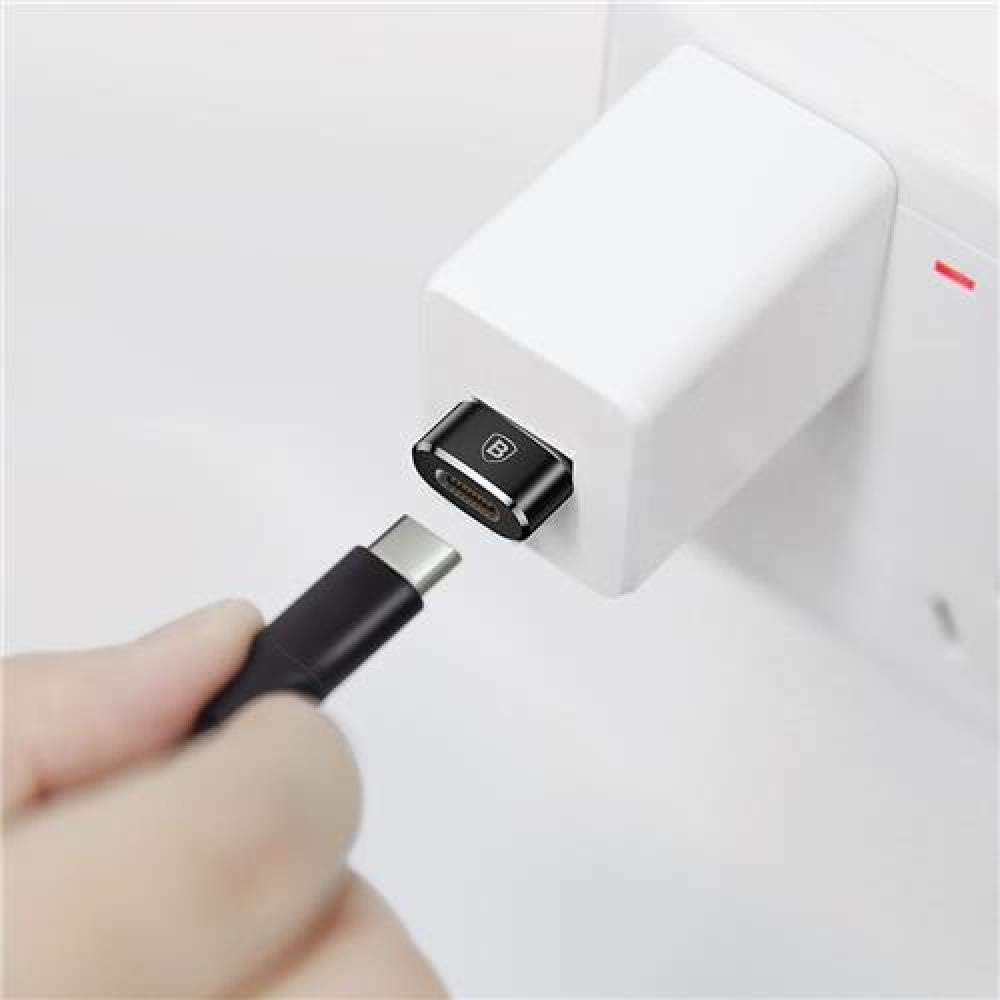
Image 4.1: The adapter connected to a wall charger, ready to receive a USB-C cable for charging.
5. പ്രവർത്തന നിർദ്ദേശങ്ങൾ
5.1 Data Transfer and Synchronization
To transfer data or synchronize devices:
- Connect the adapter to a USB-A port on your computer.
- Connect your USB-C device (e.g., smartphone, tablet) to the adapter using a USB-C cable.
- Your computer should recognize the connected device. You can now transfer files or synchronize data as usual.
5.2 ചാർജിംഗ് ഉപകരണങ്ങൾ
To charge a USB-C device:
- Connect the adapter to a USB-A wall charger, power bank, or computer USB-A port.
- Connect your USB-C device to the adapter using a USB-C charging cable.
- Ensure the power source is active. Your device should begin charging. The adapter supports fast charging up to 5A, depending on the capabilities of your charger and device.
6. പരിപാലനം
- വൃത്തിയാക്കൽ: അഡാപ്റ്റർ വൃത്തിയാക്കാൻ മൃദുവായതും ഉണങ്ങിയതുമായ തുണി ഉപയോഗിക്കുക. ദ്രാവക ക്ലീനറുകളോ ഉരച്ചിലുകളുള്ള വസ്തുക്കളോ ഉപയോഗിക്കരുത്.
- സംഭരണം: നേരിട്ടുള്ള സൂര്യപ്രകാശവും കടുത്ത താപനിലയും ഏൽക്കാത്ത ഒരു തണുത്തതും വരണ്ടതുമായ സ്ഥലത്ത് അഡാപ്റ്റർ സൂക്ഷിക്കുക.
- കൈകാര്യം ചെയ്യൽ: Avoid dropping the adapter or subjecting it to strong impacts. Do not force connectors into ports.
7. പ്രശ്നപരിഹാരം
| പ്രശ്നം | സാധ്യമായ കാരണം | പരിഹാരം |
|---|---|---|
| Device not recognized / No data transfer. |
|
|
| Device not charging / Slow charging. |
|
|
8 സ്പെസിഫിക്കേഷനുകൾ
| മോഡൽ നമ്പർ | CAAOTG-01 |
| ബ്രാൻഡ് | ബേസിയസ് |
| ഉൽപ്പന്ന അളവുകൾ (L x W x H) | 15 x 5 x 5 സെ.മീ |
| ഇനത്തിൻ്റെ ഭാരം | 18.14 ഗ്രാം |
| നിറം | കറുപ്പ് |
| കണക്റ്റർ തരം | USB Type-A Male, USB Type-C Female |
| ഡാറ്റ ട്രാൻസ്ഫർ വേഗത | 480 Mbps വരെ (USB 2.0) |
| പരമാവധി Ampഉന്മേഷം | 5 Ampമുമ്പ് |
| അനുയോജ്യമായ ഉപകരണങ്ങൾ | Laptops, Mobile Phones, Tablets with USB-C ports |
| മെറ്റീരിയൽ | അലുമിനിയം അലോയ് |
9. വാറൻ്റിയും പിന്തുണയും
This product comes with a limited warranty. For detailed warranty information or technical support, please refer to the official Baseus webസൈറ്റ് അല്ലെങ്കിൽ അവരുടെ ഉപഭോക്തൃ സേവനവുമായി ബന്ധപ്പെടുക.
- Official Baseus Webസൈറ്റ്: www.baseus.com
- കസ്റ്റമർ സർവീസ്: ഔദ്യോഗിക വെബ്സൈറ്റിൽ നൽകിയിരിക്കുന്ന ബന്ധപ്പെടാനുള്ള വിവരങ്ങൾ പരിശോധിക്കുക. webസൈറ്റ് അല്ലെങ്കിൽ ഉൽപ്പന്ന പാക്കേജിംഗ്.
Additional safety and usage instructions may be available in PDF format: