
ആമുഖം
Thank you for choosing the auna Connect 90 Internet Radio. This manual provides essential information for the safe and efficient operation of your device. Please read it thoroughly before use and keep it for future reference. The auna Connect 90 offers versatile audio entertainment with Internet Radio, FM radio, and USB MP3 playback capabilities, all accessible via WiFi connectivity.
സുരക്ഷാ നിർദ്ദേശങ്ങൾ
- ഉപകരണം പ്രവർത്തിപ്പിക്കുന്നതിന് മുമ്പ് എല്ലാ നിർദ്ദേശങ്ങളും ശ്രദ്ധാപൂർവ്വം വായിക്കുക.
- Keep the device away from water, moisture, and high humidity.
- നേരിട്ടുള്ള സൂര്യപ്രകാശത്തിലോ ഉയർന്ന താപനിലയിലോ ഉപകരണത്തെ തുറന്നുകാട്ടരുത്.
- ശരിയായ വായുസഞ്ചാരം ഉറപ്പാക്കുക; ഏതെങ്കിലും വായുസഞ്ചാര ദ്വാരങ്ങൾ തടയരുത്.
- നൽകിയിരിക്കുന്ന പവർ അഡാപ്റ്റർ മാത്രം ഉപയോഗിക്കുക.
- ഉപകരണം സ്വയം തുറക്കാനോ നന്നാക്കാനോ ശ്രമിക്കരുത്. എല്ലാ സേവനങ്ങളും യോഗ്യതയുള്ള ഉദ്യോഗസ്ഥരെ ഏൽപ്പിക്കുക.
- ഉപകരണം കുട്ടികൾക്ക് ലഭ്യമാകാതെ സൂക്ഷിക്കുക.
പാക്കേജ് ഉള്ളടക്കം
എല്ലാ ഇനങ്ങളും നിലവിലുണ്ടോ എന്നും നല്ല നിലയിലാണെന്നും ദയവായി പരിശോധിക്കുക:
- auna Connect 90 Internet Radio Unit
- പവർ അഡാപ്റ്റർ
- റിമോട്ട് കൺട്രോൾ
- ഉപയോക്തൃ മാനുവൽ (ഈ പ്രമാണം)
ഉൽപ്പന്നം കഴിഞ്ഞുview
ഫ്രണ്ട് പാനലും ഡിസ്പ്ലേയും
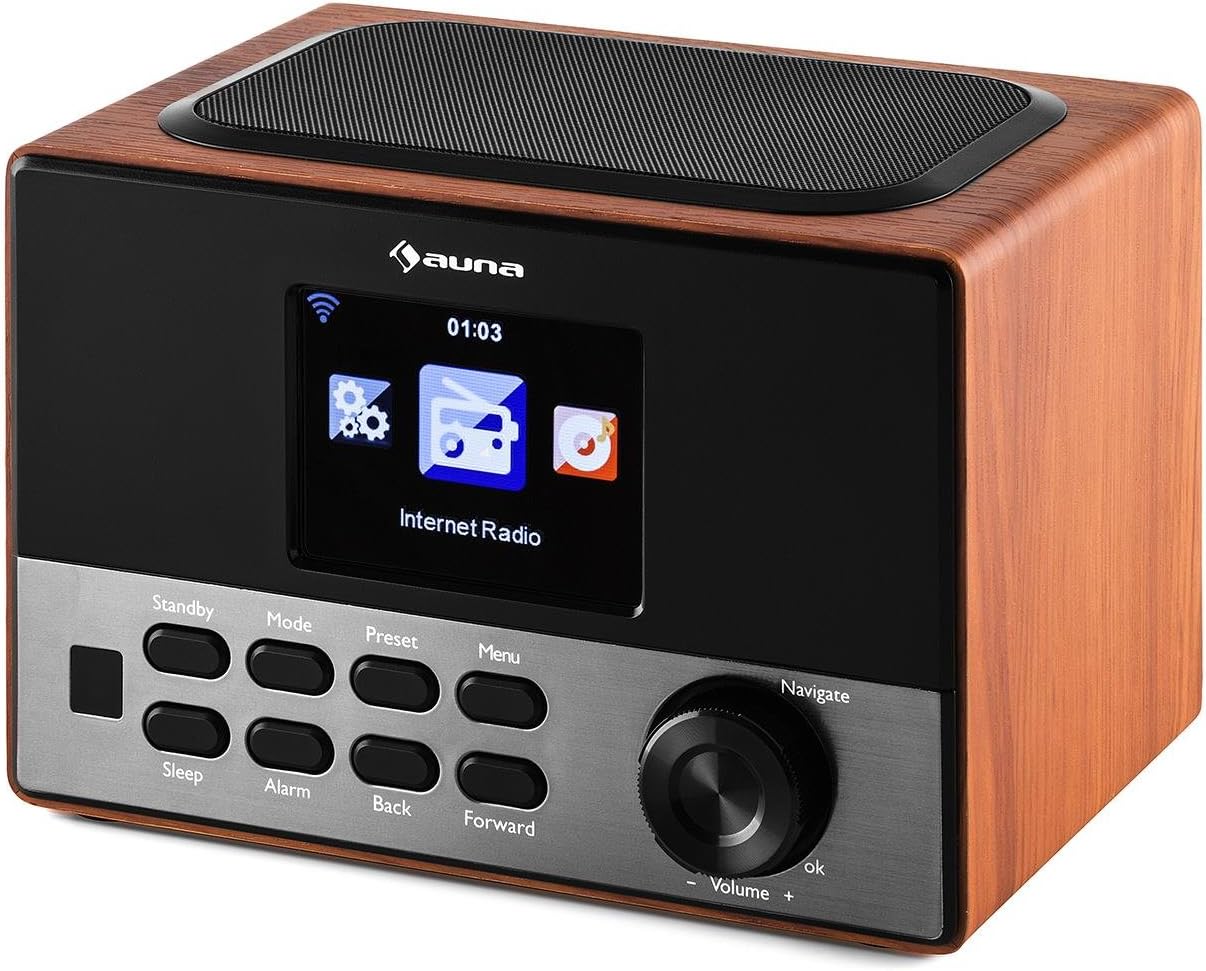
The front panel features the main display, control buttons, and the navigation dial for easy interaction.
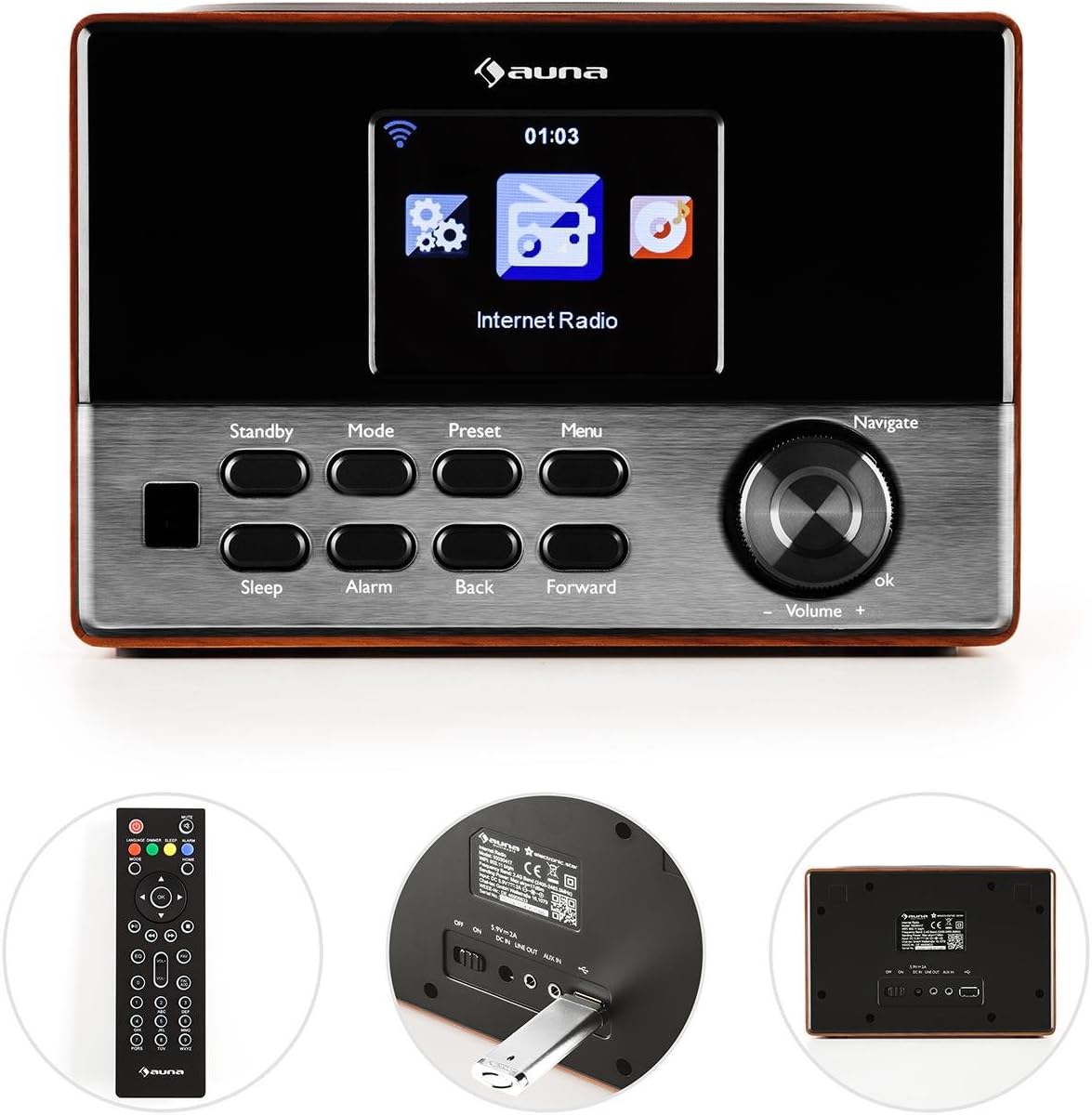
ചിത്രം: ഫ്രണ്ട് view of the auna Connect 90, showing the color display, control buttons (Standby, Mode, Preset, Menu, Sleep, Alarm, Back, Forward), and the Navigate/Volume dial.
- ഡിസ്പ്ലേ: Color screen showing time, station information, and menu options.
- സ്റ്റാൻഡ് ബൈ: യൂണിറ്റ് ഓണാക്കുകയോ ഓഫാക്കുകയോ ചെയ്യുന്നു.
- മോഡ്: Switches between Internet Radio, FM, and USB modes.
- പ്രീസെറ്റ്: സംരക്ഷിച്ച റേഡിയോ സ്റ്റേഷൻ പ്രീസെറ്റുകൾ ആക്സസ് ചെയ്യുന്നു.
- മെനു: Enters the main menu for settings and options.
- ഉറക്കം: ഒരു സ്ലീപ്പ് ടൈമർ സജ്ജീകരിക്കുന്നു.
- അലാറം: അലാറം ക്രമീകരണങ്ങൾ കോൺഫിഗർ ചെയ്യുന്നു.
- പിന്നിലേക്ക്/മുന്നോട്ട്: Navigates through menus or tracks.
- Navigate/Volume Dial: Rotates to scroll through options or adjust volume; press to confirm (OK).
പിൻ പാനലും കണക്ഷനുകളും
The rear panel provides essential connection ports for power and external devices.
ചിത്രം: പിൻഭാഗം view of the auna Connect 90, showing the power input, USB port, and Aux-out port.
- DC 5V: ഉൾപ്പെടുത്തിയ അഡാപ്റ്ററിനുള്ള പവർ ഇൻപുട്ട്.
- USB: Port for connecting a USB drive for MP3 playback.
- ഓക്സ് ഔട്ട്: 3.5mm audio output for connecting to external speakers or headphones.
സജ്ജമാക്കുക
1. പവർ കണക്ഷൻ
- പവർ അഡാപ്റ്റർ കണക്റ്റുചെയ്യുക DC 5V റേഡിയോയുടെ പിൻഭാഗത്തുള്ള പോർട്ട്.
- ഒരു മതിൽ ഔട്ട്ലെറ്റിലേക്ക് പവർ അഡാപ്റ്റർ പ്ലഗ് ചെയ്യുക.
- The radio will power on to standby mode. Press the സ്റ്റാൻഡ് ബൈ അത് ഓണാക്കാനുള്ള ബട്ടൺ.
2. പ്രാരംഭ സജ്ജീകരണവും നെറ്റ്വർക്ക് കണക്ഷനും
Upon first power-on, the radio will guide you through the initial setup wizard.
- ഭാഷ തിരഞ്ഞെടുക്കൽ: ഉപയോഗിക്കുക നാവിഗേറ്റ് ചെയ്യുക dial to select your preferred language and press OK സ്ഥിരീകരിക്കാൻ.
- നെറ്റ്വർക്ക് വിസാർഡ്: The radio will prompt you to connect to a network. Select 'Yes' and press OK.
- നെറ്റ്വർക്കുകൾക്കായി സ്കാൻ ചെയ്യുക: The radio will scan for available WiFi networks. Select your network from the list.
- പാസ്വേഡ് നൽകുക: ഉപയോഗിക്കുക നാവിഗേറ്റ് ചെയ്യുക dial to enter your WiFi password (WPA/WPA2). Rotate to select characters, press മുന്നോട്ട് to move to the next character, and press OK പാസ്വേഡ് സ്ഥിരീകരിക്കാൻ.
- കണക്ഷൻ: The radio will attempt to connect to your WiFi network. Once successful, it will display a confirmation message.
If the connection fails, double-check your password and try again. Ensure your WiFi router is within range.
പ്രവർത്തിക്കുന്നു
1. സ്വിച്ചിംഗ് മോഡുകൾ
അമർത്തുക മോഡ് button repeatedly to cycle through available modes:
- ഇൻ്റർനെറ്റ് റേഡിയോ: Access thousands of online radio stations.
- എഫ്എം റേഡിയോ: Tune into local FM broadcasts.
- USB: MP3 പ്ലേ ചെയ്യുക fileകണക്റ്റുചെയ്ത USB ഡ്രൈവിൽ നിന്നാണ്.
2. ഇൻ്റർനെറ്റ് റേഡിയോ
- തിരഞ്ഞെടുക്കുക ഇൻ്റർനെറ്റ് റേഡിയോ മോഡ്.
- ഉപയോഗിക്കുക നാവിഗേറ്റ് ചെയ്യുക dial to browse categories (e.g., Location, Genre, Popular Stations).
- അമർത്തുക OK to select a category or station.
- ഒരു സ്റ്റേഷൻ പ്രീസെറ്റായി സംരക്ഷിക്കാൻ, അമർത്തിപ്പിടിക്കുക പ്രീസെറ്റ് button, then select a preset number and press OK.
- ഒരു പ്രീസെറ്റ് തിരിച്ചുവിളിക്കാൻ, അമർത്തുക പ്രീസെറ്റ് button briefly, then select the desired preset and press OK.
3. USB MP3 Playback
- MP3 അടങ്ങുന്ന USB ഡ്രൈവ് ചേർക്കുക fileഎസ് USB പിൻ പാനലിലെ പോർട്ട്.
- തിരഞ്ഞെടുക്കുക USB mode using the മോഡ് ബട്ടൺ.
- The radio will scan the USB drive. Use the നാവിഗേറ്റ് ചെയ്യുക dial to browse folders and tracks.
- അമർത്തുക OK to play a selected track.
- ഉപയോഗിക്കുക തിരികെ ഒപ്പം മുന്നോട്ട് ട്രാക്കുകൾ ഒഴിവാക്കാനുള്ള ബട്ടണുകൾ.
4. വോളിയം നിയന്ത്രണം
തിരിക്കുക നാവിഗേറ്റ് ചെയ്യുക/ശബ്ദം dial clockwise to increase volume and counter-clockwise to decrease volume.
5. Alarm and Sleep Timer
- അലാറം: അമർത്തുക അലാറം button to set up one or two alarms. Follow the on-screen prompts to set time, source (buzzer, internet radio), and frequency.
- ഉറക്കം: അമർത്തുക ഉറങ്ങുക button repeatedly to set a sleep timer (e.g., 15, 30, 60 minutes). The radio will automatically turn off after the set time.
മെയിൻ്റനൻസ്
- വൃത്തിയാക്കൽ: റേഡിയോയുടെ പുറംഭാഗം വൃത്തിയാക്കാൻ മൃദുവായതും ഉണങ്ങിയതുമായ തുണി ഉപയോഗിക്കുക. ദ്രാവക ക്ലീനറുകളോ ഉരച്ചിലുകളോ ഉള്ള വസ്തുക്കൾ ഉപയോഗിക്കരുത്.
- സംഭരണം: If not in use for an extended period, unplug the power adapter and store the radio in a cool, dry place.
- വെൻ്റിലേഷൻ: Ensure the ventilation slots are not blocked to prevent overheating.
ട്രബിൾഷൂട്ടിംഗ്
| പ്രശ്നം | സാധ്യമായ കാരണം | പരിഹാരം |
|---|---|---|
| ശക്തിയില്ല | പവർ അഡാപ്റ്റർ ബന്ധിപ്പിച്ചിട്ടില്ല; ഔട്ട്ലെറ്റ് പ്രവർത്തിക്കുന്നില്ല. | പവർ കണക്ഷനുകൾ പരിശോധിക്കുക; മറ്റൊരു ഔട്ട്ലെറ്റ് പരീക്ഷിക്കുക. |
| ഇൻ്റർനെറ്റ് കണക്ഷനില്ല | Incorrect WiFi password; router out of range; router issue. | Re-enter WiFi password; move radio closer to router; restart router. |
| മോശം ശബ്ദ നിലവാരം / സ്റ്റാറ്റിക് | Weak internet signal; FM interference. | Improve WiFi signal strength; adjust radio position for FM. |
| USB പ്ലേബാക്ക് പ്രവർത്തിക്കുന്നില്ല | USB ഡ്രൈവ് ശരിയായി ഫോർമാറ്റ് ചെയ്തിട്ടില്ല; പിന്തുണയ്ക്കുന്നില്ല. file format; drive faulty. | Ensure USB is FAT32 formatted; use MP3 files; try another USB drive. |
| റിമോട്ട് കൺട്രോൾ പ്രവർത്തിക്കുന്നില്ല | ബാറ്ററികൾ തീർന്നു; തടസ്സം. | Replace batteries; ensure clear line of sight to radio. |
സ്പെസിഫിക്കേഷനുകൾ
- ബ്രാൻഡ്: auna
- മോഡൽ: KC6-Connect 90 WD
- കണക്റ്റിവിറ്റി: WiFi, USB, 3.5mm Audio Out
- ട്യൂണർ സാങ്കേതികവിദ്യ: എഫ്എം (87.5-108 മെഗാഹെട്സ്)
- ഊർജ്ജ സ്രോതസ്സ്: 5V DC (via power adapter)
- അനുയോജ്യമായ ഉപകരണങ്ങൾ: Smartphone, Laptop, MP3 Player, Tablet (for audio output)
- ഉൽപ്പന്ന അളവുകൾ: 13.5 x 18 x 12 സെ.മീ
- ഉൽപ്പന്ന ഭാരം: 794 ഗ്രാം
വാറൻ്റിയും പിന്തുണയും
This product comes with a standard manufacturer's warranty. Please refer to the warranty card included with your purchase for specific terms and conditions. For technical support or service inquiries, please contact your retailer or the auna customer service department.