
1. ആമുഖം
This instruction manual provides essential information for the proper use and care of your CASIO G-SHOCK G-Steel GST-W130BD-1AJF watch. Designed for durability and precision, this timepiece combines analog and digital displays with robust features like shock resistance and 200-meter water resistance. Please read this manual thoroughly to ensure optimal performance and longevity of your watch.
ചിത്രം 1: മുൻഭാഗം view of the G-SHOCK G-Steel GST-W130BD-1AJF watch.
2. സജ്ജീകരണം
2.1 Initial Power-Up and Time Setting
Your G-SHOCK watch is equipped with a power-saving function. Upon first use or after prolonged storage in darkness, expose the watch to light to charge it. Once charged, the watch will attempt to receive time calibration signals automatically. If manual adjustment is needed:
- അമർത്തിപ്പിടിക്കുക ക്രമീകരിക്കുക button (top left) until the city code starts to flash.
- ഉപയോഗിക്കുക തിരയുക button (bottom right) to select your home city code.
- അമർത്തുക മോഡ് button (bottom left) to cycle through settings like Daylight Saving Time (DST), 12/24-hour format, seconds, hour, minute, year, month, and day.
- ഉപയോഗിക്കുക വെളിച്ചം button (top right) and തിരയുക button (bottom right) to change the flashing values.
- അമർത്തുക ക്രമീകരിക്കുക ക്രമീകരണ മോഡിൽ നിന്ന് പുറത്തുകടക്കാൻ വീണ്ടും ബട്ടൺ.
2.2 ബാൻഡ് ക്രമീകരണം
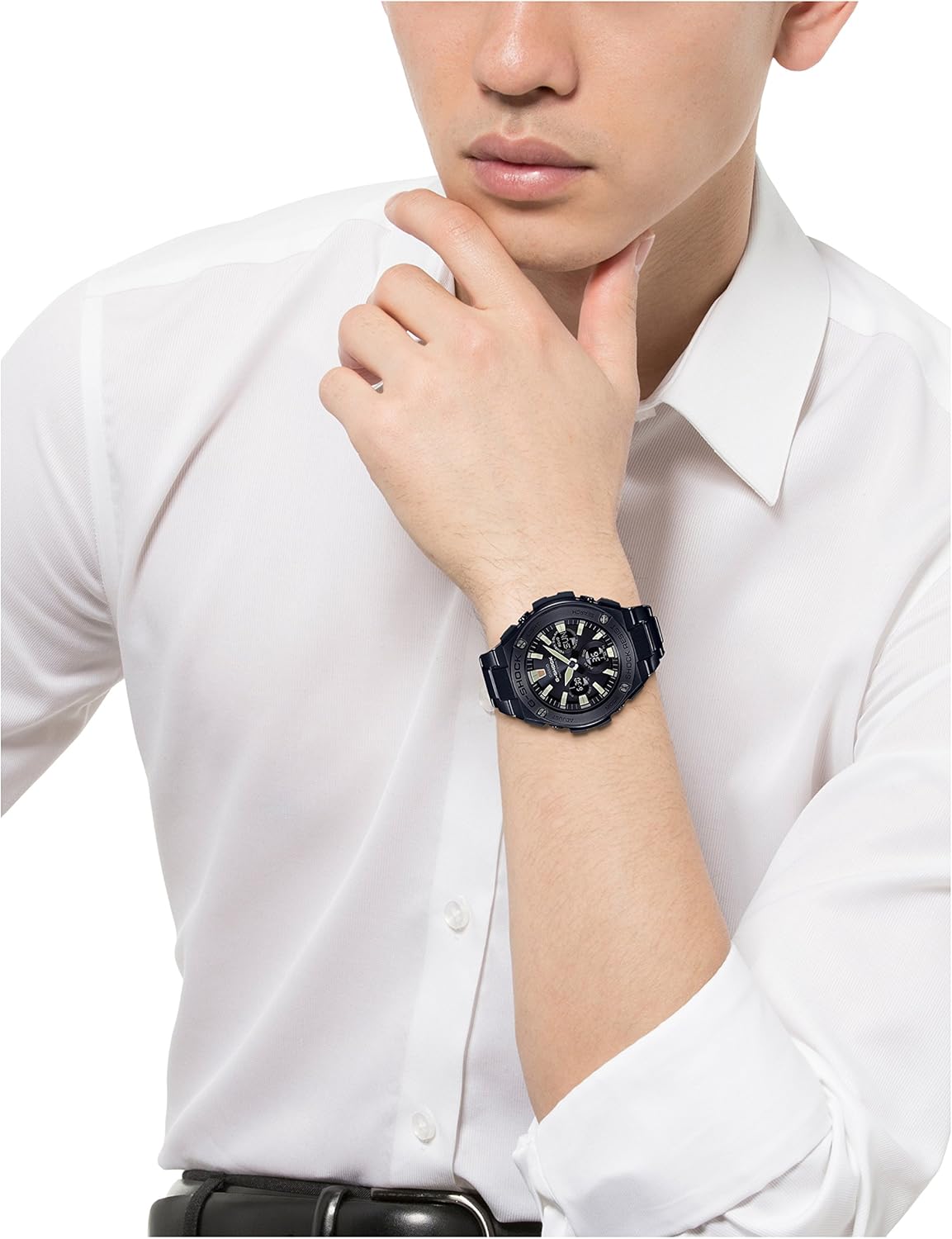
The metal band of your G-Steel watch can be adjusted by adding or removing links. It is recommended to have this procedure performed by a qualified jeweler or watch technician to prevent damage to the band or watch. Ensure the watch fits comfortably on your wrist, allowing for slight movement without being too loose or too tight.

Figure 2: G-SHOCK G-Steel watch on a wrist, illustrating proper fit.
3. പ്രവർത്തന നിർദ്ദേശങ്ങൾ
3.1 മോഡ് നാവിഗേഷൻ
അമർത്തുക മോഡ് button (bottom left) to cycle through the different functions of the watch. The available modes typically include:
- ടൈംകീപ്പിംഗ് മോഡ്
- ലോക സമയ മോഡ്
- അലാറം മോഡ്
- സ്റ്റോപ്പ് വാച്ച് മോഡ്
- കൗണ്ട്ഡൗൺ ടൈമർ മോഡ്
3.2 Using the Light
അമർത്തുക വെളിച്ചം button (top right) to illuminate the watch face for easy reading in low-light conditions. The illumination duration can often be configured in the watch settings.
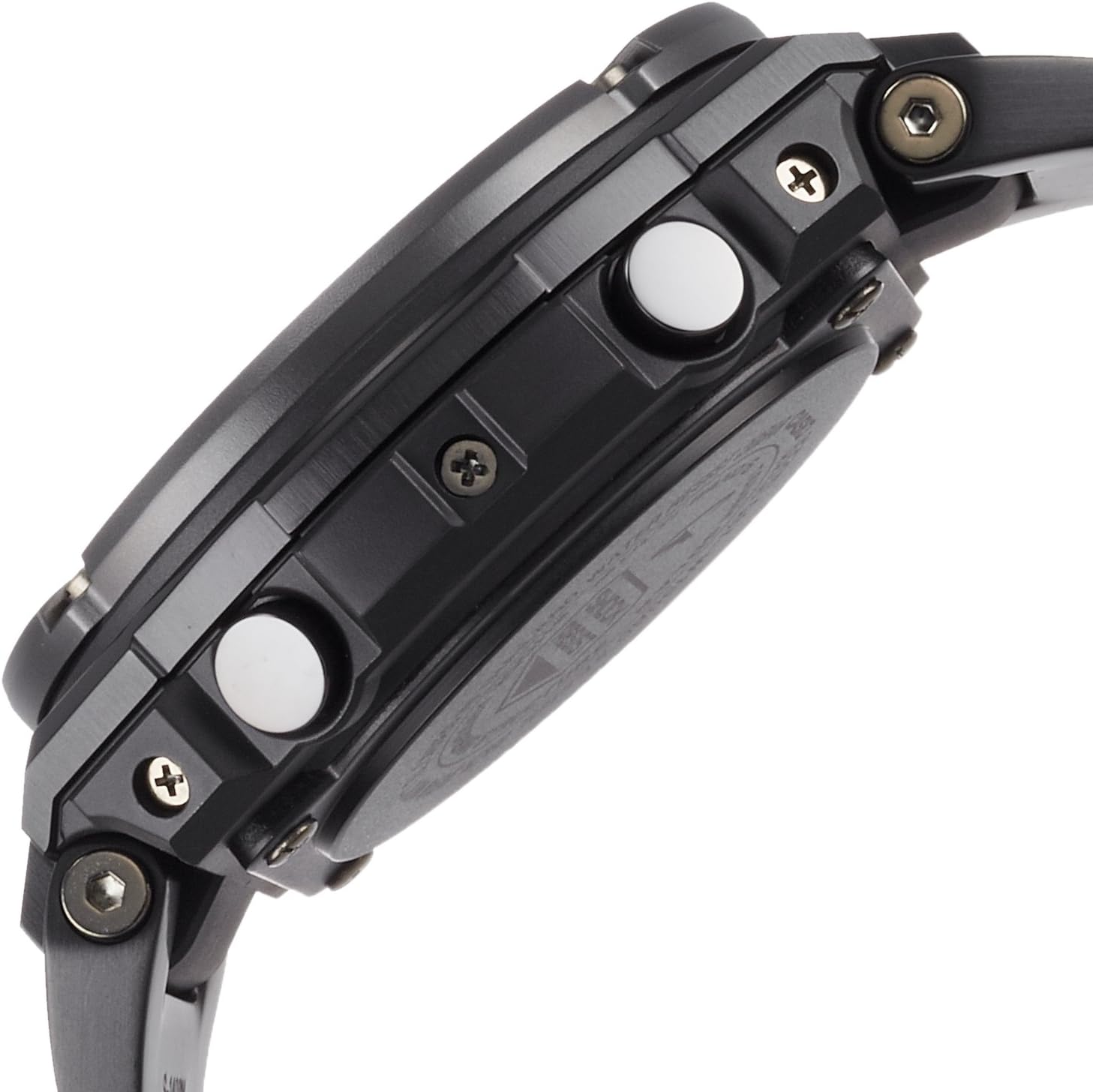
ചിത്രം 3: വശം view of the watch, showing button layout for operation.
3.4 ജല പ്രതിരോധം
Your watch is water resistant up to 200 meters (20 BAR). This means it is suitable for showering, swimming, and diving without scuba gear. Do not operate any buttons while the watch is submerged in water to prevent water ingress.
4. പരിപാലനം
4.1 നിങ്ങളുടെ വാച്ച് വൃത്തിയാക്കൽ
Regularly wipe the watch case and band with a soft, dry cloth to remove dirt and moisture. For metal bands, a soft brush can be used to clean between the links. If the watch has been exposed to saltwater, rinse it thoroughly with fresh water and dry it completely.
4.2 Battery and Power
This G-Steel model typically features Tough Solar power, which recharges the watch battery using light. Ensure the watch is regularly exposed to light to maintain a sufficient charge. Avoid prolonged storage in dark places, as this can deplete the battery and affect functionality. If the battery level is low, the watch may enter a power-saving mode or some functions may become unavailable.
4.3 Water Resistance Checks
To maintain the water resistance of your watch, it is recommended to have the gaskets checked and replaced every two to three years by an authorized CASIO service center, especially if the watch is frequently exposed to water.

ചിത്രം 4: പിന്നിലേക്ക് view വാച്ചിന്റെ, കേസ് തിരികെ കാണിക്കുന്നു.
5. പ്രശ്നപരിഹാരം
If you encounter any issues with your watch, please refer to the following common solutions before contacting customer support:
- തെറ്റായ സമയം: Ensure the watch is sufficiently charged (if solar) and attempt manual time setting as described in Section 2.1. Verify your home city code and DST settings are correct.
- Hands Not Moving: Check the battery level. If the watch has been in darkness, expose it to bright light for several hours. If the issue persists, a full reset or service may be required.
- Digital Display Blank: This may indicate a low battery. Charge the watch by exposing it to light.
- ബട്ടണുകൾ പ്രതികരിക്കുന്നില്ല: Ensure the watch is not in a locked mode (if applicable) or submerged in water. If the issue continues, a factory reset might resolve it.
6 സ്പെസിഫിക്കേഷനുകൾ
| മോഡൽ നമ്പർ | GST-W130BD-1AJF |
| ബ്രാൻഡ് നാമം | ജി-ഷോക്ക് |
| ഡിസ്പ്ലേ തരം | അനലോഗ്-ഡിജിറ്റൽ |
| കേസ് വ്യാസം | 52.4 മില്ലിമീറ്റർ |
| കേസ് കനം | 16.1 മില്ലിമീറ്റർ |
| ഇനത്തിൻ്റെ ഭാരം | 195 ഗ്രാം |
| ജല പ്രതിരോധ ആഴം | 200 മീറ്റർ (20 ബാർ) |
| സ്ട്രാപ്പ് തരം | Two Piece Strap (Metal) |
| ഡയൽ കളർ | കറുപ്പ് |
| അടയ്ക്കൽ തരം | ബക്കിൾ |
| നിർമ്മാതാവ് | CASIO |
7. ഉൽപ്പന്നം കഴിഞ്ഞുview വീഡിയോ
വീഡിയോ 1: 21 സെക്കൻഡ് ഓവർview of the CASIO G-SHOCK G-Steel GST-W130BD-1AJF watch, showcasing its design and features from various angles. This video provides a visual guide to the watch's physical attributes.
8. വാറൻ്റിയും പിന്തുണയും
Your CASIO G-SHOCK G-Steel GST-W130BD-1AJF watch is covered by a manufacturer's warranty. Please refer to the warranty card included with your purchase for specific terms and conditions, including warranty period and coverage details. For technical support, repairs, or further assistance, please contact CASIO customer service or visit their official webഅംഗീകൃത സേവന കേന്ദ്രങ്ങളുടെ ലിസ്റ്റിനുള്ള സൈറ്റ്.
കൂടുതൽ വിവരങ്ങൾക്ക്, ഉദ്യോഗസ്ഥനെ സന്ദർശിക്കുക CASIO webസൈറ്റ്.