
1. ആമുഖം
വാങ്ങിയതിന് നന്ദി.asing the FIFINE K669 USB Condenser Microphone. This microphone is designed for high-quality audio capture with a simple plug-and-play setup, making it ideal for various applications including gaming, streaming, online calls, and home recording. Its durable metal construction and compact design ensure reliability and portability. Please read this manual carefully to ensure proper use and optimal performance.
2. പാക്കേജ് ഉള്ളടക്കം
താഴെ ലിസ്റ്റ് ചെയ്തിരിക്കുന്ന എല്ലാ ഇനങ്ങളും നിങ്ങളുടെ പാക്കേജിൽ ഉൾപ്പെടുത്തിയിട്ടുണ്ടെന്ന് ഉറപ്പാക്കുക:
- FIFINE K669 USB കണ്ടൻസർ മൈക്രോഫോൺ
- മടക്കാവുന്ന ട്രൈപോഡ് സ്റ്റാൻഡ്
- USB Cable (1.8m, integrated)
- ഉപയോക്തൃ മാനുവൽ

Image: All components included with the FIFINE K669 USB Condenser Microphone, showing the microphone, tripod stand, and integrated USB cable.
3. സജ്ജീകരണ നിർദ്ദേശങ്ങൾ
- ട്രൈപോഡ് സ്റ്റാൻഡ് കൂട്ടിച്ചേർക്കുക: Unfold the legs of the included tripod stand and place it on a stable, flat surface.
- മൈക്രോഫോൺ ഘടിപ്പിക്കുക: Screw the microphone onto the tripod stand. Ensure it is securely fastened. The microphone's angle can be adjusted up to 180 degrees for optimal positioning.
- നിങ്ങളുടെ ഉപകരണത്തിലേക്ക് കണക്റ്റുചെയ്യുക: Plug the USB cable directly into an available USB port on your computer (Windows/Mac) or PlayStation console (PS4/PS5). The device will automatically recognize the microphone without requiring additional drivers.
- ഇൻപുട്ട് ഉപാധിയായി തിരഞ്ഞെടുക്കുക: After connecting, go to your device's sound settings and select the FIFINE K669 as your default audio input device.

Image: The FIFINE K669 microphone mounted on its tripod, illustrating the 180-degree adjustable angle for flexible positioning.
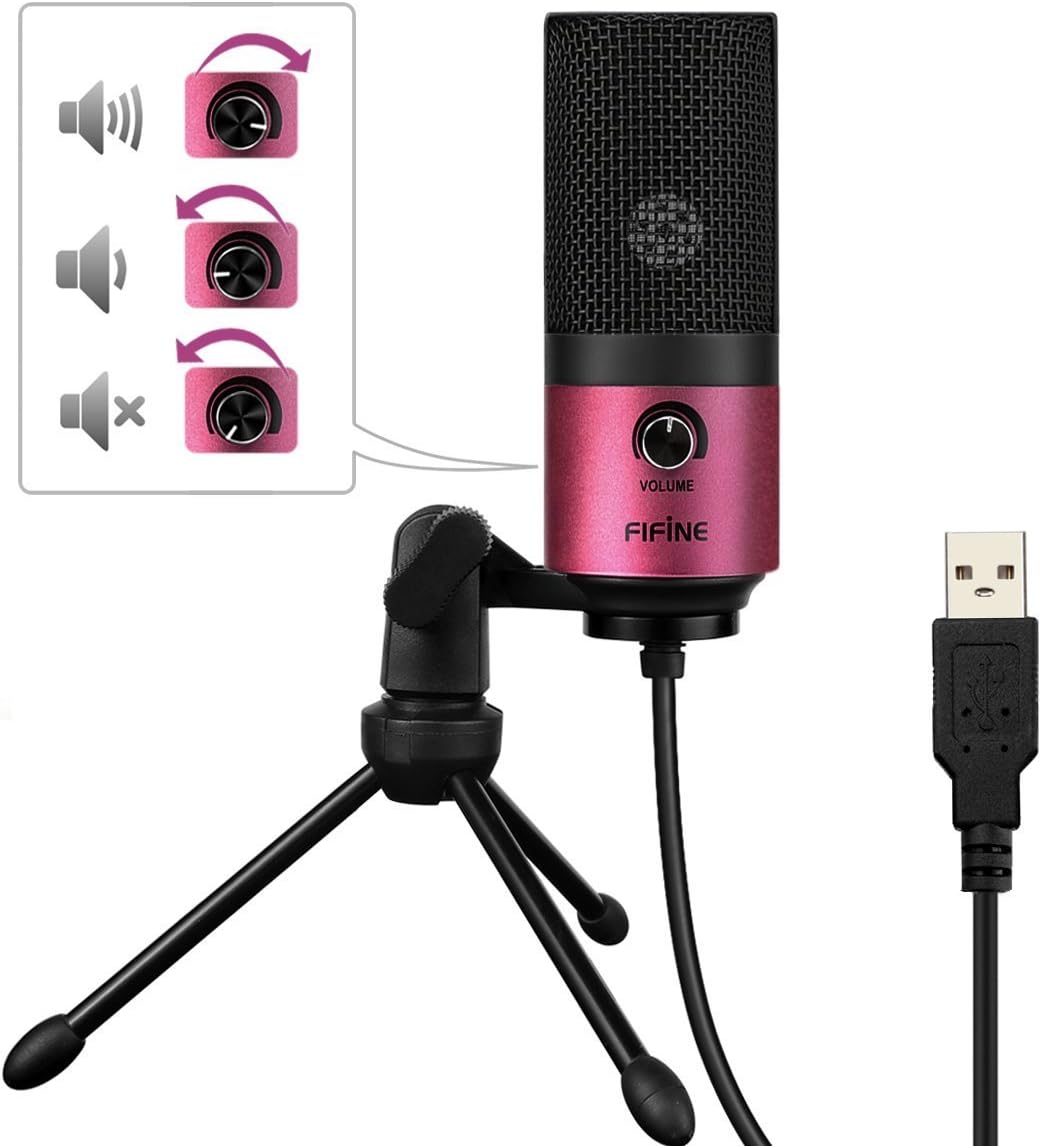
Image: A close-up of the FIFINE K669 microphone's USB cable being plugged into a laptop, demonstrating the plug-and-play connection.
വീഡിയോ: ഒരു ചെറിയ പ്രീview demonstrating the setup and key features of the FIFINE K669 microphone, including its plug-and-play functionality and volume control.
4. പ്രവർത്തന നിർദ്ദേശങ്ങൾ
- വോളിയം നിയന്ത്രണം: The microphone features a volume knob on its body. Rotate the knob clockwise to increase the input volume and counter-clockwise to decrease it.
- Optimal Placement (Cardioid Pattern): The K669 utilizes a cardioid polar pattern, meaning it primarily picks up sound from the front. For best results, position the microphone directly in front of the sound source (e.g., your mouth) within a 30cm range. This helps to minimize background noise and capture clear audio.
Image: The volume control knob on the front of the FIFINE K669 microphone, indicating its function for adjusting audio input levels.

Image: A polar pattern diagram illustrating the cardioid pickup pattern of the FIFINE K669 microphone, highlighting its sensitivity to sounds directly in front (approximately 130-degree range).
5. സവിശേഷതകൾ
- മോടിയുള്ള ലോഹ നിർമ്മാണം: Both the microphone body and stand are made from a robust alloy, providing excellent durability and stability.
- High Sensitivity & Noise Reduction: Equipped with special noise suppression technology and a cardioid pickup pattern, the microphone effectively reduces ambient noise and white noise, capturing clear and faithful sound from up to 30cm away.
- Plug & Play Connectivity: Connects easily via a single USB cable to PC, Mac, PS4, or PS5 without the need for complex driver installations.
- പോർട്ടബിൾ ഡിസൈൻ: The included foldable tripod stand allows for easy storage and transport, making the microphone convenient for use anywhere.
- വിശാലമായ അനുയോജ്യത: Suitable for a broad range of applications including gaming, Skype calls, web conferences, live streaming, YouTube video creation, home recording, narration, and game commentary.

Image: A person using the FIFINE K669 microphone with a laptop during an online video call, demonstrating its use for communication.
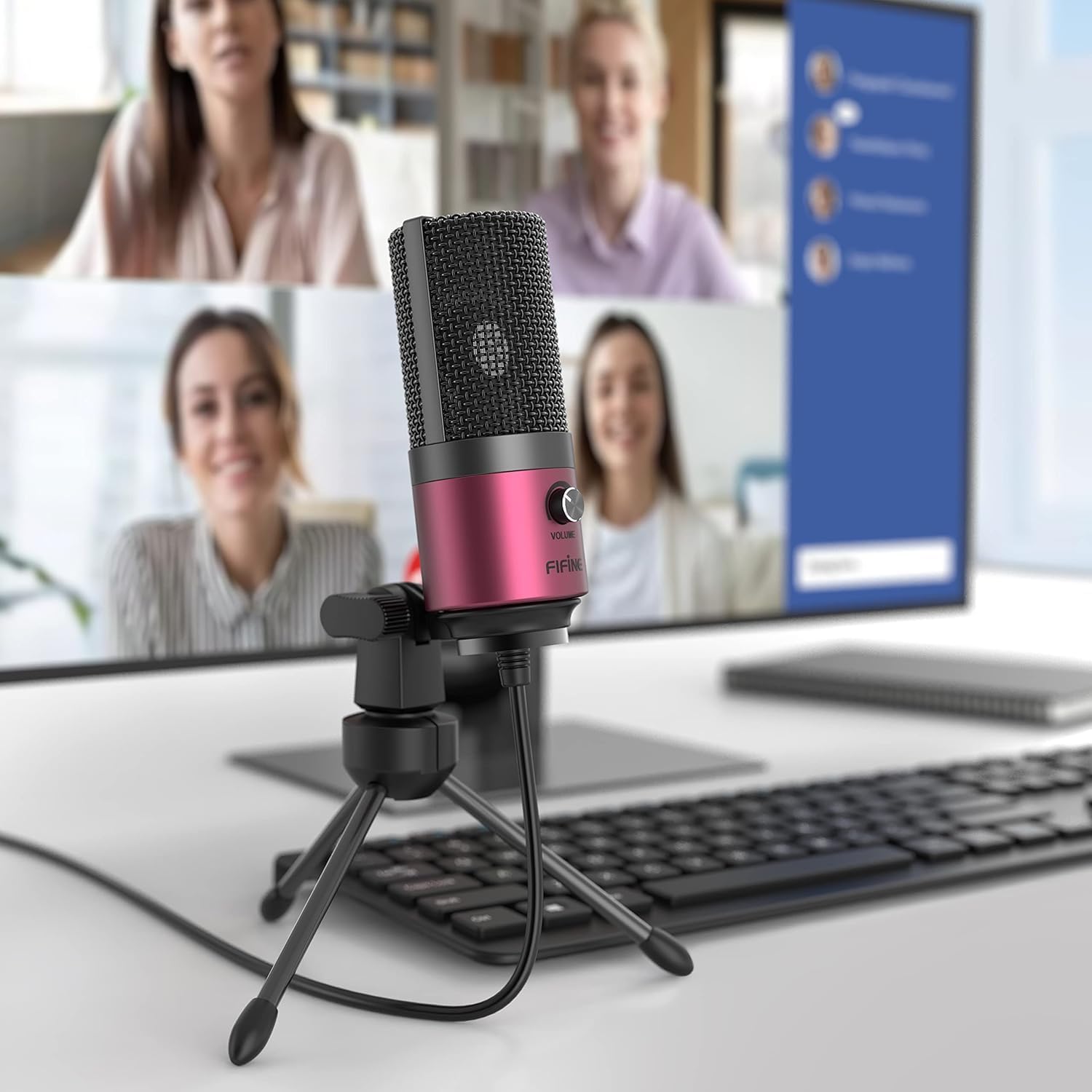
Image: The FIFINE K669 microphone positioned on a desk in front of a computer monitor displaying a video conference, highlighting its suitability for professional and casual online meetings.
6 സ്പെസിഫിക്കേഷനുകൾ
| ഫീച്ചർ | വിവരണം |
|---|---|
| ബ്രാൻഡ് | ഫിഫൈൻ |
| മോഡൽ നമ്പർ | K669 |
| കണക്റ്റിവിറ്റി ടെക്നോളജി | USB |
| കണക്റ്റർ തരം | യുഎസ്ബി ടൈപ്പ്-എ |
| പ്രത്യേക സവിശേഷതകൾ | സ്റ്റാൻഡ്, വോളിയം നിയന്ത്രണം |
| അനുയോജ്യമായ ഉപകരണങ്ങൾ | Game Console, Laptop, PC |
| നിറം | പിങ്ക് |
| ഉൾപ്പെടുത്തിയ ഘടകങ്ങൾ | യുഎസ്ബി കേബിൾ, ഉപയോക്തൃ മാനുവൽ |
| പോളാർ പാറ്റേൺ | ഏകദിശയിലുള്ള (കാർഡിയോയിഡ്) |
| മൈക്രോഫോൺ ഫോം ഫാക്ടർ | മൈക്രോഫോൺ പിൻ ചെയ്യുക |
| പവർ തരം | കോർഡഡ് ഇലക്ട്രിക് |
| സിഗ്നൽ-ടു-നോയ്സ് അനുപാതം (S/N) | 78 ഡി.ബി |
| ഹാർഡ്വെയർ പ്ലാറ്റ്ഫോം | Game Console, Desktop PC, Laptop |
| ഫ്രീക്വൻസി പ്രതികരണം | 20 ഹെർട്സ് - 20 കിലോ ഹെർട്സ് |
| മെറ്റീരിയൽ | ലോഹം |
| യു.പി.സി | 712383826909 |
7. പ്രശ്നപരിഹാരം
- മൈക്രോഫോൺ തിരിച്ചറിഞ്ഞിട്ടില്ല:
- യുഎസ്ബി കേബിൾ മൈക്രോഫോണിലേക്കും നിങ്ങളുടെ ഉപകരണത്തിലേക്കും സുരക്ഷിതമായി ബന്ധിപ്പിച്ചിട്ടുണ്ടെന്ന് ഉറപ്പാക്കുക.
- നിങ്ങളുടെ കമ്പ്യൂട്ടറിലോ കൺസോളിലോ മറ്റൊരു USB പോർട്ട് പരീക്ഷിക്കുക.
- നിങ്ങളുടെ കമ്പ്യൂട്ടറോ കൺസോളോ പുനരാരംഭിക്കുക.
- Check your device's sound settings to ensure the FIFINE K669 is selected as the input device.
- കുറഞ്ഞ വോളിയം അല്ലെങ്കിൽ ശബ്ദമില്ല:
- Adjust the volume knob on the microphone itself.
- Increase the input volume level in your device's sound settings.
- Ensure the microphone is positioned correctly, facing the sound source directly.
- Check if any other applications are muting or lowering the microphone input.
- പശ്ചാത്തല ശബ്ദം:
- The K669 has a cardioid pattern; ensure you are speaking directly into the front of the microphone.
- Minimize ambient noise in your environment (e.g., close windows, turn off fans).
- Adjust microphone sensitivity in your device's sound settings if necessary.
8. വാറൻ്റിയും പിന്തുണയും
The FIFINE K669 USB Condenser Microphone comes with a 1 വർഷത്തെ നിർമ്മാതാവിന്റെ വാറന്റി.
For further assistance, technical support, or warranty claims, please contact FIFINE customer service. You can typically find contact information on the official FIFINE webസൈറ്റ് അല്ലെങ്കിൽ നിങ്ങൾ ഉൽപ്പന്നം വാങ്ങിയ റീട്ടെയിലർ വഴി.
When contacting support, please have your product model (K669) and proof of purchase readily available.