
1. ആമുഖം
Thank you for choosing the Dragon War G25 Wired Gaming Mouse. This high-performance gaming mouse is designed for precision, speed, and comfort, featuring an ultralight honeycomb shell, customizable RGB backlighting, and programmable buttons to enhance your gaming experience. This manual provides essential information for setting up, operating, and maintaining your new gaming mouse.

Figure 1: Dragon War G25 Gaming Mouse
2. ഉൽപ്പന്നം കഴിഞ്ഞുview
The Dragon War G25 Gaming Mouse features a ergonomic design with a honeycomb shell for reduced weight and improved airflow. It includes multiple buttons for various functions, a scroll wheel, and customizable RGB lighting.

Figure 2: Mouse Details and Key Features
2.1 മൗസ് ഘടകങ്ങൾ
- ഇടത് ബട്ടൺ: സ്റ്റാൻഡേർഡ് ഇടത്-ക്ലിക്ക് പ്രവർത്തനം.
- വലത് ബട്ടൺ: സ്റ്റാൻഡേർഡ് റൈറ്റ്-ക്ലിക്ക് ഫംഗ്ഷൻ.
- സ്ക്രോൾ വീൽ: സ്ക്രോളിംഗിനും മിഡിൽ-ക്ലിക്ക് ഫംഗ്ഷനും.
- ഫോർവേഡ് ബട്ടൺ: മുന്നോട്ട് നാവിഗേറ്റ് ചെയ്യുന്നു web ബ്രൗസറുകൾ അല്ലെങ്കിൽ ആപ്ലിക്കേഷനുകൾ.
- ബാക്ക്വേർഡ് ബട്ടൺ: പിന്നിലേക്ക് നാവിഗേറ്റ് ചെയ്യുന്നു web ബ്രൗസറുകൾ അല്ലെങ്കിൽ ആപ്ലിക്കേഷനുകൾ.
- DPI ബട്ടൺ: Adjusts the mouse's sensitivity (Dots Per Inch).
- Backlit Switch Button: Controls RGB lighting modes.

Figure 3: Programmable Gaming Mouse Layout
3. സജ്ജീകരണ നിർദ്ദേശങ്ങൾ
Setting up your Dragon War G25 Gaming Mouse is a simple plug-and-play process.
- മൗസ് ബന്ധിപ്പിക്കുക: Plug the USB connector of the Dragon War G25 Gaming Mouse into an available USB 2.0 port on your computer.
- ഡ്രൈവർ ഇൻസ്റ്റാളേഷൻ: Your operating system (Windows, macOS) will automatically detect and install the necessary drivers. No manual driver installation is typically required for basic functionality.
- സോഫ്റ്റ്വെയർ ഇൻസ്റ്റാളേഷൻ (ഓപ്ഷണൽ): For advanced customization, such as programming buttons and fine-tuning RGB effects, you may need to download the dedicated Dragon War software from the official website. Refer to the software's instructions for installation and usage.
4. പ്രവർത്തന നിർദ്ദേശങ്ങൾ
4.1 മൗസിന്റെ അടിസ്ഥാന പ്രവർത്തനങ്ങൾ
- ഇടത് ക്ലിക്ക്: Use the Left Button for selecting items, opening files, and primary actions.
- വലത് ക്ലിക്കിൽ: Use the Right Button for context menus and secondary actions.
- സ്ക്രോൾ: Use the Scroll Wheel to navigate up and down documents or web pages. Pressing the scroll wheel typically acts as a middle-click.
4.2 ഡിപിഐ അഡ്ജസ്റ്റ്മെന്റ്
The DPI (Dots Per Inch) button allows you to instantly change the mouse's sensitivity. Press the DPI ബട്ടൺ (typically located below the scroll wheel) to cycle through preset DPI levels. Each press will switch to a different sensitivity, often indicated by a change in the mouse's LED color or pattern. Higher DPI settings result in faster cursor movement.
4.3 RGB ബാക്ക്ലൈറ്റ് മോഡുകൾ
The Dragon War G25 features dynamic RGB backlighting with multiple effects. Use the Backlit Switch Button (Button 7 in Figure 3, typically on the underside or a dedicated button) to cycle through various lighting modes and effects. These modes can include:
- Cycle Flashes
- ശ്വസനം
- തരംഗം
- വർണ്ണാഭമായ സ്ട്രീമിംഗ്
- പ്രതികരണം
- Color Alternation
- സ്ട്രീമർ
- Page Change
- RGB Mixed Light
- ഗ്രേഡിയന്റ് ഇഫക്റ്റ്

Figure 4: RGB Backlight Modes
4.4 പ്രോഗ്രാം ചെയ്യാവുന്ന പ്രവർത്തനങ്ങൾ
For advanced users, the Dragon War G25 Gaming Mouse supports programmable buttons and macros. This functionality requires the installation of the official Dragon War software. Once installed, you can:
- Assign custom functions to each of the 7 buttons.
- Create and assign complex macros for in-game actions.
- Adjust DPI settings with finer control.
- RGB ലൈറ്റിംഗ് ഇഫക്റ്റുകൾ, നിറങ്ങൾ, തെളിച്ചം എന്നിവ ഇഷ്ടാനുസൃതമാക്കുക.
Refer to the software's user interface and help documentation for detailed instructions on programming and customization.
5. പരിപാലനം
ശരിയായ അറ്റകുറ്റപ്പണികൾ നിങ്ങളുടെ ഗെയിമിംഗ് മൗസിന്റെ ദീർഘായുസ്സും മികച്ച പ്രകടനവും ഉറപ്പാക്കുന്നു.
- വൃത്തിയാക്കൽ: മൗസിന്റെ പ്രതലം തുടയ്ക്കാൻ മൃദുവായതും ഉണങ്ങിയതുമായ ഒരു തുണി ഉപയോഗിക്കുക. കഠിനമായ അഴുക്കിന്, ചെറുതായി dampവെള്ളം അല്ലെങ്കിൽ നേരിയ ക്ലീനിംഗ് ലായനി ഉപയോഗിച്ച് തുണി തുടയ്ക്കുക. കഠിനമായ രാസവസ്തുക്കളോ ഉരച്ചിലുകളോ ഉള്ള വസ്തുക്കൾ ഉപയോഗിക്കുന്നത് ഒഴിവാക്കുക.
- സെൻസർ ക്ലീനിംഗ്: Occasionally, dust or debris may accumulate around the optical sensor on the underside of the mouse. Use a cotton swab or compressed air to gently clean the sensor area.
- കേബിൾ കെയർ: Avoid sharply bending or twisting the USB cable. Store the mouse in a way that prevents the cable from being crimped or damaged.
- സംഭരണം: ഉപയോഗത്തിലില്ലാത്തപ്പോൾ, നേരിട്ടുള്ള സൂര്യപ്രകാശത്തിൽ നിന്നും കടുത്ത താപനിലയിൽ നിന്നും മാറി വൃത്തിയുള്ളതും വരണ്ടതുമായ അന്തരീക്ഷത്തിൽ മൗസ് സൂക്ഷിക്കുക.
6. പ്രശ്നപരിഹാരം
If you encounter issues with your Dragon War G25 Gaming Mouse, refer to the following common solutions:
- മൗസ് പ്രതികരിക്കുന്നില്ല:
- നിങ്ങളുടെ കമ്പ്യൂട്ടറിലെ പ്രവർത്തിക്കുന്ന ഒരു USB പോർട്ടിലേക്ക് USB കേബിൾ സുരക്ഷിതമായി പ്ലഗ് ചെയ്തിട്ടുണ്ടെന്ന് ഉറപ്പാക്കുക.
- മൗസ് മറ്റൊരു യുഎസ്ബി പോർട്ടിലേക്ക് പ്ലഗ് ചെയ്യാൻ ശ്രമിക്കുക.
- നിങ്ങളുടെ കമ്പ്യൂട്ടർ പുനരാരംഭിക്കുക.
- Check Device Manager (Windows) or System Information (macOS) to see if the mouse is recognized.
- ഡിപിഐ മാറുന്നില്ല:
- Ensure you are pressing the correct DPI button.
- If using custom software, verify that DPI settings are correctly configured and applied.
- RGB ലൈറ്റുകൾ പ്രവർത്തിക്കുന്നില്ല അല്ലെങ്കിൽ തെറ്റാണ്:
- Press the Backlit Switch Button to cycle through modes.
- If using custom software, check the lighting settings.
- യുഎസ്ബി പോർട്ടിൽ നിന്ന് മൗസിന് ആവശ്യത്തിന് പവർ ലഭിക്കുന്നുണ്ടെന്ന് ഉറപ്പാക്കുക.
- ബട്ടണുകൾ ശരിയായി പ്രവർത്തിക്കുന്നില്ല:
- If buttons are programmed via software, ensure the software is running and settings are correct.
- സിസ്റ്റം-നിർദ്ദിഷ്ട പ്രശ്നങ്ങൾ ഒഴിവാക്കാൻ മറ്റൊരു കമ്പ്യൂട്ടറിൽ മൗസ് പരിശോധിക്കുക.
7 സ്പെസിഫിക്കേഷനുകൾ
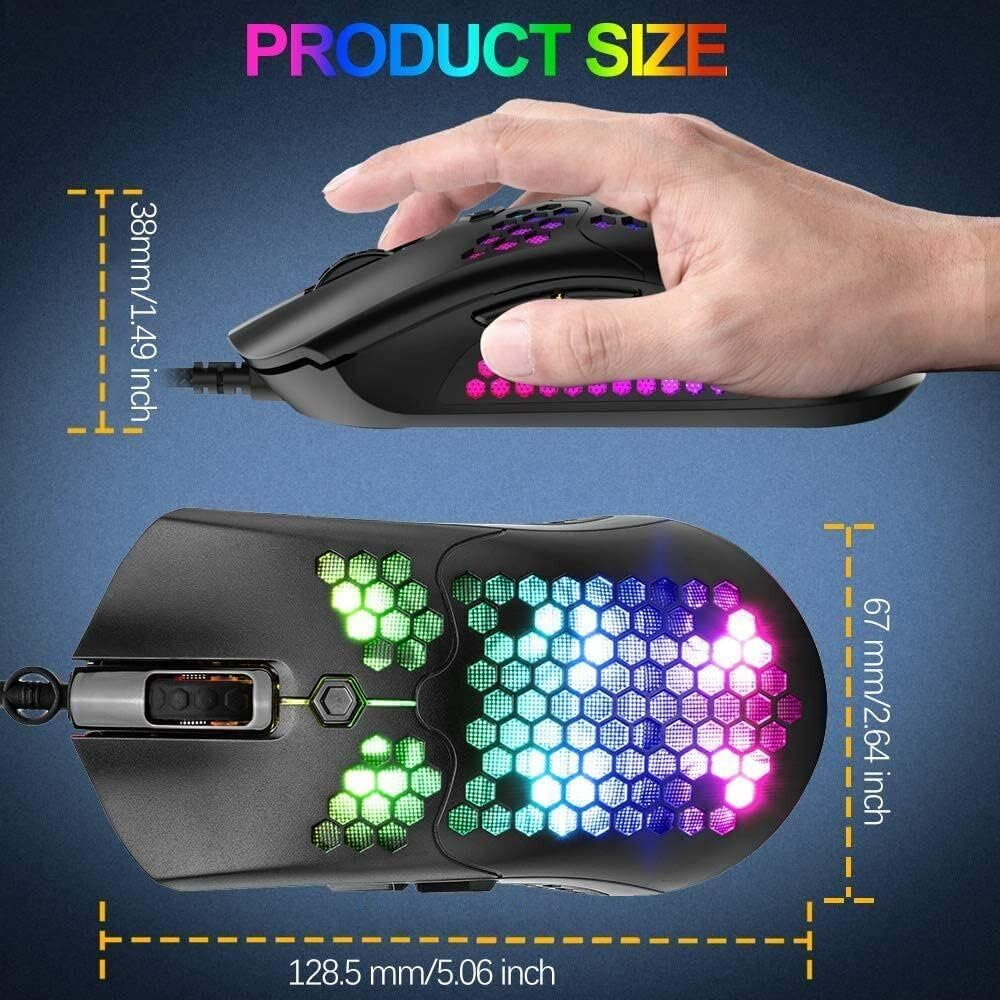
ചിത്രം 5: ഉൽപ്പന്ന അളവുകൾ
| ഫീച്ചർ | വിശദാംശങ്ങൾ |
|---|---|
| ബ്രാൻഡ് | ഡ്രാഗൺവാർ |
| മോഡൽ നമ്പർ | G25 (G-PC-002) |
| കണക്റ്റിവിറ്റി ടെക്നോളജി | വയർഡ് യുഎസ്ബി 2.0 |
| ബട്ടണുകളുടെ എണ്ണം | 7 |
| ശുപാർശ ചെയ്യുന്ന ഉപയോഗം | ഗെയിമിംഗ് |
| ഭാരം | Approximately 65 Grams (Ultralight design) |
| അളവുകൾ (L x W x H) | 128.5 mm x 67 mm x 38 mm (5.06 x 2.64 x 1.49 ഇഞ്ച്) |
| RGB ബാക്ക്ലൈറ്റിംഗ് | 26 Kinds of RGB Backlit Modes |
| പ്രോഗ്രാമബിൾ | Yes, via dedicated software |
| ബാറ്ററികൾ ആവശ്യമാണ് | ഇല്ല |
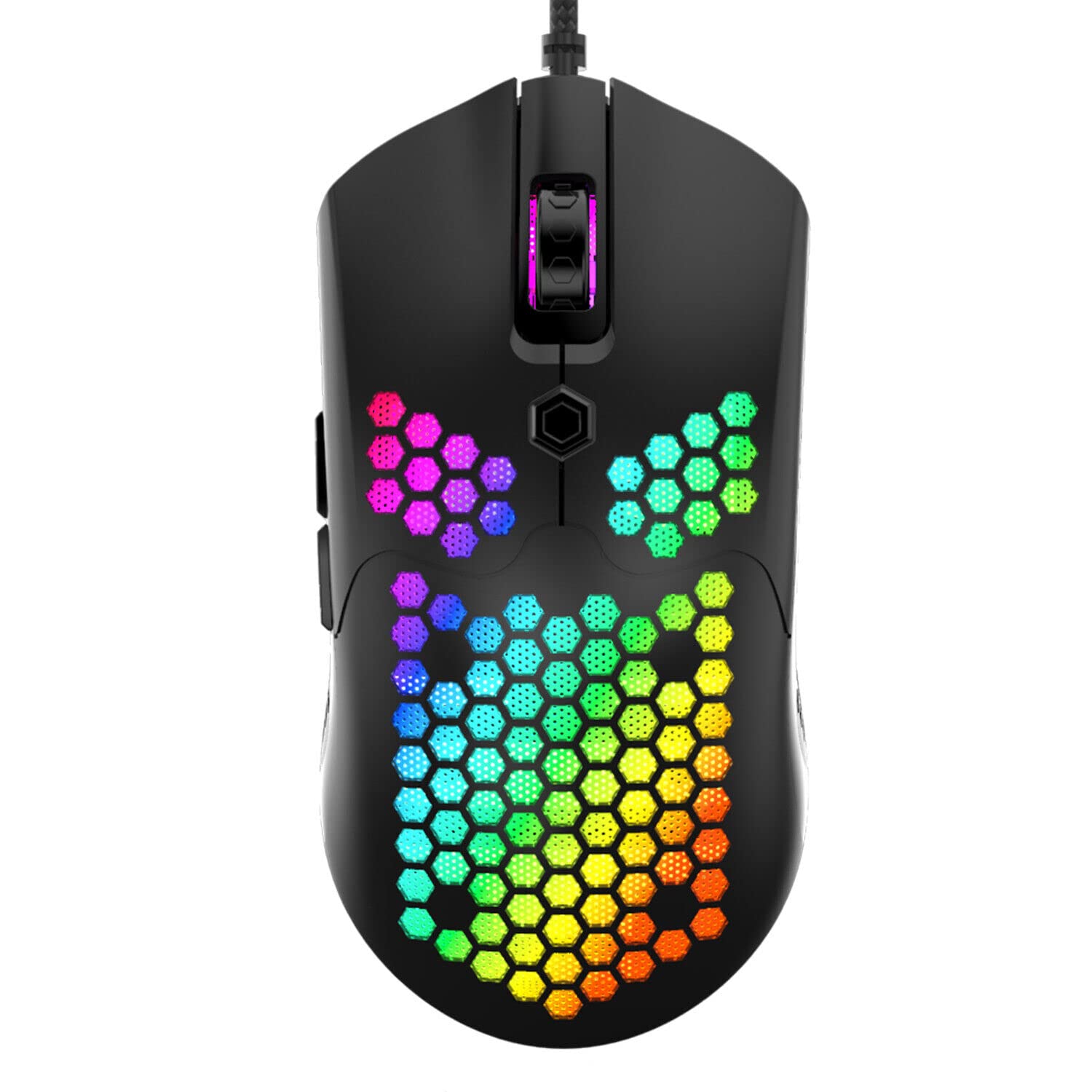
Figure 6: Ultralight Design (Approx. 65g)
8. വാറൻ്റിയും പിന്തുണയും
Dragon War products are designed for quality and performance. For warranty information, technical support, or customer service inquiries, please refer to the documentation included with your purchase or visit the official Dragon War webസൈറ്റ്. വാറന്റി ക്ലെയിമുകൾക്കായി നിങ്ങളുടെ വാങ്ങലിന്റെ തെളിവ് സൂക്ഷിക്കുക.