
ആമുഖം
Thank you for choosing the INPHIC M1 II Tri-Mode Wireless Mouse. This manual provides detailed instructions for setting up, operating, and maintaining your mouse to ensure optimal performance. This mouse offers versatile connectivity options (2.4G USB, Bluetooth 4.0, and Bluetooth 5.0), an ergonomic design, quiet clicking, and adjustable DPI settings for various computing needs.
സജ്ജമാക്കുക
1. പവർ ഓൺ
Locate the ON/OFF switch on the bottom of the mouse and slide it to the "ON" position.

ചിത്രം: The bottom of the INPHIC M1 II mouse, showing the ON/OFF switch, DPI button, and the storage slot for the USB receiver.
2. നിങ്ങളുടെ മൗസ് ബന്ധിപ്പിക്കുന്നു
The INPHIC M1 II mouse supports three connection modes: 2.4G USB, Bluetooth 4.0 (BT1), and Bluetooth 5.0 (BT2).
2.1. 2.4G യുഎസ്ബി കണക്ഷൻ
- താഴെയുള്ള ഓൺ/ഓഫ് സ്വിച്ച് ഉപയോഗിച്ച് മൗസ് ഓണാക്കുക.
- Press the "MODE" button on the bottom of the mouse to select 2.4G mode. The indicator light will show the selected mode.
- മൗസിന്റെ അടിയിലുള്ള സ്റ്റോറേജ് സ്ലോട്ടിൽ നിന്ന് യുഎസ്ബി റിസീവർ പുറത്തെടുക്കുക.
- നിങ്ങളുടെ കമ്പ്യൂട്ടറിൽ ലഭ്യമായ USB പോർട്ടിലേക്ക് USB റിസീവർ ചേർക്കുക.
- നിങ്ങളുടെ കമ്പ്യൂട്ടർ സ്വയമേവ മൗസ് കണ്ടെത്തി ബന്ധിപ്പിക്കണം.

ചിത്രം: Visual guide for connecting the mouse via 2.4G USB receiver, illustrating the steps from turning on to plugging in the receiver.
2.2. Bluetooth 4.0 (BT1) / Bluetooth 5.0 (BT2) Connection
- താഴെയുള്ള ഓൺ/ഓഫ് സ്വിച്ച് ഉപയോഗിച്ച് മൗസ് ഓണാക്കുക.
- Short press the "MODE" button on the bottom of the mouse to select either BT1 (Bluetooth 4.0) or BT2 (Bluetooth 5.0). The corresponding indicator light will illuminate.
- നിങ്ങളുടെ ഉപകരണത്തിൽ (ലാപ്ടോപ്പ്, ടാബ്ലെറ്റ്, സ്മാർട്ട്ഫോൺ), ബ്ലൂടൂത്ത് ക്രമീകരണങ്ങളിലേക്ക് പോകുക.
- ബ്ലൂടൂത്ത് പ്രവർത്തനക്ഷമമാക്കി ലഭ്യമായ ഉപകരണങ്ങൾക്കായി തിരയുക.
- ബന്ധിപ്പിക്കുന്നതിന് ലിസ്റ്റിൽ നിന്ന് "BT4.0 മൗസ്" അല്ലെങ്കിൽ "BT5.0 മൗസ്" തിരഞ്ഞെടുക്കുക.

ചിത്രം: Visual guide for connecting the mouse via Bluetooth, showing how to select BT1 or BT2 and pair with a device.
കുറിപ്പ്: Windows 7, Bluetooth 4.0 അല്ലെങ്കിൽ അതിനുശേഷമുള്ളവയെ പിന്തുണയ്ക്കുന്നില്ല. Windows 7-ന് 2.4G വയർലെസ് കണക്ഷൻ ഉപയോഗിക്കുക.
പ്രവർത്തന നിർദ്ദേശങ്ങൾ
1. ഡിപിഐ ക്രമീകരണം
The mouse features 5 adjustable DPI levels: 800, 1200, 1600, 2000, and 2400. To change the DPI, press the DPI button located on the bottom of the mouse. Each press cycles through the available DPI settings.
ചിത്രം: The underside of the mouse, highlighting the DPI adjustment button for sensitivity control.
2. സൈലന്റ് ക്ലിക്ക് ചെയ്യൽ
The INPHIC M1 II mouse is designed with silent click buttons, reducing noise by up to 90%. This feature is ideal for quiet environments such as offices, libraries, or late-night use.

ചിത്രം: The INPHIC M1 II mouse on a dark surface, emphasizing its quiet operation for a distraction-free experience.
3. ബാറ്ററി സൂചകം
The mouse features a visible battery indicator LED on its top surface. This allows you to monitor the remaining power instantly, preventing unexpected power loss during use.

ചിത്രം: എ വിശദമായി view of the mouse's top, showing the illuminated battery status indicator lights to check power levels.
ചാർജിംഗ്
The INPHIC M1 II mouse is equipped with a built-in rechargeable battery and a Type-C charging port. To charge the mouse:
- നൽകിയിരിക്കുന്ന ടൈപ്പ്-സി ചാർജിംഗ് കേബിൾ മൗസിന്റെ ചാർജിംഗ് പോർട്ടുമായി ബന്ധിപ്പിക്കുക.
- കേബിളിന്റെ മറ്റേ അറ്റം ഒരു USB പവർ സ്രോതസ്സുമായി ബന്ധിപ്പിക്കുക (ഉദാ: കമ്പ്യൂട്ടർ USB പോർട്ട്, USB വാൾ അഡാപ്റ്റർ).
- The battery indicator lights will show the charging status. A full charge typically takes 2-3 hours.
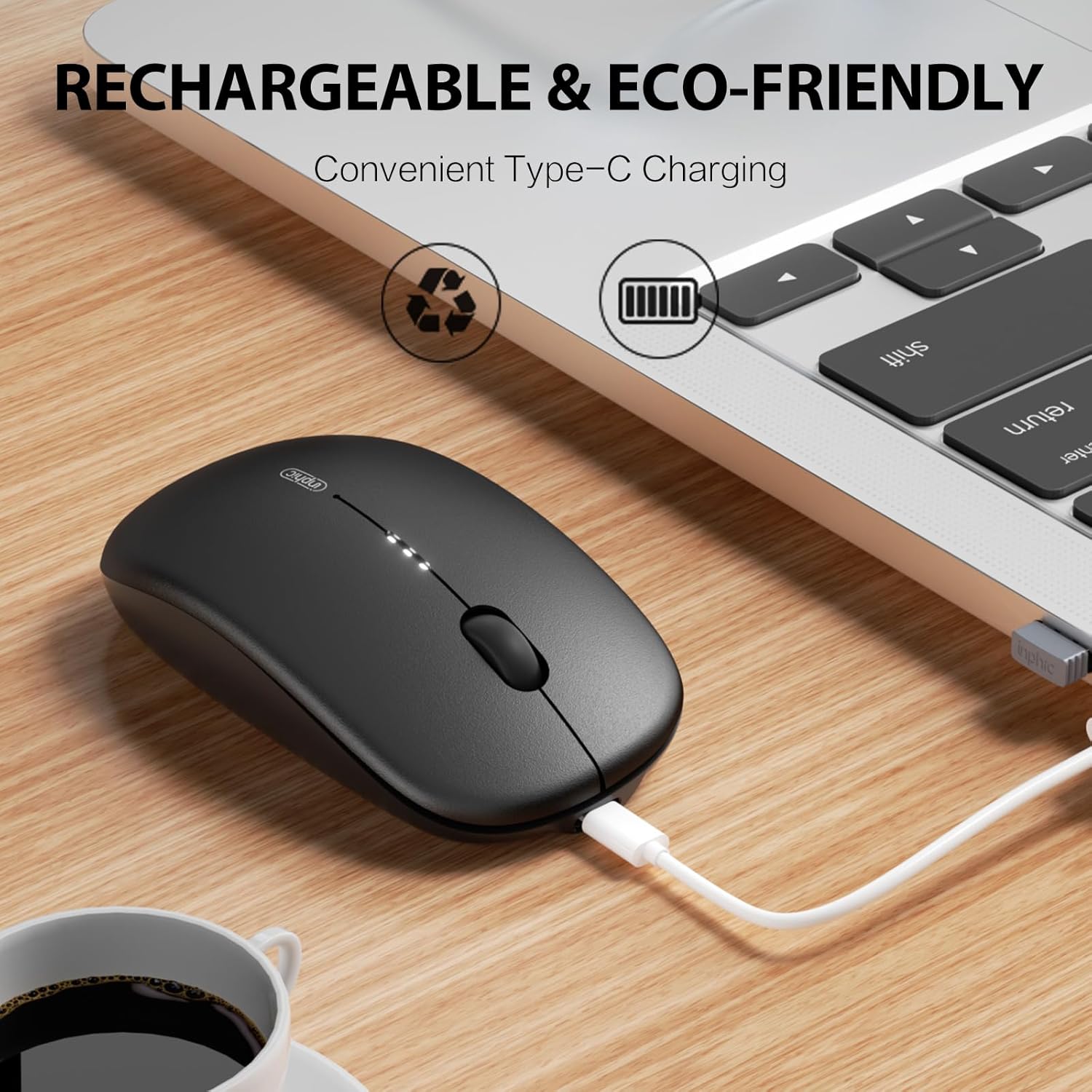
ചിത്രം: The INPHIC M1 II mouse being charged via its Type-C port, with a laptop in the background, indicating convenient recharging.
മെയിൻ്റനൻസ്
- വൃത്തിയാക്കൽ: മൗസ് വൃത്തിയാക്കാൻ മൃദുവായതും ഉണങ്ങിയതുമായ തുണി ഉപയോഗിക്കുക. കഠിനമായ അഴുക്കിന്, ചെറുതായി dampതുണിയിൽ വെള്ളം അല്ലെങ്കിൽ നേരിയ ക്ലീനിംഗ് ലായനി ഉപയോഗിക്കുക. കഠിനമായ രാസവസ്തുക്കൾ ഒഴിവാക്കുക.
- സംഭരണം: When not in use, store the USB receiver in its designated slot on the bottom of the mouse to prevent loss.
- ബാറ്ററി കെയർ: To prolong battery life, avoid fully discharging the mouse frequently. Charge it when the battery indicator shows low power.
- പരിസ്ഥിതി വ്യവസ്ഥകൾ: മൗസിനെ തീവ്രമായ താപനിലയിലോ, നേരിട്ടുള്ള സൂര്യപ്രകാശത്തിലോ, ഉയർന്ന ആർദ്രതയിലോ തുറന്നുകാട്ടുന്നത് ഒഴിവാക്കുക.
ട്രബിൾഷൂട്ടിംഗ്
| പ്രശ്നം | പരിഹാരം |
|---|---|
| മൗസ് പ്രതികരിക്കുന്നില്ല |
|
| കാലതാമസം അല്ലെങ്കിൽ ഇടവിട്ടുള്ള കണക്ഷൻ |
|
| DPI ക്രമീകരണം മാറുന്നില്ല | Ensure you are pressing the DPI button on the bottom of the mouse. Cycle through all settings to confirm functionality. |
സ്പെസിഫിക്കേഷനുകൾ
- മോഡൽ: M1 II
- ബ്രാൻഡ്: ഇൻഫിക്
- കണക്റ്റിവിറ്റി: 2.4G USB Wireless, Bluetooth 4.0 (BT1), Bluetooth 5.0 (BT2)
- DPI ലെവലുകൾ: 800 / 1200 / 1600 / 2000 / 2400
- ബാറ്ററി: Built-in 700mAh Rechargeable Lithium Battery (Type-C Charging)
- ഭാരം: ഏകദേശം 80 ഗ്രാം
- പ്രവർത്തന ശ്രേണി: 10 മീറ്റർ വരെ (33 അടി)
- ബട്ടണുകൾ: 4 (Left, Right, Scroll Wheel, DPI Switch)
- കൈ ഓറിയൻ്റേഷൻ: ശരിയാണ്
- ചലനം കണ്ടെത്തൽ: ഒപ്റ്റിക്കൽ
- അനുയോജ്യമായ OS: Windows (7/8/10/XP/Vista), macOS, Chrome OS, Android, Linux
- അളവുകൾ (L x W): 44.1"ലിറ്റർ x 26.4"വാട്ട് (Note: These dimensions may be a data entry error and are unusually large for a mouse.)
വാറൻ്റി & പിന്തുണ
The INPHIC M1 II Wireless Mouse comes with a 1 വർഷത്തെ വാറൻ്റി from the date of purchase. This warranty covers manufacturing defects and malfunctions under normal use. For warranty claims or technical support, please contact INPHIC customer service through the retailer where you purchased the product or visit the official INPHIC webബന്ധപ്പെടാനുള്ള വിവരങ്ങൾക്കുള്ള സൈറ്റ്.
ഓൺലൈൻ ഉറവിടങ്ങൾ: For additional support, FAQs, and driver downloads (if applicable), please visit the INPHIC Store.
ഔദ്യോഗിക ഉൽപ്പന്ന വീഡിയോ
വീഡിയോ: ഔദ്യോഗിക ഉൽപ്പന്നം കഴിഞ്ഞുview of the INPHIC Bluetooth Tri-mode Mouse M1 II, demonstrating its features and connectivity options.