
Identiv SCR 3310 v2.0
Identiv SCR 3310 v2.0 SCM USB Smart Card Reader
ഉപയോക്തൃ മാനുവൽ
1. ആമുഖം
The Identiv SCR 3310 v2.0 is a compact and practical USB smart card reader designed for secure digital transactions and access. Its ergonomic design and mounting holes allow for easy integration into various systems. This reader is compatible with ISO 7816 smart cards in ID-1 format and is EMV Level 1 certified, ensuring reliable performance for a wide range of applications.
Typical applications include e-banking, electronic identification, social security and loyalty programs, electronic coupon campaigns, secure network and PC access, and online shopping.
2 സുരക്ഷാ വിവരങ്ങൾ
Please read and follow these safety guidelines to ensure safe and proper operation of your smart card reader:
- ഉപകരണത്തെ തീവ്രമായ താപനിലയിലോ, നേരിട്ടുള്ള സൂര്യപ്രകാശത്തിലോ, ഉയർന്ന ആർദ്രതയിലോ തുറന്നുകാട്ടരുത്.
- ശക്തമായ ആഘാതങ്ങൾക്ക് ഉപകരണം ഇടുകയോ ഇടുകയോ ചെയ്യുന്നത് ഒഴിവാക്കുക.
- ഉപകരണം ഡിസ്അസംബ്ലിംഗ് ചെയ്യാനോ പരിഷ്ക്കരിക്കാനോ ശ്രമിക്കരുത്. ഇത് വാറന്റി അസാധുവാക്കും.
- Keep the device away from liquids. If liquid enters the device, disconnect it immediately and contact support.
- Use only the provided USB cable or a compatible, certified USB cable.
- പ്രവർത്തന സമയത്ത് ഉപകരണത്തിന് ചുറ്റും ശരിയായ വായുസഞ്ചാരം ഉറപ്പാക്കുക.
3. പാക്കേജ് ഉള്ളടക്കം
നിങ്ങളുടെ പാക്കേജിൽ എല്ലാ ഇനങ്ങളും ഉണ്ടെന്ന് ഉറപ്പാക്കുക:
- Identiv SCR 3310 v2.0 Smart Card Reader
- Integrated USB Type-A Cable (1.5 m)
- Quick Start Guide (if applicable, not explicitly mentioned but common)
4. സജ്ജീകരണം
4.1 Connecting the Reader
The SCR 3310 v2.0 is a plug-and-play device that draws power directly from the USB port. No external power adapter is required.
- നിങ്ങളുടെ കമ്പ്യൂട്ടറിൽ ലഭ്യമായ USB പോർട്ട് കണ്ടെത്തുക.
- Insert the USB Type-A connector of the reader's cable into the USB port.
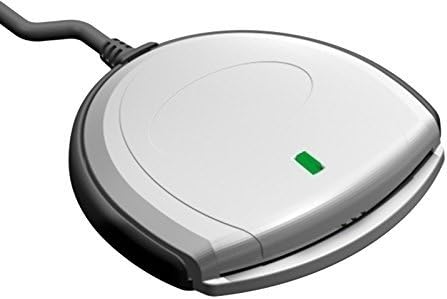
- The green status LED on the reader will illuminate, indicating that the device is powered on and ready.

ചിത്രം 1: മുൻഭാഗം view of the SCR 3310 v2.0 Smart Card Reader.
ചിത്രം 2: കോണാകൃതിയിലുള്ളത് view of the reader with the green status LED illuminated.
4.2 ഡ്രൈവർ ഇൻസ്റ്റലേഷൻ
The SCR 3310 v2.0 is CCID compliant, meaning it typically uses standard drivers built into modern operating systems. In most cases, the driver will install automatically upon connecting the device.
പിന്തുണയ്ക്കുന്ന ഓപ്പറേറ്റിംഗ് സിസ്റ്റങ്ങൾ:
- Windows 98, ME, 2000, XP, Server 2003
- Windows Vista (32/64 Bit)
- Windows 7 (32/64 Bit)
- Windows 8 (32/64 Bit)
- Windows 10 (32/64 Bit)
- Windows CE 4.2, 5.0
- MacOS
- സോളാരിസ്
- ലിനക്സ്
If the driver does not install automatically, or if you encounter issues, you may need to download the latest drivers from the Identiv support website. The reader utilizes PC/SC and CT-API (via a PC/SC-based wrapper) for application communication.
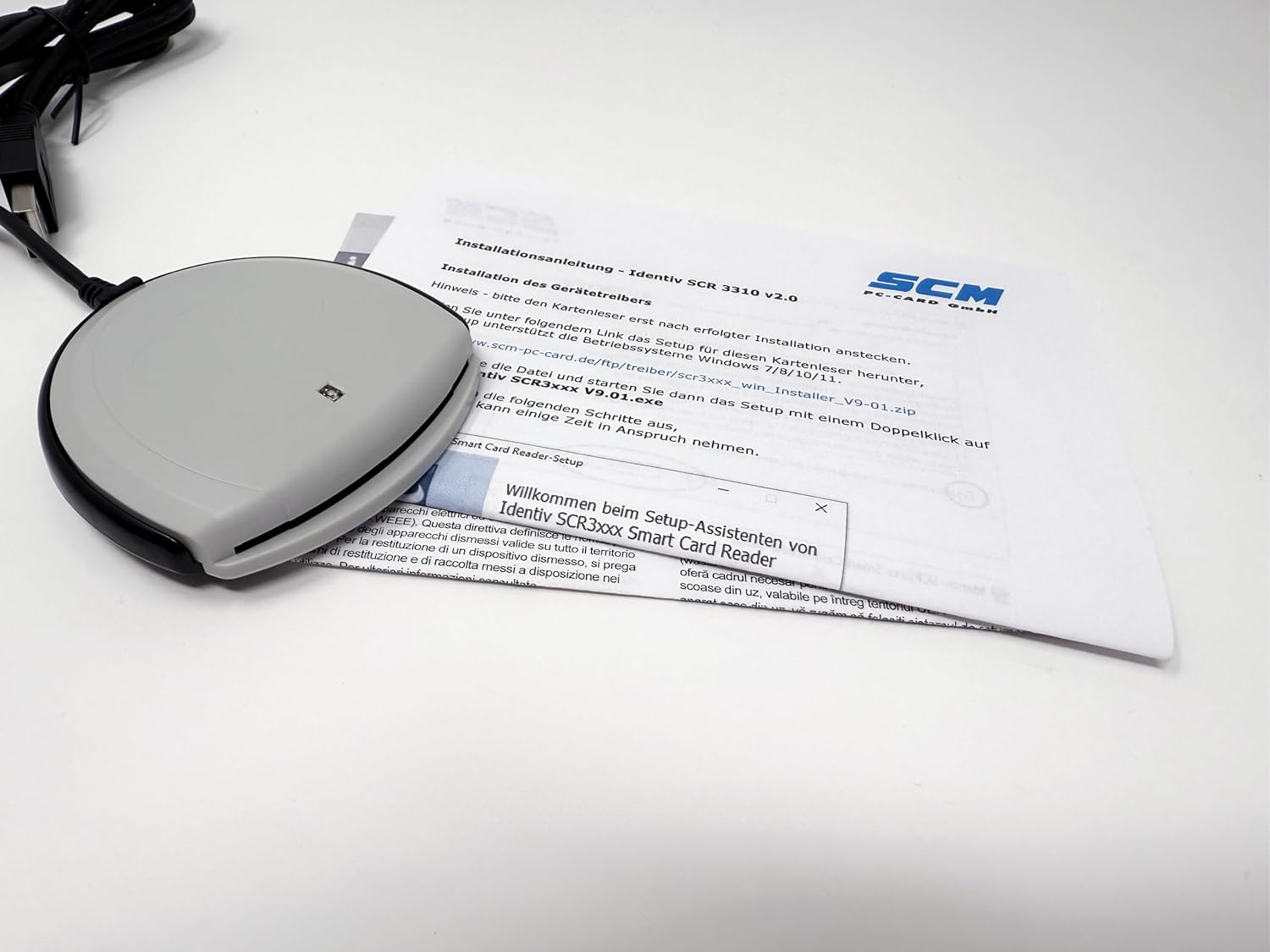
Figure 3: Driver installation process on a computer.
Note: This reader does not work with DATEV applications.
5. പ്രവർത്തന നിർദ്ദേശങ്ങൾ
5.1 Inserting a Smart Card
To use the smart card reader, insert your ID-1 format smart card into the slot on the front of the device.
- Orient the smart card with the chip facing upwards and towards the reader.
- Gently slide the smart card into the slot until it is fully seated. Do not force the card.
- The reader will automatically detect the card. The green status LED may blink or change state depending on the application's activity.

Figure 4: Smart card being inserted into the reader.
5.2 Removing a Smart Card
ഒരു സ്മാർട്ട് കാർഡ് നീക്കംചെയ്യുന്നതിന്:
- Ensure that no application is actively using the smart card.
- Gently pull the smart card out of the slot.
Caution: Do not remove the smart card while an application is actively accessing it, as this may lead to data corruption or application errors.
6. പരിപാലനം
The Identiv SCR 3310 v2.0 requires minimal maintenance. Follow these guidelines to keep your device in optimal condition:
- വൃത്തിയാക്കൽ: Use a soft, dry, lint-free cloth to wipe the exterior of the reader. Do not use liquid cleaners, aerosols, or abrasive materials.
- സംഭരണം: When not in use, store the reader in a clean, dry environment, away from dust and extreme temperatures.
- കേബിൾ കെയർ: Avoid bending or kinking the USB cable excessively. Do not pull the cable to disconnect the reader from the computer; always grasp the USB connector.
7. പ്രശ്നപരിഹാരം
If you encounter issues with your smart card reader, refer to the following common problems and solutions:
| പ്രശ്നം | സാധ്യമായ കാരണം | പരിഹാരം |
|---|---|---|
| Reader not detected by computer. | Loose USB connection, faulty USB port, driver not installed. |
|
| Smart card not recognized. | Card inserted incorrectly, dirty card chip, incompatible card. |
|
| Green status LED is off. | No power, faulty USB port. |
|
| Reader does not work with DATEV applications. | പൊരുത്തക്കേട്. | This reader is explicitly stated as not compatible with DATEV applications. No solution is available for this specific incompatibility. |
8 സ്പെസിഫിക്കേഷനുകൾ
| ഫീച്ചർ | വിശദാംശങ്ങൾ |
|---|---|
| മോഡലിൻ്റെ പേര് | SCR 3310 v2.0 (P/N: 905331) |
| അളവുകൾ (L x W x H) | 70 x 70 x 14 മിമി (2.76 x 2.76 x 0.55 ഇഞ്ച്) |
| ഭാരം | 73 ഗ്രാം (2.57 ഔൺസ്) |
| ഇൻ്റർഫേസ് | USB Full Speed (12 Mbps), USB 3.0 compatible, CCID compliant |
| ആശയവിനിമയ വേഗത | 412 Kbps വരെ |
| Smart Card Support | ISO 7816 Classes A, B, C (5V, 3.3V, 1.8V), ID-1 format |
| കേബിൾ നീളം | 1.5 m (4.9 ft) with USB Type-A connector |
| വൈദ്യുതി വിതരണം | യുഎസ്ബി ബസ്-പവർ |
| പ്രവർത്തന താപനില | 0°C മുതൽ +50°C വരെ (32°F മുതൽ +122°F വരെ) |
| സർട്ടിഫിക്കേഷനുകൾ | FCC Class B Part 15, cULus, CE, VCCI, USB/Microsoft WHQL 2000, XP, Server 2003, EMV Level 1 |
| പരിസ്ഥിതി പാലിക്കൽ | RoHS, WEEE, REACH-Compliance |
| ഓപ്പറേറ്റിംഗ് സിസ്റ്റം അനുയോജ്യത | Windows (98, ME, 2000, XP, Server 2003, Vista, 7, 8, 10), Windows CE (4.2, 5.0), MacOS, Solaris, Linux |
| Driver API | PC/SC, CT-API (via PC/SC-based wrapper) |

ചിത്രം 5: പിന്നിലേക്ക് view of the reader with product information and certifications.
9. വാറൻ്റിയും പിന്തുണയും
9.1 വാറൻ്റി വിവരങ്ങൾ
Identiv products are manufactured to the highest quality standards. For specific warranty terms and conditions, please refer to the warranty card included with your product or visit the official Identiv webസൈറ്റ്. വാറന്റി ക്ലെയിമുകൾക്കായി നിങ്ങളുടെ വാങ്ങലിന്റെ തെളിവ് സൂക്ഷിക്കുക.
9.2 സാങ്കേതിക പിന്തുണ
If you require technical assistance or have questions not covered in this manual, please contact Identiv customer support. You can find contact information and additional resources, including driver downloads and FAQs, on the official Identiv webസൈറ്റ്:
When contacting support, please have your product model (SCR 3310 v2.0) and serial number (found on the back of the device, e.g., 53312211230194) ready.
Ask a question about this manual
Ask about setup, troubleshooting, compatibility, parts, safety, or missing instructions. Manuals+ will review the question and use this page’s manual context to help answer it.