
1. ആമുഖം
This manual provides instructions for the installation, operation, and maintenance of your FreedConn TCOM VB Bluetooth Motorcycle Intercom. Please read this manual thoroughly before use to ensure proper functionality and safety.
2 പ്രധാന സവിശേഷതകൾ
- Bluetooth V5.0 for stable connectivity.
- Intercom communication for 2-3 riders with an 800m range.
- Universal pairing with most Bluetooth headsets.
- Hands-free calling for mobile phones.
- Stereo music playback and music sharing with a passenger.
- അന്തർനിർമ്മിത എഫ്എം റേഡിയോ.
- CVC noise reduction technology for clear audio.
- IP65 വാട്ടർപ്രൂഫ് റേറ്റിംഗ്.
- LCD screen for easy information display.
- Long battery life: up to 10 hours talk time, 7 hours intercom, 300 hours standby.

ചിത്രം: കഴിഞ്ഞുview of FreedConn TCOM VB Intercom key features.
3. പാക്കേജ് ഉള്ളടക്കം
നിങ്ങളുടെ പാക്കേജിൽ എല്ലാ ഇനങ്ങളും ഉണ്ടെന്ന് ഉറപ്പാക്കുക:
- TCOM-VB Main Unit (x2 for this package)
- Boom Microphone / Button Microphone (x2 sets)
- Speaker Pads (x12)
- Clip Bracket (x2)
- 3M Adhesive Mount (x2)
- അലൻ കീ (x2)
- USB Data Cable (x2)
- ഉപയോക്തൃ മാനുവൽ (x1)

Image: Contents of the FreedConn TCOM VB package.
4. സജ്ജീകരണവും ഇൻസ്റ്റാളേഷനും
4.1 ഇന്റർകോം യൂണിറ്റ് മൌണ്ട് ചെയ്യുന്നു
The TCOM VB unit can be mounted using either the clip bracket or the adhesive mount.
- ലൊക്കേഷൻ തിരഞ്ഞെടുക്കുക: Select a suitable flat surface on the left side of your helmet.
- Clip Bracket Installation:
- Loosen the screws on the clip bracket.
- Slide the bracket between the helmet shell and the inner padding.
- Tighten the screws to secure the bracket.
- Adhesive Mount Installation:
- Clean the helmet surface thoroughly.
- Peel off the protective film from the 3M adhesive mount.
- Press the mount firmly onto the helmet surface for at least 30 seconds. Allow 24 hours for the adhesive to cure before use.
- പ്രധാന യൂണിറ്റ് ഘടിപ്പിക്കുക: Slide the TCOM VB main unit onto the installed bracket until it clicks into place.
4.2 Speaker and Microphone Installation
Install the speakers and microphone inside your helmet.
- സ്പീക്കർ സ്ഥാനം: Attach the speakers to the inside of the helmet, aligning them with your ears. Use the provided speaker pads for comfort and optimal sound.
- മൈക്രോഫോൺ തിരഞ്ഞെടുക്കൽ: Choose between the boom microphone (for open-face helmets) or the button microphone (for full-face helmets).
- മൈക്രോഫോൺ പ്ലേസ്മെൻ്റ്: Position the microphone close to your mouth for clear voice transmission.
- കേബിളുകൾ ബന്ധിപ്പിക്കുക: Plug the speaker and microphone cables into the corresponding ports on the TCOM VB main unit.

Image: Hard and soft cable microphone options for helmet installation.
Image: Step-by-step installation guide for the intercom unit.
5. പ്രവർത്തന നിർദ്ദേശങ്ങൾ
5.1 പവർ ഓൺ/ഓഫ്
- പവർ ഓൺ: Press and hold the Power button for approximately 3 seconds until the blue indicator light flashes.
- പവർ ഓഫ്: Press and hold the Power button for approximately 3 seconds until the red indicator light flashes and the unit powers down.
5.2 Bluetooth Pairing (Phone/GPS)
To connect your TCOM VB to a mobile phone or GPS device:
- Ensure the TCOM VB unit is powered off.
- Press and hold the Power button for approximately 5-7 seconds until the red and blue indicator lights flash alternately. This indicates pairing mode.
- On your phone or GPS, enable Bluetooth and search for new devices.
- Select "FreedConn TCOM VB" from the list of available devices.
- ആവശ്യപ്പെടുകയാണെങ്കിൽ, പിൻ "0000" നൽകുക.
- Once paired, the blue indicator light will flash slowly.

Image: Bluetooth pairing with smartphone and GPS.
5.3 Intercom Pairing and Communication
The TCOM VB supports intercom communication for up to 3 riders, with 2 riders communicating simultaneously.
- Pairing Two Units (A & B):
- Ensure both units A and B are powered off.
- Press and hold the Power button on both units A and B simultaneously for 5-7 seconds until they enter pairing mode (red and blue lights flash alternately).
- Press the Power button on either unit A or B once. The units will search and pair with each other. Once paired, the blue light will flash slowly on both.
- Pairing Three Units (A, B, & C):
- First, pair units A and B as described above. Turn off both A and B after successful pairing.
- Next, pair units B and C. Turn off both B and C after successful pairing.
- To initiate a 3-way intercom: Power on all three units. Press the Power button on unit C once to connect to B. Then, press the Power button on unit B once to connect to A. All three units should now be connected.
- Initiate Intercom Call: After pairing, a short press of the Power button will initiate or end an intercom call.
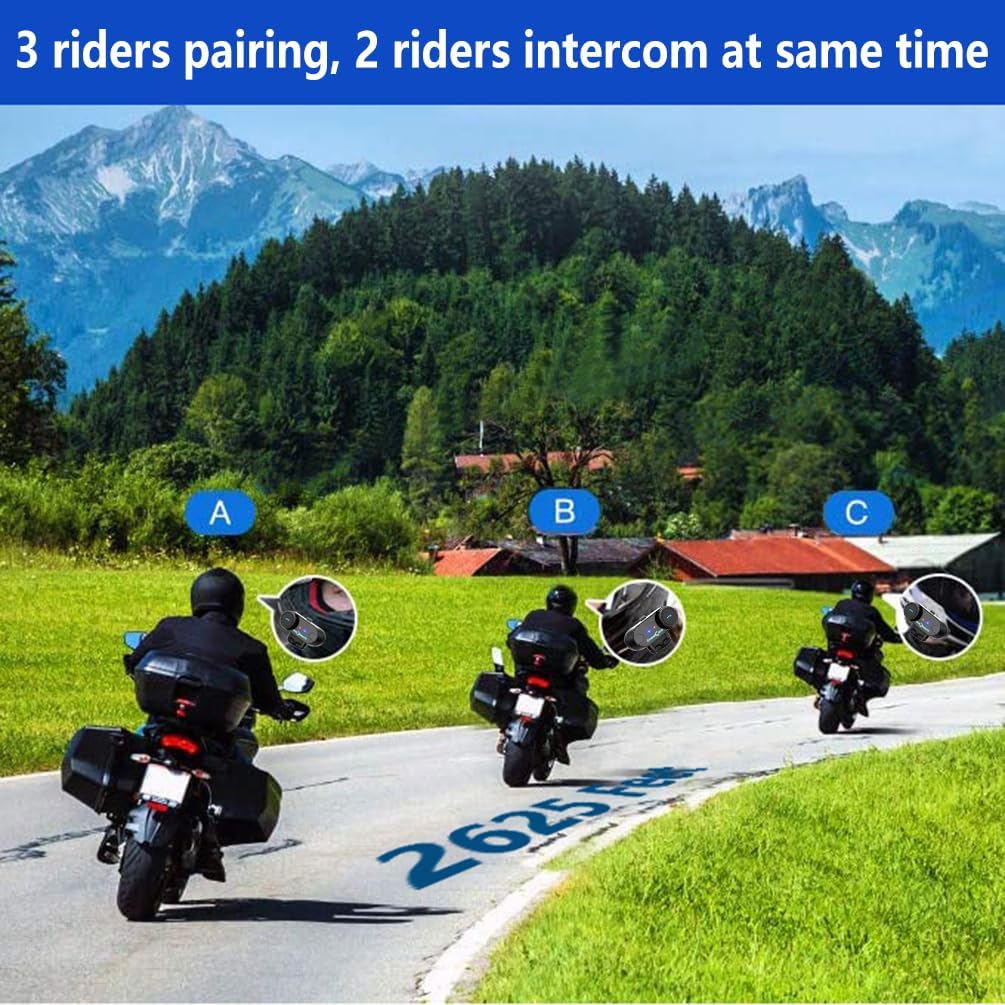
Image: 3 riders pairing, 2 riders intercom at the same time.

Image: Universal pairing feature.
Video: This video demonstrates the pairing process for three T-COMSC intercom units. The pairing steps are generally similar for TCOM VB models. First, pair two devices (A and B), then turn them off. Next, pair device B with device C. Finally, power on all three and initiate connections from C to B, then B to A for a three-way intercom.
5.4 ഫോൺ പ്രവർത്തനങ്ങൾ
- മറുപടി കോൾ: ഫോൺ ബട്ടൺ ചുരുക്കി അമർത്തുക.
- കോൾ അവസാനിപ്പിക്കുക: ഫോൺ ബട്ടൺ ചുരുക്കി അമർത്തുക.
- കോൾ നിരസിക്കുക: ഫോൺ ബട്ടൺ 2 സെക്കൻഡ് അമർത്തിപ്പിടിക്കുക.
- അവസാന നമ്പർ വീണ്ടും ഡയൽ ചെയ്യുക: ഫോൺ ബട്ടൺ രണ്ടുതവണ അമർത്തുക.
- Voice Assistant (Siri/S-Voice): Short press the Voice Assistant button (if available) or a specific button combination as per your device's manual.
5.5 മ്യൂസിക് പ്ലേബാക്ക്
- പ്ലേ/താൽക്കാലികമായി നിർത്തുക: പ്ലേ/പോസ് ബട്ടൺ ഹ്രസ്വമായി അമർത്തുക.
- അടുത്ത ട്രാക്ക്: Short press the "Next" button or rotate the multi-function knob clockwise.
- മുമ്പത്തെ ട്രാക്ക്: Short press the "Previous" button or rotate the multi-function knob counter-clockwise.
- സംഗീതം പങ്കിടൽ: While playing music, activate the music sharing function (refer to specific button combination in the full manual) to share audio with a paired intercom unit.

Image: Music sharing with a partner.
5.6 എഫ്എം റേഡിയോ
- എഫ്എം റേഡിയോ ഓൺ/ഓഫ് ചെയ്യുക: Press and hold the FM button for 2 seconds.
- സ്കാൻ സ്റ്റേഷനുകൾ: Short press the "Next" or "Previous" button to scan for available FM stations.

Image: Built-in FM Radio feature.
5.7 വോളിയം നിയന്ത്രണം
Adjust the volume using the multi-function knob or dedicated volume buttons (if present).
- വോളിയം വർദ്ധിപ്പിക്കുക: Rotate the multi-function knob clockwise or press the Volume Up button.
- വോളിയം കുറയ്ക്കുക: Rotate the multi-function knob counter-clockwise or press the Volume Down button.
6. പരിപാലനം
- വൃത്തിയാക്കൽ: മൃദുവായ, ഡി ഉപയോഗിച്ച് യൂണിറ്റ് തുടയ്ക്കുകamp തുണി. കഠിനമായ രാസവസ്തുക്കളോ ഉരച്ചിലുകളുള്ള ക്ലീനറുകളോ ഉപയോഗിക്കരുത്.
- ജല പ്രതിരോധം: The unit is IP65 waterproof, meaning it is protected against low-pressure water jets from any direction. It is not designed for submersion. Ensure the USB port cover is securely closed when not charging.
- ചാർജിംഗ്: Charge the unit using the provided USB cable. A full charge takes approximately 2.5 hours. The indicator light will change to indicate charging status (e.g., red during charging, blue when fully charged).
- സംഭരണം: ദീർഘനേരം ഉപയോഗിക്കാത്തപ്പോൾ യൂണിറ്റ് തണുത്തതും വരണ്ടതുമായ സ്ഥലത്ത് സൂക്ഷിക്കുക.

Image: Battery life and waterproof features.
7. പ്രശ്നപരിഹാരം
| പ്രശ്നം | സാധ്യമായ കാരണം | പരിഹാരം |
|---|---|---|
| ശക്തിയില്ല | കുറഞ്ഞ ബാറ്ററി | 2.5 മണിക്കൂർ യൂണിറ്റ് ചാർജ് ചെയ്യുക. |
| Cannot pair with phone/GPS | Unit not in pairing mode; Bluetooth disabled on device | Ensure unit is in pairing mode (red/blue flashing). Enable Bluetooth on your device. |
| ഇന്റർകോം കണക്റ്റ് ചെയ്യുന്നില്ല | Units not paired correctly; out of range | Repeat intercom pairing steps. Ensure units are within 800m range. |
| Low audio volume or no sound from speakers | Speakers not positioned correctly; volume too low; cable loose | Adjust speaker position closer to ears. Increase volume. Ensure speaker cable is fully inserted. |
| Poor microphone quality / background noise | Microphone not positioned correctly; wind noise | Position microphone closer to mouth. Ensure CVC noise reduction is active. Consider using a different microphone type if applicable. |
കുറിപ്പ്: If your two speakers or one side speaker are not working, ensure the headset cable is completely inserted into the interface and that the speaker is inserted into the correct port. If the volume is low, adjust the speaker placement as close to your ears as possible.
8 സ്പെസിഫിക്കേഷനുകൾ
| മോഡൽ: | T-COMVB-800M |
| ബ്ലൂടൂത്ത് പതിപ്പ്: | 5.0 |
| ഇന്റർകോം ശ്രേണി: | Up to 800 meters (between 2 riders) |
| Max Riders: | 3 (2 simultaneous communication) |
| ബാറ്ററി ശേഷി: | 400 mAh |
| ചാർജിംഗ് സമയം: | ഏകദേശം 2.5 മണിക്കൂർ |
| സംസാര സമയം: | 10 മണിക്കൂർ വരെ |
| ഇൻ്റർകോം സമയം: | 7 മണിക്കൂർ വരെ |
| സ്റ്റാൻഡ്ബൈ സമയം: | 300 മണിക്കൂർ വരെ |
| ജല പ്രതിരോധം: | IP65 |
| സ്പീക്കർ വ്യാസം: | 40 മി.മീ |
| പ്രതിരോധം: | 32 ഓം |
| ഫ്രീക്വൻസി ശ്രേണി: | 20 ഹെർട്സ് - 20,000 ഹെർട്സ് |
| ശബ്ദ നിയന്ത്രണം: | ആക്ടീവ് നോയ്സ് റദ്ദാക്കൽ (CVC) |
| അനുയോജ്യമായ ഉപകരണങ്ങൾ: | Mobile phones, MP3 players, GPS devices |
9. വാറൻ്റിയും പിന്തുണയും
വാറന്റി വിവരങ്ങൾക്കും സാങ്കേതിക പിന്തുണയ്ക്കും, ദയവായി ഔദ്യോഗിക ഫ്രീഡ്കോണിനെ പരിശോധിക്കുക. webനിങ്ങളുടെ സൈറ്റിൽ ബന്ധപ്പെടുക അല്ലെങ്കിൽ നിങ്ങളുടെ പ്രാദേശിക വിതരണക്കാരനെ ബന്ധപ്പെടുക. വാറന്റി ക്ലെയിമുകൾക്കുള്ള വാങ്ങലിന്റെ തെളിവായി നിങ്ങളുടെ വാങ്ങൽ രസീത് സൂക്ഷിക്കുക.
For common issues, please consult the troubleshooting section of this manual or the online FAQ resources provided by FreedConn.