
1. ആമുഖം
This user manual provides detailed instructions for the setup, operation, maintenance, and troubleshooting of your MARATHON Large Digital Wall Clock with an 8-inch display. Designed for clarity and ease of use, this clock is suitable for various environments including offices, classrooms, labs, and homes.

ചിത്രം: മുൻഭാഗം view of the MARATHON Large Digital Wall Clock in Graphite Gray, displaying time.
2 പ്രധാന സവിശേഷതകൾ
- വലിയ ഡിജിറ്റൽ ഡിസ്പ്ലേ: High contrast 7.5-inch LCD display with large digits for easy readability from a distance.
- ബഹുമുഖ പ്ലെയ്സ്മെന്റ്: Features integrated keyholes for wall mounting and a fold-out stand for desktop use.
- സ്നൂസുള്ള അലാറം: Includes a loud, easy-to-set alarm function with a snooze option.
- ഡേലൈറ്റ് സേവിംഗ് ടൈം (DST): Equipped with a special feature for automatic Daylight Saving adjustments.
- ബാറ്ററി പവർ: 3 AAA ബാറ്ററികളിലാണ് പ്രവർത്തിക്കുന്നത് (ഉൾപ്പെടുത്തിയിരിക്കുന്നു).

Image: Diagram illustrating the dimensions of the clock: 9 inches (23 cm) width, 6.5 inches (16.5 cm) height, with 3.5 inch (9 cm) digits.
3. സജ്ജീകരണം
3.1. ബാറ്ററി ഇൻസ്റ്റാളേഷൻ
- ക്ലോക്കിന്റെ പിൻഭാഗത്ത് ബാറ്ററി കമ്പാർട്ട്മെന്റ് കവർ കണ്ടെത്തുക.
- Remove the cover by sliding it off or gently prying it open.
- Insert 3 AAA batteries, ensuring correct polarity (+ and - terminals match the markings inside the compartment). The clock comes with batteries included.
- ബാറ്ററി കമ്പാർട്ട്മെന്റ് കവർ സുരക്ഷിതമായി മാറ്റിസ്ഥാപിക്കുക.

ചിത്രം: പിൻഭാഗം view ക്ലോക്കിന്റെ, ബാറ്ററി കമ്പാർട്ട്മെന്റും നിയന്ത്രണ ബട്ടണുകളും ഹൈലൈറ്റ് ചെയ്യുന്നു.
3.2. പ്ലേസ്മെന്റ് ഓപ്ഷനുകൾ
- ഡെസ്ക്ടോപ്പ് പ്ലേസ്മെന്റ്: Extend the fold-out stand located on the back of the clock to place it on any flat surface.
- മതിൽ മൗണ്ടിംഗ്: Use the integrated keyholes on the back of the clock to hang it securely on a wall. Ensure appropriate wall anchors or screws are used for stability.

Image: Clock positioned on a desk, demonstrating desktop use.
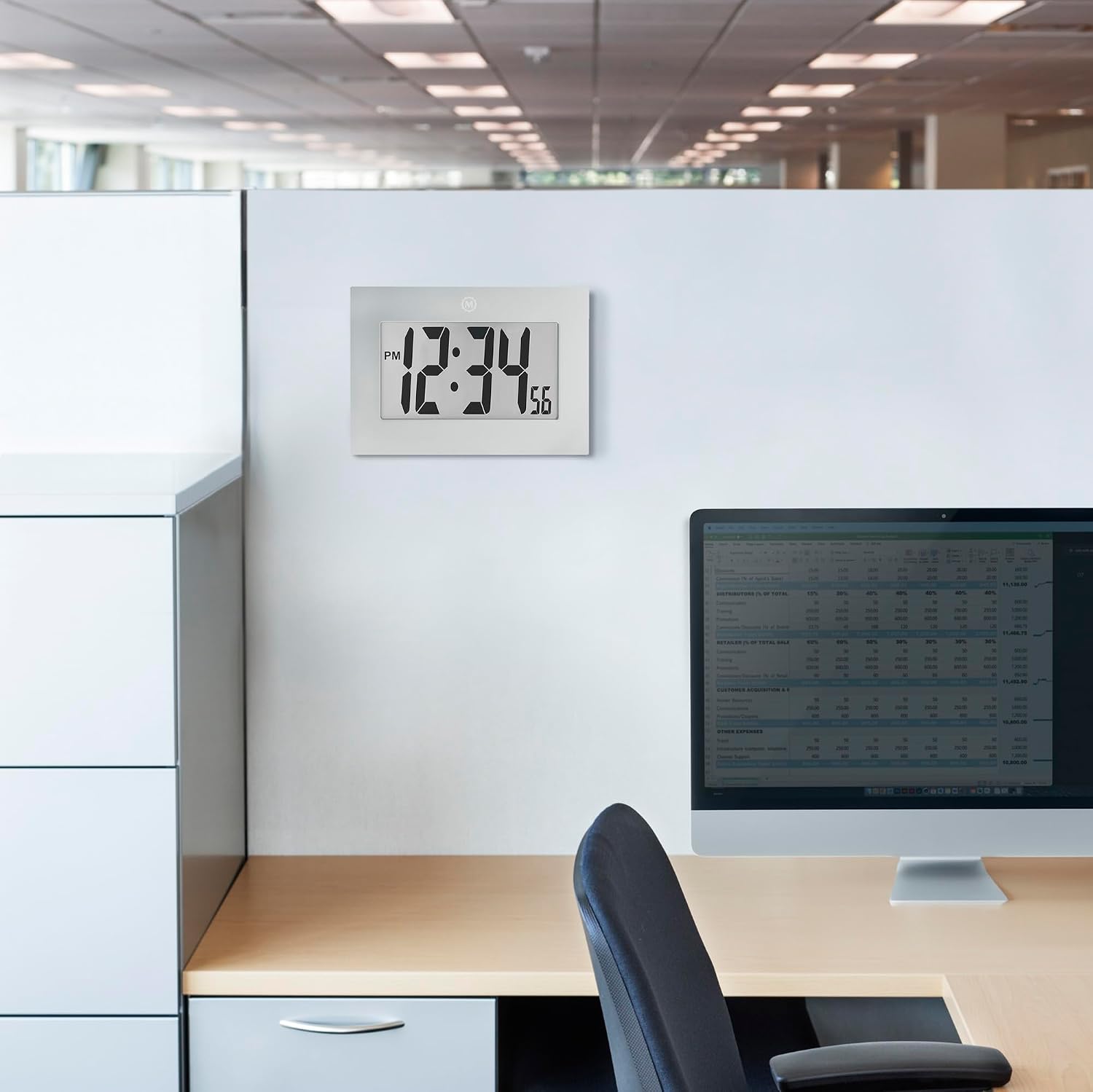
Image: Clock mounted on an office wall, showing wall placement.
4. പ്രവർത്തന നിർദ്ദേശങ്ങൾ
The control buttons are located on the back of the clock. These include MODE, ALARM ON/OFF, UP (▲), and DOWN (▼) buttons, along with a SNOOZE button on top.
4.1. സമയവും തീയതിയും ക്രമീകരിക്കുന്നു
- അമർത്തിപ്പിടിക്കുക മോഡ് ഡിസ്പ്ലേ മിന്നുന്നത് വരെ ബട്ടൺ അമർത്തിപ്പിടിക്കുക, സജ്ജീകരണ മോഡ് സൂചിപ്പിക്കുന്നു.
- ഉപയോഗിക്കുക യുപി (▲) or ഡൗൺ (▼) മിന്നുന്ന മൂല്യം ക്രമീകരിക്കുന്നതിനുള്ള ബട്ടണുകൾ (ഉദാ. മണിക്കൂർ, മിനിറ്റ്, വർഷം, മാസം, ദിവസം).
- അമർത്തുക മോഡ് button again to confirm the setting and move to the next adjustable parameter.
- Repeat steps 2 and 3 until all desired settings (time, date, year) are configured.
- പൂർത്തിയായിക്കഴിഞ്ഞാൽ, അമർത്തുക മോഡ് button one last time to exit setup mode.
4.2. അലാറം സജ്ജമാക്കുന്നു
- അമർത്തുക മോഡ് button repeatedly until the alarm time is displayed (usually indicated by "AL" or a bell icon).
- അമർത്തിപ്പിടിക്കുക മോഡ് അലാറം സമയം മിന്നുന്നത് വരെ ബട്ടൺ അമർത്തുക.
- ഉപയോഗിക്കുക യുപി (▲) or ഡൗൺ (▼) ആവശ്യമുള്ള അലാറം മണിക്കൂറും മിനിറ്റും സജ്ജമാക്കാൻ ബട്ടണുകൾ.
- അമർത്തുക മോഡ് ഓരോ ക്രമീകരണവും സ്ഥിരീകരിക്കുന്നതിനുള്ള ബട്ടൺ.
- അലാറം സജീവമാക്കാനോ നിർജ്ജീവമാക്കാനോ, അമർത്തുക അലാറം ഓൺ / ഓഫ് ചെയ്യുക button. A bell icon on the display indicates the alarm is active.
4.3. സ്നൂസ് ഫംഗ്ഷൻ
അലാറം മുഴങ്ങുമ്പോൾ, വലിയ ബട്ടൺ അമർത്തുക സ്നൂസ് ചെയ്യുക button on the top of the clock to temporarily silence the alarm. The alarm will sound again after a short interval (typically 5-10 minutes). To turn off the alarm completely, press the അലാറം ഓൺ / ഓഫ് ചെയ്യുക പിന്നിലെ ബട്ടൺ.
4.4. Time Format (12/24 Hour)
During time setting, you can typically toggle between 12-hour (with AM/PM indicator) and 24-hour (military time) formats using the യുപി (▲) or ഡൗൺ (▼) buttons when the hour setting is flashing.
4.5. ഡേലൈറ്റ് സേവിംഗ് ടൈം (DST)
This clock features an automatic Daylight Saving Time adjustment. Refer to the specific instructions included in the product packaging for details on enabling or disabling this feature, if necessary.
5. പരിപാലനം
5.1. ബാറ്ററി മാറ്റിസ്ഥാപിക്കൽ
When the display dims or the clock functions become erratic, it's time to replace the batteries. Follow the battery installation steps in Section 3.1. Always replace all 3 AAA batteries at the same time with new ones for optimal performance.
5.2. വൃത്തിയാക്കൽ
ക്ലോക്ക് വൃത്തിയാക്കാൻ, ഡിസ്പ്ലേ സൌമ്യമായി തുടച്ച് സി.asing with a soft, dry cloth. Avoid using abrasive cleaners, solvents, or spray cleaners directly on the clock, as these can damage the finish or internal components.
6. പ്രശ്നപരിഹാരം
| പ്രശ്നം | സാധ്യമായ കാരണം | പരിഹാരം |
|---|---|---|
| ഡിസ്പ്ലേ ശൂന്യമോ മങ്ങിയതോ ആണ്. | കുറഞ്ഞതോ ചത്തതോ ആയ ബാറ്ററികൾ. | Replace all 3 AAA batteries with new ones. |
| സമയം തെറ്റാണ്. | Time not set correctly or DST issue. | Refer to Section 4.1 to reset the time. Check DST settings. |
| അലാറം മുഴങ്ങുന്നില്ല. | അലാറം സജീവമാക്കിയിട്ടില്ല അല്ലെങ്കിൽ തെറ്റായി സജ്ജീകരിച്ചിട്ടില്ല. | Ensure the alarm is turned ON (bell icon visible) and the alarm time is set correctly (Section 4.2). |
| ബട്ടണുകൾ പ്രതികരിക്കുന്നില്ല. | Temporary software glitch or low batteries. | Remove and reinsert batteries to perform a soft reset. If problem persists, replace batteries. |
7 സ്പെസിഫിക്കേഷനുകൾ
| ഫീച്ചർ | വിശദാംശങ്ങൾ |
|---|---|
| ബ്രാൻഡ് | മാരത്തൺ |
| മോഡൽ നമ്പർ | CL030064-GG-00-NA |
| നിറം | ഗ്രാഫൈറ്റ് ഗ്രേ |
| ഡിസ്പ്ലേ തരം | ഡിജിറ്റൽ |
| ഉൽപ്പന്ന അളവുകൾ (പ x അടി) | 6.5"ആംശം x 9"ആംശം |
| പവർ ഉറവിടം | ബാറ്ററി പവർ |
| ബാറ്ററികൾ ആവശ്യമാണ് | 3 AAA ബാറ്ററികൾ (ഉൾപ്പെട്ടിരിക്കുന്നു) |
| മൗണ്ടിംഗ് തരം | Desk Clock, Wall Mount |
| പ്രത്യേക ഫീച്ചർ | ഡേലൈറ്റ് സേവിംഗ് |
| മെറ്റീരിയൽ തരം | പ്ലാസ്റ്റിക്, അക്രിലോണിട്രൈൽ ബ്യൂട്ടാഡീൻ സ്റ്റൈറീൻ |
| ഇനത്തിൻ്റെ ഭാരം | 431 ഗ്രാം |
| ഇൻഡോർ/ഔട്ട്ഡോർ ഉപയോഗം | ഇൻഡോർ |
8. വാറൻ്റിയും പിന്തുണയും
MARATHON has been manufacturing precision timing instruments since 1939. This product comes with a Limited Warranty. For detailed warranty information, product support, or to contact customer service, please visit the official MARATHON webസൈറ്റ് അല്ലെങ്കിൽ നിങ്ങളുടെ വാങ്ങലിൽ ഉൾപ്പെടുത്തിയിരിക്കുന്ന വാറന്റി കാർഡ് പരിശോധിക്കുക.
You can find more information about MARATHON products and support at www.marathonwatch.com.