
1. ആമുഖം
വാങ്ങിയതിന് നന്ദി.asing the MAX LED Partybar4. This versatile RGBW light set is designed to create dynamic and colorful light shows for various events. It features four PAR spots with RGBW LEDs, multiple operating modes, and comes with a sturdy stand for easy setup. This manual provides essential information for safe operation, setup, and maintenance of your device. Please read it thoroughly before use and keep it for future reference.

Image 1.1: The MAX LED Partybar4, showcasing its four PAR spots with vibrant purple illumination.
2. സുരക്ഷാ നിർദ്ദേശങ്ങൾ
- ഉപകരണം പ്രവർത്തിപ്പിക്കുന്നതിന് മുമ്പ് എല്ലാ നിർദ്ദേശങ്ങളും ശ്രദ്ധാപൂർവ്വം വായിക്കുക.
- ഭാവി റഫറൻസിനായി ഈ മാനുവൽ സൂക്ഷിക്കുക.
- വൈദ്യുതി വിതരണം വോള്യവുമായി പൊരുത്തപ്പെടുന്നുണ്ടെന്ന് ഉറപ്പാക്കുകtagഉപകരണത്തിൽ വ്യക്തമാക്കിയതാണ്.
- തീയോ വൈദ്യുതാഘാതമോ തടയാൻ ഉപകരണം മഴയിലോ ഈർപ്പത്തിലോ തുറന്നുകാട്ടരുത്.
- Always disconnect from the mains power supply before cleaning or servicing.
- Do not open the housing; there are no user-serviceable parts inside. Refer servicing to qualified personnel.
- Avoid direct eye exposure to the light source, as it can cause eye damage.
- അമിതമായി ചൂടാക്കുന്നത് തടയാൻ യൂണിറ്റിന് ചുറ്റും ശരിയായ വായുസഞ്ചാരം ഉറപ്പാക്കുക.
- Position the device on a stable surface or mount it securely using appropriate hardware.
3. ഉൽപ്പന്നം കഴിഞ്ഞുview
3.1 ഘടകങ്ങൾ
- LED Partybar4 unit with 4 PAR spots
- ക്രമീകരിക്കാവുന്ന ട്രൈപോഡ് സ്റ്റാൻഡ്
- വയർലെസ് റിമോട്ട് കൺട്രോൾ
- പവർ കേബിൾ
- ഉപയോക്തൃ മാനുവൽ
3.2 പ്രധാന സവിശേഷതകൾ
- 4 PAR spots with RGBW LEDs for vibrant color mixing.
- Plug and Play design for quick setup.
- Multiple operating modes: Sound-activated, Auto, DMX, and Master/Slave.
- Pre-programmed shows for instant effects.
- സൗകര്യപ്രദമായ പ്രവർത്തനത്തിനായി വയർലെസ് റിമോട്ട് കൺട്രോൾ.
- Integrated control panel with LED display for easy settings adjustment.
- Sturdy, adjustable tripod stand with a maximum height of 1.8m.

Image 3.1: The MAX LED Partybar4 with its included wireless remote control, highlighting ease of color and function adjustment.
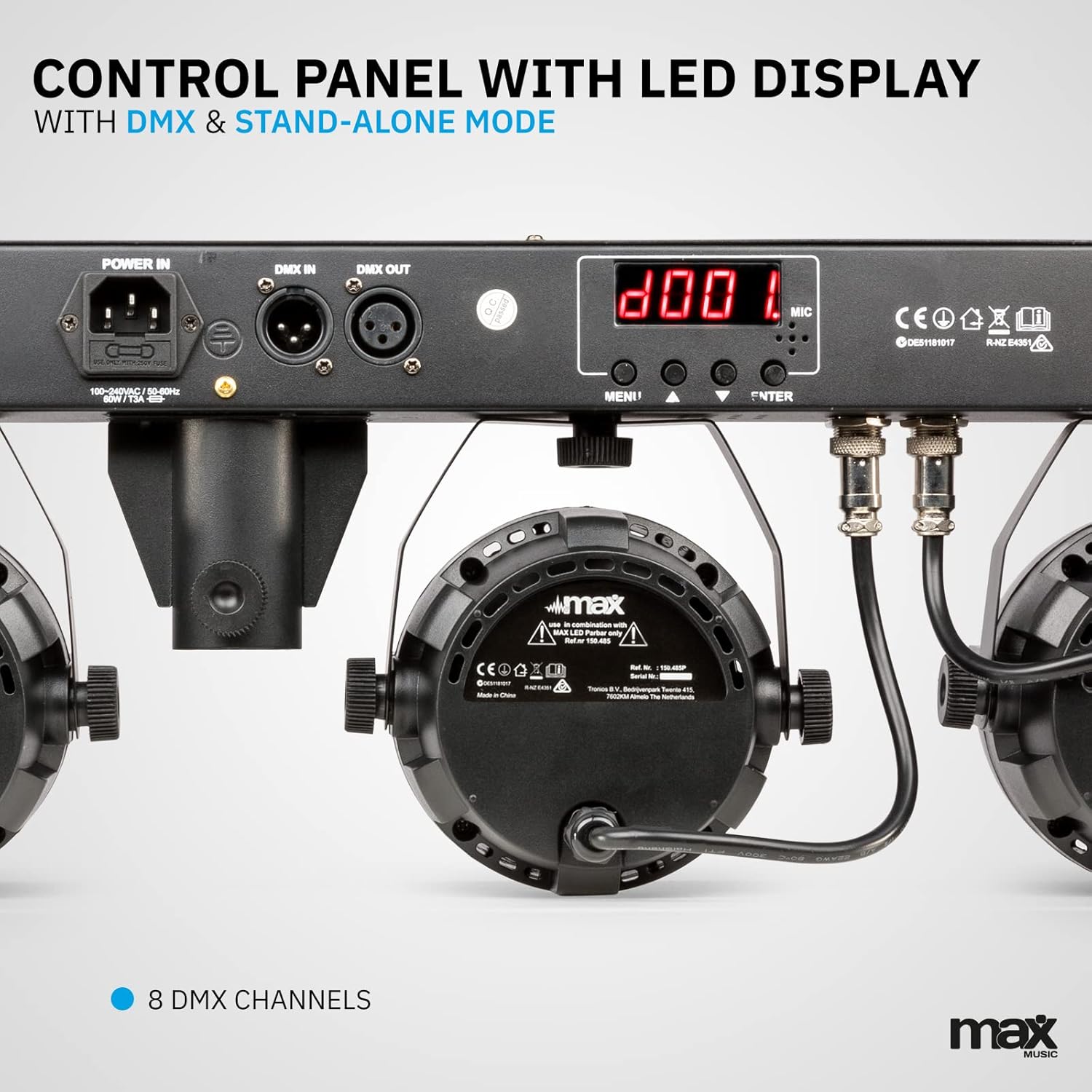
ചിത്രം 3.2: വിശദമായത് view of the control panel, featuring power input, DMX connections, and the LED display for mode selection.
4. സജ്ജീകരണം
4.1 സ്റ്റാൻഡ് കൂട്ടിച്ചേർക്കൽ
- Unfold the tripod legs and ensure they are fully extended and stable.
- Loosen the height adjustment knob on the stand.
- Extend the central pole to the desired height, ensuring it is securely locked in place. The maximum height is 1.8 meters.
- ഉയരം ക്രമീകരിക്കാനുള്ള നോബ് ദൃഡമായി മുറുക്കുക.
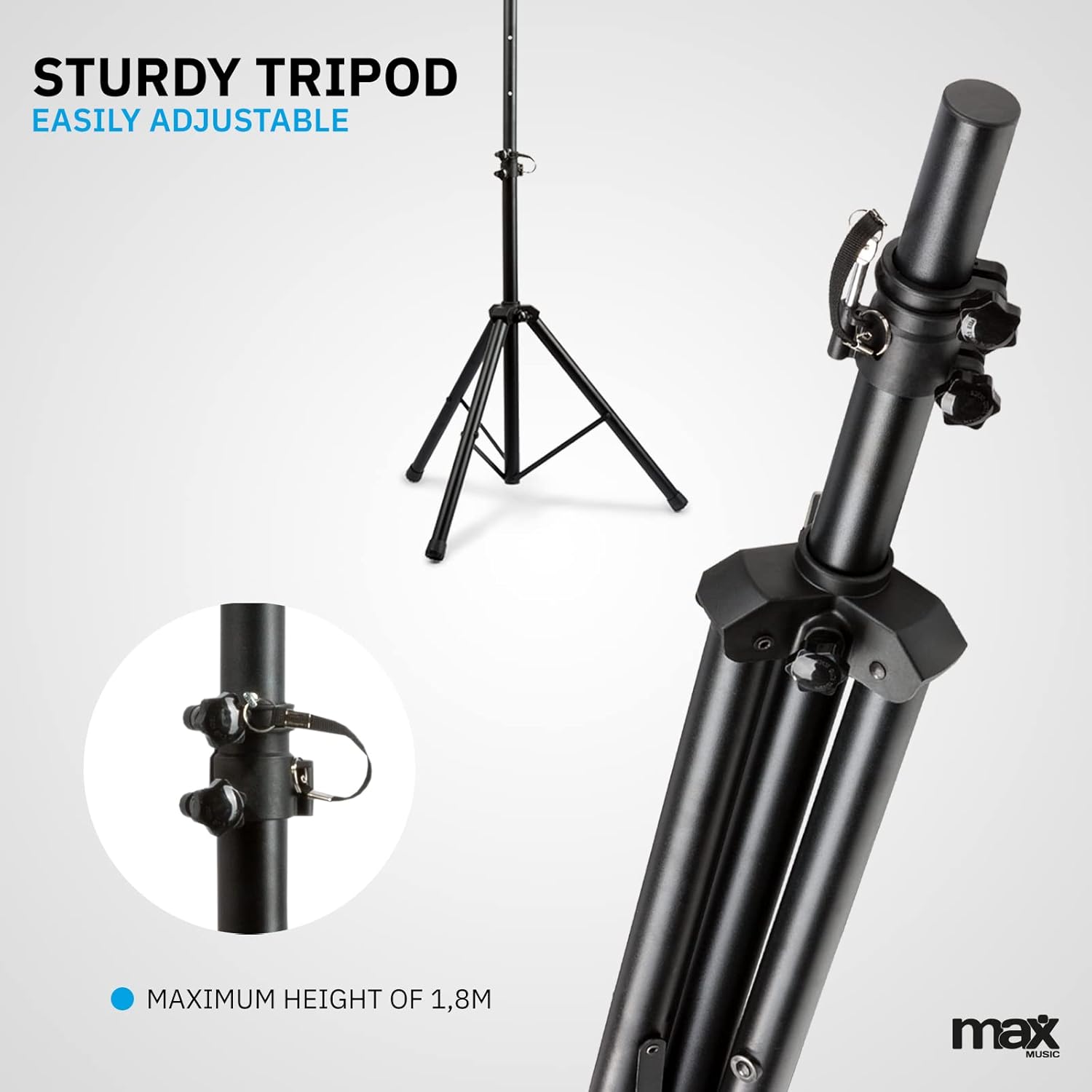
Image 4.1: The sturdy tripod stand, illustrating its adjustable height mechanism for optimal positioning.
4.2 Mounting the Partybar4 Unit
- Carefully place the Partybar4 unit onto the top of the assembled tripod stand.
- Secure the unit to the stand using the provided mounting hardware (if applicable) to prevent accidental dislodgement.
- Adjust the angle of the PAR spots as desired by loosening and tightening their side knobs.
4.3 പവർ കണക്ഷൻ
- Connect the power cable to the "POWER IN" socket on the Partybar4 unit.
- Plug the other end of the power cable into a suitable mains power outlet.
- Ensure the power switch on the unit is in the "OFF" position before connecting to power.
4.4 DMX കണക്ഷൻ (ഓപ്ഷണൽ)
For advanced control, connect a DMX controller to the "DMX IN" port using a standard 3-pin DMX cable. If linking multiple units, connect the "DMX OUT" of the first unit to the "DMX IN" of the next unit in a daisy chain.
5 ഓപ്പറേറ്റിംഗ് മോഡുകൾ
The MAX LED Partybar4 offers several operating modes, which can be selected via the control panel on the unit or the wireless remote control.
5.1 നിയന്ത്രണ പാനൽ പ്രവർത്തനം
Use the "MENU", "UP", "DOWN", and "ENTER" buttons on the control panel to navigate through the settings and select your desired mode. The LED display will show the current mode or setting.
5.2 റിമോട്ട് കൺട്രോൾ ഓപ്പറേഷൻ
The included wireless remote control provides convenient access to various functions:
- ഓൺ/ഓഫ്: പവർ ഓൺ അല്ലെങ്കിൽ ഓഫ്.
- AUTO/MUTE: Activates automatic program mode.
- SOUND/SEEK: ശബ്ദ-സജീവമാക്കിയ മോഡ് സജീവമാക്കുന്നു.
- DMX: Selects DMX control mode.
- PAR/FLASH: Controls PAR spot flash function.
- LED/COLOR: Adjusts LED colors or color mixing.
- MOTOR/SEN: Adjusts motor speed or sound sensitivity.
- +/-: Adjusts parameters (speed, sensitivity, DMX address).
5.3 ഓട്ടോമാറ്റിക് മോഡ്
In Automatic mode, the Partybar4 cycles through pre-programmed light shows. You can adjust the speed of these shows using the remote control or control panel.
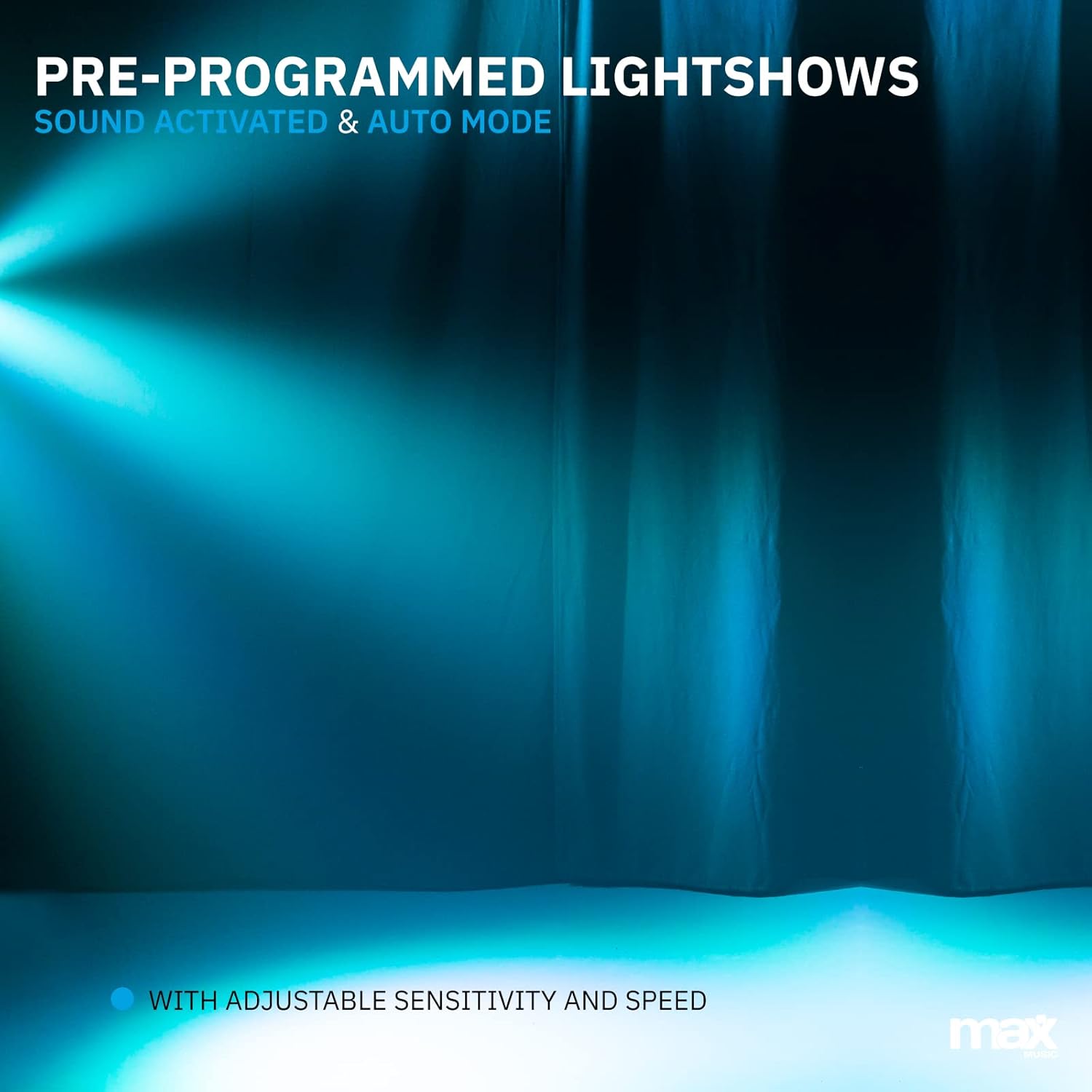
ചിത്രം 5.1: ഒരു മുൻample of a pre-programmed light show, demonstrating dynamic blue and white light effects.
5.4 Sound-Activated Mode
In Sound-activated mode, the light effects react to the beat of the music detected by the built-in microphone. Adjust the sensitivity using the remote control or control panel to fine-tune its response.
5.5 DMX മോഡ്
For professional control, use DMX mode. Set the DMX start address via the control panel. The Partybar4 uses 8 DMX channels, allowing precise control over colors, dimming, strobe, and program selection from an external DMX controller.
5.6 Color Mixing
The RGBW LEDs allow for a wide spectrum of colors. In certain modes, you can mix red, green, blue, and white to create custom hues.

Image 5.2: Illustration of RGBW color mixing capabilities, producing a vibrant blue light effect.
6. പരിപാലനം
6.1 വൃത്തിയാക്കൽ
- വൃത്തിയാക്കുന്നതിന് മുമ്പ് എല്ലായ്പ്പോഴും വൈദ്യുതി വിതരണത്തിൽ നിന്ന് ഉപകരണം വിച്ഛേദിക്കുക.
- Use a soft, lint-free cloth to wipe the exterior of the unit.
- For lenses, use a specialized lens cleaning solution and a soft cloth to avoid scratches.
- ഉരച്ചിലുകളുള്ള ക്ലീനറുകളോ ലായകങ്ങളോ ഉപയോഗിക്കരുത്.
6.2 സംഭരണം
- ഉപയോഗത്തിലില്ലാത്തപ്പോൾ ഉപകരണം വരണ്ടതും പൊടിയില്ലാത്തതുമായ അന്തരീക്ഷത്തിൽ സൂക്ഷിക്കുക.
- If storing for extended periods, consider using the original packaging or a protective case.
- Ensure the tripod is collapsed and secured to prevent damage.
7. പ്രശ്നപരിഹാരം
| പ്രശ്നം | സാധ്യമായ കാരണം | പരിഹാരം |
|---|---|---|
| ശക്തിയില്ല | Power cable disconnected; power outlet faulty; unit switch off. | പവർ കേബിൾ കണക്ഷൻ പരിശോധിക്കുക; മറ്റൊരു ഔട്ട്ലെറ്റ് പരീക്ഷിക്കുക; പവർ സ്വിച്ച് ഓണാണെന്ന് ഉറപ്പാക്കുക. |
| Lights not responding to music (Sound-activated mode) | Microphone sensitivity too low; music volume too low; incorrect mode selected. | Increase microphone sensitivity; increase music volume; ensure Sound-activated mode is active. |
| റിമോട്ട് കൺട്രോൾ പ്രവർത്തിക്കുന്നില്ല | Battery depleted; obstruction between remote and unit; remote not pointed at IR receiver. | Replace remote control battery (CR2); remove obstructions; ensure remote is pointed at the IR receiver on the unit. |
| DMX control issues | Incorrect DMX address; faulty DMX cable; DMX controller issue; unit not in DMX mode. | Verify DMX address settings; check DMX cable connections; test with another DMX controller; ensure DMX mode is selected on the unit. |
8 സ്പെസിഫിക്കേഷനുകൾ
| ഫീച്ചർ | വിശദാംശങ്ങൾ |
|---|---|
| മോഡൽ നമ്പർ | പാർട്ടിബാർ4 |
| പ്രകാശ സ്രോതസ്സ് | RGBW LED-കൾ |
| DMX ചാനലുകൾ | 8 |
| ഓപ്പറേറ്റിംഗ് മോഡുകൾ | Auto, Sound-activated, DMX, Master/Slave |
| പവർ ഉറവിടം | പവർ കേബിൾ |
| ഉൽപ്പന്ന അളവുകൾ | 20 x 20 x 9 സെ.മീ |
| ഇനത്തിൻ്റെ ഭാരം | 7.3 കിലോഗ്രാം |
| ട്രൈപോഡ് പരമാവധി ഉയരം | 1.8 മീറ്റർ |
| റിമോട്ട് കൺട്രോൾ ബാറ്ററി | 1 CR2 ബാറ്ററി (ഉൾപ്പെടുത്തിയിരിക്കുന്നു) |
| സർട്ടിഫിക്കേഷനുകൾ | CE |
9. ഔദ്യോഗിക ഉൽപ്പന്ന വീഡിയോ
Video 9.1: A Closer Look at the MAX LED Partybar4. This video provides a detailed visual overview of the product's features and components.
10. വാറൻ്റിയും പിന്തുണയും
The MAX LED Partybar4 comes with a standard manufacturer's warranty. Please refer to the warranty card included in your packaging for specific terms and conditions. For technical support, troubleshooting assistance, or warranty claims, please contact your retailer or the MAX customer service department. Keep your proof of purchase for all warranty-related inquiries.
Note: The manual provided with the item may not be available in Dutch. This document serves as a comprehensive English instruction guide.