
AUNA MG3-V-20 DAB-SI
AUNA V-20 HiFi System User Manual
Model: MG3-V-20 DAB-SI
1. ആമുഖം
വാങ്ങിയതിന് നന്ദി.asing the AUNA V-20 HiFi System. This versatile micro stereo system is designed to provide high-quality audio entertainment through various sources, including CD, DAB+ digital radio, FM radio, USB, Bluetooth, and AUX input. Its compact and flat design makes it suitable for both shelf placement and wall mounting. Please read this manual thoroughly before operating the device to ensure proper use and to maximize its performance.

ചിത്രം 1: മുൻഭാഗം view of the AUNA V-20 HiFi System in silver, showcasing its sleek design and integrated speakers.
2. സുരക്ഷാ നിർദ്ദേശങ്ങൾ
സുരക്ഷിതമായ പ്രവർത്തനം ഉറപ്പാക്കുന്നതിനും കേടുപാടുകൾ തടയുന്നതിനും, ദയവായി ഇനിപ്പറയുന്ന സുരക്ഷാ മുൻകരുതലുകൾ പാലിക്കുക:
- തീയോ വൈദ്യുതാഘാതമോ തടയാൻ യൂണിറ്റ് മഴയിലോ ഈർപ്പത്തിലോ തുറന്നുകാട്ടരുത്.
- വെന്റിലേഷൻ തുറസ്സുകളൊന്നും തടയരുത്. നിർമ്മാതാവിന്റെ നിർദ്ദേശങ്ങൾക്കനുസൃതമായി ഇൻസ്റ്റാൾ ചെയ്യുക.
- റേഡിയറുകൾ, ഹീറ്റ് രജിസ്റ്ററുകൾ, സ്റ്റൗകൾ, അല്ലെങ്കിൽ മറ്റ് ഉപകരണങ്ങൾ (ഉൾപ്പെടെ) പോലെയുള്ള താപ സ്രോതസ്സുകൾക്ക് സമീപം ഇൻസ്റ്റാൾ ചെയ്യരുത്. ampലൈഫയറുകൾ) ചൂട് ഉത്പാദിപ്പിക്കുന്നത്.
- പ്രത്യേകിച്ച് പ്ലഗുകൾ, കൺവീനിയൻസ് റെസെപ്റ്റക്കിളുകൾ, ഉപകരണത്തിൽ നിന്ന് പുറത്തുകടക്കുന്ന ഇടം എന്നിവയിൽ നടക്കുകയോ നുള്ളുകയോ ചെയ്യുന്നതിൽ നിന്ന് പവർ കോർഡ് സംരക്ഷിക്കുക.
- നിർമ്മാതാവ് വ്യക്തമാക്കിയ അറ്റാച്ച്മെൻ്റുകൾ/ആക്സസറികൾ മാത്രം ഉപയോഗിക്കുക.
- മിന്നൽ കൊടുങ്കാറ്റുകളുടെ സമയത്തോ ദീർഘനേരം ഉപയോഗിക്കാത്ത സമയത്തോ ഈ ഉപകരണം അൺപ്ലഗ് ചെയ്യുക.
- എല്ലാ സേവനങ്ങളും യോഗ്യതയുള്ള സേവന ഉദ്യോഗസ്ഥർക്ക് റഫർ ചെയ്യുക. പവർ സപ്ലൈ കോർഡ് അല്ലെങ്കിൽ പ്ലഗ് കേടാകുക, ദ്രാവകം ഒഴുകുകയോ ഉപകരണങ്ങൾ ഉപകരണത്തിലേക്ക് വീഴുകയോ ചെയ്യുക, ഉപകരണം മഴയോ ഈർപ്പമോ സമ്പർക്കം പുലർത്തുക, സാധാരണയായി പ്രവർത്തിക്കാത്തത് എന്നിങ്ങനെയുള്ള ഏതെങ്കിലും വിധത്തിൽ ഉപകരണത്തിന് കേടുപാടുകൾ സംഭവിക്കുമ്പോൾ സേവനം ആവശ്യമാണ്. , അല്ലെങ്കിൽ ഉപേക്ഷിച്ചു.
3. പാക്കേജ് ഉള്ളടക്കം
പെട്ടി ശ്രദ്ധാപൂർവ്വം അൺപാക്ക് ചെയ്ത് എല്ലാ ഇനങ്ങളും ഉണ്ടെന്നും നല്ല നിലയിലാണെന്നും ഉറപ്പാക്കുക:
- 1 x AUNA V-20 HiFi System Unit
- 1 x റിമോട്ട് കൺട്രോൾ
- 1 x യൂസർ മാനുവൽ (ഇംഗ്ലീഷ്)
- 2 x 1.5V AAA Batteries (for remote control)
- 1 x Removable Stand
4. ഉൽപ്പന്നം കഴിഞ്ഞുview
4.1 ഫ്രണ്ട് പാനലും ഡിസ്പ്ലേയും
The front panel features the main controls and an LED display that shows time, radio station information, track details, and current mode.

Figure 2: Close-up of the AUNA V-20 display, showing "Absolut relax Pop Musik" indicating DAB+ radio information.
4.2 പിൻ പാനലും കണക്ഷനുകളും
The rear panel includes connections for power, antenna, and wall mounting points.

ചിത്രം 3: പിൻഭാഗം view of the AUNA V-20, highlighting the wall mounting holes and connection points.
4.3 വിദൂര നിയന്ത്രണം
The included remote control provides full functionality for operating the system from a distance.

Figure 4: The remote control for the AUNA V-20, showing various buttons for power, source selection, tuning, volume, and playback controls.
5. സജ്ജീകരണം
5.1 പ്ലേസ്മെൻ്റ്
The AUNA V-20 can be placed on a flat surface using its removable stand or mounted on a wall.
- ഷെൽഫ് പ്ലേസ്മെൻ്റ്: Attach the removable stand to the bottom of the unit. Place the unit on a stable, flat surface.
- മതിൽ മൗണ്ടിംഗ്: Use appropriate screws and wall plugs (not included) to secure the unit to a wall using the mounting holes on the rear panel. Ensure the wall can support the unit's weight.
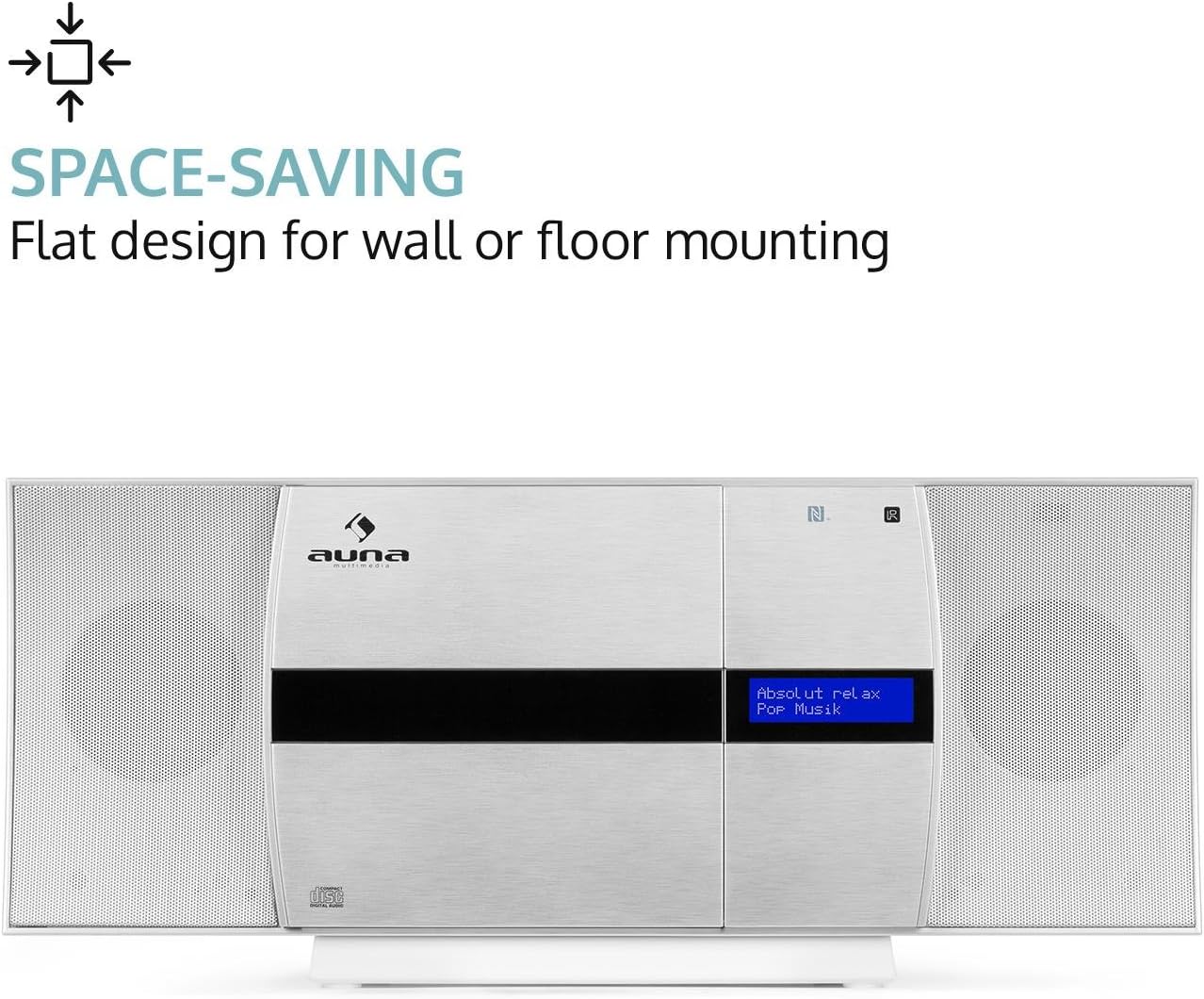
Figure 5: The AUNA V-20 highlighting its space-saving design, suitable for wall or floor mounting.
5.2 പവർ കണക്ഷൻ
Connect the power cable to the AC IN socket on the rear of the unit and then to a standard AC 230V, 50 Hz wall outlet.
5.3 ആന്റിന കണക്ഷൻ
Extend the wire antenna fully for optimal FM and DAB+ radio reception.
5.4 റിമോട്ട് കൺട്രോൾ ബാറ്ററി ഇൻസ്റ്റലേഷൻ
Insert the two included 1.5V AAA batteries into the remote control, ensuring correct polarity (+/-).
6. പ്രവർത്തന നിർദ്ദേശങ്ങൾ
6.1 പവർ ഓൺ/ഓഫ്
അമർത്തുക ഓൺ/സ്റ്റാൻഡ്-ബൈ സിസ്റ്റം ഓണാക്കാനോ ഓഫാക്കാനോ യൂണിറ്റിലെയോ റിമോട്ട് കൺട്രോളിലെയോ ബട്ടൺ അമർത്തിപ്പിടിക്കുക (സ്റ്റാൻഡ്ബൈ മോഡ്).
6.2 ഉറവിട തിരഞ്ഞെടുപ്പ്
അമർത്തുക ഉറവിടം button on the unit or remote control repeatedly to cycle through available input sources: CD, USB, AUDIO IN (AUX), FM, DAB+, Bluetooth.
6.3 സിഡി പ്ലേബാക്ക്
- അമർത്തുക CD button or select CD mode.
- അമർത്തുക തുറക്കുക/അടയ്ക്കുക button to open the motorized CD tray.
- Carefully place a CD into the tray with the label side facing you.
- അമർത്തുക തുറക്കുക/അടയ്ക്കുക again to close the tray. The system will automatically begin playing the CD.
- ഉപയോഗിക്കുക പ്ലേ/താൽക്കാലികമായി നിർത്തുക, ഒഴിവാക്കുക, ഒപ്പം നിർത്തുക പ്ലേബാക്ക് നിയന്ത്രണത്തിനുള്ള ബട്ടണുകൾ.

Figure 6: The AUNA V-20 with its motorized CD tray open, ready for disc insertion.
6.4 യുഎസ്ബി പ്ലേബാക്ക്
MP3 അടങ്ങിയ യുഎസ്ബി ഫ്ലാഷ് ഡ്രൈവ് ചേർക്കുക files into the USB port. Select USB mode. The system will automatically detect and play compatible audio files.
6.5 റേഡിയോ ഓപ്പറേഷൻ (DAB+/FM)
- Select DAB+ or FM mode.
- ഓട്ടോ സ്കാൻ: അമർത്തുക സ്കാൻ ചെയ്യുക button to automatically scan and store available stations.
- സ്വമേധയാലുള്ള ട്യൂണിംഗ്: ഉപയോഗിക്കുക ട്യൂൺ +/- ആവൃത്തി സ്വമേധയാ ക്രമീകരിക്കാനുള്ള ബട്ടണുകൾ.
- പ്രീസെറ്റുകൾ: ഒരു സ്റ്റേഷൻ സംരക്ഷിക്കാൻ, അമർത്തിപ്പിടിക്കുക പ്രീസെറ്റ് ബട്ടൺ, തുടർന്ന് ഉപയോഗിക്കുക ട്യൂൺ +/- ഒരു പ്രീസെറ്റ് നമ്പർ തിരഞ്ഞെടുത്ത് അമർത്താൻ പ്രവേശിക്കുക to confirm. To recall a preset, press പ്രീസെറ്റ് briefly, then use ട്യൂൺ +/- to select the preset, and press പ്രവേശിക്കുക.
- RDS (റേഡിയോ ഡാറ്റ സിസ്റ്റം): In FM mode, if available, RDS will display station information. Press the വിവരം button to cycle through available information (e.g., station name, program type, time).
6.6 Bluetooth and NFC Connectivity
The AUNA V-20 supports wireless audio streaming via Bluetooth and quick pairing via NFC.

Figure 7: Close-up of the AUNA V-20's top panel, showing the USB port with a flash drive inserted and the NFC logo for wireless connection.
- ബ്ലൂടൂത്ത് ജോടിയാക്കൽ:
- Select Bluetooth mode on the AUNA V-20. The display will show "PAIRING".
- Enable Bluetooth on your mobile device and search for "AUNA V-20".
- Select "AUNA V-20" from the list to connect. Once paired, the display will show "CONNECTED".
- NFC ജോടിയാക്കൽ:
- Ensure NFC is enabled on your compatible smartphone or tablet.
- Touch your NFC-enabled device to the NFC logo on the AUNA V-20's front panel.
- Confirm the pairing request on your device.
6.7 ഓഡിയോ ക്രമീകരണങ്ങൾ
- ഇക്വലൈസർ (EQ): അമർത്തുക EQ button on the remote to cycle through preset equalizer modes.
- X-Bass: അമർത്തുക എക്സ്-ബാസ് button on the remote to activate or deactivate the bass boost function.
- Treble/Bass Adjustment: ഉപയോഗിക്കുക ട്രെബിൾ ഒപ്പം ബാസ്സ് buttons on the remote to fine-tune the audio.
7. പരിപാലനം
To maintain the performance and appearance of your AUNA V-20, follow these guidelines:
- വൃത്തിയാക്കൽ: Use a soft, dry cloth to clean the unit. For stubborn marks, dampതുണിയിൽ അൽപം വെള്ളം നനയ്ക്കുക. അബ്രാസീവ് ക്ലീനറുകളോ ലായകങ്ങളോ ഉപയോഗിക്കരുത്.
- സിഡി കെയർ: സിഡികളുടെ അരികുകളിൽ പിടിക്കുക. അവ വൃത്തിയായും പോറലുകൾ ഇല്ലാതെയും സൂക്ഷിക്കുക.
- വെൻ്റിലേഷൻ: അമിതമായി ചൂടാക്കുന്നത് തടയാൻ വെൻ്റിലേഷൻ ഓപ്പണിംഗുകൾ തടഞ്ഞിട്ടില്ലെന്ന് ഉറപ്പാക്കുക.
- സംഭരണം: യൂണിറ്റ് ദീർഘനേരം സൂക്ഷിക്കുകയാണെങ്കിൽ, അത് വൈദ്യുതിയിൽ നിന്ന് വിച്ഛേദിച്ച് തണുത്തതും വരണ്ടതുമായ സ്ഥലത്ത് സൂക്ഷിക്കുക.
8. പ്രശ്നപരിഹാരം
If you encounter issues with your AUNA V-20, refer to the following table for common problems and solutions:
| പ്രശ്നം | സാധ്യമായ കാരണം | പരിഹാരം |
|---|---|---|
| ശക്തിയില്ല | പവർ കോർഡ് ബന്ധിപ്പിച്ചിട്ടില്ല; പവർ ഔട്ട്ലെറ്റ് തകരാറിലാണ്. | പവർ കോർഡ് കണക്ഷൻ പരിശോധിക്കുക; മറ്റൊരു ഔട്ട്ലെറ്റ് പരീക്ഷിക്കുക. |
| ശബ്ദമില്ല | ശബ്ദം വളരെ കുറവാണ്; മ്യൂട്ട് ഫംഗ്ഷൻ സജീവമാണ്; തെറ്റായ ഉറവിടം തിരഞ്ഞെടുത്തു. | Increase volume; Deactivate mute; Select correct input source. |
| സിഡി പ്ലേ ചെയ്യുന്നില്ല | CD inserted incorrectly; CD dirty or scratched; Disc format not supported. | Reinsert CD correctly; Clean or replace CD; Ensure it's an audio CD or MP3 CD. |
| മോശം റേഡിയോ സ്വീകരണം | ആന്റിന നീട്ടിയിട്ടില്ല; ദുർബലമായ സിഗ്നൽ. | Fully extend the wire antenna; Reposition the unit for better signal. |
| ബ്ലൂടൂത്ത് ജോടിയാക്കൽ പരാജയപ്പെട്ടു | Device too far; Bluetooth not enabled on device; Incorrect pairing procedure. | Move device closer; Enable Bluetooth; Refer to section 6.6 for pairing steps. |
| റിമോട്ട് കൺട്രോൾ പ്രവർത്തിക്കുന്നില്ല | ബാറ്ററികൾ തീർന്നു അല്ലെങ്കിൽ തെറ്റായി ചേർത്തു; റിമോട്ടിനും യൂണിറ്റിനും ഇടയിലുള്ള തടസ്സം. | Replace batteries, check polarity; Remove obstructions; Ensure remote is pointed at the unit's sensor. |
9 സ്പെസിഫിക്കേഷനുകൾ
| ഫീച്ചർ | വിശദാംശങ്ങൾ |
|---|---|
| ബ്രാൻഡ് | ഔന |
| മോഡൽ നമ്പർ | MG3-V-20 DAB-SI |
| നിറം | വെള്ളി |
| കണക്റ്റിവിറ്റി | USB, AUX (3.5mm Jack), Bluetooth, NFC |
| ബ്ലൂടൂത്ത് പതിപ്പ് | 2.1+EDR |
| ബ്ലൂടൂത്ത് പ്രോfile | A2DP |
| അനുയോജ്യം File ഫോർമാറ്റുകൾ | MP3 (via USB) |
| റേഡിയോ ട്യൂണർ | DAB+, FM Receiver |
| പ്രദർശിപ്പിക്കുക | LED display with time indication |
| സ്പീക്കറുകൾ | Integrated Stereo Speakers (2 speakers) |
| ഓഡിയോ സവിശേഷതകൾ | 2-band Equalizer, X-Bass (activatable), Preset Equalizer, Shuffle Play, Programmable Track Repeat, Mute Function, Auto-Stop Function |
| വൈദ്യുതി വിതരണം | AC 230V, 50 Hz |
| പവർ ഔട്ട്പുട്ട് | 27 വാട്ട്സ് |
| അളവുകൾ (L x H x D) | 46 x 20 x 11 സെ.മീ (ഏകദേശം 18.1 x 7.9 x 4.3 ഇഞ്ച്) |
| ഭാരം | ഏകദേശം 1.9 കി.ഗ്രാം (4.2 പൗണ്ട്) |
| പ്രത്യേക സവിശേഷതകൾ | Easy to use, Removable stand, Metal speaker grilles, Anti-slip rubber feet, Sleep mode |
10. വാറൻ്റിയും പിന്തുണയും
AUNA products are designed and manufactured to the highest quality standards. For information regarding warranty terms, technical support, or service, please refer to the warranty card included with your product or visit the official AUNA webസൈറ്റ്. വാങ്ങിയതിന്റെ തെളിവായി നിങ്ങളുടെ വാങ്ങൽ രസീത് സൂക്ഷിക്കുക.
For further assistance, you may contact AUNA customer support through their official channels. Please have your model number (MG3-V-20 DAB-SI) and purchase details ready.
Ask a question about this manual
Ask about setup, troubleshooting, compatibility, parts, safety, or missing instructions. Manuals+ will review the question and use this page’s manual context to help answer it.