
1. ആമുഖം
This manual provides instructions for the LIGHTSHARE 18 Inch Cherry Blossom Bonsai Tree with 48 RGB LED lights. This decorative item features adjustable branches, multiple color-changing modes, and a remote control for convenient operation. It is designed for indoor use to enhance various living spaces.

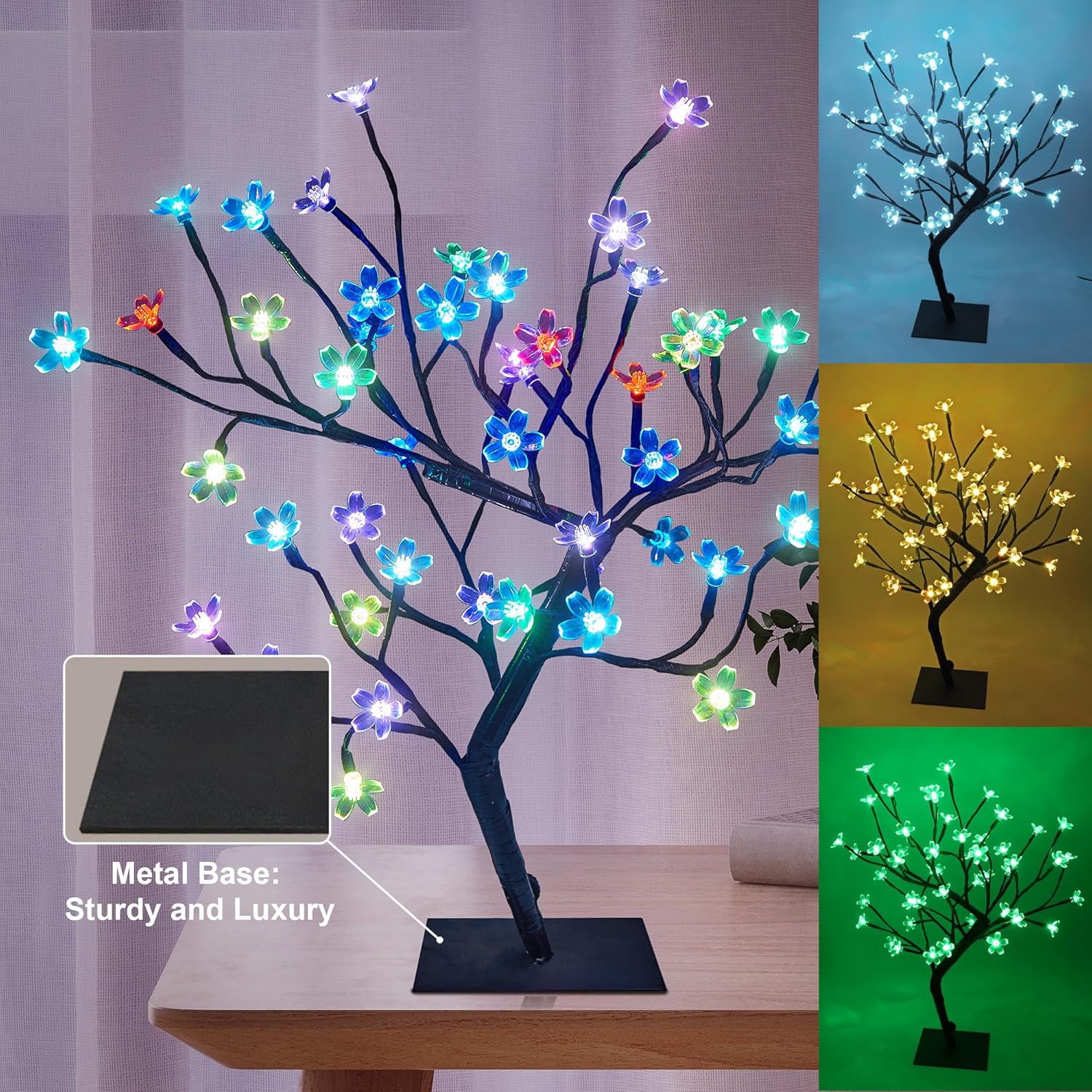
Image 1: The LIGHTSHARE Cherry Blossom Bonsai Tree illuminated in different colors.
2. സജ്ജീകരണ നിർദ്ദേശങ്ങൾ
- അൺപാക്ക് ചെയ്യുന്നു: Carefully remove all components from the packaging. Ensure the tree, metal base, power adapter, and remote control are present.
- അടിസ്ഥാന അസംബ്ലി: Unfold the tree base. Connect the main tree trunk to the metal base and secure it with the provided screw.
- പവർ കണക്ഷൻ: Connect the cable from the tree to the transformer (power adapter). Plug the transformer into a standard power outlet.
- ബ്രാഞ്ച് ക്രമീകരണം: The branches are flexible. Gently bend and arrange them to achieve your desired shape and appearance.

Image 2: Visual guide for assembling the bonsai tree and connecting power.
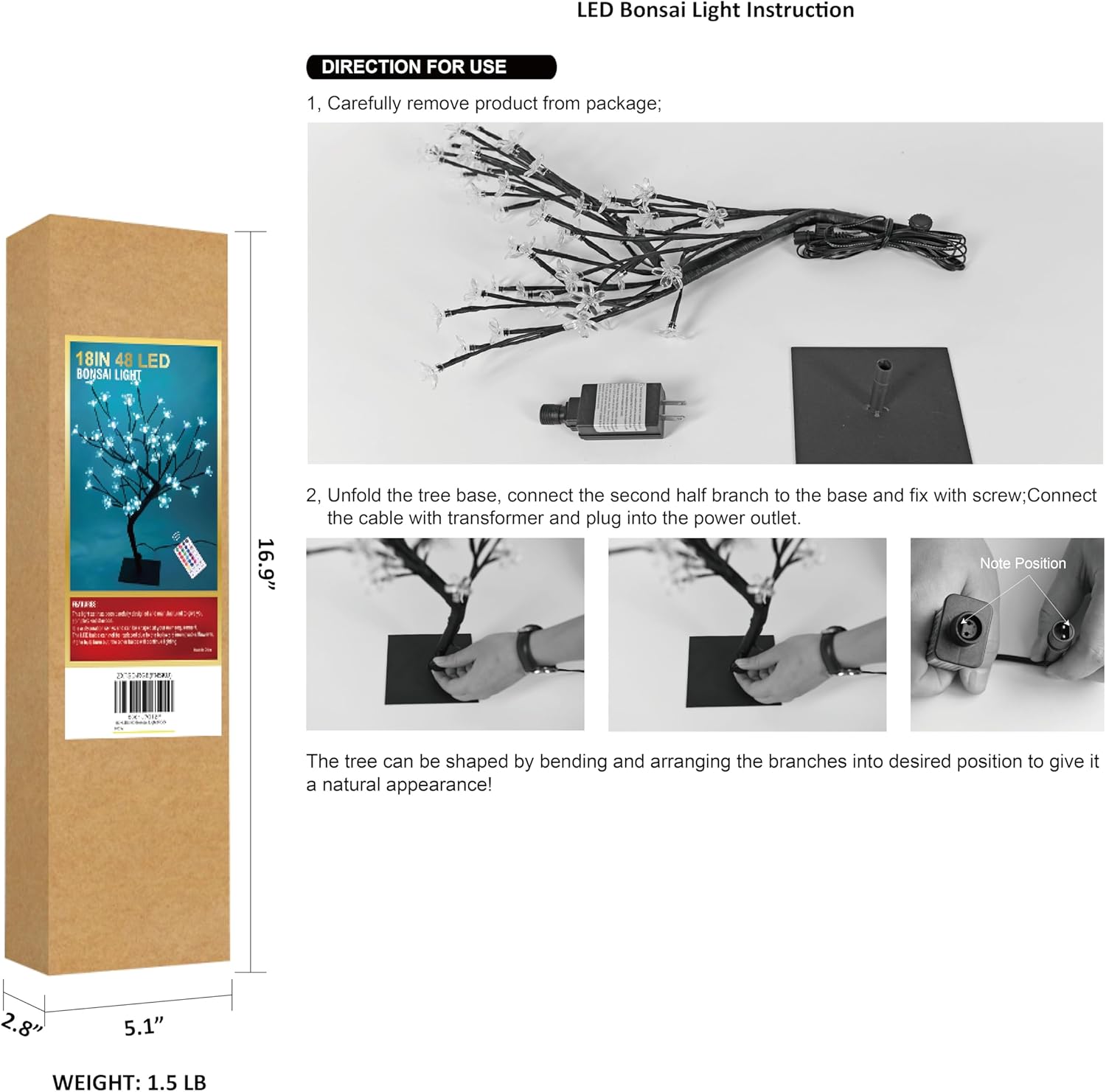
Image 3: Detail of the stable metal base.
3. പ്രവർത്തന നിർദ്ദേശങ്ങൾ
The LIGHTSHARE Cherry Blossom Bonsai Tree is operated using the included remote control.
വിദൂര നിയന്ത്രണ പ്രവർത്തനങ്ങൾ:
- ഓൺ/ഓഫ്: ലൈറ്റുകൾ ഓണാക്കാൻ 'ഓൺ' ബട്ടണും അവ ഓഫ് ചെയ്യാൻ 'ഓഫ്' ബട്ടണും അമർത്തുക.
- വർണ്ണ തിരഞ്ഞെടുപ്പ്: Use the 'R' (Red), 'G' (Green), 'B' (Blue), and 'W' (White) buttons for direct color selection. Additional color buttons allow for 17 distinct color options.
- ലൈറ്റിംഗ് മോഡുകൾ: Select from 7 different flashing modes: 'FLASH', 'STROBE', 'FADE', 'SMOOTH', 'JUMP', 'TWINKLE', and 'ASYN JUMP'.
- ടൈമർ പ്രവർത്തനം: Set the lights to automatically turn off after a specified duration using the '4H', '6H', or '8H' buttons.
- തെളിച്ച ക്രമീകരണം: Use the brightness control buttons (usually up/down arrows or sun icons) to adjust the intensity of the lights.
ചിത്രം 4: റിമോട്ട് കൺട്രോൾ ലേഔട്ടും പ്രവർത്തനങ്ങളും.
4. പരിപാലനം
- വൃത്തിയാക്കൽ: Use a soft, dry cloth to gently wipe the tree and base. Do not use liquid cleaners or abrasive materials.
- സംഭരണം: When not in use, store the tree in a cool, dry place, preferably in its original packaging, to protect it from dust and damage.
- ശാഖാ പരിചരണം: Avoid excessive bending or forceful manipulation of the branches to prevent damage to the internal wiring.
5. പ്രശ്നപരിഹാരം
| പ്രശ്നം | സാധ്യമായ കാരണം | പരിഹാരം |
|---|---|---|
| വിളക്കുകൾ തെളിയുന്നില്ല. | വൈദ്യുതി കണക്ഷനില്ല. | Ensure the power adapter is securely plugged into both the tree and a working wall outlet. |
| റിമോട്ട് കൺട്രോൾ പ്രവർത്തിക്കുന്നില്ല. | Remote battery depleted or incorrect orientation. | Replace the remote control battery. Ensure the battery is inserted with correct polarity. Point the remote directly at the tree's receiver. |
| ചില ലൈറ്റുകൾ പ്രവർത്തിക്കുന്നില്ല. | Individual LED failure. | LEDs are integrated and generally not user-replaceable. If multiple lights fail, contact customer support. |
| വിളക്കുകൾ മിന്നിമറയുന്നു. | Unstable power supply or loose connection. | Check power connections. Try plugging into a different outlet. |
6 സ്പെസിഫിക്കേഷനുകൾ
| ഫീച്ചർ | വിശദാംശങ്ങൾ |
|---|---|
| മോഡൽ നമ്പർ | 24V-IP44-SAA-DC-6W |
| ഉയരം | 18 ഇഞ്ച് |
| ലൈറ്റുകളുടെ എണ്ണം | 48 LED വിളക്കുകൾ |
| ലൈറ്റ് തരം | RGB LED |
| നിയന്ത്രണ രീതി | റിമോട്ട് കൺട്രോൾ |
| പവർ ഉറവിടം | DC (24 Volts) |
| മെറ്റീരിയൽ | Metal base, Plastic shades |
| ഫിനിഷ് തരം | ചായം പൂശി |
| ഉൽപ്പന്ന അളവുകൾ | 4.7"D x 4.7"W x 18"H |
| ഇനത്തിൻ്റെ ഭാരം | 1.48 പൗണ്ട് |
| ഇൻഡോർ/ഔട്ട്ഡോർ ഉപയോഗം | ഇൻഡോർ |
| ജല പ്രതിരോധ നില | വാട്ടർ റെസിസ്റ്റൻ്റ് അല്ല |
| ഉൾപ്പെടുത്തിയ ഘടകങ്ങൾ | റിമോട്ട് കൺട്രോൾ |
ശ്രദ്ധിക്കുക: മുൻകൂർ അറിയിപ്പ് കൂടാതെ സ്പെസിഫിക്കേഷനുകൾ മാറ്റത്തിന് വിധേയമാണ്.
7. വാറൻ്റിയും പിന്തുണയും
For warranty information or technical support, please refer to the product packaging or contact LIGHTSHARE customer service directly. Keep your purchase receipt for warranty claims.