
August Home AUG-AB02-M02-S02
August Doorbell Cam Pro User Manual
Model: AUG-AB02-M02-S02
1. ആമുഖം
The August Doorbell Cam Pro allows you to monitor your doorstep and interact with visitors from anywhere using your smartphone. This manual provides essential information for the proper installation, operation, and maintenance of your device. Please read this manual thoroughly before using the product.

ചിത്രം 1.1: ഫ്രണ്ട് view of the August Doorbell Cam Pro, showcasing its sleek design with a silver circular button and camera lens.
2. പാക്കേജ് ഉള്ളടക്കം
നിങ്ങളുടെ പാക്കേജിൽ എല്ലാ ഇനങ്ങളും ഉണ്ടെന്ന് ഉറപ്പാക്കുക:
- August Doorbell Cam Pro
- USB Charging Dock
- Mounting Hardware: Electrical sealing putty, 4 screw anchors, 2 mounting screws, 1 mounting wedge, 2 screws for mounting wedge.
3 സുരക്ഷാ വിവരങ്ങൾ
ഇനിപ്പറയുന്ന സുരക്ഷാ മുൻകരുതലുകൾ പാലിക്കുക:
- Ensure power is disconnected at the circuit breaker before installation to prevent electrical shock.
- നൽകിയിരിക്കുന്ന മൗണ്ടിംഗ് ഹാർഡ്വെയർ മാത്രം ഉപയോഗിക്കുക.
- Do not expose the device to extreme temperatures or moisture beyond its operating specifications.
- കുട്ടികൾക്ക് ലഭ്യമാകാതെ സൂക്ഷിക്കുക.
4. സജ്ജീകരണവും ഇൻസ്റ്റാളേഷനും
The August Doorbell Cam Pro is designed for easy, DIY installation and works with existing doorbell wiring. It replaces your mechanical chime doorbell.
4.1 പ്രീ-ഇൻസ്റ്റലേഷൻ
- ഉപകരണം ചാർജ് ചെയ്യുക: Use the included USB dock to fully charge the Doorbell Cam Pro before installation. This allows for complete setup inside your home.
- Download the August App: Download the August Home app from the App Store (iOS 9.0 or higher) or Google Play Store (Android 5.0 or higher).
- പവർ ഓഫ്: സർക്യൂട്ട് ബ്രേക്കറിൽ നിലവിലുള്ള ഡോർബെല്ലിലേക്കുള്ള പവർ ഓഫ് ചെയ്യുക.
4.2 ഫിസിക്കൽ ഇൻസ്റ്റലേഷൻ
- നിങ്ങളുടെ നിലവിലുള്ള ഡോർബെൽ ബട്ടൺ നീക്കം ചെയ്യുക.
- Connect the August Doorbell Cam Pro to your existing doorbell wires.
- Mount the Doorbell Cam Pro using the provided hardware. A mounting wedge is included if an angled view ആഗ്രഹിക്കുന്നു.
- സർക്യൂട്ട് ബ്രേക്കറിൽ വൈദ്യുതി പുനഃസ്ഥാപിക്കുക.
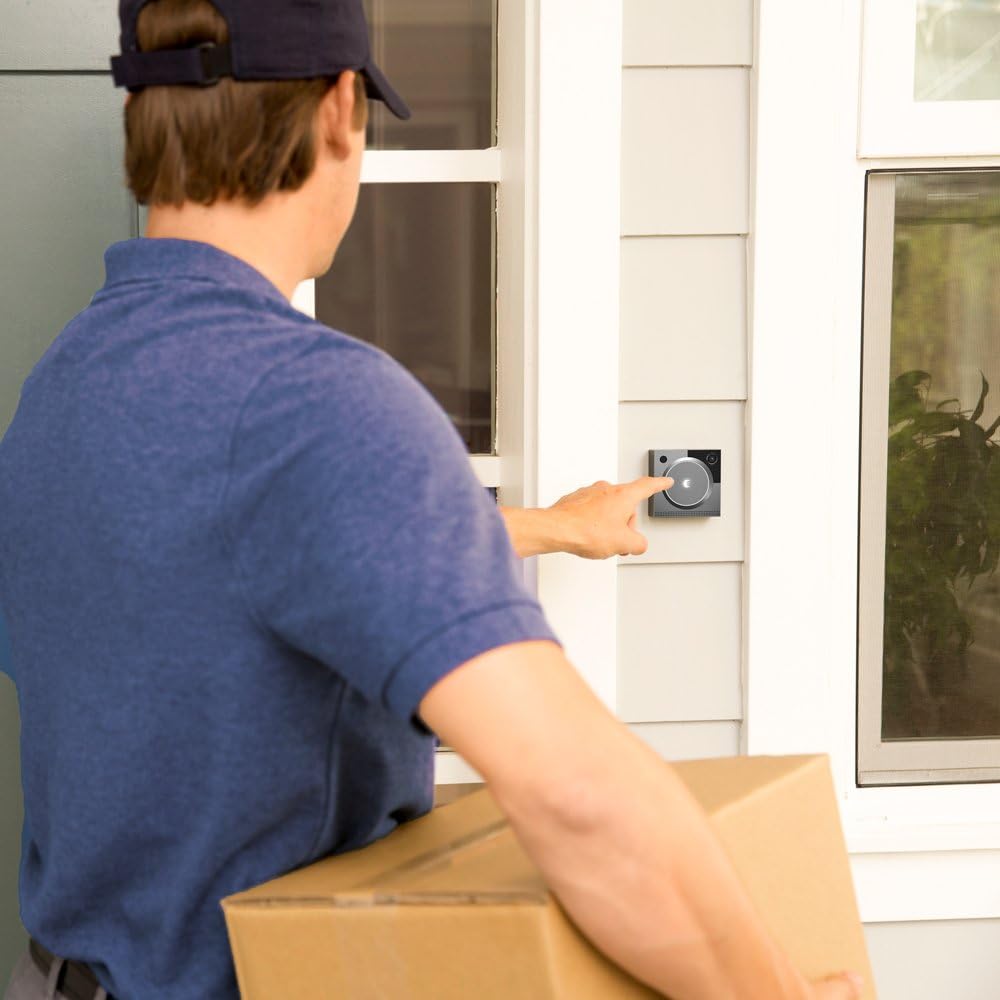
ചിത്രം 4.1: A person installing the August Doorbell Cam Pro on a wall next to a door.
4.3 ആപ്പ് സജ്ജീകരണം
- Open the August Home app and follow the on-screen instructions to add your new Doorbell Cam Pro.
- Connect the device to your home Wi-Fi network. A strong 5GHz Wi-Fi signal is recommended for optimal performance.
- Pair with an August Smart Lock (optional): If you have an August Smart Lock, you can pair it with the Doorbell Cam Pro for enhanced functionality, such as remotely unlocking the door.
5. പ്രവർത്തന നിർദ്ദേശങ്ങൾ
The August Doorbell Cam Pro offers several features to enhance your home security and convenience.
5.1 Real-time Alerts and Two-Way Audio
Receive instant notifications on your smartphone when someone approaches your doorstep or presses the doorbell. You can then view live HD video and engage in two-way audio communication with visitors, even when you are away from home.

ചിത്രം 5.1: A user interacting with a visitor at their door through the August app on their smartphone.
5.2 Full-Color HD Night Vision
The built-in floodlight provides clear, full-color HD video even in low-light conditions, eliminating grainy infrared nighttime footage.

ചിത്രം 5.2: The August Doorbell Cam Pro illuminated at night, showing its floodlight feature providing clear visibility.
5.3 HindSight and Video Recording
HindSight technology continuously monitors your doorway, capturing the moments leading up to a motion alert. The basic video recording subscription allows you to replay any videos from the last 24 hours. Upgrade to premium video recording for 30 days of stored video.

ചിത്രം 5.3: A smartphone screen displaying the August app's activity log, detailing various door events and interactions.
5.4 Integration with August Smart Locks
When paired with an August Smart Lock, the Doorbell Cam Pro allows you to remotely grant access to your home directly from the app.
വീഡിയോ 5.1: An official product video demonstrating the features of the August Doorbell Cam Pro, including real-time alerts, two-way audio, night vision, and integration with August Smart Locks.
6. പരിപാലനം
To ensure optimal performance and longevity of your August Doorbell Cam Pro, follow these maintenance guidelines:
- വൃത്തിയാക്കൽ: Gently wipe the camera lens and the device's exterior with a soft, damp തുണി. കഠിനമായ രാസവസ്തുക്കളോ ഉരച്ചിലുകളോ ഉപയോഗിക്കുന്നത് ഒഴിവാക്കുക.
- സോഫ്റ്റ്വെയർ അപ്ഡേറ്റുകൾ: Keep your August Home app and Doorbell Cam Pro firmware updated to the latest versions for new features and security enhancements. Updates are typically managed through the app.
- ബാറ്ററി: The device includes a Lithium Ion battery. While primarily wired, ensure the battery is functioning correctly for continuous operation during power fluctuations.
7. പ്രശ്നപരിഹാരം
If you encounter issues with your August Doorbell Cam Pro, refer to the following common solutions:
- Device Offline/Frequent Disconnections:
- Ensure your Wi-Fi signal strength at the doorbell location is adequate. Consider moving your Wi-Fi router closer or using a Wi-Fi extender.
- Verify your home internet connection is stable and fast enough (minimum 30+ Mbps download, 5+ Mbps upload recommended).
- Check the power supply to the doorbell. Ensure it receives sufficient voltage (e.g., 13V for wired installations).
- Try restarting the device by temporarily disconnecting power at the circuit breaker.
- Video Lag/Processing Delays:
- This can be related to Wi-Fi signal strength or internet speed. Optimize your network as described above.
- Ensure the August app is updated.
- മോശം രാത്രി കാഴ്ച:
- Ensure the floodlight is enabled in the app settings.
- Clean the camera lens to remove any obstructions or smudges.
- Doorbell Not Ringing/Chime Issues:
- Check wiring connections for looseness.
- Verify chime settings within the August app.
- August Smart Lock Integration Issues:
- Ensure both devices are within Bluetooth range of each other.
- Restart both the Doorbell Cam Pro and the Smart Lock.
For further assistance, refer to the August Home support webസൈറ്റ് അല്ലെങ്കിൽ ഉപഭോക്തൃ സേവനവുമായി ബന്ധപ്പെടുക.
8 സ്പെസിഫിക്കേഷനുകൾ
| ബ്രാൻഡ് | ഓഗസ്റ്റ് ഹോം |
| മോഡൽ നമ്പർ | AUG-AB02-M02-S02 |
| നിറം | വെള്ളി |
| അളവുകൾ | 0.9 x 2.9 x 2.9 ഇഞ്ച് |
| ഇനത്തിൻ്റെ ഭാരം | 14.4 ഔൺസ് |
| പവർ ഉറവിടം | Wired (requires existing doorbell wiring) |
| വാല്യംtage | 3.7 Volts (internal battery), compatible with standard doorbell transformers |
| ബാറ്ററികൾ | 1 ലിഥിയം അയോൺ ബാറ്ററി ആവശ്യമാണ് (ഉൾപ്പെടുത്തിയിരിക്കുന്നു) |
| കണക്റ്റിവിറ്റി | വൈ-ഫൈ, ബ്ലൂടൂത്ത് |
| അനുയോജ്യത | iOS (9.0 or higher), Android (5.0 or higher), Amazon Alexa |
9. വാറണ്ടിയും പിന്തുണയും
The August Doorbell Cam Pro comes with a 1 വർഷത്തെ നിർമ്മാതാവിന്റെ വാറന്റി. For warranty claims, technical support, or additional product information, please visit the official August Home webസൈറ്റ് അല്ലെങ്കിൽ അവരുടെ ഉപഭോക്തൃ സേവന വിഭാഗവുമായി ബന്ധപ്പെടുക.
Ask a question about this manual
Ask about setup, troubleshooting, compatibility, parts, safety, or missing instructions. Manuals+ will review the question and use this page’s manual context to help answer it.