
ആമുഖം
The Godox Xpro-N TTL Wireless Flash Trigger Transmitter is a sophisticated and versatile device designed for Nikon cameras, offering comprehensive control over your flash system. This manual provides detailed instructions on setting up, operating, and maintaining your Xpro-N transmitter to ensure optimal performance and creative flexibility in your photography.
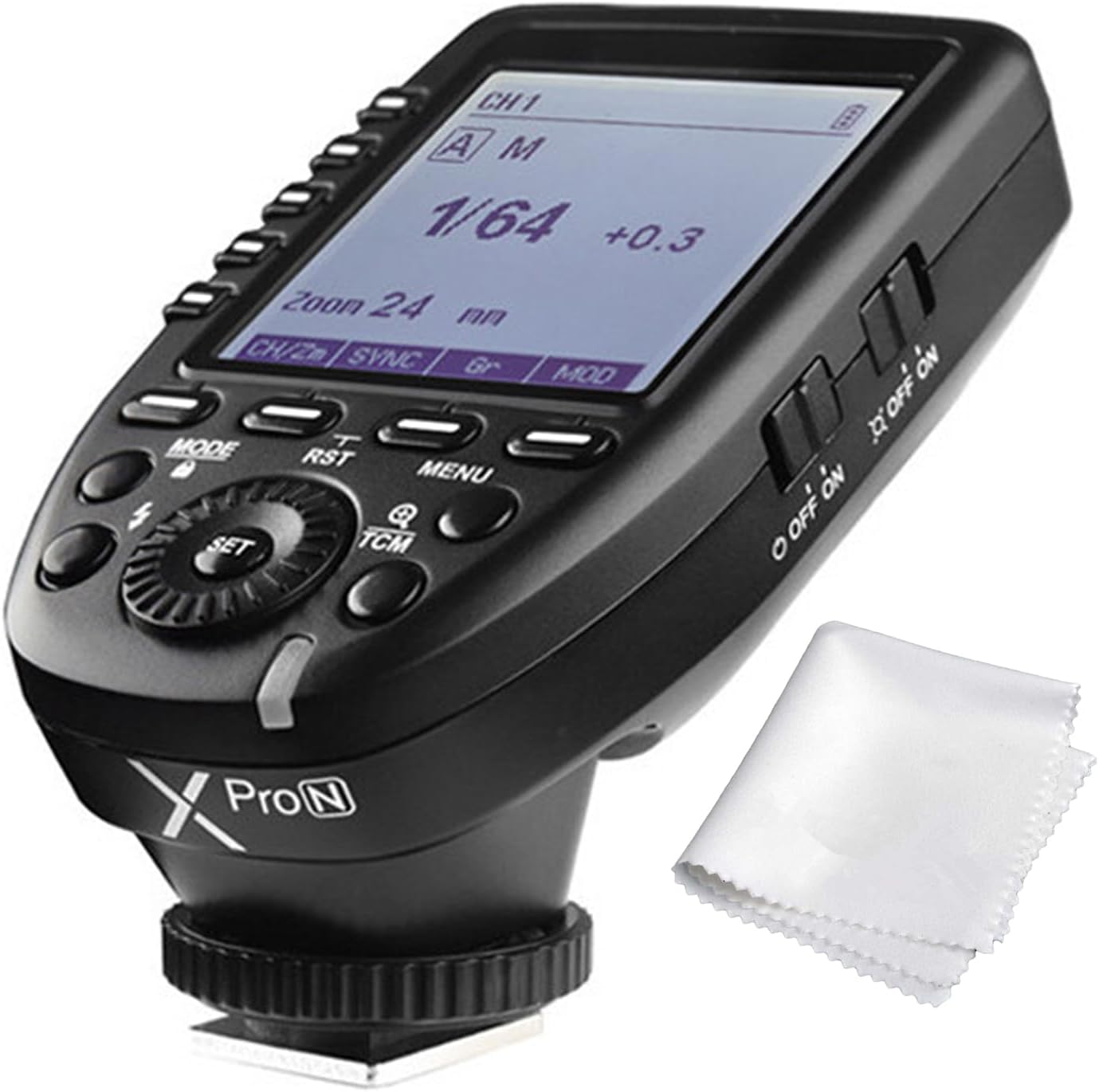
Figure 1: Godox Xpro-N TTL Wireless Flash Trigger Transmitter.
പ്രധാന സവിശേഷതകൾ
- TTL Autoflash and Professional Functions: Supports TTL Autoflash, 1/8000s High-Speed Sync (HSS), Multi Flash, Manual Flash, Flash Exposure Compensation (FEC), TCM Transform Function, Magnification Function, One-Shoot & Multi-Shoot Setting, Group Modeling Lamp Control, Group Zooming, and simultaneous adjustment of all groups' output values.
- SMART TCM Button: Long press to transform flash value in TTL mode into power output value in Manual (M) mode. Short press to switch groups between one-group and multi-group mode.
- Versatile Using Methods: Functions as a wireless Godox Flash Trigger, Wireless Shutter Release Trigger, Wireless Nikon Speedlights Trigger, or a Flash Trigger with a 2.5mm Sync Cord Jack.
- 01-99 WIRELESS ID: Ensures triggering only when master and slave units share the same channel and wireless ID, effectively avoiding signal interference.
- വലിയ LCD ഡിസ്പ്ലേ: Features a large dot matrix LCD for full graphic display of 5 groups simultaneously, with 16 groups and 32 channels for wireless control and triggering.
സജ്ജമാക്കുക
1. ബാറ്ററി ഇൻസ്റ്റാളേഷൻ
The Godox Xpro-N requires two AA batteries for operation. To install the batteries:
- Locate the battery compartment cover on the bottom of the transmitter.
- അമ്പടയാളം സൂചിപ്പിച്ച ദിശയിൽ കവർ തുറക്കുക.
- Insert two AA batteries, ensuring correct polarity (+/-) as marked inside the compartment.
- ബാറ്ററി കമ്പാർട്ട്മെന്റ് കവർ ശരിയായി ക്ലിക്കു ചെയ്യുന്നത് വരെ സുരക്ഷിതമായി അടയ്ക്കുക.
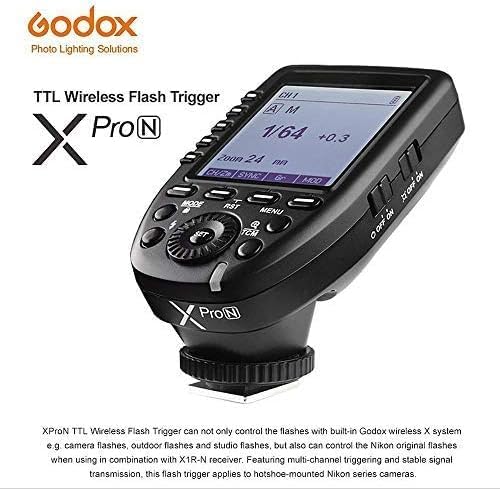
Figure 2: Battery compartment showing correct AA battery placement.
2. Mounting on Camera
To mount the Xpro-N transmitter onto your Nikon camera's hot shoe:
- Ensure the transmitter is powered off.
- Slide the hot shoe foot of the Xpro-N into your camera's hot shoe mount.
- Tighten the locking ring on the transmitter's foot to secure it firmly to the camera.
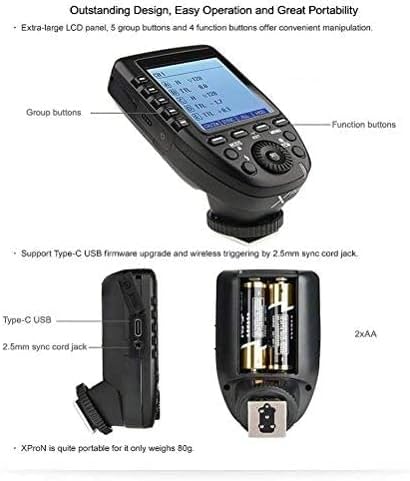
Figure 3: Xpro-N mounted on a camera, highlighting its compact design and connectivity ports.
പ്രവർത്തന നിർദ്ദേശങ്ങൾ
1. പവർ ഓൺ/ഓഫ്
To power on the transmitter, slide the ON/OFF switch to the 'ON' position. The LCD screen will illuminate. To power off, slide the switch to 'OFF'.
2. Basic Operation and Mode Selection
The Xpro-N features a large LCD display and intuitive buttons for easy navigation and control. Use the MODE button to cycle through different flash modes: TTL Autoflash, Multi Flash, and Manual Flash. The SET dial and buttons allow for adjusting parameters within each mode.

Figure 4: Display showing various flash modes and settings, including the TCM button for quick mode conversion.
3. Group Control and TCM Function
The Xpro-N allows you to control up to 16 groups across 32 channels. Dedicated group buttons (A, B, C, D, E) provide quick access to individual group settings. The TCM (TTL Convert Manual) button is a key feature:
- Long Press TCM: Converts the TTL flash value into a manual power output value, allowing for quick transitions between automatic and manual control while retaining exposure settings.
- Short Press TCM: Toggles between one-group and multi-group display modes on the LCD, simplifying the management of complex lighting setups.

Figure 5: Screen views demonstrating magnification, shoot settings, and wireless ID configuration.
4. വയർലെസ് ഐഡി ക്രമീകരണം
To prevent signal interference, you can set a Wireless ID. Both the transmitter and the receiving flash units must have the same channel and Wireless ID for successful triggering. Refer to the flash unit's manual for setting its Wireless ID.
അനുയോജ്യത
The Godox Xpro-N is designed for Nikon cameras and is compatible with a wide range of Godox flash units and Nikon speedlights. Below is a table detailing compatible models:
| ട്രാൻസ്മിറ്റർ | റിസീവർ | ഫ്ലാഷ് | കുറിപ്പ് |
|---|---|---|---|
| XPro-N | -- | AD600 പരമ്പര/AD360II പരമ്പര/AD200 V860II series/V850II/TT685 series TT600/TT350N/QuickerII series QTII/SKII series/DP II series/GSII | |
| X1R-N | SB910/SB900/SB5000 V860N | As there are so many camera flashes in the market which are compatible with Nikon speedlights, we do not test one by one. | |
| XTR-16 | AD360/AR400 Quicker series SK series/DP series GT/GS series Smart flash series | The flashes with Godox wireless USB port can only be triggered. | |
| XTR-16S | V860N/V850 |
Table 1: Compatible Flash and Camera Models (based on provided image).
Compatible Nikon Camera Models:
ഇനിപ്പറയുന്ന നിക്കോൺ സീരീസ് ക്യാമറ മോഡലുകളിൽ ഈ ഫ്ലാഷ് ട്രിഗർ ഉപയോഗിക്കാം:
- D5, D4, D60, D70S, D90, D100, D200, D300S, D300, D500, D610, D700, D750, D800, D810, D3100, D3200, D3300, D5000, D5100, D5200, D5300, D7000, D7100
മെയിൻ്റനൻസ്
To ensure the longevity and optimal performance of your Godox Xpro-N TTL Wireless Flash Trigger Transmitter, follow these maintenance guidelines:
- വൃത്തിയാക്കൽ: Use a soft, dry cloth to clean the exterior of the transmitter. For stubborn dirt, a slightly damp തുണി ഉപയോഗിക്കാം, തുടർന്ന് ഉടനടി ഉണക്കുക. കഠിനമായ രാസവസ്തുക്കളോ ഉരച്ചിലുകളോ ഉള്ള വസ്തുക്കൾ ഉപയോഗിക്കുന്നത് ഒഴിവാക്കുക.
- സംഭരണം: When not in use for extended periods, remove the AA batteries to prevent leakage and corrosion. Store the transmitter in a cool, dry place away from direct sunlight, extreme temperatures, and high humidity.
- കൈകാര്യം ചെയ്യൽ: Handle the transmitter with care. Avoid dropping it or subjecting it to strong impacts, as this can damage internal components or the LCD screen.
- ഹോട്ട് ഷൂ കോൺടാക്റ്റുകൾ: Keep the hot shoe contacts clean and free from dust or debris to ensure reliable communication with your camera.
ട്രബിൾഷൂട്ടിംഗ്
If you encounter issues with your Godox Xpro-N transmitter, try the following common troubleshooting steps:
- ട്രാൻസ്മിറ്റർ ഓണാക്കുന്നില്ല: Check if the batteries are correctly inserted with the right polarity. Replace with fresh AA batteries if necessary. Ensure the ON/OFF switch is fully in the 'ON' position.
- ഫ്ലാഷ് പ്രവർത്തിക്കുന്നില്ല:
- Verify that both the transmitter and the flash unit are powered on.
- Ensure the channel and Wireless ID settings on both the transmitter and the flash unit match exactly.
- Check the distance between the transmitter and the flash unit; ensure they are within the effective wireless range.
- Confirm that the flash unit is properly mounted or connected and ready to fire (e.g., recycle indicator is lit).
- Test with another flash unit or camera if available to isolate the problem.
- Inconsistent Firing/Sync Issues:
- Check for potential radio interference from other wireless devices. Try changing the channel or Wireless ID.
- Ensure the camera's shutter speed is within the supported sync speed (up to 1/8000s HSS).
- Update the firmware of both the Xpro-N and your flash units if updates are available.
- LCD Screen Issues: If the screen is dim or flickering, check battery levels. If the screen is unresponsive, try resetting the unit (refer to the user manual for specific reset procedures if available, or remove/reinsert batteries).
If the problem persists after trying these steps, please contact Godox customer support or refer to the full user manual for more advanced troubleshooting.
സ്പെസിഫിക്കേഷനുകൾ
| ഫീച്ചർ | വിശദാംശങ്ങൾ |
|---|---|
| അനുയോജ്യമായ മൗണ്ടിംഗുകൾ | നിക്കോൺ |
| ബ്രാൻഡ് | ഗോഡോക്സ് |
| മോഡലിൻ്റെ പേര് | Godox Flash Trigger for N |
| പരമാവധി ഷട്ടർ സ്പീഡ് | 1/8000 സെക്കൻഡ് |
| കുറഞ്ഞ ഷട്ടർ സ്പീഡ് | 1/8000 സെക്കൻഡ് |
| എക്സ്പോഷർ നിയന്ത്രണ തരം | ഓട്ടോമാറ്റിക്, മാനുവൽ |
| ബാറ്ററികൾ ഉൾപ്പെടുത്തിയിട്ടുണ്ട് | ഇല്ല |
| മോഡൽ നമ്പർ | Xpro-N+PERGEAR Cleaning Kit |
| മോഡൽ സീരീസ് | Xpro-N |
| യു.പി.സി | 611968667107 |
| ഇനത്തിന്റെ ഉയരം | 12 സെൻ്റീമീറ്റർ |
| നിർമ്മാതാവ് | ഗോഡോക്സ് |
| വാറൻ്റി വിവരണം | 24 മാസ വാറൻ്റി |
| കണക്റ്റിവിറ്റി ടെക്നോളജി | USB |
| വയർലെസ് ടെക്നോളജി | റേഡിയോ ആവൃത്തി |
| സ്ക്രീൻ വലിപ്പം | 2.4 ഇഞ്ച് |
| കളർ സ്ക്രീൻ ഉണ്ട് | ഇല്ല |
| ഇനത്തിൻ്റെ ഭാരം | 145 ഗ്രാം |
| ഫ്ലാഷ് മോഡുകൾ | TTL Autoflash, Manual Flash, Multi Flash, Flash Exposure Compensation |
| അനുയോജ്യമായ ഉപകരണങ്ങൾ | Nikon cameras, Godox flashes |
| ഫ്ലാഷ് സമന്വയ വേഗത | 1/8000 സെക്കൻഡ് |
| ബാറ്ററി സെൽ തരം | ആൽക്കലൈൻ |
| ബാറ്ററി തരം | ആൽക്കലൈൻ |
| ജല പ്രതിരോധ നില | വാട്ടർ റെസിസ്റ്റൻ്റ് അല്ല |
| മൌണ്ട് തരം | Nikon camera mount |
| Item Width Side To Side | 2"D x 2.3"W x 2"H |
| ബാറ്ററികളുടെ എണ്ണം | 2 AA ബാറ്ററികൾ ആവശ്യമാണ്. |
വാറൻ്റിയും പിന്തുണയും
The Godox Xpro-N TTL Wireless Flash Trigger Transmitter comes with a 24 മാസ വാറൻ്റി നിർമ്മാതാവിൽ നിന്ന്.
For further assistance, detailed information, or to download the complete user manual, please refer to the official PDF document available at: Godox Xpro-N User Manual (PDF)