
1. ആമുഖം
This manual provides essential information for the installation, operation, and maintenance of your AMD Radeon Pro WX 9100 Graphics Card. Please read this manual thoroughly before installing and using the product to ensure optimal performance and safety.
The AMD Radeon Pro WX 9100 is a high-performance graphics card designed for professional workstations, offering 16 GB of HBM2 memory and advanced features for demanding visual computing tasks, including VR and multi-display setups.
2 സുരക്ഷാ വിവരങ്ങൾ
ഉൽപ്പന്നത്തിന് കേടുപാടുകൾ സംഭവിക്കാതിരിക്കാനോ സ്വയം പരിക്കേൽക്കാതിരിക്കാനോ ഇനിപ്പറയുന്ന സുരക്ഷാ മുൻകരുതലുകൾ പാലിക്കുക:
- ഏതെങ്കിലും ഘടകങ്ങൾ ഇൻസ്റ്റാൾ ചെയ്യുന്നതിനോ നീക്കം ചെയ്യുന്നതിനോ മുമ്പ് നിങ്ങളുടെ കമ്പ്യൂട്ടറിൽ നിന്ന് എല്ലായ്പ്പോഴും പവർ വിച്ഛേദിക്കുക.
- സെൻസിറ്റീവ് ഘടകങ്ങൾക്ക് ഇലക്ട്രോസ്റ്റാറ്റിക് ഡിസ്ചാർജ് (ഇഎസ്ഡി) കേടുപാടുകൾ സംഭവിക്കുന്നത് തടയാൻ ആന്റി-സ്റ്റാറ്റിക് റിസ്റ്റ് സ്ട്രാപ്പ് ധരിക്കുക.
- Handle the graphics card by its edges to avoid touching the gold connectors or components.
- കമ്പ്യൂട്ടർ കെയ്സിൽ അമിതമായി ചൂടാകുന്നത് തടയാൻ ആവശ്യമായ വായുസഞ്ചാരം ഉറപ്പാക്കുക.
- ഗ്രാഫിക്സ് കാർഡ് ഈർപ്പത്തിനോ തീവ്രമായ താപനിലയ്ക്കോ വിധേയമാക്കരുത്.
3. പാക്കേജ് ഉള്ളടക്കം
പാക്കേജിൽ എല്ലാ ഇനങ്ങളും ഉണ്ടെന്ന് ഉറപ്പാക്കുക:
- AMD Radeon Pro WX 9100 Graphics Card
- 4 Mini-DisplayPort to DisplayPort adapters
- 1 Mini-DisplayPort to HDMI 1.4 passive adapter
- 1 Mini-DisplayPort to DVI passive adapter
- 1 "flat" board retention bracket for OEM chassis
- 1 "Bent" board retention bracket for OEM chassis
- 1 3D stereo sync cable
4. ഉൽപ്പന്നം കഴിഞ്ഞുview
The AMD Radeon Pro WX 9100 is engineered for professional applications requiring high graphical fidelity and computational power. Key features include:
- 16GB HBM2 Memory: Provides high bandwidth for large datasets and complex models.
- PCIe 3.0 x16 Interface: Ensures high-speed data transfer with the motherboard.
- Designed for VR: Optimized for virtual reality content creation and experiences.
- മൾട്ടി-ഡിസ്പ്ലേ പിന്തുണ: Capable of driving up to six high-resolution displays.

ചിത്രം 1: മുൻഭാഗം view of the AMD Radeon Pro WX 9100 Graphics Card, showing the blue shroud and fan.
5. സജ്ജീകരണവും ഇൻസ്റ്റാളേഷനും
5.1 സിസ്റ്റം ആവശ്യകതകൾ
- Available PCIe 3.0 x16 slot.
- Sufficient power supply with required PCIe power connectors. Refer to your system's power supply documentation for compatibility.
- Compatible operating system (Windows, macOS, Linux).
5.2 ഫിസിക്കൽ ഇൻസ്റ്റലേഷൻ
- നിങ്ങളുടെ സിസ്റ്റം തയ്യാറാക്കുക: നിങ്ങളുടെ കമ്പ്യൂട്ടർ ഓഫ് ചെയ്ത് എല്ലാ കേബിളുകളും വിച്ഛേദിക്കുക. കമ്പ്യൂട്ടർ കേസ് തുറക്കുക.
- Locate PCIe slot: Identify an available PCIe 3.0 x16 slot on your motherboard.
- Remove slot cover: Remove the metal slot cover(s) from the back of your computer case corresponding to the PCIe slot.
- Insert graphics card: ഗ്രാഫിക്സ് കാർഡ് PCIe സ്ലോട്ടുമായി ശ്രദ്ധാപൂർവ്വം വിന്യസിക്കുക, സുരക്ഷിതമായി ഇരിക്കുന്നതുവരെ ദൃഢമായി അമർത്തുക. റിട്ടൻഷൻ ക്ലിപ്പ് സ്ഥലത്ത് ഉറപ്പിച്ചിട്ടുണ്ടെന്ന് ഉറപ്പാക്കുക.
- കാർഡ് സുരക്ഷിതമാക്കുക: Fasten the graphics card to the computer case using the screw or retention mechanism.
- പവർ ബന്ധിപ്പിക്കുക: Connect the necessary PCIe power cables from your power supply to the graphics card. The Radeon Pro WX 9100 typically requires external power connectors.
- Close case and reconnect: നിങ്ങളുടെ കമ്പ്യൂട്ടർ കേസ് അടച്ച് എല്ലാ കേബിളുകളും വീണ്ടും ബന്ധിപ്പിക്കുക.
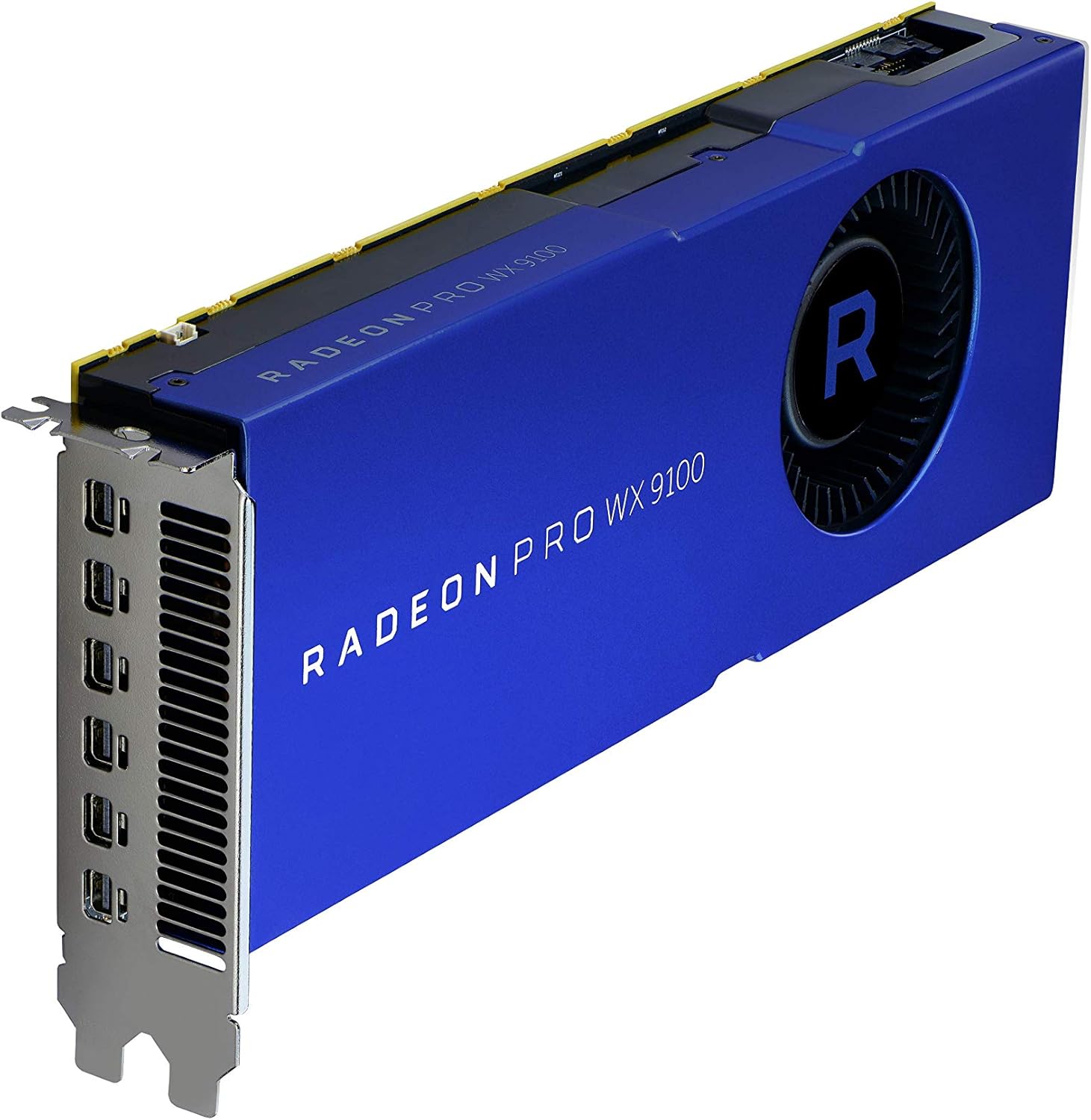
ചിത്രം 2: കോണാകൃതിയിലുള്ളത് view of the graphics card, highlighting the multiple Mini-DisplayPort outputs.
5.3 ഡ്രൈവർ ഇൻസ്റ്റലേഷൻ
After physical installation, power on your computer. The operating system may automatically detect the new hardware. For optimal performance and full functionality, install the latest drivers:
- ഔദ്യോഗിക എഎംഡി സന്ദർശിക്കുക webസൈറ്റ്: www.amd.com/support
- Navigate to the "Drivers & Support" section.
- Select "Graphics" and then locate the "Radeon Pro WX 9100" model.
- Download the appropriate driver package for your operating system.
- Run the installer and follow the on-screen instructions. A system restart may be required.
6. ഗ്രാഫിക്സ് കാർഡ് പ്രവർത്തിപ്പിക്കൽ
6.1 ഡിസ്പ്ലേകൾ ബന്ധിപ്പിക്കൽ
The AMD Radeon Pro WX 9100 features multiple Mini-DisplayPort outputs. Use the provided adapters to connect your monitors. It supports resolutions up to 7680x4320.
- Connect Mini-DisplayPort to DisplayPort, HDMI, or DVI using the included adapters.
- For optimal performance with high-resolution displays (e.g., 4K, 5K, 8K), ensure you use high-quality, certified cables and adapters.
- The card can drive up to six displays simultaneously. Configure display settings through your operating system's display settings or the AMD Radeon Pro Software.
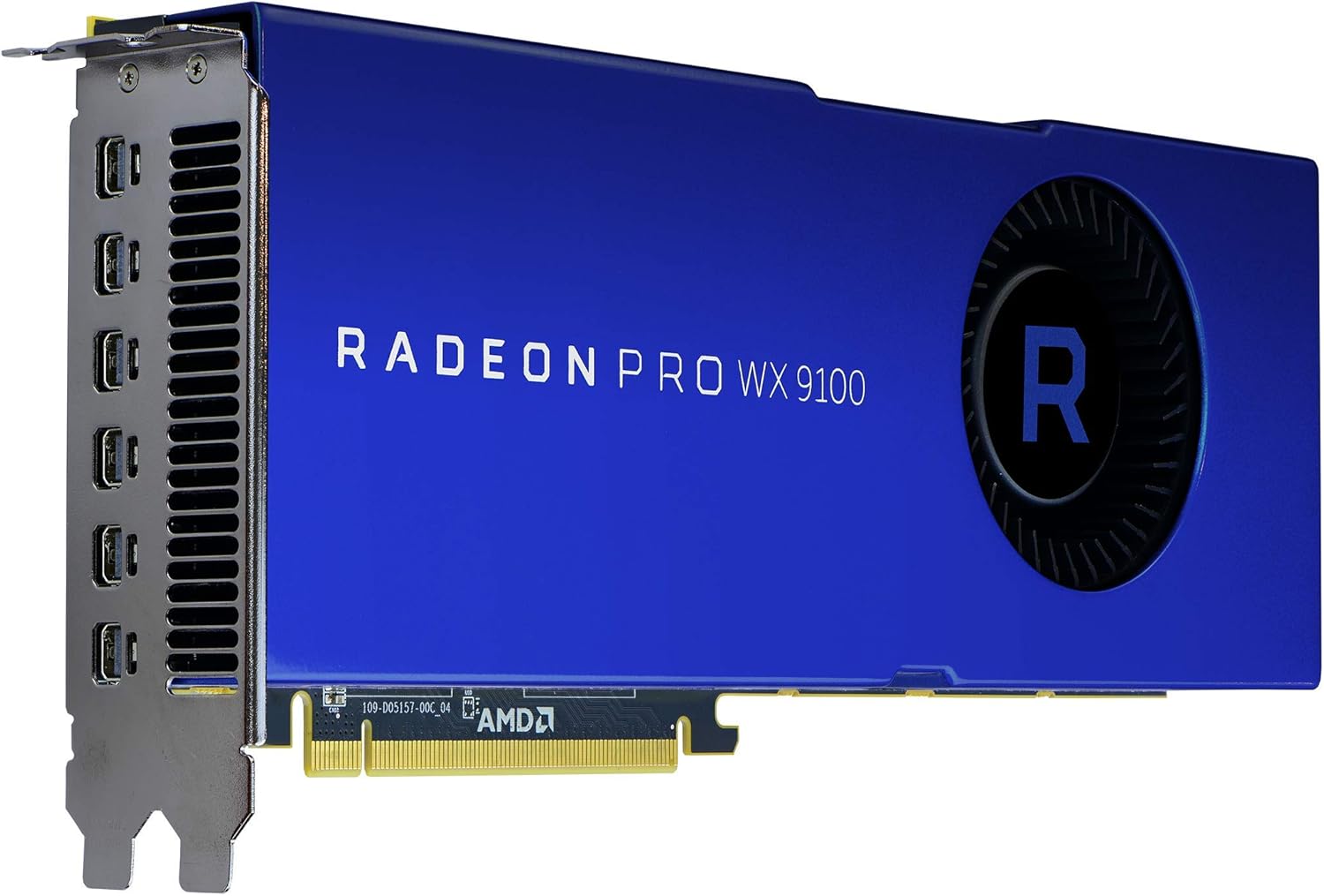
ചിത്രം 3: പിൻഭാഗം view of the graphics card, showing the cooling fan and power input connectors.
6.2 എഎംഡി റേഡിയൻ പ്രോ സോഫ്റ്റ്വെയർ
The AMD Radeon Pro Software suite provides advanced controls for your graphics card, including:
- ഡ്രൈവർ അപ്ഡേറ്റുകൾ: Keep your drivers current for performance and stability.
- പ്രദർശന കോൺഫിഗറേഷൻ: Manage multi-display setups, resolutions, and refresh rates.
- അപേക്ഷ പ്രോfiles: Optimize settings for specific professional applications.
- പ്രകടന നിരീക്ഷണം: Monitor GPU usage, temperature, and fan speed.
7. പരിപാലനം
Regular maintenance helps ensure the longevity and performance of your graphics card:
- പൊടി നീക്കം: Periodically clean dust from the fan and heatsink using compressed air. Ensure the computer is powered off and unplugged before cleaning.
- ഡ്രൈവർ അപ്ഡേറ്റുകൾ: പ്രകടന മെച്ചപ്പെടുത്തലുകളിൽ നിന്നും ബഗ് പരിഹാരങ്ങളിൽ നിന്നും പ്രയോജനം നേടുന്നതിന് നിങ്ങളുടെ ഗ്രാഫിക്സ് ഡ്രൈവറുകൾ അപ്ഡേറ്റ് ചെയ്ത് നിലനിർത്തുക.
- സിസ്റ്റം എയർഫ്ലോ: Ensure your computer case has good airflow to prevent heat buildup, which can affect card performance and lifespan.
8. പ്രശ്നപരിഹാരം
നിങ്ങൾക്ക് പ്രശ്നങ്ങൾ നേരിടുകയാണെങ്കിൽ, ഇനിപ്പറയുന്ന പൊതുവായ ട്രബിൾഷൂട്ടിംഗ് ഘട്ടങ്ങൾ പരിശോധിക്കുക:
| പ്രശ്നം | സാധ്യമായ കാരണം | പരിഹാരം |
|---|---|---|
| ഡിസ്പ്ലേ ഔട്ട്പുട്ട് ഇല്ല | തെറ്റായ കേബിൾ കണക്ഷൻ, കാർഡ് ശരിയായി ഘടിപ്പിച്ചിട്ടില്ല, പവർ കേബിളുകൾ ബന്ധിപ്പിച്ചിട്ടില്ല. | Check all display and power cable connections. Reseat the graphics card in its PCIe slot. Ensure monitor input is set correctly. |
| System instability or crashes | Outdated drivers, insufficient power supply, overheating. | Update graphics drivers. Verify your power supply meets the card's requirements. Check system temperatures and ensure adequate cooling. |
| Overheating during heavy load | Poor case airflow, dust buildup on heatsink/fan, aggressive overclocking (if applicable). | Improve case ventilation. Clean dust from the card's fan and heatsink. Ensure fan profiles are set appropriately via AMD Radeon Pro Software. |
| Display issues (flickering, artifacts) | Faulty display cable, driver issues, monitor incompatibility. | Try a different display cable. Reinstall or update graphics drivers. Test with a different monitor if possible. |
9 സ്പെസിഫിക്കേഷനുകൾ
| ഫീച്ചർ | വിശദാംശങ്ങൾ |
|---|---|
| മോഡൽ നമ്പർ | 100-505957 |
| ഗ്രാഫിക്സ് കോപ്രൊസസർ | AMD Radeon Pro WX 9100 |
| ഗ്രാഫിക്സ് കാർഡ് റാം വലുപ്പം | 16 GB HBM2 |
| മെമ്മറി സ്പീഡ് | 945 MHz |
| പരമാവധി സ്ക്രീൻ റെസല്യൂഷൻ | 7680x4320 |
| വീഡിയോ ഔട്ട്പുട്ട് ഇൻ്റർഫേസ് | DisplayPort (via Mini-DisplayPort) |
| ഇനത്തിൻ്റെ ഭാരം | 12.3 ഔൺസ് (ഏകദേശം 348 ഗ്രാം) |
| ഉൽപ്പന്ന അളവുകൾ (LxWxH) | 2.87 x 11.5 x 9.49 ഇഞ്ച് |
| നിർമ്മാതാവ് | എഎംഡി |
| ആദ്യ തീയതി ലഭ്യമാണ് | ഒക്ടോബർ 9, 2017 |
10. വാറൻ്റിയും പിന്തുണയും
The AMD Radeon Pro WX 9100 Graphics Card is backed by AMD's 3-year manufacturer's warranty. For warranty claims or technical support, please contact AMD directly.
എഎംഡി പിന്തുണ Webസൈറ്റ്: For the latest drivers, FAQs, and support resources, visit www.amd.com/support.
Please have your product model number (100-505957) and purchase information ready when contacting support.