
GPO BROOKLYN BOOMBOX
GPO Brooklyn 1980S-Style Portable Boombox User Manual
Model: BROOKLYN BOOMBOX
1. ആമുഖം
Welcome to the user manual for your GPO Brooklyn 1980S-Style Portable Boombox. This manual provides essential information for the proper setup, operation, and maintenance of your device. Please read it thoroughly before using the boombox to ensure optimal performance and longevity.
The GPO Brooklyn combines classic retro aesthetics with modern audio technology, offering a versatile listening experience through CD, cassette, FM/DAB/DAB+ radio, USB, and Bluetooth connectivity.
2 പ്രധാനപ്പെട്ട സുരക്ഷാ വിവരങ്ങൾ
വൈദ്യുതാഘാതം, തീപിടുത്തം അല്ലെങ്കിൽ യൂണിറ്റിന് കേടുപാടുകൾ എന്നിവ തടയാൻ ഇനിപ്പറയുന്ന സുരക്ഷാ മുൻകരുതലുകൾ എപ്പോഴും പാലിക്കുക.
- മഴയോ ഈർപ്പമോ യൂണിറ്റ് തുറന്നുകാട്ടരുത്.
- വെൻ്റിലേഷൻ ഓപ്പണിംഗുകളൊന്നും തടയരുത്.
- പവർ കോർഡ് നുള്ളിയെടുക്കുകയോ നടക്കുകയോ ചെയ്തിട്ടില്ലെന്ന് ഉറപ്പാക്കുക.
- മിന്നൽ കൊടുങ്കാറ്റുകളുടെ സമയത്തോ ദീർഘകാലത്തേക്ക് ഉപയോഗിക്കാത്ത സമയത്തോ യൂണിറ്റ് അൺപ്ലഗ് ചെയ്യുക.
- എല്ലാ സേവനങ്ങളും യോഗ്യതയുള്ള സേവന ഉദ്യോഗസ്ഥർക്ക് റഫർ ചെയ്യുക.
- സി തുറക്കരുത്.asing; ഉള്ളിൽ ഉപയോക്തൃ-സേവനയോഗ്യമായ ഭാഗങ്ങളൊന്നുമില്ല.
3. ബോക്സിൽ എന്താണുള്ളത്?
അൺപാക്ക് ചെയ്യുമ്പോൾ, താഴെ ലിസ്റ്റ് ചെയ്തിരിക്കുന്ന എല്ലാ ഇനങ്ങളും ഉണ്ടെന്ന് ഉറപ്പാക്കുക:
- GPO Brooklyn Boombox Unit
- ഉപയോക്തൃ മാനുവൽ (ഈ പ്രമാണം)
- എസി അഡാപ്റ്റർ
- പവർ കേബിൾ
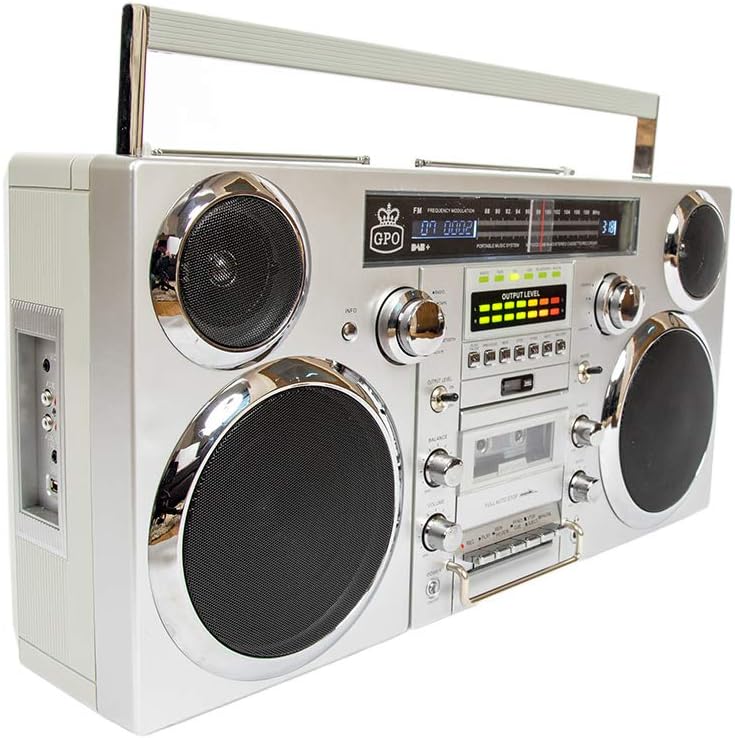
ചിത്രം: മുൻഭാഗം view of the GPO Brooklyn Boombox, showcasing its retro design with dual speakers, control knobs, and display.
4. ഉൽപ്പന്നം കഴിഞ്ഞുview
4.1 Front Panel Controls and Features

ചിത്രം: വിശദമായ മുൻഭാഗം view of the GPO Brooklyn Boombox, highlighting the control layout including volume, balance, bass, treble, and various function buttons.
- പവർ ബട്ടൺ: യൂണിറ്റ് ഓൺ/ഓഫ് ചെയ്യുന്നു.
- വോളിയം നിയന്ത്രണം: മൊത്തത്തിലുള്ള ശബ്ദ ഔട്ട്പുട്ട് നില ക്രമീകരിക്കുന്നു.
- ബാലൻസ് നിയന്ത്രണം: ഇടത്/വലത് സ്പീക്കർ ബാലൻസ് ക്രമീകരിക്കുന്നു.
- ബാസ് നിയന്ത്രണം: കുറഞ്ഞ ആവൃത്തിയിലുള്ള ശബ്ദ നില ക്രമീകരിക്കുന്നു.
- ട്രെബിൾ നിയന്ത്രണം: ഉയർന്ന ഫ്രീക്വൻസി ശബ്ദ നില ക്രമീകരിക്കുന്നു.
- ഫംഗ്ഷൻ സെലക്ടർ: Switches between CD, Cassette, FM/DAB, USB, and Bluetooth modes.
- കാസറ്റ് ഡെക്ക്: For playing and recording audio cassettes.
- സിഡി പ്ലെയർ: ഓഡിയോ സിഡികൾക്കായി ടോപ്പ്-ലോഡിംഗ് സിഡി പ്ലെയർ.
- ഡിജിറ്റൽ ഡിസ്പ്ലേ: നിലവിലെ മോഡ്, ട്രാക്ക് വിവരങ്ങൾ, റേഡിയോ ഫ്രീക്വൻസി മുതലായവ കാണിക്കുന്നു.
- VU മീറ്ററുകൾ: Visual indicators for audio output levels.
4.2 Side Panel Connections

ചിത്രം: വശം view of the GPO Brooklyn Boombox, showing the input/output ports including microphone, auxiliary, RCA, and USB connections.
- മൈക്രോഫോൺ ഇൻപുട്ട്: 3.5mm jack for connecting an external microphone.
- ഹെഡ്ഫോൺ ഔട്ട്പുട്ട്: സ്വകാര്യ ശ്രവണത്തിനായി 3.5mm ജാക്ക്.
- AUX ഇൻ (3.5 മിമി): ബാഹ്യ ഓഡിയോ ഉപകരണങ്ങൾ ബന്ധിപ്പിക്കുന്നതിന്.
- RCA ഇൻപുട്ട്: Stereo RCA jacks for connecting other audio sources.
- USB പോർട്ട്: യുഎസ്ബി പ്ലേബാക്കിനും റെക്കോർഡിംഗിനും.
4.3 Top Panel and Rear Features

ചിത്രം: മുകളിൽ view of the GPO Brooklyn Boombox, showing a CD being inserted into the top-loading CD player compartment.
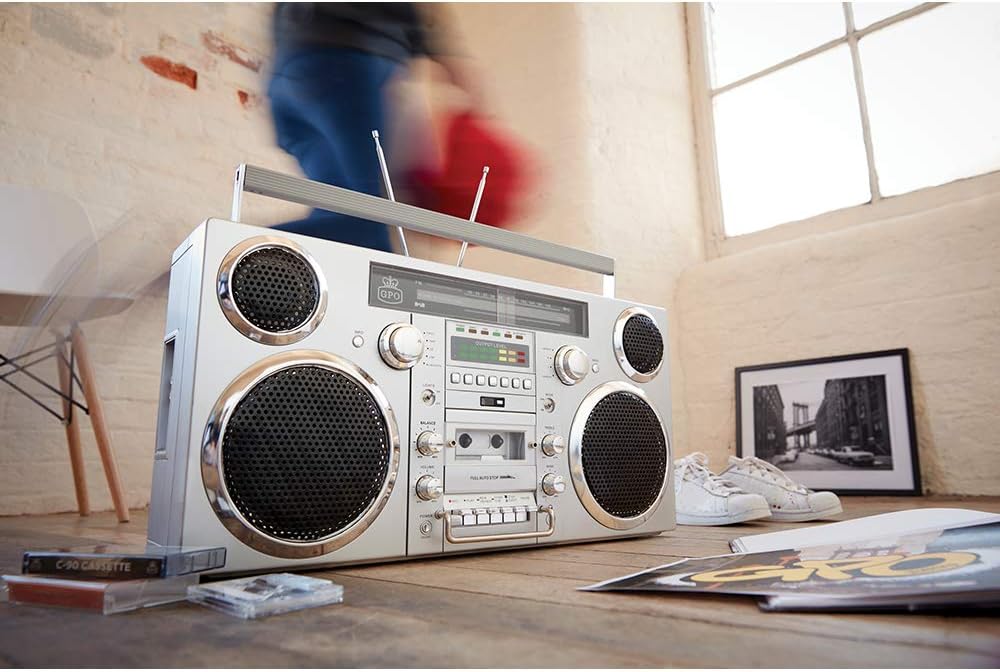
ചിത്രം: പിൻഭാഗം view of the GPO Brooklyn Boombox, with the battery compartment cover open, revealing the rechargeable lithium battery.
- സിഡി കമ്പാർട്ട്മെന്റ്: കോംപാക്റ്റ് ഡിസ്കുകൾക്കുള്ള ടോപ്പ്-ലോഡിംഗ് ട്രേ.
- Telescopic Antennas: Extendable antennas for FM/DAB radio reception.
- ഹാൻഡിൽ കൊണ്ടുപോകുക: പോർട്ടബിലിറ്റിക്കായി സംയോജിത ഹാൻഡിൽ.
- ബാറ്ററി കമ്പാർട്ട്മെൻ്റ്: Located at the rear, houses the rechargeable lithium battery.
- എസി പവർ ഇൻപുട്ട്: എസി അഡാപ്റ്റർ ബന്ധിപ്പിക്കുന്നതിന്.
5. സജ്ജീകരണം
5.1 യൂണിറ്റിന് പവർ നൽകുന്നു
The GPO Brooklyn can be powered by the included AC adapter or its internal rechargeable lithium battery.
- എസി പവർ: Connect the AC adapter to the AC power input on the rear of the unit, then plug the adapter into a standard wall outlet.
- ബാറ്ററി പവർ: The unit comes with a rechargeable lithium battery. Ensure it is fully charged before first use. A full charge takes approximately 1.5 hours and provides up to 4 hours of playback.
5.2 പ്രാരംഭ ബാറ്ററി ചാർജ്
For optimal battery life, it is recommended to fully charge the battery before its first use. Connect the boombox to AC power and allow it to charge until the charging indicator light (if present) signals a full charge.
6. പ്രവർത്തന നിർദ്ദേശങ്ങൾ
6.1 അടിസ്ഥാന പ്രവർത്തനം
- അമർത്തുക ശക്തി യൂണിറ്റ് ഓണാക്കാനുള്ള ബട്ടൺ.
- ഉപയോഗിക്കുക ഫംഗ്ഷൻ സെലക്ടർ to choose your desired mode (CD, Cassette, FM/DAB, USB, Bluetooth, AUX).
- ക്രമീകരിക്കുക വോളിയം, ബാലൻസ്, ബാസ്, ഒപ്പം ട്രിബിൾ controls to your preference.
6.2 സിഡി പ്ലെയർ പ്രവർത്തനം
- തിരഞ്ഞെടുക്കുക CD mode using the Function Selector.
- മുകളിൽ ലോഡുചെയ്യുന്ന സിഡി കമ്പാർട്ട്മെന്റ് കവർ തുറക്കുക.
- ലേബൽ വശം മുകളിലേക്ക് അഭിമുഖീകരിക്കുന്ന തരത്തിൽ സ്പിൻഡിൽ ഒരു സിഡി വയ്ക്കുക.
- സിഡി കമ്പാർട്ട്മെന്റ് കവർ അടയ്ക്കുക.
- പ്ലേബാക്ക് നിയന്ത്രിക്കാൻ പ്ലേ/താൽക്കാലികമായി നിർത്തുക, നിർത്തുക, ഒഴിവാക്കുക/തിരയൽ ബട്ടണുകൾ ഉപയോഗിക്കുക.
6.3 Cassette Player/Recorder Operation
- തിരഞ്ഞെടുക്കുക കാസറ്റ് mode using the Function Selector.
- Press the Eject button to open the cassette door.
- Insert a cassette tape with the open side facing you.
- കാസറ്റ് വാതിൽ അടയ്ക്കുക.
- Use the Play, Rewind, Fast Forward, Stop, Pause buttons for playback.
- To record, insert a recordable cassette and press the രേഖപ്പെടുത്തുക button (usually simultaneously with Play).

ചിത്രം: ക്ലോസ്-അപ്പ് view of the cassette player controls on the GPO Brooklyn Boombox, showing the play, record, rewind, fast forward, stop, and pause buttons.
6.4 Radio Operation (FM/DAB/DAB+)
- തിരഞ്ഞെടുക്കുക FM or DAB/DAB+ മോഡ്.
- Extend the telescopic antennas for optimal reception.
- Use the tuning knob or scan buttons to find radio stations.
- അമർത്തുക വിവരം button (if available) for station information.
6.5 ബ്ലൂടൂത്ത് കണക്റ്റിവിറ്റി
- തിരഞ്ഞെടുക്കുക ബ്ലൂടൂത്ത് mode. The display will indicate pairing mode.
- On your mobile device, enable Bluetooth and search for "GPO Brooklyn".
- Select "GPO Brooklyn" to pair. Once connected, you can stream audio from your device.
6.6 യുഎസ്ബി പ്ലേബാക്കും റെക്കോർഡിംഗും
- USB പോർട്ടിൽ ഒരു USB ഫ്ലാഷ് ഡ്രൈവ് ചേർക്കുക.
- തിരഞ്ഞെടുക്കുക USB mode. The unit will automatically detect and play compatible audio files.
- To record to USB, select the desired audio source (CD, Radio, AUX, Cassette) and press the രേഖപ്പെടുത്തുക button while in USB mode.
കുറിപ്പ്: USB recording functionality may vary. Refer to the on-screen prompts or detailed manual sections for specific instructions.
6.7 ഓക്സിലറി ഇൻപുട്ട് (AUX)
- Connect your external audio device (e.g., smartphone, MP3 player) to the 3.5mm AUX In jack or RCA input on the side panel.
- തിരഞ്ഞെടുക്കുക ഓക്സ് മോഡ്.
- നിങ്ങളുടെ ബന്ധിപ്പിച്ച ഉപകരണത്തിൽ നിന്ന് പ്ലേബാക്ക് നിയന്ത്രിക്കുക.
7. പരിപാലനം
7.1 വൃത്തിയാക്കൽ
- മൃദുവായതും ഉണങ്ങിയതുമായ തുണി ഉപയോഗിച്ച് യൂണിറ്റ് തുടയ്ക്കുക.
- അബ്രാസീവ് ക്ലീനറുകൾ, മെഴുക്, ലായകങ്ങൾ എന്നിവ ഉപയോഗിക്കരുത്.
- സിഡി ലെൻസിന്, ഒരു പ്രത്യേക സിഡി ലെൻസ് ക്ലീനർ ഉപയോഗിക്കുക.
- കാസറ്റ് ഡെക്കിന്, ഇടയ്ക്കിടെ ടേപ്പ് ഹെഡുകൾ വൃത്തിയാക്കുകയും റോളറുകൾ ഒരു കോട്ടൺ സ്വാബ് ഉപയോഗിച്ച് ചെറുതായി പിഞ്ച് ചെയ്യുകയും ചെയ്യുക d.ampഐസോപ്രോപൈൽ ആൽക്കഹോൾ ഉപയോഗിച്ചാണ് നിർവഹിച്ചത്.
7.2 ബാറ്ററി കെയർ
- ബാറ്ററി ഇടയ്ക്കിടെ പൂർണ്ണമായും ഡിസ്ചാർജ് ചെയ്യുന്നത് ഒഴിവാക്കുക.
- If storing the unit for an extended period, charge the battery to approximately 50% every few months.
- അങ്ങേയറ്റത്തെ താപനിലയിലേക്ക് ബാറ്ററി തുറന്നുകാട്ടരുത്.
8. പ്രശ്നപരിഹാരം
| പ്രശ്നം | സാധ്യമായ കാരണം | പരിഹാരം |
|---|---|---|
| ശക്തിയില്ല | Power cable not connected; Battery discharged | Check power connection; Charge battery |
| ശബ്ദമില്ല | Volume too low; Incorrect mode selected; Headphones connected | Increase volume; Select correct mode; Disconnect headphones |
| സിഡി പ്ലേ ചെയ്യുന്നില്ല | CD inserted incorrectly; CD dirty/scratched; Incorrect mode | Reinsert CD correctly; Clean/replace CD; Select CD mode |
| മോശം റേഡിയോ സ്വീകരണം | Antennas not extended; Weak signal area | Extend and adjust antennas; Try moving the unit to a different location |
| ബ്ലൂടൂത്ത് ജോടിയാക്കുന്നില്ല | Unit not in pairing mode; Device too far; Bluetooth already connected to another device | യൂണിറ്റ് ബ്ലൂടൂത്ത് ജോടിയാക്കൽ മോഡിലാണെന്ന് ഉറപ്പാക്കുക; ഉപകരണം അടുത്തേക്ക് നീക്കുക; മറ്റ് ഉപകരണങ്ങളിൽ നിന്ന് വിച്ഛേദിക്കുക. |
| Cassette playback issues (e.g., muffled sound, tape eating) | Dirty tape heads/pinch rollers; Worn-out tape | Clean tape heads and pinch rollers; Try a different tape |
9 സ്പെസിഫിക്കേഷനുകൾ
| ഫീച്ചർ | വിശദാംശങ്ങൾ |
|---|---|
| മോഡൽ നമ്പർ | BROOKLYN BOOMBOX |
| അളവുകൾ (W x D x H) | 23.62 x 5.51 x 11.81 ഇഞ്ച് (60 x 14 x 30 സെ.മീ) |
| ഭാരം | 18.1 പൗണ്ട് (8.21 കി.ഗ്രാം) |
| പവർ ഉറവിടം | AC Adapter, Rechargeable Lithium Battery |
| ബാറ്ററി ലൈഫ് | Up to 4 hours playback (after 1.5 hours charge) |
| സ്പീക്കർ ഔട്ട്പുട്ട് | 2 x 40 വാട്ട്സ് |
| കണക്റ്റിവിറ്റി | Bluetooth, Auxiliary (3.5mm & RCA), USB |
| മീഡിയ പ്ലേബാക്ക് | CD, Cassette, FM/DAB/DAB+ Radio, USB |
| റെക്കോർഡിംഗ് പ്രവർത്തനം | കാസറ്റ്, യുഎസ്ബി |
10. വാറൻ്റിയും പിന്തുണയും
GPO products are designed for quality and reliability. For warranty information and customer support, please refer to the official GPO webസൈറ്റ് അല്ലെങ്കിൽ നിങ്ങളുടെ റീട്ടെയിലറെ ബന്ധപ്പെടുക.
നിർമ്മാതാവ്: ജി.പി.ഒ
ബ്രാൻഡ് സ്റ്റോർ: Visit the GPO Store on Amazon
For technical assistance or service inquiries, please contact GPO customer support. Keep your purchase receipt as proof of purchase for warranty claims.
11. ശരിയായ നീക്കം ചെയ്യൽ
When disposing of this product, please do so responsibly. Electronic waste should not be disposed of with household waste. Consult your local authorities for information on proper disposal and recycling facilities. The internal rechargeable battery should be removed and recycled separately if possible, following local regulations.
Ask a question about this manual
Ask about setup, troubleshooting, compatibility, parts, safety, or missing instructions. Manuals+ will review the question and use this page’s manual context to help answer it.