
ഉൽപ്പന്നം കഴിഞ്ഞുview
The MY ARCADE Super Gamepad is a wireless gaming controller designed to replace wired controllers for various Nintendo consoles. It offers wireless freedom and enhanced gaming features.
പ്രധാന സവിശേഷതകൾ:
- വയർലെസ് കണക്റ്റിവിറ്റി: Enjoy gaming up to 25 feet away from your console without lag.
- വിപുലീകരിച്ച കളിസമയം: Over 27 hours of gameplay on two AAA batteries (not included).
- എർഗണോമിക് ഡിസൈൻ: Provides comfortable grip and precise control for extended gaming sessions.
- ഹോം ബട്ടണ്: Quickly access the main game selection menu directly from the controller.
- ടർബോ ബട്ടൺ: Assign turbo functionality to any action button for rapid input.
പാക്കേജ് ഉള്ളടക്കം
സജ്ജീകരണവുമായി മുന്നോട്ടുപോകുന്നതിനുമുമ്പ് എല്ലാ ഇനങ്ങളും ഉണ്ടെന്ന് ഉറപ്പാക്കുക:
- MY ARCADE Super Gamepad (DGUN-2960)
- വയർലെസ് അഡാപ്റ്റർ
- നിർദ്ദേശ മാനുവൽ (ഈ പ്രമാണം)
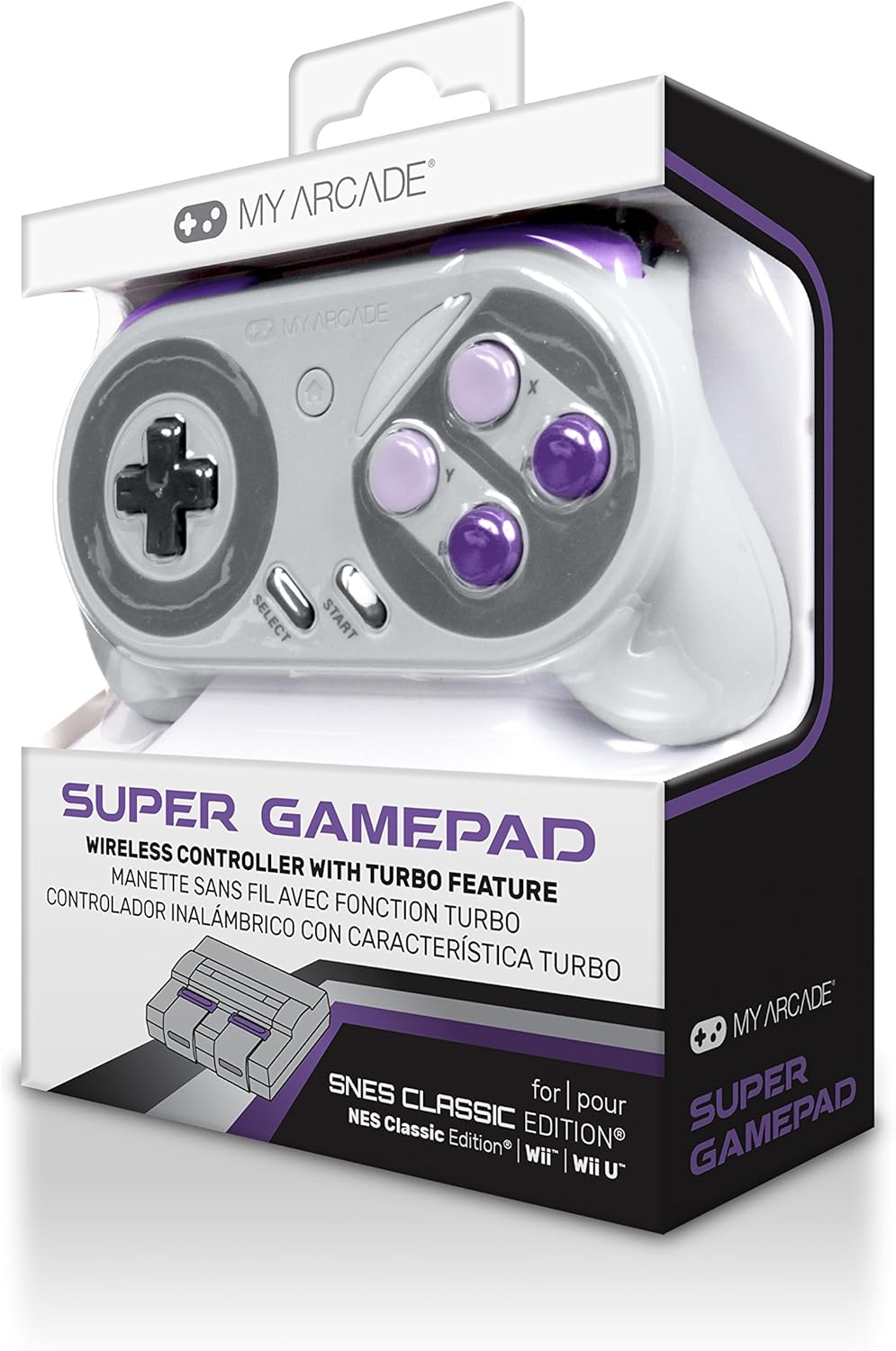
ചിത്രം: മുൻഭാഗം view of the MY ARCADE Super Gamepad packaging, showing the controller and branding.
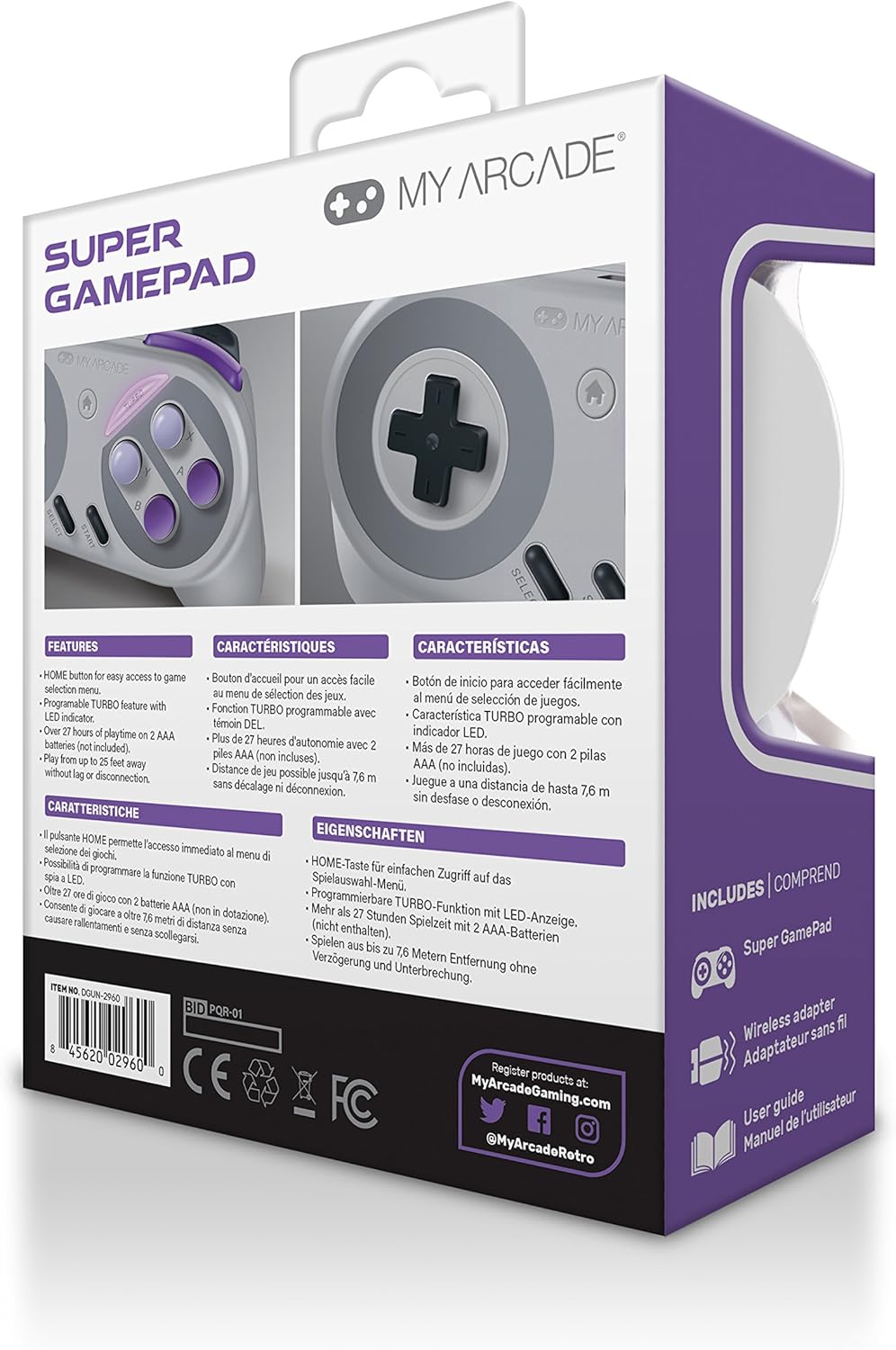
ചിത്രം: പിന്നിലേക്ക് view of the MY ARCADE Super Gamepad packaging, detailing features and contents in multiple languages.
സജ്ജീകരണ ഗൈഡ്
1. ബാറ്ററികൾ ഇൻസ്റ്റാൾ ചെയ്യുക
The Super Gamepad requires two AAA batteries (not included). Open the battery compartment on the back of the controller and insert the batteries, ensuring correct polarity (+/-).
2. Connect Wireless Adapter
Plug the included wireless adapter into an available controller port on your compatible console (Nintendo SNES Classic, NES Classic, Super Famicom, Wii, or Wii U).

Image: The MY ARCADE Super Gamepad shown alongside its compact wireless adapter, illustrating the wireless connection capability.
3. Power On and Pair
Turn on your console. Press the power button on the Super Gamepad. The controller should automatically pair with the wireless adapter. An indicator light on the controller will confirm a successful connection.
പ്രവർത്തന നിർദ്ദേശങ്ങൾ
Familiarize yourself with the controller's buttons for optimal gameplay.
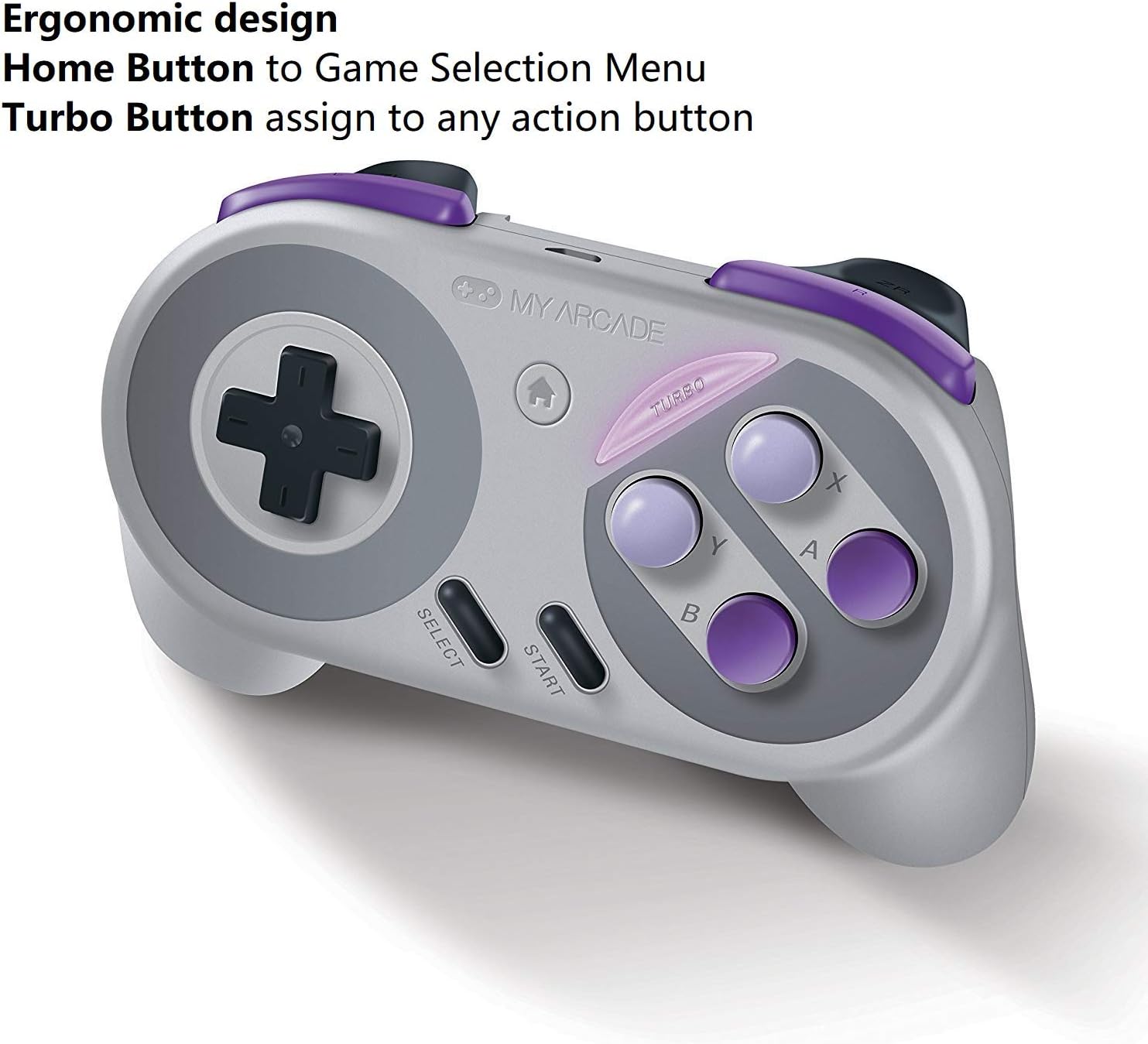
Image: The MY ARCADE Super Gamepad, highlighting the Home button (house icon) and Turbo button for special functions.
ഹോം ബട്ടണ്:
അമർത്തുക ഹോം ബട്ടൺ (typically marked with a house icon) to return to the main game selection menu of your console. This eliminates the need to manually reset the console to change games.
ടർബോ ബട്ടൺ:
ദി ടർബോ ബട്ടൺ allows you to assign rapid-fire functionality to any action button. To activate:
- അമർത്തിപ്പിടിക്കുക ടർബോ ബട്ടൺ.
- While holding Turbo, press the desired action button (e.g., A, B, X, Y) to which you want to assign rapid-fire.
- Release both buttons. The assigned action button will now have turbo functionality.
മെയിൻ്റനൻസ്
Proper care will extend the life of your Super Gamepad.
- വൃത്തിയാക്കൽ: കൺട്രോളർ വൃത്തിയാക്കാൻ മൃദുവായതും ഉണങ്ങിയതുമായ തുണി ഉപയോഗിക്കുക. അബ്രസിവ് ക്ലീനറുകളോ ലായകങ്ങളോ ഉപയോഗിക്കുന്നത് ഒഴിവാക്കുക.
- സംഭരണം: കൺട്രോളർ നേരിട്ട് സൂര്യപ്രകാശം ഏൽക്കാത്തതും തീവ്രമായ താപനില ഏൽക്കാത്തതുമായ ഒരു തണുത്ത വരണ്ട സ്ഥലത്ത് സൂക്ഷിക്കുക.
- ബാറ്ററി മാറ്റിസ്ഥാപിക്കൽ: When the controller's performance degrades or it fails to power on, replace both AAA batteries with fresh ones.
ട്രബിൾഷൂട്ടിംഗ്
നിങ്ങൾക്ക് പ്രശ്നങ്ങൾ നേരിടുകയാണെങ്കിൽ, ഈ പൊതുവായ പരിഹാരങ്ങൾ പരീക്ഷിക്കുക:
- കൺട്രോളർ പ്രതികരിക്കുന്നില്ല:
- ബാറ്ററികൾ ശരിയായി ഇൻസ്റ്റാൾ ചെയ്തിട്ടുണ്ടെന്നും തീർന്നിട്ടില്ലെന്നും ഉറപ്പാക്കുക. ആവശ്യമെങ്കിൽ മാറ്റിസ്ഥാപിക്കുക.
- Verify the wireless adapter is securely plugged into the console.
- Confirm the controller is powered on.
- Move closer to the console to ensure you are within the 25-foot wireless range.
- കാലതാമസം അല്ലെങ്കിൽ വിച്ഛേദങ്ങൾ:
- മറ്റ് വയർലെസ് ഉപകരണങ്ങളിൽ നിന്നുള്ള സാധ്യതയുള്ള ഇടപെടലുകൾ പരിശോധിക്കുക.
- Ensure the controller and adapter have a clear line of sight.
- ബാറ്ററികൾ കുറവാണെങ്കിൽ അവ മാറ്റിസ്ഥാപിക്കുക.
- ബട്ടണുകൾ പ്രവർത്തിക്കുന്നില്ല:
- ഏതെങ്കിലും അവശിഷ്ടങ്ങൾ നീക്കം ചെയ്യാൻ ബട്ടണുകൾക്ക് ചുറ്റും വൃത്തിയാക്കുക.
- Ensure the controller is properly paired.
സ്പെസിഫിക്കേഷനുകൾ
| ഫീച്ചർ | വിശദാംശങ്ങൾ |
|---|---|
| മോഡൽ നമ്പർ | DGUN-2960 |
| ബ്രാൻഡ് | എന്റെ ആർക്കേഡ് |
| കണക്റ്റിവിറ്റി | വയർലെസ് (ബ്ലൂടൂത്ത്) |
| വയർലെസ് ശ്രേണി | 25 അടി വരെ (7.6 മീറ്റർ) |
| അനുയോജ്യമായ കൺസോളുകൾ | Nintendo SNES Classic, NES Classic, Super Famicom, Wii, Wii U |
| പവർ ഉറവിടം | 2 x AAA ബാറ്ററികൾ (ഉൾപ്പെടുത്തിയിട്ടില്ല) |
| ബാറ്ററി ലൈഫ് | Over 27 hours of playtime |
| ഉൽപ്പന്ന അളവുകൾ | 3.81 x 10.16 x 8.26 സെ.മീ (1.5 x 4 x 3.25 ഇഞ്ച്) |
| ഇനത്തിൻ്റെ ഭാരം | 136.08 ഗ്രാം (4.8 ഔൺസ്) |
| ബട്ടൺ അളവ് | 16 |
| നിറം | Super NES Colors |
വാറൻ്റിയും പിന്തുണയും
വാറൻ്റി വിവരങ്ങൾ:
The MY ARCADE Super Gamepad comes with a 120 ദിവസത്തെ വാറൻ്റി വാങ്ങിയ തീയതി മുതൽ. സാധാരണ ഉപയോഗത്തിലുള്ള നിർമ്മാണ വൈകല്യങ്ങൾ ഈ വാറന്റി ഉൾക്കൊള്ളുന്നു. വാറന്റി ക്ലെയിമുകൾക്കായി നിങ്ങളുടെ വാങ്ങിയതിന്റെ തെളിവ് സൂക്ഷിക്കുക.
ഉപഭോക്തൃ പിന്തുണ:
സാങ്കേതിക സഹായം, ട്രബിൾഷൂട്ടിംഗ് അല്ലെങ്കിൽ വാറന്റി അന്വേഷണങ്ങൾ എന്നിവയ്ക്കായി, ദയവായി നിർമ്മാതാവിനെ ബന്ധപ്പെടുക:
നിർമ്മാതാവ്: DreamGEAR
ബന്ധപ്പെടാനുള്ള വിവരങ്ങൾ: TORRANCE, CA, 90501 US
You may also visit the official MY ARCADE webഅധിക വിഭവങ്ങൾക്കും പിന്തുണക്കുമുള്ള സൈറ്റ്.