
ആമുഖം
The Portronics SeeSaw II is a smart Wi-Fi IP security camera designed for indoor surveillance. It offers 720p HD video, two-way audio communication, motion detection, and night vision capabilities, allowing for remote monitoring via your smartphone. This manual provides detailed instructions for setting up, operating, and maintaining your SeeSaw II camera.
പാക്കേജ് ഉള്ളടക്കം
- Portronics SeeSaw II Smart Wi-Fi IP Security Camera
- പവർ അഡാപ്റ്റർ
- മൗണ്ടിംഗ് ആക്സസറികൾ (ബാധകമെങ്കിൽ)
- ഉപയോക്തൃ മാനുവൽ
ഉൽപ്പന്നം കഴിഞ്ഞുview
The SeeSaw II camera features a compact design with a 720p HD lens, infrared LEDs for night vision, a microphone, and a speaker for two-way audio. It includes an adjustable magnetic base for flexible placement.

പ്രധാന ഘടകങ്ങൾ ഉൾപ്പെടുന്നു:
- ക്യാമറ ലെൻസ്: Captures 720p HD video.
- ഇൻഫ്രാറെഡ് LED-കൾ: Enable night vision in low-light conditions.
- മൈക്രോഫോൺ: ടു-വേ ആശയവിനിമയ സമയത്ത് ഓഡിയോ ഇൻപുട്ടിനായി.
- സ്പീക്കർ: For audio output during two-way communication.
- SD കാർഡ് സ്ലോട്ട്: Supports local storage for recorded footage (up to 64GB).
- പവർ പോർട്ട്: പവർ അഡാപ്റ്റർ ബന്ധിപ്പിക്കുന്നതിന്.
- റീസെറ്റ് ബട്ടൺ: ഫാക്ടറി റീസെറ്റിനായി ഉപയോഗിക്കുന്നു.
സജ്ജീകരണ നിർദ്ദേശങ്ങൾ
Follow these steps to set up your Portronics SeeSaw II camera:
- പവർ ഓൺ: Connect the camera to a power source using the provided power adapter. The camera will power on and indicate readiness for setup.
- ആപ്പ് ഡൗൺലോഡ് ചെയ്യുക: Download the free 'Danale' app on your smartphone. The app is available on both Google Play Store and Apple App Store.
- അക്കൗണ്ട് സൃഷ്ടിച്ച് ഉപകരണം ചേർക്കുക: Open the Danale app, create a new user account, and follow the in-app instructions to add your SeeSaw II camera. This typically involves scanning a QR code on the camera or manually entering its ID.
- വൈഫൈയിലേക്ക് കണക്റ്റുചെയ്യുക: During the app setup process, you will be prompted to connect the camera to your home Wi-Fi network. Ensure your Wi-Fi network is 2.4GHz, as 5GHz networks are not supported.
- SD കാർഡ് ചേർക്കുക (ഓപ്ഷണൽ): For local video recording, insert a microSD card (up to 64GB) into the designated slot on the camera. Ensure the camera is powered off before inserting or removing the SD card.
- ക്യാമറയുടെ സ്ഥാനം: Utilize the adjustable 360° magnetic base to position the camera on any flat surface or mount it as desired.

പ്രവർത്തന നിർദ്ദേശങ്ങൾ
Once set up, you can control and monitor your SeeSaw II camera using the Danale app:
- തത്സമയം View: ആപ്പ് തുറന്ന് നിങ്ങളുടെ ക്യാമറ തിരഞ്ഞെടുക്കുക view live 720p HD video feed from anywhere.
- ടു-വേ ഓഡിയോ: Use the microphone icon in the app to speak through the camera's speaker, and listen to audio from the camera's surroundings.
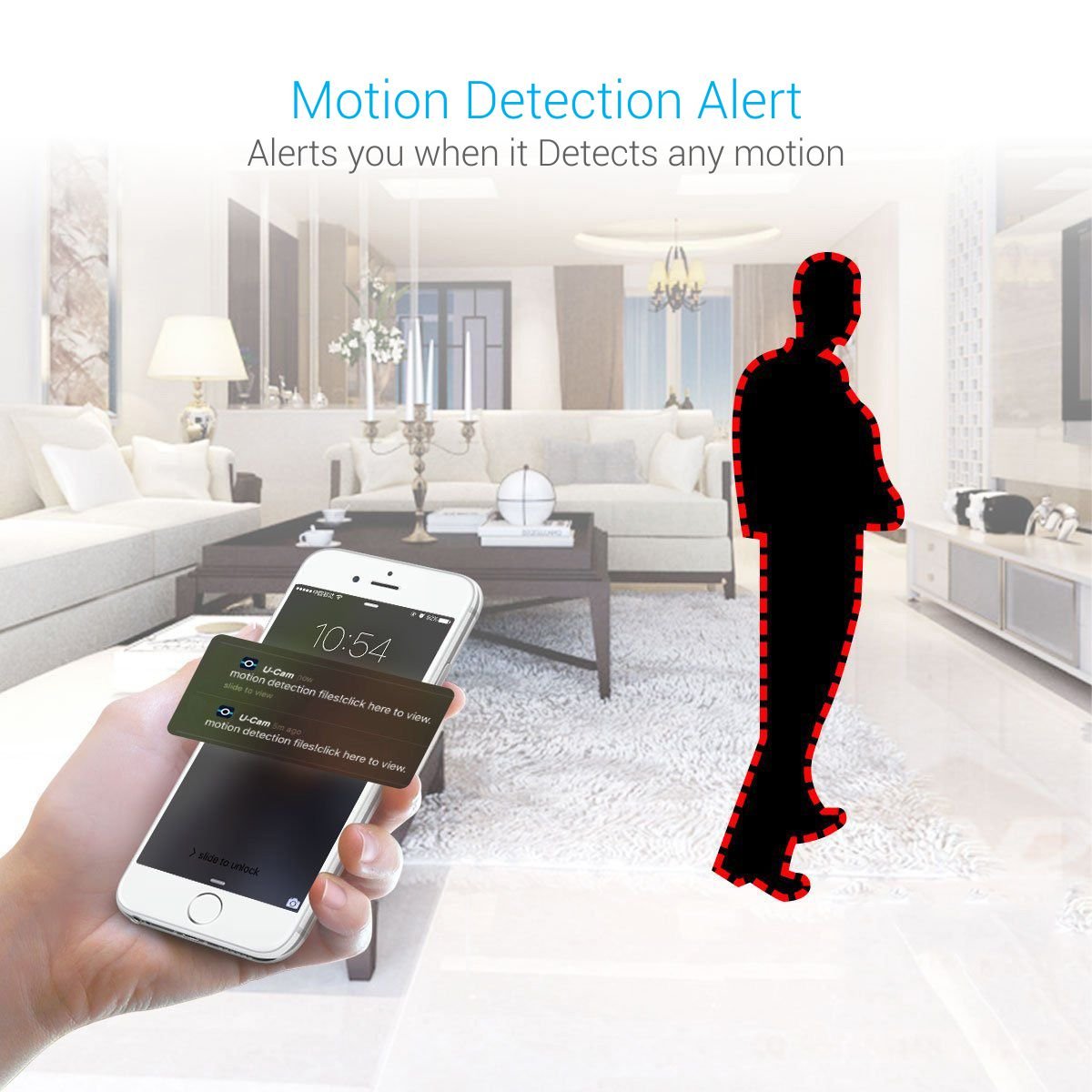
- മോഷൻ ഡിറ്റക്ഷൻ അലേർട്ടുകൾ: Enable motion detection in the app settings to receive instant notifications on your smartphone when movement is detected.
- രാത്രി കാഴ്ച: The camera automatically switches to night vision mode in low-light conditions, providing clear black and white images.
- റെക്കോർഡിംഗും പ്ലേബാക്കും: റെക്കോർഡ് ചെയ്ത foo ആക്സസ് ചെയ്യുകtage stored on the SD card through the app. You can view past events and download clips.
- Multiple Device Monitoring: The app allows multiple users to view the camera feed simultaneously and monitor from various devices.




മെയിൻ്റനൻസ്
To ensure optimal performance and longevity of your camera:
- വൃത്തിയാക്കൽ: മൃദുവായതും ഉണങ്ങിയതുമായ തുണി ഉപയോഗിച്ച് ക്യാമറ ലെൻസും ബോഡിയും സൌമ്യമായി തുടയ്ക്കുക. കഠിനമായ രാസവസ്തുക്കളോ ഉരച്ചിലുകളോ ഉള്ള വസ്തുക്കൾ ഉപയോഗിക്കുന്നത് ഒഴിവാക്കുക.
- സോഫ്റ്റ്വെയർ അപ്ഡേറ്റുകൾ: Regularly check the Danale app for firmware updates for your camera. Keeping the firmware updated ensures the latest features and security patches.
- പ്ലേസ്മെൻ്റ്: നേരിട്ടുള്ള സൂര്യപ്രകാശം, തീവ്രമായ താപനില, ഈർപ്പം എന്നിവയിൽ നിന്ന് അകന്ന്, സ്ഥിരമായ ഒരു സ്ഥലത്താണ് ക്യാമറ സ്ഥാപിച്ചിരിക്കുന്നതെന്ന് ഉറപ്പാക്കുക.
ട്രബിൾഷൂട്ടിംഗ്
If you encounter issues with your Portronics SeeSaw II camera, refer to the following common solutions:
| പ്രശ്നം | സാധ്യമായ പരിഹാരം |
|---|---|
| ക്യാമറ വൈഫൈയിലേക്ക് കണക്റ്റ് ചെയ്യുന്നില്ല | Ensure your Wi-Fi network is 2.4GHz. Check Wi-Fi password. Move camera closer to the router. Reset the camera and try setup again. |
| No video feed / Offline status | Check power connection. Verify Wi-Fi connectivity. Restart the camera and the app. |
| Black and white video during the day | This usually indicates the camera is stuck in night vision mode. Check app settings to ensure night vision is set to 'Auto' or 'Off' during daylight. Ensure sufficient lighting in the room. |
| SD കാർഡ് റെക്കോർഡ് ചെയ്യുന്നില്ല | Ensure the SD card is inserted correctly and is not full. Format the SD card via the app settings. Check if the SD card is compatible (up to 64GB). Some users have reported issues with cards larger than 16GB, try a 16GB card if problems persist. |
| മോശം വീഡിയോ നിലവാരം | Ensure stable Wi-Fi connection. Clean the camera lens. Check app settings for video resolution options. |
സ്പെസിഫിക്കേഷനുകൾ

| ഫീച്ചർ | വിശദാംശങ്ങൾ |
|---|---|
| മോഡലിൻ്റെ പേര് | Portronics POR-797 SeeSaw II |
| വീഡിയോ ക്യാപ്ചർ റെസല്യൂഷൻ | 720p (1280x720 pixels) |
| ഫ്രെയിം റേറ്റ് | 30 Frames/Sec |
| കണക്റ്റിവിറ്റി ടെക്നോളജി | വൈഫൈ (2.4GHz മാത്രം) |
| സംഭരണം | മൈക്രോഎസ്ഡി കാർഡ് (64 ജിബി വരെ) |
| ഓഡിയോ | ടു-വേ ആശയവിനിമയം |
| മോഷൻ ഡിറ്റക്ഷൻ | Yes, with alerts |
| നൈറ്റ് വിഷൻ | Yes, Infrared (IR) |
| മൗണ്ടിംഗ് തരം | Surface Mount (Adjustable 360° Magnetic Base) |
| ഇൻഡോർ/ഔട്ട്ഡോർ ഉപയോഗം | ഇൻഡോർ |
| പവർ ഉറവിടം | കോർഡഡ് ഇലക്ട്രിക് |
| നിയന്ത്രണ രീതി | App (Danale) |
| ഇനത്തിൻ്റെ ഭാരം | 290 ഗ്രാം |
| അളവുകൾ | 16.7 x 9.9 x 8.8 സെ.മീ |
വാറൻ്റിയും പിന്തുണയും
The Portronics SeeSaw II Smart Wi-Fi IP Security Camera comes with a 1 വർഷത്തെ നിർമ്മാതാവിൻ്റെ വാറൻ്റി വാങ്ങിയ തീയതി മുതൽ.
For technical support, warranty claims, or further assistance, please contact Portronics customer service through their official webസൈറ്റ് അല്ലെങ്കിൽ നിങ്ങളുടെ ഉൽപ്പന്ന പാക്കേജിംഗിനൊപ്പം നൽകിയിരിക്കുന്ന ബന്ധപ്പെടാനുള്ള വിവരങ്ങൾ.