
UHURU 8541649271
UHURU Wireless Keyboard and Mouse Combo User Manual
മോഡൽ: 8541649271
ആമുഖം
This user manual provides comprehensive instructions for setting up, operating, and maintaining your UHURU Wireless Keyboard and Mouse Combo. Designed for seamless connectivity and ergonomic comfort, this combo enhances your productivity across various devices. Please read this manual thoroughly to ensure optimal performance and longevity of your product.
ഉൽപ്പന്നം കഴിഞ്ഞുview
The UHURU Wireless Keyboard and Mouse Combo offers a reliable 2.4G wireless connection, ergonomic design, and convenient multimedia shortcuts. It is compatible with a wide range of operating systems and devices.

Image: The complete UHURU Wireless Keyboard and Mouse Combo, including the keyboard, mouse, USB receiver, and mouse pad.
പ്രധാന സവിശേഷതകൾ:
- Reliable 2.4G Wireless Connection: Advanced chip provides 33 feet wireless automatic connection for fast data transmission without delays or dropouts.
- 2-in-1 Nano Receiver: Unifies keyboard and mouse connections into one USB port for quick plug-and-play setup.
- എർഗണോമിക് ഡിസൈൻ: Full-size keyboard with Crater-Switch keys for smooth typing and foldable stands for comfortable angle. Ergonomic optical mouse with frosted sides for better grip.
- 6-Button Mouse & 13 Multimedia Shortcuts: Mouse features two side buttons for navigation and adjustable DPI (800/1200/1600). Keyboard includes hotkeys for media control, internet, and more (Note: Multimedia shortcuts not compatible with Mac system).
- Long Battery Life & Auto Sleep Mode: Keyboard powered by 1 AAA battery, mouse by 1 AA battery. Automatically enters energy-saving sleep mode after 8 minutes of inactivity.
- വിശാലമായ അനുയോജ്യത: Compatible with Windows 10/11/8/7/Vista/XP, Mac, PC, Laptop, Smart TV, Surface Pro, and more.
സജ്ജമാക്കുക
1. ബാറ്ററി ഇൻസ്റ്റാളേഷൻ:
The keyboard requires 1 AAA battery and the mouse requires 1 AA battery. Batteries are included with the combo. Ensure you remove the small sticker from the battery compartment before use.
- മൗസിന്റെ അടിവശത്തുള്ള ബാറ്ററി കമ്പാർട്ട്മെന്റ് തുറക്കുക.
- ശരിയായ പോളാരിറ്റി (+/-) ഉറപ്പാക്കിക്കൊണ്ട് ഒരു AA ബാറ്ററി ഇടുക.
- ബാറ്ററി കമ്പാർട്ട്മെൻ്റ് അടയ്ക്കുക.
- കീബോർഡിന്റെ അടിഭാഗത്തുള്ള ബാറ്ററി കമ്പാർട്ട്മെന്റ് തുറക്കുക.
- ശരിയായ പോളാരിറ്റി (+/-) ഉറപ്പാക്കിക്കൊണ്ട് ഒരു AAA ബാറ്ററി ഇടുക.
- ബാറ്ററി കമ്പാർട്ട്മെൻ്റ് അടയ്ക്കുക.

ചിത്രം: വിശദമായത് view of battery and USB receiver placement in both the keyboard and mouse.
2. Connecting the USB Receiver:
The 2-in-1 Nano USB receiver is typically stored inside the mouse's battery compartment for convenience.
- Locate and remove the Nano USB receiver from the mouse's battery compartment.
- Plug the USB receiver into an available USB port on your computer, laptop, Smart TV, or other compatible device.
- The keyboard and mouse are plug-and-play and should automatically connect within a few seconds.

Image: Illustration of the 2.4GHz wireless connection between the USB receiver and a laptop, indicating a range of up to 33 feet (10 meters).
വീഡിയോ ഗൈഡ് സജ്ജീകരിക്കുക:
Video: Official UHURU WKM-13, WKM-23 Wireless Keyboard and Mouse Combo Set setup and feature overview. This video demonstrates the initial setup and key functionalities of the product.
Video: Full-Size Wireless Keyboard and Mouse Set demonstration. This video provides a visual guide to the product's features and how to get started.
പ്രവർത്തന നിർദ്ദേശങ്ങൾ
കീബോർഡ് ഉപയോഗം:
- ടൈപ്പിംഗ്: The full-size keyboard features Crater-Switch keys designed for a smooth and comfortable typing experience.
- മടക്കാവുന്ന സ്റ്റാൻഡുകൾ: Adjust the keyboard's angle using the foldable stands on the underside for optimal ergonomic comfort.
- മൾട്ടിമീഡിയ കുറുക്കുവഴികൾ: Use the 13 hotkeys (F1-F12, Esc) in combination with the Fn key to instantly access functions like media playback, volume control, internet, and email. Note: These multimedia shortcuts are not compatible with Mac systems.
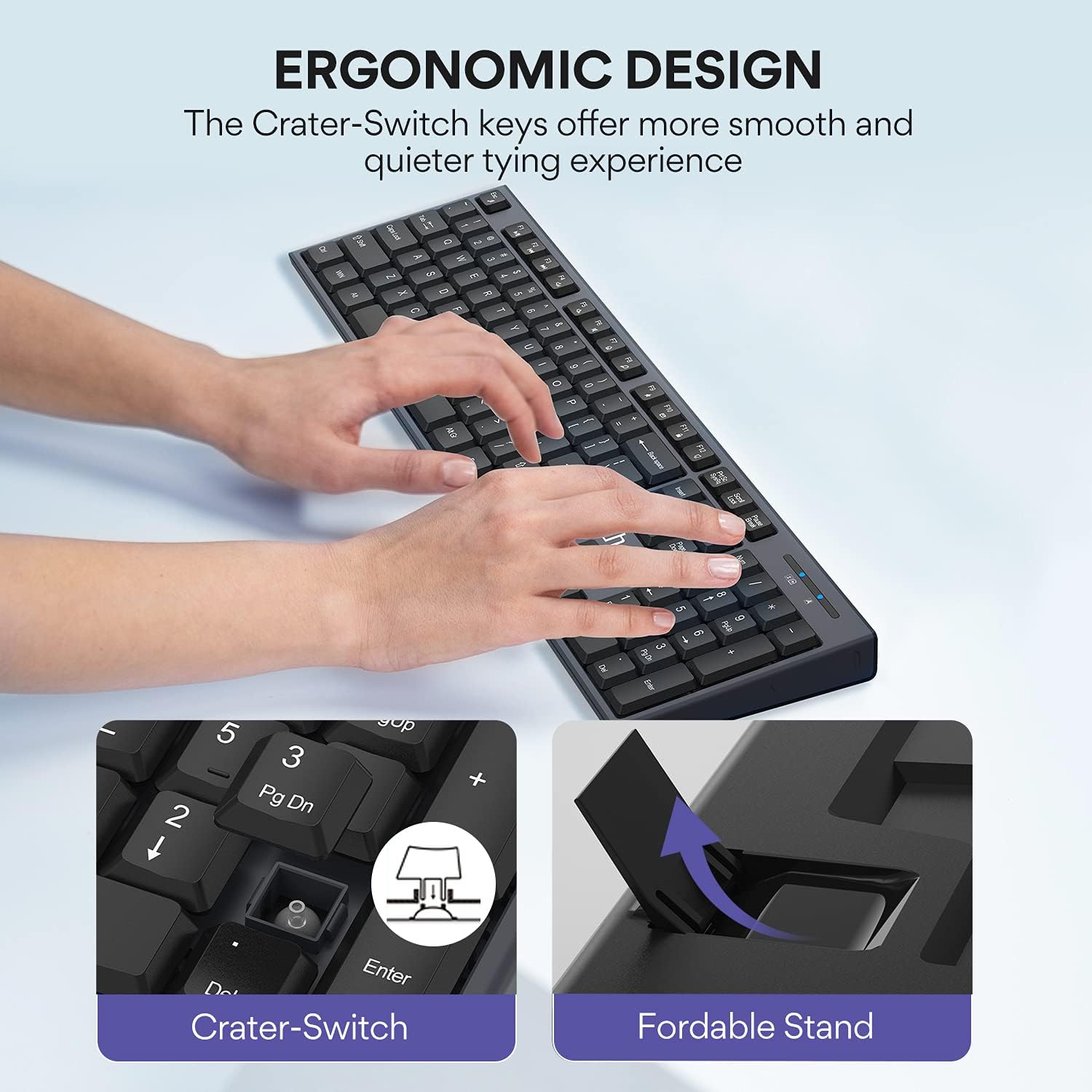
ചിത്രം: ക്ലോസ്-അപ്പ് view highlighting the Crater-Switch keys for smooth typing and the foldable stand for adjustable keyboard angle.

Image: Visual guide to the keyboard's 13 multimedia shortcuts and the mouse's 3 adjustable DPI settings (800/1200/1600).
മൗസ് ഉപയോഗം:
- 6 ബട്ടണുകൾ: The mouse features standard left/right click, scroll wheel, DPI button, and two convenient side buttons for "Previous Page" and "Next Page" navigation.
- ക്രമീകരിക്കാവുന്ന DPI: Cycle through 3 DPI settings (800, 1200, 1600) by pressing the DPI button located below the scroll wheel. This allows you to adjust cursor sensitivity to your preference.
ഓട്ടോ സ്ലീപ്പ് മോഡ്:
To conserve battery life, both the keyboard and mouse will automatically enter an energy-saving sleep mode after 8 minutes of no operation. To wake them up, simply click any key on the keyboard or move/click the mouse. They will reconnect in several seconds.
മെയിൻ്റനൻസ്
Proper maintenance ensures the longevity and optimal performance of your UHURU Wireless Keyboard and Mouse Combo.
- വൃത്തിയാക്കൽ: കീബോർഡിന്റെയും മൗസിന്റെയും പ്രതലങ്ങൾ തുടയ്ക്കാൻ മൃദുവായതും ഉണങ്ങിയതുമായ തുണി ഉപയോഗിക്കുക. കഠിനമായ അഴുക്കിന്, അൽപ്പം ഡി.amp വീര്യം കുറഞ്ഞ സോപ്പ് ഉള്ള തുണി ഉപയോഗിക്കാം, പക്ഷേ ദ്രാവകം ഉപകരണത്തിലേക്ക് പ്രവേശിക്കുന്നില്ലെന്ന് ഉറപ്പാക്കുക. അബ്രസിവ് ക്ലീനറുകളോ ലായകങ്ങളോ ഒഴിവാക്കുക.
- ബാറ്ററി മാറ്റിസ്ഥാപിക്കൽ: Replace batteries when the low battery indicator light on the keyboard illuminates or when performance degrades. Refer to the "Battery Installation" section under Setup for instructions.
- സംഭരണം: When not in use for extended periods, remove the batteries to prevent leakage and store the devices in a cool, dry place.
ട്രബിൾഷൂട്ടിംഗ്
If you encounter any issues with your UHURU Wireless Keyboard and Mouse Combo, please refer to the following common troubleshooting steps:
| പ്രശ്നം | സാധ്യമായ കാരണം | പരിഹാരം |
|---|---|---|
| കീബോർഡ്/മൗസ് പ്രതികരിക്കുന്നില്ല | കുറഞ്ഞതോ ചത്തതോ ആയ ബാറ്ററികൾ. | Replace batteries in both keyboard (1 AAA) and mouse (1 AA). |
| കീബോർഡ്/മൗസ് പ്രതികരിക്കുന്നില്ല | USB receiver not properly connected or recognized. | പ്രവർത്തിക്കുന്ന ഒരു USB പോർട്ടിലേക്ക് USB റിസീവർ ദൃഢമായി പ്ലഗ് ചെയ്തിട്ടുണ്ടെന്ന് ഉറപ്പാക്കുക. മറ്റൊരു USB പോർട്ട് പരീക്ഷിക്കുക. |
| കീബോർഡ്/മൗസ് പ്രതികരിക്കുന്നില്ല | മറ്റ് വയർലെസ് ഉപകരണങ്ങളിൽ നിന്നുള്ള ഇടപെടൽ. | Move the keyboard and mouse closer to the USB receiver. Remove other wireless devices that might be causing interference. |
| പ്രതികരണത്തിലെ കാലതാമസം അല്ലെങ്കിൽ കാലതാമസം | Distance from receiver or interference. | Reduce the distance between the devices and the USB receiver. Ensure no large metal objects are between them. |
| Multimedia shortcuts not working on Mac | Incompatibility with Mac OS. | This is a known limitation. The 13 multimedia shortcuts are not compatible with Mac systems. Basic typing and mouse functions will still work. |
സ്പെസിഫിക്കേഷനുകൾ
| ഫീച്ചർ | വിശദാംശങ്ങൾ |
|---|---|
| ഉൽപ്പന്ന അളവുകൾ | 17.3 x 4.9 x 0.9 ഇഞ്ച് |
| ഇനത്തിൻ്റെ ഭാരം | 1.43 പൗണ്ട് |
| ഇനം മോഡൽ നമ്പർ | 8541649271 |
| കീബോർഡ് ബാറ്ററി | 1 AAA ബാറ്ററി (ഉൾപ്പെട്ടിരിക്കുന്നു) |
| മൗസ് ബാറ്ററി | 1 AA ബാറ്ററി (ഉൾപ്പെട്ടിരിക്കുന്നു) |
| കണക്റ്റിവിറ്റി ടെക്നോളജി | 2.4G വയർലെസ് (USB റിസീവർ) |
| വയർലെസ് ശ്രേണി | 33 അടി വരെ (10 മീറ്റർ) |
| മൗസ് DPI ക്രമീകരണങ്ങൾ | 800 / 1200 / 1600 |
| നിറം | ചാരനിറം |
| അനുയോജ്യമായ ഉപകരണങ്ങൾ | Laptop, Television, Personal Computer (Windows 10/11/8/7/Vista/XP, Mac, Surface Pro) |

Image: Detailed dimensions of the keyboard (17.2in x 5.0in) and mouse (2.81in x 4.12in).
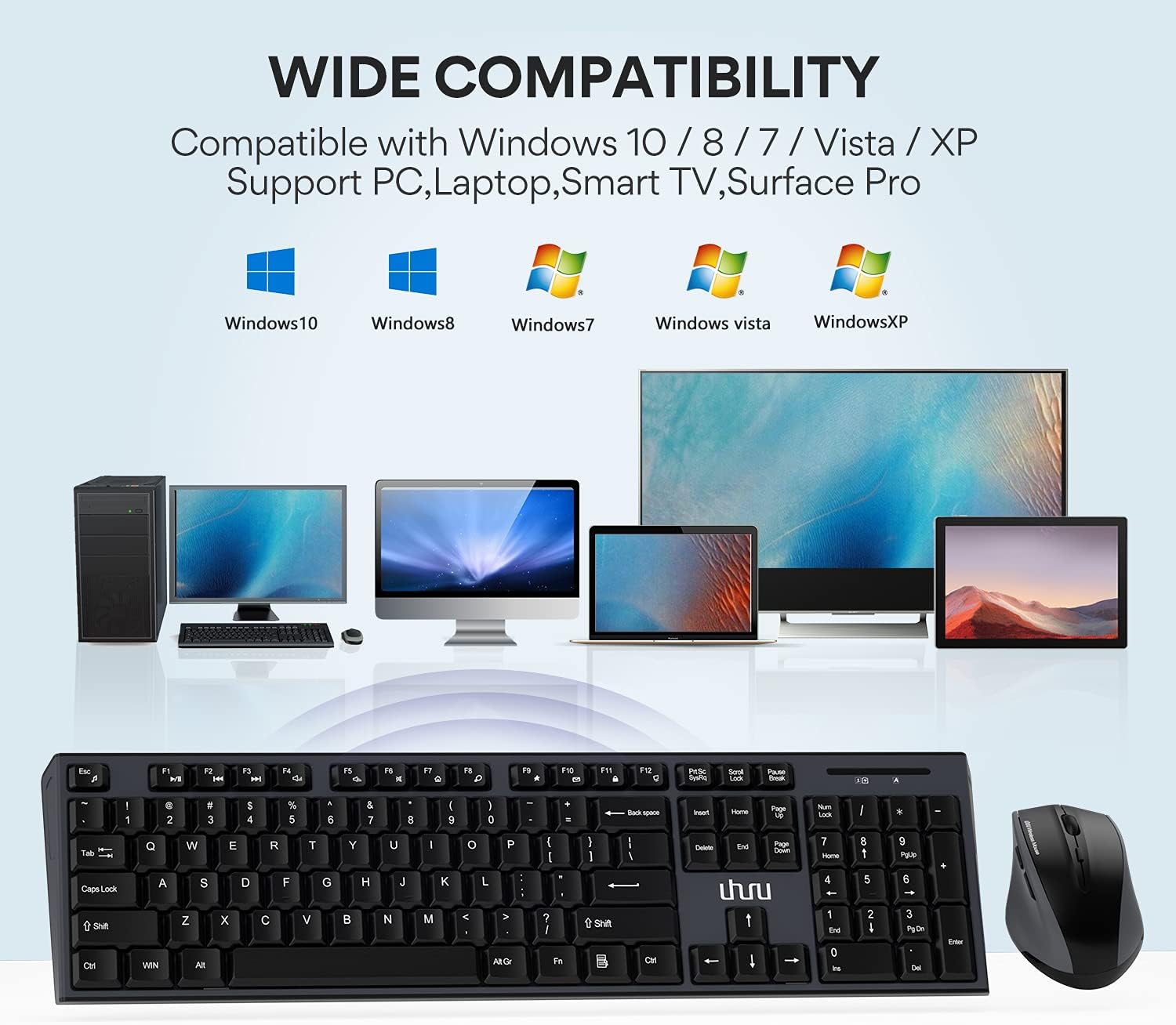
Image: Visual representation of the wide compatibility with Windows 10, 8, 7, Vista, XP, and devices like PC, Laptop, Smart TV, and Surface Pro.
വാറൻ്റിയും പിന്തുണയും
UHURU provides a 12 മാസ വാറൻ്റി for this product, ensuring peace of mind regarding manufacturing defects or performance issues. We are committed to friendly and responsive customer service.
For any inquiries, technical support, or warranty claims, please contact our customer service team through the following channels:
- ഓൺലൈൻ കോൺടാക്റ്റ് ഫോം: Visit the official UHURU website and navigate to the contact section. http://www.uhurumobility.com/Home/About/contact
- ഇമെയിൽ പിന്തുണ: Refer to the contact information provided on the product packaging or official webനേരിട്ടുള്ള ഇമെയിൽ പിന്തുണയ്ക്കുള്ള സൈറ്റ്.
Our team is dedicated to solving your problems within 12 hours and offers lifetime support for major damages. We also provide 24-hour online quick fix support as part of our RU Care Program.
Ask a question about this manual
Ask about setup, troubleshooting, compatibility, parts, safety, or missing instructions. Manuals+ will review the question and use this page’s manual context to help answer it.